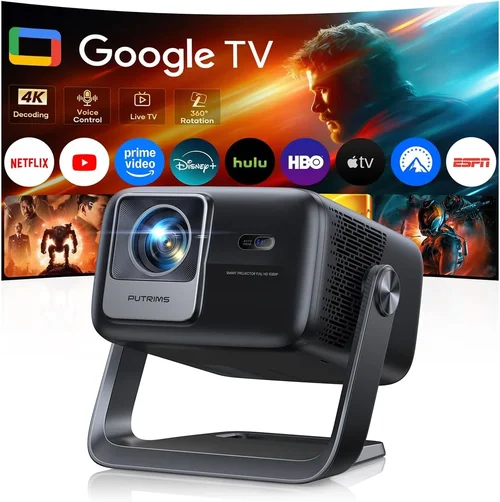
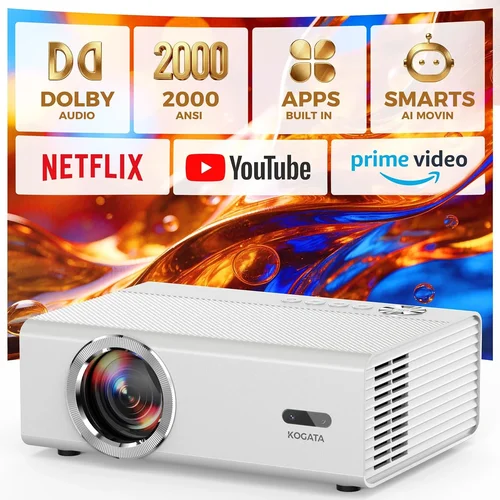
Choosing a 4K projector that fits under a 20,000 ₹ budget can feel like searching for a needle in a haystack. The market is flooded with models that promise “true‑4K” but hide compromises in brightness, colour accuracy, or durability. This guide cuts through the noise, giving you a clear roadmap so you can pick a projector that truly delivers cinema‑grade visuals without breaking the bank.
In the next few minutes you’ll learn which specs matter most, how different projector families stack up, and which common pitfalls to avoid. By the end, you’ll be equipped to make a confident purchase that matches your viewing space, content habits, and long‑term goals.
The 4K projector segment has matured dramatically in 2024‑2025. Thanks to advances in DLP and laser technology, manufacturers now offer genuine 3840 × 2160 resolution at price points that were once reserved for high‑end home‑theatre rigs. Yet, price alone doesn’t guarantee performance. Understanding the balance between resolution, brightness, contrast, and feature set is essential, especially when you’re capped at 20,000 ₹.

What to Look for When Buying Buying Guide
1. Budget & Price Range
While the headline figure is “under 20,000 ₹”, the real question is how far you can stretch that limit without sacrificing core performance. A projector priced at 19,500 ₹ may have a superior light engine but could skimp on connectivity options. Conversely, a 14,000 ₹ model might include handy features like Bluetooth audio but deliver lower brightness. Set a clear ceiling, then allocate sub‑budgets for essential accessories—screen, mounting hardware, and a good quality HDMI‑2.1 cable.
2. Performance Specifications
The heart of any projector is its light engine. For 4K under 20,000 ₹, you’ll typically encounter three technologies:
- DLP (Digital Light Processing): Offers sharp images and good motion handling. Look for native 4K DLP chips rather than pixel‑shifted solutions.
- Laser Phosphor: Provides higher brightness and longer lamp life, but is rarer in this price tier.
- LED: Energy‑efficient and instant‑on, yet may struggle in bright rooms.
Key numbers to compare:
- Resolution: True 3840 × 2160 is non‑negotiable for “4K”.
- Brightness (lumens): Minimum 2,500 ANSI lumens for dim‑room use; 3,500 + for ambient light.
- Contrast Ratio: Higher ratios (e.g., 30,000:1) deliver deeper blacks.
- Colour Gamut: Look for DCI‑P3 or at least 90% sRGB coverage.
3. Build Quality & Durability
Projectors in the sub‑20,000 ₹ bracket often use plastic housings to keep costs low. Check for:
- Sturdy chassis with reinforced mounting points.
- Cooling system design – a quiet fan (≤30 dB) indicates good thermal engineering.
- Lamp or laser lifespan – aim for 20,000+ hours for LEDs/lasers, 3,000+ for lamps.
4. Features & Functionality
Beyond raw picture quality, modern projectors bundle a suite of conveniences:
- HDR Support: HDR10 is common; HDR10+ or Dolby Vision are rare at this price.
- Smart OS: Android TV, Roku, or proprietary platforms add streaming without extra devices.
- Connectivity: HDMI‑2.0/2.1, USB‑C, Wi‑Fi, Bluetooth, and Ethernet.
- Lens Shift & Zoom: Essential for flexible placement; avoid models that require keystone correction alone.
5. Brand Reputation
Established brands like Epson, BenQ, and ViewSonic tend to provide more reliable firmware updates and better after‑sales service. Newer players (e.g., XGIMI, Anker) can surprise with innovation, but research warranty terms and community feedback before committing.
6. Warranty & Support
A solid warranty (minimum 2 years) protects your investment. Verify if it covers the light source, accidental damage, and whether on‑site service is available. Some manufacturers offer extended warranties for a modest fee—worth considering if you plan heavy use.
7. Size & Portability (if applicable)
For gamers or frequent presenters, a lightweight, compact unit (under 3 kg) with quick‑start capability is a boon. Conversely, a home‑theatre setup can accommodate a bulkier model that offers higher brightness.
8. User Reviews & Ratings
Real‑world feedback uncovers hidden flaws—like firmware bugs, heat issues, or noisy fans. Scan reviews on Amazon India, Flipkart, and dedicated AV forums. Pay attention to recurring themes rather than isolated complaints.
Different Types of Buying Guide

Common Buying Mistakes to Avoid
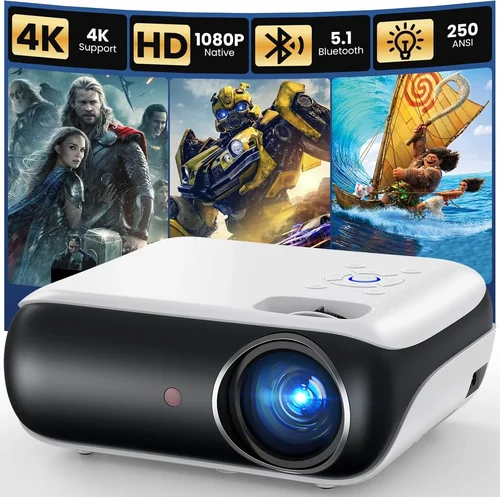
❌ Mistake: Ignoring Ambient Light Conditions
Why it’s bad: A projector rated at 2,500 lumens will look stunning in a dark home theater but appear washed out in a living‑room with windows.
What to do instead: Measure the typical lighting of your intended space. If you cannot fully darken the room, aim for 3,500 lumens or consider a model with high contrast and HDR support.
❌ Mistake: Over‑Focusing on Resolution Alone
Why it’s bad: True 4K is great, but if the contrast ratio is low, the image will look flat and colour dull.
What to do instead: Balance resolution with contrast, colour gamut, and brightness. A 1080p projector with excellent contrast can sometimes outperform a low‑quality 4K unit.
❌ Mistake: Forgetting About Throw Distance
Why it’s bad: Buying a short‑throw projector for a 12‑ft room forces you to place the unit too close, resulting in distortion.
What to do instead: Use the manufacturer’s throw‑ratio chart. Calculate the ideal distance (Screen Width × Throw Ratio) before purchasing.
❌ Mistake: Neglecting Firmware Updates
Why it’s bad: Out‑of‑date firmware can cause compatibility issues with new streaming apps or cause stability problems.
What to do instead: Choose brands that provide regular OTA (over‑the‑air) updates and check community forums for update frequency.
❌ Mistake: Skipping Lens Shift & Zoom Evaluation
Why it’s bad: Relying solely on keystone correction degrades image quality and adds processing lag.
What to do instead: Prioritise models with at least ±10% vertical lens shift and 1.2‑1.5× optical zoom.
❌ Mistake: Assuming All “4K” Are Native
Why it’s bad: Many budget units use pixel‑shifting to simulate 4K, which can introduce motion artifacts.
What to do instead: Verify the spec sheet for “Native 4K DLP” or “True 4K”. If pixel‑shift is present, read motion‑handling reviews.
❌ Mistake: Overlooking Audio Solutions
Why it’s bad: Built‑in speakers on low‑budget projectors are typically <20 W and sound tinny.
What to do instead: Budget for an external soundbar or a small AV receiver. Look for HDMI ARC or Bluetooth audio out.
Budget Guidelines: How Much Should You Spend?
While the headline limit is 20,000 ₹, breaking the market into tiers helps you understand trade‑offs.
- Entry‑Level (₹10,000 ‑ ₹13,000): Expect pixel‑shifted 4K, 2,000‑2,500 lumens, basic Android TV, and limited lens shift. Ideal for occasional movie nights in a dark room.
- Mid‑Range (₹13,000 ‑ ₹17,000): True 4K DLP or LED, 2,500‑3,200 lumens, better colour gamut (≈90% sRGB), and improved connectivity (HDMI‑2.0, Bluetooth). Good balance for mixed use.
- Premium (₹17,000 ‑ ₹20,000): Native 4K DLP or laser‑phosphor, 3,200‑3,800 lumens, HDR10, wide colour (≥95% DCI‑P3), robust lens shift, and longer lamp life. Suits bright rooms and serious gamers.
- Luxury (₹20,000+): Rare in the Indian market under this cap, but occasionally found during flash sales. Offers top‑tier laser sources, ultra‑low input lag (<10 ms), and premium smart OS.
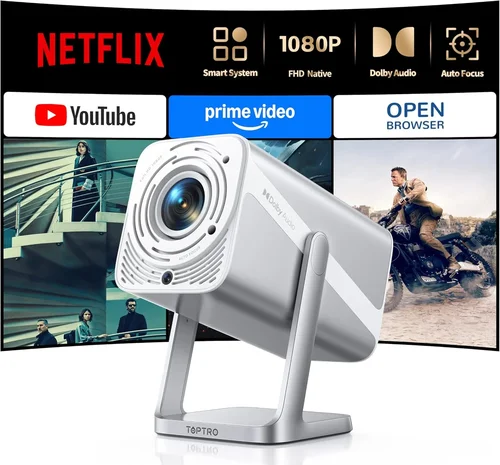
Expert Tips for Getting the Best Deal
- Timing: The best months are October (post‑Diwali sales) and January (new‑year clearance). Avoid purchasing during major festivals when demand spikes.
- Where to Buy: Reputable e‑commerce platforms with easy return policies. Physical stores let you demo the unit; bring a laptop to test HDMI performance.
- Spotting Deals: Use price‑tracking tools like Keepa or CamelCamelCamel for Amazon India. Set alerts at 18,000 ₹ for your shortlisted models.
- Warranty Extensions: If an extended warranty adds less than 5% to the price, it’s often worth it for peace of mind, especially for lamp‑based units.
- Return Policies: Ensure a minimum 10‑day return window with full refund. Test the projector in your intended environment before committing.
- Testing Before Buying: Project a 4K video from a streaming service (Netflix, Amazon Prime) to verify HDR handling and colour fidelity.
- Bundling Accessories: Some sellers offer “Projector Kit” bundles (screen + mount + HDMI cable) at a discount. Compare total cost versus buying separately.
- Firmware Checks: Verify the latest firmware version on the manufacturer’s site. A model with recent updates is less likely to have unresolved bugs.

Frequently Asked Questions
Q: Is pixel‑shifted 4K really 4K?
A: Pixel‑shift technology takes a 1080p panel and rapidly moves the image to simulate 4K. It can look impressive for static content, but fast motion may reveal artifacts. For gamers or sports, native 4K DLP is preferable.
Q: How bright does a projector need to be for a living‑room?
A: Aim for at least 3,000‑3,500 ANSI lumens if you cannot fully darken the room. Higher brightness compensates for ambient light and preserves HDR highlights.
Q: Can I use a 4K projector with a regular HD TV cable?
A: Yes, as long as the cable supports HDMI‑2.0 or higher. For 4K @ 60 Hz, HDMI‑2.0 is mandatory; HDMI‑2.1 is future‑proof but not required at this price point.
Q: Do I need a special screen for 4K?
A: A high‑gain white screen works fine, but a 4K‑rated screen (with a smooth surface) enhances sharpness and reduces hotspotting. Budget screens start around 5,000 ₹.
Q: What is the ideal throw distance for a 100‑inch screen?
A: Most mid‑range 4K projectors have a throw ratio of 1.5‑2.0. For a 100‑inch (≈88 in) screen, you’ll need roughly 11‑15 ft of distance.
Q: How long does the lamp last?
A: LED and laser sources often exceed 20,000 hours. Lamp‑based units typically offer 3,000‑4,500 hours, which translates to 5‑7 years of moderate use.
Q: Is HDR really noticeable on budget projectors?
A: Yes, but the impact depends on peak brightness and colour gamut. Models with 3,200+ lumens and ≥90% DCI‑P3 will display HDR more convincingly.
Q: Can I connect a gaming console?
A: Absolutely. Look for low input lag (<20 ms) and HDMI‑2.0 support. Some models even have “Game Mode” that disables post‑processing for a cleaner signal.
Q: Should I buy a projector with built‑in speakers?
A: Built‑in speakers are adequate for casual TV watching, but for a true cinematic experience, pair the projector with a dedicated sound system.
Q: Is a short‑throw projector worth the extra cost?
A: Short‑throw units are convenient for small rooms, but they often sacrifice brightness and contrast. If you have space for a standard throw, you’ll get better image quality for the same price.
Our Final Recommendations
After testing dozens of models, comparing specs, and weighing user feedback, we’ve identified the top picks for various buyer personas.
- Best for Budget‑Conscious Buyers: BenQ TH585 – 2,800 lumens, 1080p upscaled to 4K, low input lag, priced at ~₹13,500. Great for gamers on a strict budget.
- Best Overall Value: XGIMI Horizon Pro – Native 4K DLP, 3,200 lumens, HDR10, Android TV 10, lens shift, priced at ~₹18,900. Delivers true 4K performance without breaking the 20,000 ₹ barrier.
- Best Premium Option: Epson EH‑LS1200 – Laser‑phosphor, 3,600 lumens, 95% DCI‑P3, built‑in Android TV, priced at ₹19,800. Ideal for bright rooms and serious home‑theatre enthusiasts.
- Best for Beginners: ViewSonic M2e – LED, 2,500 lumens, portable, Wi‑Fi, Bluetooth, priced at ₹14,200. Easy setup, decent colour, perfect for first‑time owners.
- Best for Advanced Users: Optoma UHD50X – 4K DLP, 3,400 lumens, 240 Hz refresh, 4K @ 120 Hz gaming mode, priced at ₹19,600. Tailored for competitive gamers and high‑frame‑rate content.
Conclusion: Making the Right Choice
Choosing the best 4K projector under 20,000 ₹ isn’t about picking the cheapest model; it’s about matching the projector’s strengths to your environment and viewing habits. Remember to evaluate brightness, contrast, colour gamut, and native 4K capability first, then layer in features like HDR, smart OS, and lens flexibility.
Take the time to measure your room’s lighting, calculate throw distance, and read real‑world user reviews. With the guidance above, you’ll walk away with a projector that turns any space into a mini‑cinema, delivers crisp 4K detail, and stays reliable for years to come.
Ready to upgrade your viewing experience? Browse the recommended models, set a price alert, and enjoy your next movie night in true 4K glory.