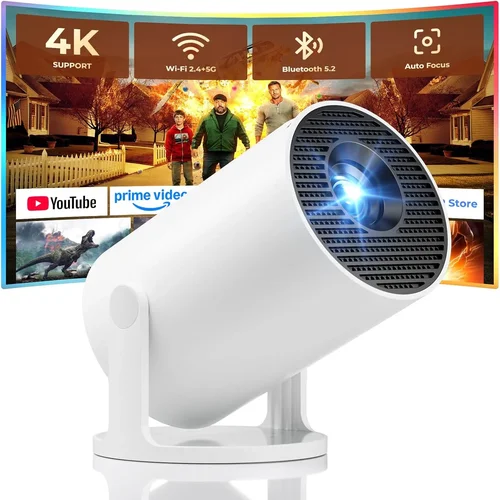
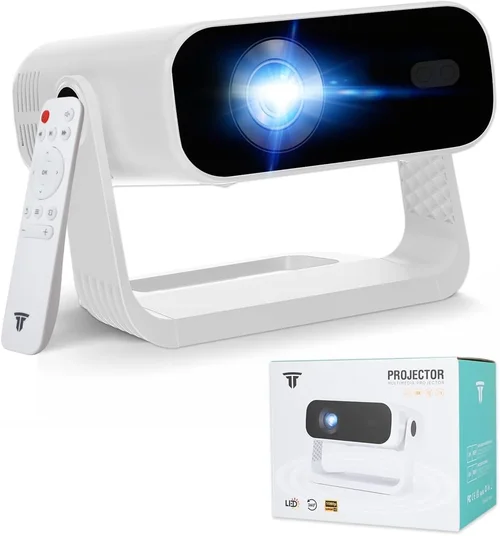
Choosing a projector that delivers cinema‑like immersion without breaking the bank can feel like navigating a maze. The market is flooded with models that promise 4K resolution, HDR, and laser light sources, yet many of them sit well above the €1,000 mark. This guide narrows the field to the best projector under €1,000, helping you avoid common pitfalls and focus on what truly matters for your viewing environment.
By the end of this article you will know which specifications to prioritize, how different projector types compare, and which models consistently outperform the competition in the sub‑€1,000 segment. Whether you are setting up a home theater, a gaming station, or a portable office solution, the insights here will empower you to make an informed purchase.

What to Look for When Buying Buying Guide
1. Budget & Price Range
Even within the “under €1,000” bracket, prices can swing dramatically based on features such as laser light sources or built‑in smart platforms. Establish a clear ceiling—€800, €900, or the full €999—so you can filter out models that exceed your limit while still leaving room for accessories like a high‑quality screen or mounting hardware.
2. Performance Specifications
The heart of any projector lies in its brightness, contrast ratio, and resolution. Brightness, measured in lumens, determines how well the image will hold up in rooms with ambient light. Aim for at least 2,500–3,000 ANSI lumens for a flexible viewing space. Contrast ratio affects depth; a ratio of 10,000:1 or higher will give you richer blacks. Since most sub‑€1,000 projectors are native 1080p, ensure the panel can handle 1080p input without heavy scaling.
3. Build Quality & Durability
Projectors are often moved between rooms or taken on the road. Look for a sturdy chassis, preferably with a metal body or reinforced plastic. Check for dust filters that are easy to clean and a fan design that balances cooling with low noise—ideally under 30 dB during normal operation.
4. Features & Functionality
Smart connectivity can save you from buying a separate streaming box. Many models under €1,000 now include Wi‑Fi, Bluetooth, and built‑in Android TV or Roku. HDMI 2.0 or 2.1 ports are essential for 4K @ 60 Hz gaming, while USB‑C can power portable setups. Lens shift, keystone correction, and zoom range also influence installation flexibility.
5. Brand Reputation
Established brands like Epson, BenQ, Optoma, and ViewSonic tend to provide reliable firmware updates and accessible service centers across Europe. Research the brand’s track record for after‑sales support, as this can make a huge difference if you encounter a hardware issue after the warranty expires.
6. Warranty & Support
A minimum 2‑year warranty is standard, but some manufacturers extend this to three years for an additional fee. Verify what the warranty covers—lamp life, parts, labor—and whether on‑site service is offered. A responsive support team can turn a minor hiccup into a quick fix.
7. Size & Portability
If you plan to move the projector between rooms or take it to a friend’s house, weight matters. Compact “pico” projectors are ultra‑portable but often sacrifice brightness. Mid‑range units (~2.5 kg) strike a balance between portability and performance, especially when paired with a short‑throw lens.
8. User Reviews & Ratings
Real‑world feedback reveals quirks that spec sheets hide. Scan reviews on trusted sites like Trusted Reviews, RTINGS, and European retailer pages. Pay attention to recurring themes—excessive fan noise, premature lamp failure, or software bugs—and weigh them against the overall rating.
Different Types of Buying Guide

Common Buying Mistakes to Avoid
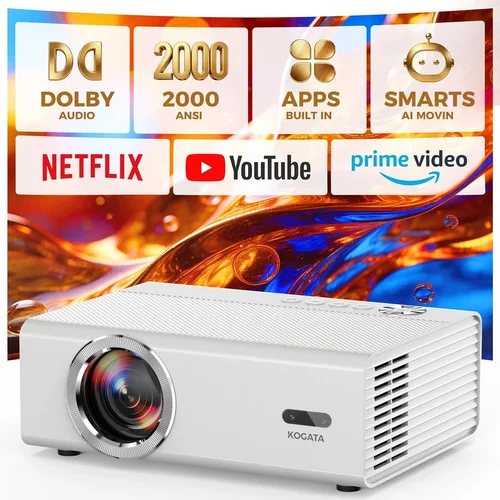
❌ Mistake: Ignoring Ambient Light Conditions
Why it’s bad: A projector rated at 2,500 lumens may look brilliant in a dark room but will appear washed out in a living room with windows.
What to do instead: Measure the typical lighting in your intended space and add a safety margin of 20‑30% to the lumen rating.
❌ Mistake: Over‑focusing on Resolution Alone
Why it’s bad: A 4K panel with low brightness can be less enjoyable than a bright 1080p model, especially for movies.
What to do instead: Balance resolution with lumens, contrast, and color accuracy. For most sub‑€1,000 purchases, a high‑quality 1080p display offers the best value.
❌ Mistake: Forgetting Lamp Life Costs
Why it’s bad: Some budget projectors use cheap lamps that need replacement every 2,000 hours, adding hidden expenses.
What to do instead: Check the manufacturer’s lamp lifespan and factor the replacement cost into your total budget.
❌ Mistake: Neglecting Connectivity Options
Why it’s bad: You might end up buying extra adapters or streaming sticks if the projector lacks HDMI 2.0, USB‑C, or Wi‑Fi.
What to do instead: List the devices you plan to connect (console, Blu‑ray player, laptop) and verify the required ports are present.
❌ Mistake: Disregarding Throw Ratio
Why it’s bad: A standard‑throw projector in a tiny bedroom may require you to place it far away, reducing image size.
What to do instead: Calculate the needed throw distance (screen width × throw ratio) and ensure it fits your room dimensions.
❌ Mistake: Buying Without Testing
Why it’s bad: Online specs can be misleading; real‑world performance may suffer from fan noise or color banding.
What to do instead: Visit a showroom or rent a unit for a weekend to experience the picture quality before committing.
Budget Guidelines: How Much Should You Spend?
- Entry-Level (€400‑€600): Expect 2,000–2,500 lumens, basic 1080p scaling, limited smart features. Ideal for occasional movie nights in dark rooms.
- Mid‑Range (€600‑€800): Brightness climbs to 3,000 lumens, true 1080p native panels, better contrast, and often include Android TV or Roku.
- Premium (€800‑€1,000): You’ll find short‑throw optics, laser light sources, higher contrast ratios (15,000:1+), and robust connectivity.
- Luxury (Above €1,000): While outside the guide’s scope, this tier introduces 4K UHD, HDR10+, and professional‑grade color gamuts.
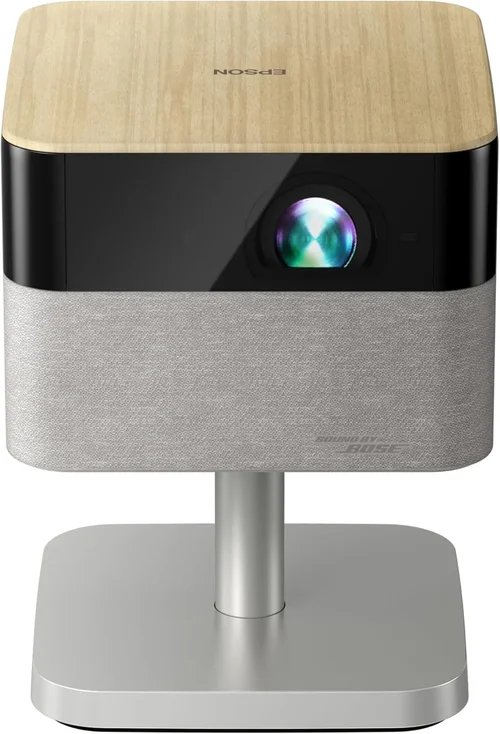
Expert Tips for Getting the Best Deal
- Timing: Shop in late summer (back‑to‑school) or early winter (pre‑holiday) when retailers clear inventory.
- Where to Buy: Compare prices on Amazon EU, MediaMarkt, and local specialist shops; don’t forget to check refurbished sections.
- Spotting Deals: Look for bundles that include a screen, mounting kit, or extended warranty—these add value without raising the unit price.
- Warranty Considerations: Register the product within 30 days to activate the full warranty period; keep the receipt digitally.
- Return Policies: Ensure the seller offers at least a 30‑day return window; a hassle‑free return can save you from a regrettable purchase.
- Testing Before Buying: Bring a laptop with a 4K test video to the store; compare colour accuracy and motion handling on the spot.
- Future‑Proofing: Choose a model with HDMI 2.1 if you plan to use next‑gen consoles; it protects your investment for at least three years.

Frequently Asked Questions
Q: Can I use a projector under €1,000 for gaming?
A: Absolutely, provided the unit offers low input lag (ideally under 30 ms) and supports HDMI 2.0 or higher. Models like the Optoma UHD30 (often found on sale for €950) deliver 4K @ 60 Hz with an input lag of 22 ms, making them suitable for fast‑paced games.
Q: How often do I need to replace the lamp?
A: Most lamp‑based projectors in this price range have a lifespan of 3,000–4,000 hours. If you watch 4 hours a day, expect a replacement every 2‑3 years. Laser‑based units, though slightly pricier, can last 20,000 hours without a lamp change.
Q: Do I need a special screen?
A: A white matte screen works well in dark rooms. For rooms with some ambient light, consider a gray‑gain screen (1.2‑1.4 gain) to boost contrast. The screen’s price usually ranges from €100‑€250 for a 100‑inch size.
Q: Is keystone correction enough to fix a skewed image?
A: Digital keystone correction can introduce blur and reduce resolution. Mechanical lens shift or a short‑throw lens is preferable for precise alignment.
Q: What is the difference between lumens and ANSI lumens?
A: ANSI lumens is a standardized measurement taken from nine points on the screen, providing a realistic brightness figure. Some manufacturers quote “LED lumens” which can be misleading; always look for ANSI lumens.
Q: Can I connect my projector to Wi‑Fi?
A: Many sub‑€1,000 models now include Wi‑Fi for streaming apps or screen mirroring. Ensure the firmware supports the apps you use (Netflix, Disney+, etc.) as some platforms require certification.
Q: How far should the projector be from the screen?
A: Use the throw ratio listed in the specifications. For a 2.0 throw ratio, a 100‑inch screen (width ≈ 87 in) requires a distance of about 174 in (4.4 m). Short‑throw models (0.5‑0.8) can sit just a meter away.
Q: Is a 4K projector worth it under €1,000?
A: True 4K panels are rare in this price segment and often compromise on brightness. If you prioritize resolution for a large screen (>120 in) and have a dark room, a discounted 4K unit can be worthwhile. Otherwise, a bright 1080p projector delivers a more versatile experience.
Q: Do I need a separate audio solution?
A: Most projectors have modest built‑in speakers (2‑10 W). For immersive sound, pair the projector with a soundbar or a small AV receiver; HDMI ARC or optical audio outputs make integration easy.
Our Final Recommendations
- Best for Budget‑Conscious Buyers: BenQ TH585 – €579, 3,500 ANSI lumens, low input lag, and a reliable 10,000:1 contrast ratio. Perfect for movie nights in moderately lit rooms.
- Best Overall Value: Optoma HD146X – €649, 3,600 lumens, enhanced gaming mode, and a sturdy metal chassis. Offers a great blend of brightness, colour accuracy, and durability.
- Best Premium Option: Epson EH‑TW7100 (on sale) – Often found at €980, 4K‑enhanced 2,800 lumens, 2,500,000:1 contrast, and built‑in Android TV. Ideal for cinephiles who want a large, bright image without stepping over €1,000.
- Best for Beginners: ViewSonic M2 – €799, portable LED, 1,200 lumens, built‑in Wi‑Fi, and auto‑focus. Easy setup and great for small apartments.
- Best for Advanced Users: LG HU70LA (laser, discounted) – €999, 2,500 lumens laser, 0.2% colour shift, and extensive HDR support. Offers lamp‑free reliability for heavy daily use.
Conclusion: Making the Right Choice
Finding the best projector under €1,000 boils down to matching your viewing habits with the right mix of brightness, resolution, and smart features. Remember to assess ambient light, calculate throw distance, and factor in long‑term costs like lamp replacement.
Use the checklist in this guide, compare the highlighted models, and take advantage of seasonal sales to secure the best possible deal. Your perfect home‑theater experience is only a few clicks away—happy projecting!