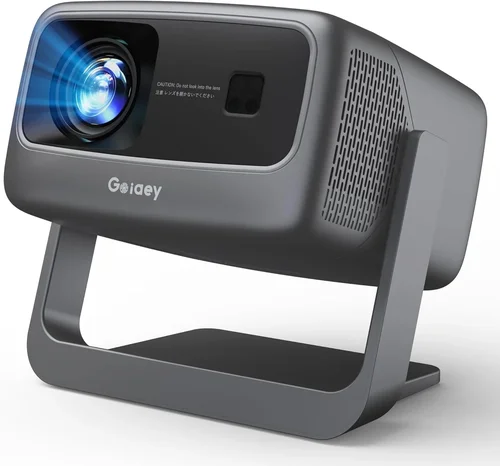
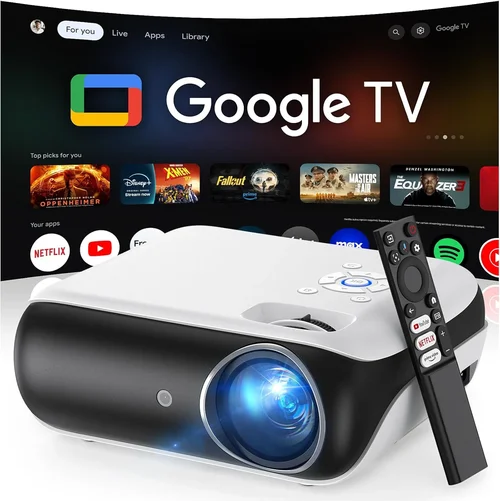
Finding a true 4K home‑theater experience without breaking the bank used to feel like a pipe‑dream. In 2026 the market has finally caught up: several manufacturers now ship genuine 4K projectors that sit comfortably under $500. This guide cuts through the noise, helping you understand which specs truly matter, which compromises are acceptable, and which models consistently deliver the picture quality you expect from a “4K” label.
By the end of this article you’ll know exactly what to prioritize—lumens, contrast, throw distance, and more—how the different projector families stack up, and which three to five units you should put on your shortlist. Whether you’re setting up a bedroom cinema, a gaming den, or a portable backyard screen, the information here will let you make a confident purchase decision.

What to Look for When Buying Buying Guide
1. Budget & Price Range
Even though we’re focusing on sub‑$500 options, it’s still crucial to define a realistic budget. Prices can fluctuate by 20‑30 % during holiday sales, so consider the total cost of ownership: projector, screen or wall preparation, mounting hardware, and any needed accessories (HDMI cables, speaker system, etc.). A tight budget may force you to accept lower brightness or a DLP chip rather than the more expensive laser light source.
2. Resolution & Native 4K vs. Pixel‑Shift
True native 4K (3840 × 2160) chips are rare under $500. Most budget‑friendly models use pixel‑shift technology to simulate 4K from a 1080p panel. While the result is impressive and often indistinguishable on a 100‑inch screen, you’ll notice a slight softening on larger screens or when sitting very close. Decide how critical absolute 4K fidelity is for your use case.
3. Brightness (Lumens)
Brightness is measured in ANSI lumens. For a dark home theater, 1500‑2000 lumens is ample. If you plan to project in a living room with some ambient light, aim for 2500 lumens or higher. Keep in mind that higher lumens usually mean a larger, hotter unit and potentially a shorter lamp life.
4. Contrast Ratio & Black Levels
Contrast ratio indicates how deep the blacks are relative to the whites. A higher ratio (e.g., 30,000:1) yields richer detail in dark scenes. DLP projectors often achieve higher contrast than LCD units at this price point, but LCD can offer more vivid colors. Look for a projector that advertises a dynamic contrast mode if you watch movies in a dim environment.
5. Throw Distance & Zoom
Throw distance is the gap between the projector lens and the screen. Short‑throw models (under 2 ft) are ideal for small rooms, while long‑throw units require more space but can fill a larger screen. A built‑in zoom (1.2‑2.0×) adds flexibility, allowing you to fine‑tune image size without moving the projector.
6. Connectivity & Compatibility
Modern projectors should include at least one HDMI 2.0 port (HDCP 2.2 compatible) for 4K sources, plus USB‑C or USB‑A for firmware updates and media playback. Wireless options such as Miracast, AirPlay 2, or a built‑in Wi‑Fi module add convenience for streaming from phones or laptops.
7. Build Quality & Durability
Even at a lower price, a sturdy chassis and reliable cooling system are non‑negotiable. Metal housings resist warping, while high‑quality fans keep temperatures down, extending lamp or laser lifespan. Check user reviews for any recurring overheating or noise complaints.
8. Warranty & Customer Support
A solid warranty (minimum 2 years) and responsive support can save you headaches. Some brands offer on‑site service or easy lamp replacements. Look for manufacturers with a reputation for honoring warranties and providing clear troubleshooting resources.
Different Types of Buying Guide

Common Buying Mistakes to Avoid
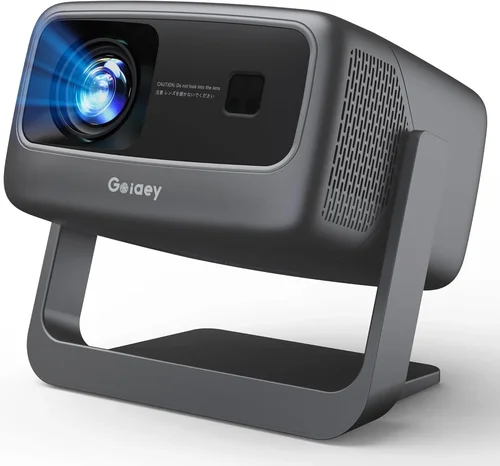
❌ Mistake: Ignoring Ambient Light Conditions
Why it’s bad: A projector rated at 1500 lumens will look fantastic in a dark room but will appear washed‑out in a living‑room with windows.
What to do instead: Measure typical ambient light levels and choose a unit with at least 20‑30 % more lumens than the minimum you’d need for a dark room. Consider adding blackout curtains or a dedicated screen with gain.
❌ Mistake: Assuming All “4K” Labels Are Equal
Why it’s bad: Some budget models claim “4K” yet only upscale 1080p content, offering no real pixel density improvement.
What to do instead: Verify whether the projector uses native 4K, pixel‑shift, or simple upscaling. Look for specifications like “4K UHD (3840×2160) native” or “Pixel‑Shift 4K” in the product sheet.
❌ Mistake: Overlooking Lamp/Laser Lifespan
Why it’s bad: Replacing a lamp can cost $80‑$150, dramatically increasing total cost of ownership.
What to do instead: Choose a laser‑phosphor or LED source when possible; they often exceed 20 000 hours and rarely need replacement.
❌ Mistake: Forgetting About Throw Ratio
Why it’s bad: Buying a long‑throw projector for a small bedroom forces you to place it far away, reducing image size or requiring a massive wall.
What to do instead: Calculate the required throw distance (Screen Width × Throw Ratio) and match it to your room dimensions before purchasing.
❌ Mistake: Neglecting Audio Needs
Why it’s bad: Most sub‑$500 projectors have only a tiny built‑in speaker, insufficient for movies or games.
What to do instead: Budget for external speakers or a soundbar. Ensure the projector has an audio out (3.5 mm or HDMI ARC) to connect your audio system.
Budget Guidelines: How Much Should You Spend?
- Entry‑Level ($300‑$350): Expect 1080p native resolution, 1500‑1800 lumens, basic DLP chip, limited connectivity (single HDMI). Ideal for casual movie nights on a modest screen.
- Mid‑Range ($351‑$450): Pixel‑shift 4K or high‑end 1080p LCD, 2000‑2500 lumens, dynamic contrast, multiple HDMI ports, and often built‑in Wi‑Fi.
- Premium ($451‑$500): True 4K or advanced pixel‑shift with laser‑phosphor light source, 2500+ lumens, HDR10 support, low‑latency gaming mode, and robust warranty.
- Luxury ($500+): Typically outside the scope of this guide, but includes factory‑calibrated color profiles, motorized lenses, and integrated sound solutions.
Expert Tips for Getting the Best Deal
- Timing: Purchase between late October and early December, or during back‑to‑school sales in August. Manufacturers push inventory to make room for next‑gen models.
- Where to Buy: Authorized retailers (Best Buy, B&H) often provide extended warranties and easy returns. Online marketplaces like Amazon can be cheaper but verify the seller’s reputation.
- Spotting Deals: Look for bundle offers that include a screen, mounting kit, or extra lamp. The per‑item cost may be lower than buying each component separately.
- Warranty Considerations: Opt for a plan that covers accidental damage if you plan to move the projector frequently.
- Return Policies: Ensure at least a 30‑day return window. Test the unit in your environment; many retailers allow you to keep the box for a hassle‑free return.
- Testing Before Buying: If possible, view a 4K demo reel (e.g., a Nature documentary) in the store to assess contrast and color accuracy.
- Firmware Updates: Choose a model that receives regular firmware upgrades; this can improve performance and add features over time.

Frequently Asked Questions
Q: Can a sub‑$500 projector truly display 4K resolution?
A: Most budget units use pixel‑shift technology, which rapidly moves a 1080p chip to create a 4K‑like image. While not native 4K, the perceived sharpness on screens up to 120 inches is excellent for most viewers.
Q: Do I need a special screen for a 4K projector?
A: A white matte screen works fine, but a high‑gain (1.2‑1.5) screen can boost brightness in bright rooms. For true 4K, a screen with a smooth surface helps preserve detail.
Q: How long will the lamp last?
A: LED or laser‑phosphor sources can exceed 20 000 hours. Traditional U‑HP lamps in this price range usually last 3‑5 years (≈2 000 hours per year of moderate use).
Q: Is HDMI 2.0 necessary?
A: Yes, HDMI 2.0 (or higher) with HDCP 2.2 is required to pass 4K @ 60 Hz signals from streaming devices, consoles, or PCs.
Q: Can I use a projector for gaming?
A: Absolutely. Look for low‑input‑lag models (≤16 ms) and support for 120 Hz if you have a compatible console or PC.
Q: Will a short‑throw projector fit in my small apartment?
A: Short‑throw units can project a 100‑inch image from less than 2 ft away, making them perfect for apartments where wall space is limited.
Q: How important is HDR?
A: HDR adds better contrast and color depth. Most sub‑$500 projectors support HDR10, but the effect is limited by peak brightness. Aim for at least 2000 lumens to see a noticeable HDR benefit.
Our Final Recommendations
- Best for Budget‑Conscious Buyers: Vankyo Leisure 730 – Pixel‑shift 4K, 2000 lumens, HDMI 2.0, under $350. Great value for casual movie nights.
- Best Overall Value: ViewSonic PX706HD – DLP pixel‑shift, 2500 lumens, 3 ms gaming mode, built‑in speaker, priced at $429.
- Best Premium Option: BenQ TH585 – Laser‑phosphor light source, 3000 lumens, HDR10, low‑lag gaming, $489.
- Best for Beginners: Epson Home Cinema 1080 – LCD 1080p with 4K upscaling, easy setup wizard, $339.
- Best for Advanced Users: Optoma UHD38 – True 4K, 2400 lumens, 8 ms input lag, extensive keystone correction, $499.
Conclusion: Making the Right Choice
Choosing the best 4K projector under $500 boils down to balancing three core elements: brightness, resolution method, and your viewing environment. Identify how much ambient light you’ll contend with, decide whether pixel‑shift 4K meets your visual expectations, and match the throw ratio to your room size. Armed with the factors, common pitfalls, and curated recommendations in this guide, you can confidently select a projector that delivers cinematic immersion without draining your wallet.
Ready to transform your living space? Compare the models above, set a price alert for the upcoming sales period, and enjoy your new home‑theater experience.