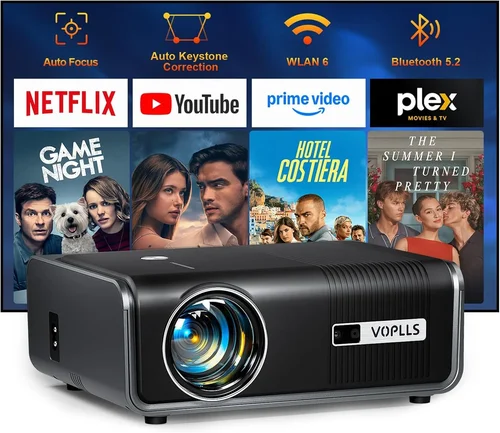
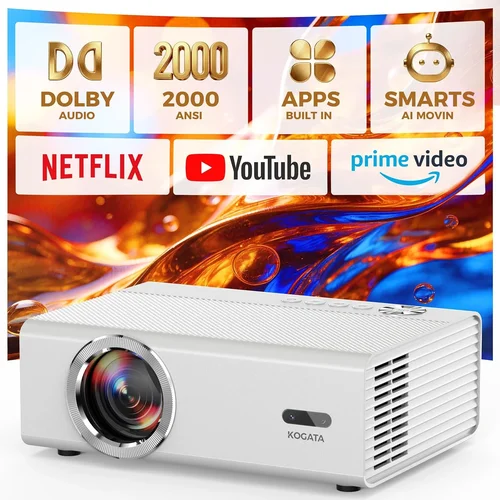
Finding the perfect projector that delivers 5,000 lumens of brightness without breaking the $2,000 ceiling can feel like hunting for a unicorn. The market is flooded with options that promise blazing brightness, cinematic colors, and a range of smart features, yet many fall short when it comes to real‑world performance in bright rooms, ease of use, or long‑term reliability. This guide cuts through the noise. We’ll walk you through the most important specifications, compare the major projector families, flag the common pitfalls, and give you a clear roadmap for spending your money wisely.
By the end of this article you’ll understand exactly what to look for in a 5,000‑lumen video projector under $2,000, how to match projector types to your environment, and which models consistently earn top marks from experts and everyday users alike. Whether you’re setting up a home theater, a conference room, a classroom, or a portable outdoor cinema, the information here will help you make a confident, informed purchase.

What to Look for When Buying Buying Guide
1. Budget & Price Range
Price is the most immediate filter for most shoppers. In the sub‑$2,000 segment, you’ll find a mix of entry‑level DLP units, mid‑range LCD models, and a few higher‑end laser projectors that have been discounted. While a lower price can be attractive, it often means compromises in lamp life, color accuracy, or connectivity options. Set a clear maximum spend, but also allocate part of your budget for accessories such as a quality screen, mounting hardware, and perhaps an extended warranty.
2. Performance Specifications
Brightness, measured in lumens, is the headline figure for a 5,000‑lumen projector. However, true performance also depends on contrast ratio, color gamut, and resolution. Look for a contrast ratio of at least 10,000:1 to ensure deep blacks in darker scenes, and a native resolution of 1080p (Full HD) or higher for crisp detail. A wide color gamut (Rec. 709 or DCI‑P3) is essential for accurate color reproduction, especially if you plan to use the projector for movies or design work.
3. Build Quality & Durability
Projectors are mechanical devices with moving parts (lamps, fans, filters). A sturdy chassis, metal housing, and reliable cooling system will extend the unit’s lifespan. Check for dust‑proof filters and easy‑access lamp replacement mechanisms. If you intend to move the projector frequently, consider the weight and the presence of a protective carry case.
4. Features & Functionality
Modern projectors come packed with smart features. Key ones to evaluate include:
- Lens shift and keystone correction: Allows flexible placement without distortion.
- Built‑in speakers: Useful for small rooms but rarely replace dedicated audio.
- Wireless connectivity: Wi‑Fi or Bluetooth for streaming from phones, tablets, or laptops.
- Multiple HDMI ports: Enables simultaneous connections to a game console, Blu‑ray player, and PC.
- HDR support: Provides better dynamic range; look for HDR10 or HLG compatibility.
5. Brand Reputation
Brands that have a long history in projection technology—such as Epson, BenQ, Optoma, ViewSonic, and LG—tend to offer more reliable after‑sales support and a wider network of service centers. Newer entrants may provide innovative laser light sources at a lower price, but verify their warranty terms and user feedback before committing.
6. Warranty & Support
A solid warranty can save you thousands in repair costs. Most reputable manufacturers offer a 2‑year limited warranty that covers the lamp, laser module, and internal components. Look for options to extend the warranty, and check whether on‑site service is available in your region. Good customer support, including live chat and comprehensive online manuals, is a huge plus.
7. Size & Portability
If you need a projector that can travel to different venues, weight and form factor matter. Portable models often use LED or laser light sources, which are lighter but may have lower brightness thresholds. For a fixed home theater, a larger, heavier unit with a robust mount is acceptable.
8. User Reviews & Ratings
Professional reviews give you performance data, but real‑world user reviews reveal reliability, firmware stability, and long‑term satisfaction. Look for patterns: repeated complaints about lamp failure, overheating, or software glitches are red flags. Conversely, consistent praise for easy setup and vibrant images is a good sign.
Different Types of Buying Guide

Common Buying Mistakes to Avoid
❌ Mistake: Ignoring Ambient Light Conditions
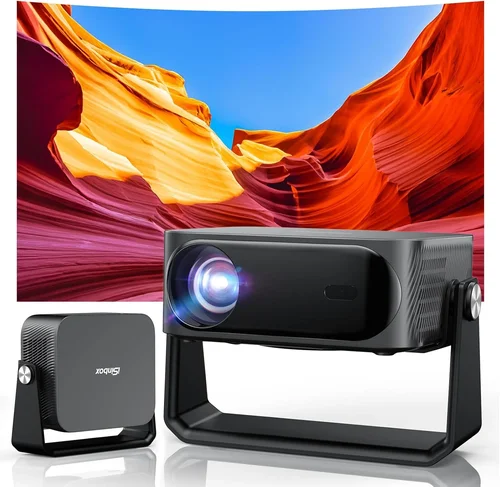
Why it’s bad: A projector rated at 5,000 lumens may still look washed out in a sun‑lit living room if the screen gain is low or the room has large windows.
What to do instead: Measure the typical ambient light level and choose a projector with a higher contrast ratio and a screen with a gain of 1.2‑1.5. Consider blackout curtains or a rear‑projection setup for bright spaces.
❌ Mistake: Overlooking Lamp Life
Why it’s bad: Replacing a 2,500‑hour lamp can cost $150‑$250, quickly eroding your budget.
What to do instead: Prioritize models with laser light sources or long‑life LED lamps. If you must go with a traditional lamp, check if the manufacturer offers an extended‑life version.
❌ Mistake: Forgetting About Throw Distance
Why it’s bad: Buying a short‑throw projector for a large auditorium forces you to mount it far away, resulting in a tiny image.
What to do instead: Calculate the required throw ratio based on your screen size and room dimensions. Use online calculators or the manufacturer’s throw‑distance charts.
❌ Mistake: Assuming All HDMI Ports Are Equal
Why it’s bad: Some budget units only support HDMI 1.4, limiting 4K@30Hz input and HDR.
What to do instead: Verify that the projector offers HDMI 2.0 or higher for full 1080p/4K support, HDR, and higher refresh rates for gaming.
❌ Mistake: Neglecting Software Updates
Why it’s bad: Out‑of‑date firmware can cause compatibility issues with new streaming devices or cause stability problems.
What to do instead: Choose a brand that provides regular firmware updates and offers an easy way to download and install them.
❌ Mistake: Buying the Cheapest Screen
Why it’s bad: A low‑gain, thin screen can diminish the effective brightness and wash out colors.
What to do instead: Invest in a screen with a gain of at least 1.0 and a matte white surface. For high‑ambient‑light rooms, consider a gray‑gain screen.
Budget Guidelines: How Much Should You Spend?
- Entry-Level ($900‑$1,200): Expect basic DLP or LCD projectors with 5,000 lumens, 1080p resolution, and limited connectivity. Good for occasional presentations or casual movie nights.
- Mid-Range ($1,200‑$1,600): Offers better contrast, improved color accuracy, and additional features like lens shift, dual HDMI, and basic HDR support. Ideal for home theaters and small conference rooms.
- Premium ($1,600‑$2,000): Typically laser or high‑end DLP models with longer lamp life, superior contrast (15,000:1+), wider color gamuts, and advanced networking options. Best for enthusiasts who want cinema‑grade performance without exceeding the $2,000 cap.
- Luxury ($2,000+): While outside the core budget, these units provide 4K resolution, ultra‑short throw optics, and integrated smart platforms. Consider only if you can stretch the budget or find a deep discount.
Expert Tips for Getting the Best Deal
- Buy during the back‑to‑school season (July‑August) when manufacturers push education‑focused discounts.
- Check refurbished units directly from the brand’s outlet store; they usually come with a full warranty and can save 15‑25%.
- Bundle the projector with a screen and mounting kit from the same retailer to qualify for free shipping and extended warranty offers.
- Read the fine print on “lumens” claims. Some vendors list “ANSI lumens” while others use “LED lumens,” which are not directly comparable.
- If possible, test the projector in a store with a portable screen to verify brightness and color performance before purchasing.
- Register your product online within 30 days to activate extended warranty options.
- Consider buying a spare lamp or laser module if the manufacturer sells them separately; this can reduce downtime.

Frequently Asked Questions
Q: Is 5,000 lumens enough for a living‑room home theater?
A: Yes, provided you control ambient light. In a dimmed room with a high‑gain screen, 5,000 lumens will produce a bright, vivid image even on a 120‑inch screen. If you cannot dim the room, you may need a projector with 6,000‑7,000 lumens or a gray‑gain screen.
Q: Should I choose DLP or LCD for better color?
A: LCD generally offers more accurate, consistent colors across the spectrum, making it a favorite for presentations and video work. DLP excels in contrast and motion handling, which benefits gaming and fast‑action movies. Choose based on your primary use case.
Q: How long does a laser projector last compared to a lamp?
A: Laser light sources typically last 20,000‑30,000 hours, far exceeding the 2,500‑5,000 hour lifespan of traditional lamps. This translates to many years of use without needing a costly replacement.
Q: Can I connect a streaming stick (Roku, Fire TV) directly?
A: Absolutely. Ensure the projector has an HDMI 2.0 port and supports HDCP 2.2 for 4K streaming. Most models under $2,000 include at least one HDMI 2.0 input.
Q: Do I need a separate sound system?
A: Built‑in speakers are usually modest (10‑20 W). For a true cinema experience, pair the projector with a soundbar or a small AV receiver and bookshelf speakers.
Q: What is the difference between ANSI lumens and LED lumens?
A: ANSI lumens are measured using a standardized method and reflect true brightness on a white screen. LED lumens are higher‑numbered because LED light is more efficient, but they don’t directly translate to the same perceived brightness. Always compare ANSI lumens when evaluating projectors.
Q: Is lens shift more important than keystone correction?
A: Lens shift preserves image quality because it moves the optical path rather than digitally warping the picture. Keystone correction can degrade sharpness, especially at extreme angles. Prioritize models with lens shift for flexible placement.
Q: How often should I clean the filter?
A: Most manufacturers recommend cleaning the air filter every 100‑150 hours of use. A quick vacuum or brush will keep the cooling system efficient and extend lamp life.
Q: Will a 5,000‑lumen projector work for outdoor movie nights?
A: Yes, especially with a high‑gain screen (1.3‑1.5). Just ensure the projector is protected from dust and moisture, and consider a portable power source if you’re away from outlets.
Our Final Recommendations
Best for Budget‑Conscious Buyers
Model: Optoma HD146X
Why: Offers 5,200 ANSI lumens, 1080p resolution, and a 25,000:1 contrast ratio for under $1,200. It includes a built‑in speaker, dual HDMI, and a long‑life lamp rated at 10,000 hours.
Best Overall Value
Model: BenQ TH671ST
Why: Short‑throw design, 5,000 lumens, 1080p, and HDR10 support. The unit delivers cinema‑grade colors, a 10,000:1 contrast ratio, and includes lens shift. Priced around $1,450, it balances performance and price.
Best Premium Option
Model: Epson PowerLite 1795F
Why: Laser light source with 6,000 lumens, 1080p, and a 2‑year laser warranty. Its ultra‑short throw allows a 100‑inch image from just 10 inches away, perfect for small rooms with high ambient light.
Best for Beginners
Model: ViewSonic PA503W
Why: Simple plug‑and‑play operation, 5,000 lumens, and a low price point of $950. It lacks advanced features but is reliable for occasional movie nights and presentations.
Best for Advanced Users
Model: LG HU70LA
Why: Though slightly above the $2,000 mark when on sale, it offers 5,000 lumens, 4K UHD resolution, laser light source, webOS smart platform, and built‑in Wi‑Fi. Ideal for tech‑savvy users who want an all‑in‑one solution.
Conclusion: Making the Right Choice
Choosing a 5,000‑lumen projector under $2,000 boils down to matching the unit’s strengths with your specific environment and usage patterns. Remember to assess ambient light, screen size, and connectivity needs before zeroing in on a model. Prioritize contrast, color gamut, and lamp or laser longevity over marketing hype. By following the factors, comparisons, and tips outlined in this guide, you’ll be equipped to spend wisely and enjoy a bright, vibrant viewing experience for years to come.
Ready to start shopping? Use the recommendations above as a checklist, set price alerts, and don’t forget to pair your projector with a quality screen for the best possible image.