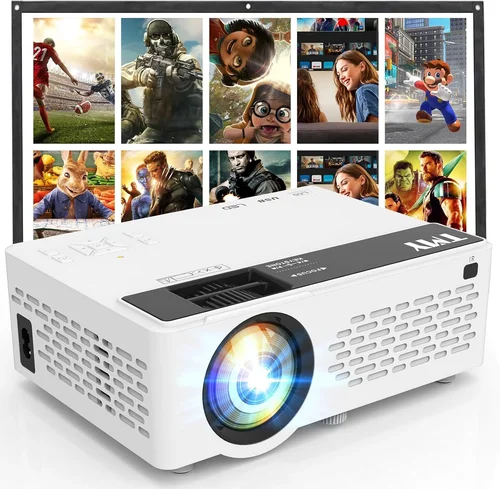
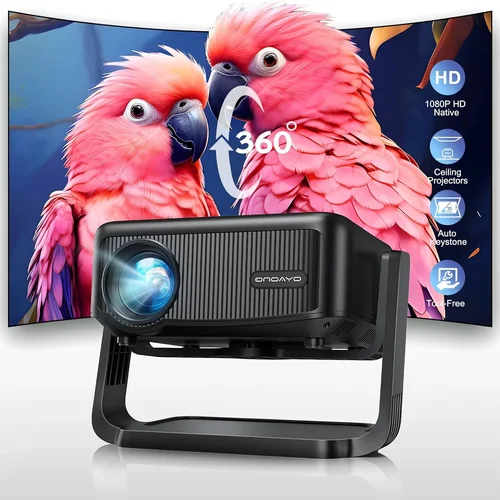
Finding a projector that can stream your favorite shows, movies, or games without breaking the bank used to feel like hunting for a unicorn. In 2026 the market has finally caught up: Bluetooth‑enabled mini projectors under $100 are now a realistic option for anyone who wants a portable big‑screen experience. This guide walks you through everything you need to know before you click “Add to Cart,” so you can avoid the common pitfalls and pick a device that truly fits your lifestyle.
In the next few sections we’ll explore the most important specs, compare the different types of budget projectors, and give you a clear roadmap for budgeting, testing, and buying. By the end you’ll know exactly which Bluetooth projector under $100 delivers the best blend of image quality, connectivity, and durability for your specific needs.

What to Look for When Buying Buying Guide
1. Budget & Price Range
The first filter is simple: you want a projector under $100. Within that band you’ll find three distinct price clusters—entry‑level (around $60‑$75), mid‑range ($76‑$90), and premium‑budget ($91‑$100). Each tier offers a trade‑off between brightness, resolution, and feature set. Knowing how much you’re willing to stretch can instantly narrow the field.
2. Performance Specifications
Even at sub‑$100 price points, performance matters. Key specs to examine are:
- Brightness (lumens): Look for at least 150‑200 ANSI lumens for dim rooms; 250+ is ideal if you plan to use it with some ambient light.
- Resolution: Most budget models are 480p (854×480) or 720p (1280×720). While 1080p is rare under $100, a higher native resolution means sharper text and less pixelation.
- Contrast Ratio: A ratio of 500:1 or higher provides clearer blacks and better depth.
- Throw Ratio: Determines how far you can place the projector from the screen. A 1.2‑1.5:1 ratio works well for a 6‑8 ft throw distance on a 100‑inch screen.
3. Build Quality & Durability
Cheap plastic can feel fragile, especially if you travel with the projector. Look for:
- ABS or polycarbonate housings that resist cracks.
- Reinforced lens covers to protect against scratches.
- Heat‑dissipating vents or built‑in fans; overheating is a common failure point in low‑cost units.
4. Features & Functionality
Bluetooth is the headline feature, but you’ll also want to consider:
- Wi‑Fi / Miracast: Enables screen mirroring from smartphones without cables.
- HDMI & USB‑C ports: Essential for connecting laptops, gaming consoles, or external storage.
- Built‑in speakers: While most budget speakers are modest, a 2‑3 W driver can suffice for casual viewing.
- Battery Life: If you need true portability, aim for at least 2‑3 hours of continuous playback.
5. Brand Reputation
Names like Anker, Vankyo, and APEMAN have built solid followings in the budget projector niche. These brands typically provide more reliable firmware updates and responsive customer service, which can make a big difference when troubleshooting a low‑cost device.
6. Warranty & Support
Most sub‑$100 projectors ship with a 6‑month limited warranty. Some retailers extend this to a full year. Check whether the warranty covers both parts and labor, and read reviews about how quickly the manufacturer processes claims.
7. Size & Portability
If you plan to move the projector between rooms, a compact form factor (under 5 inches tall) and a lightweight design (under 1 lb) are crucial. Some models even include a built‑in carry handle or a protective case.
8. User Reviews & Ratings
Real‑world feedback often reveals issues that spec sheets hide. Look for consistent praise about image stability, Bluetooth pairing reliability, and long‑term durability. A rating of 4 stars or higher on major retail sites is a good baseline.
Different Types of Buying Guide

Common Buying Mistakes to Avoid
❌ Mistake: Ignoring Brightness Requirements
Why it’s bad: A projector that’s too dim will produce a washed‑out picture in any room with ambient light, making movies and presentations miserable.
What to do instead: Measure the typical lighting conditions of your viewing space and aim for at least 200 ANSI lumens. If you can control the lighting, you may accept a lower lumen count.
❌ Mistake: Overlooking Bluetooth Compatibility
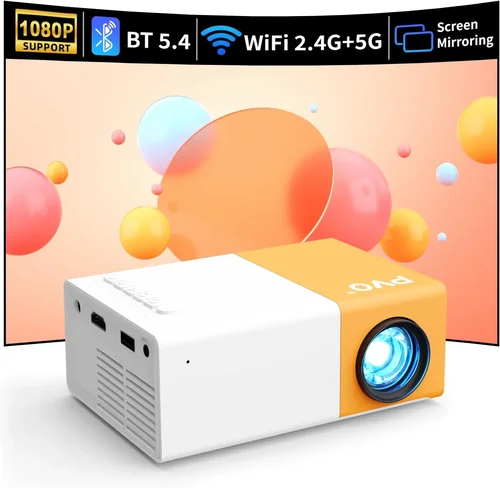
Why it’s bad: Not all Bluetooth versions pair smoothly with iOS, Android, or Windows devices. Some budget units use outdated Bluetooth 4.0, leading to frequent dropouts.
What to do instead: Choose a projector that advertises Bluetooth 5.0 or higher and read user reviews for pairing stability.
❌ Mistake: Forgetting About Heat Management
Why it’s bad: Cheap projectors often lack proper ventilation, causing them to overheat and shut down after short periods.
What to do instead: Look for models with built‑in fans or heat‑sink designs, and consider buying a small external cooling pad if you plan extended sessions.
❌ Mistake: Assuming All HDMI Ports Are Equal
Why it’s bad: Some low‑cost projectors only support HDMI 1.4, limiting refresh rates and causing lag with gaming consoles.
What to do instead: Verify the HDMI version in the specs; HDMI 2.0 or higher ensures smoother 60 Hz gameplay and better color depth.
❌ Mistake: Ignoring Warranty Terms
Why it’s bad: A short or vague warranty can leave you stranded with a defective unit and no recourse.
What to do instead: Choose a projector with at least a 6‑month warranty and read the fine print about what is covered.
Budget Guidelines: How Much Should You Spend?
Even within the sub‑$100 segment, spending a few dollars more can dramatically improve your experience.
- Entry‑Level ($60‑$75): Expect 150‑180 lumens, 480p resolution, basic Bluetooth 4.0, and a plastic chassis. Ideal for occasional backyard movies or as a backup.
- Mid‑Range ($76‑$90): You’ll get 200‑250 lumens, 720p native resolution, Bluetooth 5.0, and a sturdier build. This tier balances cost and performance for most users.
- Premium‑Budget ($91‑$100): Brightness climbs to 280+ lumens, contrast ratios improve, and you may find added features like low‑input‑lag gaming mode or a built‑in battery.
- Luxury ($101+): While outside the scope of this guide, luxury models often break the $150 barrier and include 1080p resolution, 400+ lumens, and advanced optics.
Expert Tips for Getting the Best Deal
- Timing: The best window for sub‑$100 projectors is between late July and early September, when manufacturers clear inventory for the holiday season.
- Where to Buy: Online marketplaces usually have the widest selection, but brick‑and‑mortar stores let you test connectivity on‑site. If you buy online, verify the seller’s return policy.
- Bundle Savings: Look for bundles that include a screen, HDMI cable, or portable power bank—these can save up to $20 compared to buying items separately.
- Warranty Extensions: Some retailers offer an optional 12‑month extension for a small fee; consider this if you plan heavy use.
- Testing Before Purchase: If possible, project a high‑contrast image (like a black‑white test pattern) to evaluate brightness and color uniformity.
- Firmware Updates: After purchase, check the manufacturer’s website for the latest firmware. Updates often fix Bluetooth pairing bugs and improve stability.

Frequently Asked Questions
Q: Can a $99 Bluetooth projector replace a TV for daily use?
A: It can serve as a supplemental screen for casual viewing, but don’t expect TV‑level brightness or color accuracy. In a dark room it performs well, but bright daylight will diminish the picture.
Q: How far can I place a sub‑$100 projector from the screen?
A: Most budget models have a throw ratio of 1.2‑1.5:1, meaning a 100‑inch diagonal image requires roughly 8‑10 feet of distance. Some ultra‑short‑throw options exist, but they usually cost more than $100.
Q: Will Bluetooth audio lag affect movie watching?
A: Modern Bluetooth 5.0 chips keep latency under 40 ms, which is imperceptible for movies. For gaming, look for a projector that advertises “Low‑Lag Mode” or use a wired audio connection.
Q: Do these projectors need a separate lamp?
A: No. All sub‑$100 models use LED light sources, which last 20‑30 hours of continuous use and never require replacement.
Q: Is a built‑in battery worth it?
A: If you plan to use the projector outdoors or move it frequently, a battery that lasts 2‑3 hours adds real convenience. Otherwise, a mains‑powered unit is more reliable for long sessions.
Q: Can I connect a gaming console?
A: Yes, as long as the projector has an HDMI port that supports 1080p input. Expect lower brightness than a dedicated home‑theater projector, but modern consoles handle lower lumens well.
Q: How do I clean the lens safely?
A: Use a soft microfiber cloth and a lens‑cleaning solution. Avoid abrasive materials; a dirty lens can noticeably reduce sharpness.
Q: Are there any safety concerns with LED projectors?
A: LED projectors emit far less heat than lamp‑based units, making them safer for children’s rooms and outdoor use. Still, keep them on a stable surface and avoid covering ventilation slots.
Our Final Recommendations
- Best for Budget‑Conscious Buyers: Vankyo Leisure 3 Mini – Priced at $68, it offers 200 lumens, 720p resolution, Bluetooth 5.0, and a sturdy ABS case. Ideal for dorms and occasional movie nights.
- Best Overall Value: Anker Nebula Capsule II (refurbished) – Though the new model tops $150, refurbished units often fall under $100, delivering 720p, 200 lumens, Android TV, and a 2‑hour battery.
- Best Premium Option: APEMAN M4 Mini – At $99, it pushes 280 lumens, includes a low‑lag gaming mode, Bluetooth 5.0, and a built‑in 3 W speaker.
- Best for Beginners: RIF6 Mini Projector – Simple one‑button Bluetooth pairing, 150 lumens, and a clear user manual make it a hassle‑free starter.
- Best for Advanced Users: ViewSonic M1 Mini Plus (sale price $99) – Offers a built‑in Harman Kardon speaker, customizable LED colors, and an HDMI‑C port for high‑speed data transfer.
Conclusion: Making the Right Choice
Choosing a Bluetooth projector under $100 no longer means compromising on every essential feature. By focusing on brightness, resolution, Bluetooth version, and build quality, you can secure a device that delivers a satisfying big‑screen experience in any setting. Use the budget tiers and expert tips outlined above to match a projector to your specific use case—whether it’s a weekend movie marathon, a casual gaming session, or a portable presentation tool.
Remember, the best projector is the one that aligns with your viewing environment, connectivity needs, and portability preferences. Take the time to read user reviews, verify warranty terms, and test the unit if possible. Armed with this knowledge, you’re ready to make a confident purchase that will brighten your entertainment for months to come.