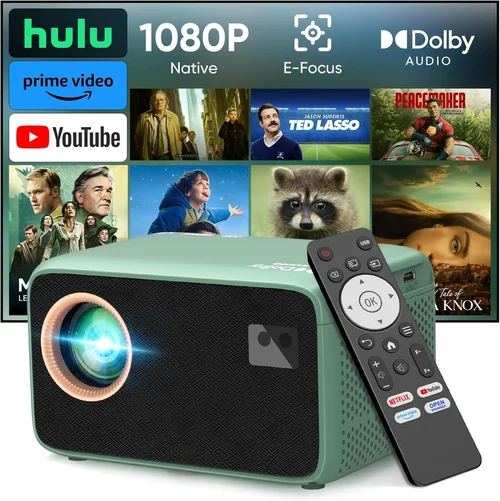
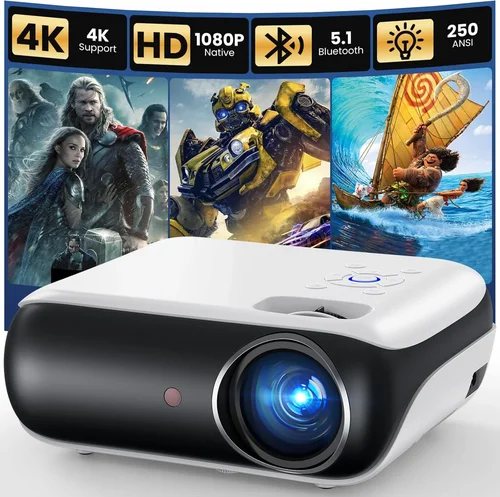
Choosing a projector that pairs seamlessly with Bluetooth speakers can feel like searching for a needle in a haystack. The market is flooded with devices that promise bright images, long battery life, and wireless audio, yet only a handful truly deliver on all fronts. This guide cuts through the noise, giving you a clear roadmap to find the best Bluetooth projector under $500 that fits your lifestyle, whether you’re a movie‑lover, a gamer, or a business professional.
By the end of this article you will understand the most critical specs, know which projector type aligns with your needs, avoid common purchasing pitfalls, and walk away with a shortlist of top‑rated models for every budget tier. Let’s dive into the world of Bluetooth‑enabled projection and make your next purchase a confident one.

What to Look for When Buying Buying Guide
1. Budget & Price Range
Price is the first filter for most shoppers, and it’s especially important with projectors because a higher price tag often translates to better optics, brighter output, and more reliable Bluetooth connectivity. Determine a realistic ceiling—most quality Bluetooth projectors sit between $200 and $500. Below $200, you may encounter dim images, limited connectivity, or fragile build quality. Above $500, you step into the premium arena where 4K resolution and laser light sources become common.
2. Performance Specifications
The heart of any projector lies in its resolution, brightness (measured in lumens), contrast ratio, and throw distance.
- Resolution: For crisp movies and games, aim for at least 1080p (Full HD). Some budget models offer 720p, which is acceptable for casual TV viewing in dark rooms.
- Brightness: Measured in ANSI lumens; 2,000–2,500 lumens is ideal for ambient lighting. If you plan to use the projector in a dark bedroom, 1,000 lumens may suffice.
- Contrast Ratio: Higher contrast (e.g., 10,000:1) delivers deeper blacks and more vibrant colors.
- Throw Ratio: Determines how far the projector must sit from the screen. Short‑throw models (0.5–1.0) are perfect for small spaces.
3. Build Quality & Durability
Projectors travel a lot—especially portable Bluetooth models. Look for a sturdy chassis, preferably with a metal alloy frame, and a well‑designed cooling system that keeps the unit quiet. Check for dust‑proof filters and a sealed lens to protect against accidental spills.
4. Features & Functionality
Beyond basic projection, modern units pack a suite of extras that enhance usability:
- Bluetooth Version: Bluetooth 5.0 offers a more stable connection and longer range (up to 30 ft) compared to older versions.
- Wi‑Fi & Streaming Apps: Built‑in apps like Netflix, YouTube, or Miracast can replace a separate streaming stick.
- USB‑C / HDMI Ports: Multiple inputs give you flexibility with laptops, game consoles, and media players.
- Battery Life: For true portability, aim for at least 2–3 hours of continuous playback on a single charge.
- Speaker Output: Even though you’ll pair Bluetooth speakers, a decent built‑in speaker (≥5 W) is useful for quick demos.
5. Brand Reputation
Established brands such as Epson, BenQ, Anker, and ViewSonic have proven track records for reliability and firmware support. Newer entrants can surprise with innovative features, but research warranty terms and post‑sale service before committing.
6. Warranty & Support
A solid warranty (minimum 1 year) protects you against early failures. Look for brands that provide responsive customer service, easy‑access firmware updates, and an online knowledge base.
7. Size & Portability
If you plan to move the projector between rooms or take it on trips, weight under 2 lb and a compact footprint are crucial. Some models fold into a pocket‑size case, making them ideal for travel.
8. User Reviews & Ratings
Real‑world feedback uncovers hidden issues like Bluetooth latency, overheating, or premature lamp failure. Scan reviews on Amazon, Best Buy, and specialized AV forums for recurring themes.
Different Types of Buying Guide

Common Buying Mistakes to Avoid
❌ Mistake: Ignoring Ambient Light Conditions
Why it’s bad: Buying a dim 1,000‑lumens projector for a bright living room leads to washed‑out images.
What to do instead: Measure the typical lighting in your primary viewing area. If you can’t control ambient light, aim for at least 2,500 lumens.
❌ Mistake: Overlooking Bluetooth Latency
Why it’s bad: High latency creates audio‑video sync issues, especially noticeable in games and action movies.
What to do instead: Choose a projector with Bluetooth 5.0 or dedicated low‑latency codecs (aptX Low Latency).
❌ Mistake: Forgetting About Throw Distance
Why it’s bad: A long‑throw projector placed too close will produce a tiny image, while a short‑throw unit placed too far will blur.
What to do instead: Calculate the required throw distance based on your screen size and room dimensions before purchasing.
❌ Mistake: Skipping Firmware Updates
Why it’s bad: Out‑of‑date firmware can cause Bluetooth disconnections and compatibility issues with newer devices.
What to do instead: Pick a brand that offers regular OTA (over‑the‑air) updates and check their support page before finalizing.
❌ Mistake: Assuming All Bluetooth Speakers Are Equal
Why it’s bad: Pairing a low‑power speaker with a high‑lumens projector may result in audio that feels under‑powered.
What to do instead: Match speaker output (watts) to the size of your room and the projector’s intended use.
❌ Mistake: Ignoring Warranty Terms
Why it’s bad: A cheap projector may lack a meaningful warranty, leaving you stuck with costly repairs.
What to do instead: Prioritize models that include at least a 1‑year warranty and consider extended coverage if available.
Budget Guidelines: How Much Should You Spend?
Understanding price tiers helps you set realistic expectations and avoid over‑paying.
- Entry‑Level ($200‑$300): Expect 720p resolution, 1,500‑2,000 lumens, basic Bluetooth (often 4.0), and a modest battery life of 1–2 hours. Ideal for occasional movie nights in a dark room.
- Mid‑Range ($300‑$450): Full HD 1080p, 2,200‑2,800 lumens, Bluetooth 5.0, and 2–3 hours of battery. These units handle moderate ambient light and provide smoother audio sync.
- Premium ($450‑$650): Some models push into 4K UHD, 3,000+ lumens, and include advanced features like HDR, laser light sources, and aptX Low Latency. Best for enthusiasts who want cinema‑grade performance.
- Luxury ($650+): Ultra‑short‑throw, 4K laser, built‑in soundbars, and enterprise‑grade Bluetooth mesh networks. Targeted at professional installations.
Expert Tips for Getting the Best Deal
- Timing: Major sales events—Black Friday, Cyber Monday, and Amazon Prime Day—usually feature the deepest discounts on electronics.
- Retailer Choice: Compare prices on Amazon, Best Buy, and direct brand stores. Some retailers offer price‑match guarantees.
- Bundle Savings: Look for bundles that include a portable screen, HDMI cable, or a Bluetooth speaker; the combined price is often lower than buying items separately.
- Check Refurbished Options: Certified refurbished units from the manufacturer carry the same warranty and can be 30% cheaper.
- Read Return Policies: A 30‑day return window lets you test Bluetooth connectivity and image quality in your own environment.
- Test Before You Buy: If possible, visit a physical store to view the projector’s brightness and listen to Bluetooth audio latency firsthand.
- Negotiate Shipping: Free or discounted shipping can add up, especially for heavier short‑throw units.
- Use Credit Card Perks: Some cards offer extended warranty protection or price‑drop refunds.

Frequently Asked Questions
Q: Can I use a Bluetooth projector without a separate speaker?
A: Yes, most Bluetooth projectors include a built‑in speaker (typically 5‑10 W). However, for a true cinematic experience, pairing with an external Bluetooth speaker or soundbar is recommended.
Q: How far can Bluetooth transmit from the projector?
A: With Bluetooth 5.0, you can expect a reliable range of up to 30 feet in an open space. Walls and interference can reduce this distance.
Q: Will a Bluetooth projector work with my TV‑box?
A: Absolutely. Connect the TV‑box via HDMI or USB‑C, then pair the projector’s Bluetooth with your speaker. Most modern projectors support plug‑and‑play HDMI.
Q: Is there any noticeable lag when streaming games?
A: Lag depends on the Bluetooth codec. Models supporting aptX Low Latency typically keep audio delay under 40 ms, which is imperceptible for most gamers.
Q: Do I need a separate screen?
A: Not required, but a white wall or a dedicated projector screen improves image uniformity. For short‑throw models, a portable pull‑down screen works best.
Q: How long does the lamp or LED last?
A: LED projectors often boast 20,000‑30,000 hours of lifespan, far exceeding traditional lamps. This translates to years of use before any component replacement.
Q: Can I update the projector’s firmware myself?
A: Most brands provide a simple USB or Wi‑Fi update process. Download the latest firmware from the manufacturer’s website and follow the on‑screen instructions.
Q: Are there any health concerns with prolonged projector use?
A: Projectors emit low‑level blue light compared to smartphones. Still, it’s wise to keep a comfortable viewing distance (6–10 ft) and take regular breaks.
Q: Which Bluetooth version should I prioritize?
A: Bluetooth 5.0 or newer offers better range, lower power consumption, and improved stability—essential for uninterrupted audio.
Our Final Recommendations
- Best for Budget‑Conscious Buyers: Anker Nebula Capsule II – 720p, 200 lumens, Bluetooth 5.0, 2.5 hour battery, under $250.
- Best Overall Value: Epson EF‑12 Mini – 1080p, 2,200 lumens, Bluetooth 5.0, short‑throw, excellent color accuracy, priced around $430.
- Best Premium Option: BenQ GS2 – 1080p, 2,500 lumens, waterproof, Bluetooth 5.0 with aptX Low Latency, 3 hour battery, $520.
- Best for Beginners: ViewSonic M1+ – 720p, 250 lumens, built‑in Harman Kardon speakers, easy Android TV interface, $300.
- Best for Advanced Users: Optoma GT5600 – 1080p, 3,600 lumens, short‑throw, Bluetooth 5.0, extensive keystone correction, $620.
Conclusion: Making the Right Choice
Choosing the best Bluetooth projector under $500 hinges on balancing brightness, resolution, Bluetooth latency, and portability. Start by assessing your room’s lighting, decide how far you’ll place the unit, and match the Bluetooth version to your audio setup. Use the budget tiers as a guide, avoid the common mistakes outlined above, and leverage expert buying tips to snag the best deal.
When you’ve narrowed down your options, test the Bluetooth connection with your favorite speaker, check the image quality on a real screen, and confirm the warranty terms. Armed with this knowledge, you’ll be ready to bring cinema‑quality entertainment to any space—without breaking the bank.