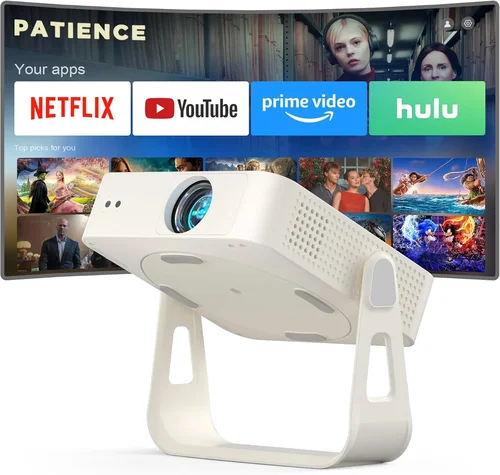
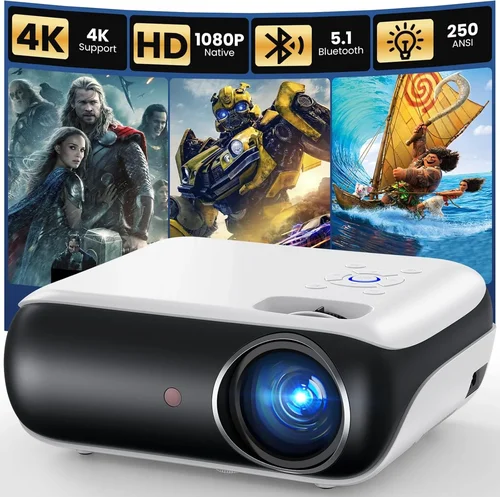
Finding a projector that delivers a decent picture without breaking the bank can feel like hunting for a needle in a haystack. The market is flooded with models that promise cinema‑style experiences, yet many of them carry price tags that far exceed a $200 budget. This guide cuts through the noise, giving you a clear roadmap to choose a projector that fits both your wallet and your viewing needs.
By the end of this article you will understand the most important specifications, know which projector type suits your lifestyle, avoid common purchasing pitfalls, and walk away with a shortlist of the best budget projectors under $200 for 2026. Whether you’re setting up a dorm room movie night, a backyard sports screen, or a portable presentation tool, the insights here will help you make a confident, informed decision.

What to Look for When Buying Buying Guide
1. Budget & Price Range
The first step is to define what “budget” means for you. While $200 is the ceiling for this guide, keep in mind that sales, refurbished units, or bundle deals can stretch your purchasing power. A lower price often means compromises in brightness or resolution, so decide which trade‑offs you’re willing to accept before you start comparing models.
2. Performance Specifications
Key specs include native resolution, brightness (measured in lumens), contrast ratio, and throw distance. For a sub‑$200 projector, expect native 720p (1280×720) or 1080p (1920×1080) at best, with brightness ranging from 2,000 to 3,500 lumens. Higher contrast ratios improve black levels, which is crucial for dark‑room movie watching.
3. Build Quality & Durability
Cheap projectors often skimp on the chassis and internal cooling. Look for a sturdy plastic housing, a reliable fan system, and a lamp life of at least 20,000 hours. A well‑built unit will survive frequent moves and occasional bumps.
4. Features & Functionality
Modern budget projectors pack a surprising amount of tech: built‑in speakers, HDMI, USB‑C, Wi‑Fi, and even Android TV in some cases. Determine which inputs you need (HDMI for consoles, USB‑C for laptops, Bluetooth for audio) and whether you value smart‑TV features or prefer a simple “plug‑and‑play” device.
5. Brand Reputation
Established brands such as Epson, BenQ, ViewSonic, and Anker tend to offer more reliable after‑sales support and better firmware updates. Lesser‑known manufacturers can provide good value, but research their customer service track record before committing.
6. Warranty & Support
A solid warranty (minimum 1 year) protects you from early failures. Check if the manufacturer offers on‑site service, a responsive help desk, and easy access to replacement lamps or parts. Some retailers also provide extended warranties at a modest cost.
7. Size & Portability
If you plan to move the projector between rooms or take it on trips, weight and dimensions matter. Look for models under 2 kg with a compact form factor and a built‑in handle. Portable units often use LED or laser light sources, which increase lamp life but may lower brightness.
8. User Reviews & Ratings
Real‑world feedback reveals issues that specs sheets hide. Scan reviews on Amazon, Best Buy, and dedicated AV forums for recurring complaints about heat, fan noise, or connectivity glitches. A product with 4‑star average and detailed user comments is usually a safe bet.
Different Types of Buying Guide

Common Buying Mistakes to Avoid
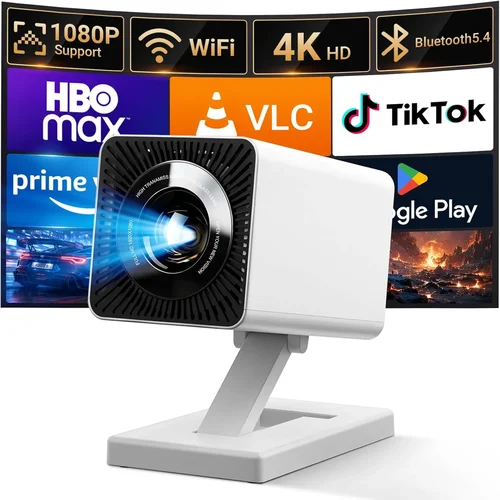
❌ Mistake: Focusing Only on Price
Why it’s bad: The cheapest unit often sacrifices brightness, leading to a washed‑out image in any ambient light.
What to do instead: Set a realistic minimum lumens threshold (2,000 lm for most indoor use) and compare models that meet it, even if they cost a few dollars more.
❌ Mistake: Ignoring Lamp Type
Why it’s bad: Traditional UHP lamps require frequent replacement, driving up long‑term cost.
What to do instead: Prioritize LED or laser light sources for lower maintenance and longer life, especially if you plan to use the projector daily.
❌ Mistake: Overlooking Input Compatibility
Why it’s bad: A projector without HDMI or USB‑C can’t connect to modern laptops, consoles, or streaming sticks.
What to do instead: List all devices you intend to use and verify the projector offers the necessary ports or wireless options.
❌ Mistake: Forgetting About Throw Distance
Why it’s bad: A short‑throw projector placed too far will produce a tiny image; a long‑throw unit placed too close will overshoot the screen.
What to do instead: Measure your intended screen size and distance, then select a projector whose throw ratio matches those dimensions.
❌ Mistake: Disregarding Fan Noise
Why it’s bad: A noisy fan can distract from movies or presentations.
What to do instead: Check decibel (dB) ratings in reviews; aim for 30 dB or lower for a quiet viewing experience.
Budget Guidelines: How Much Should You Spend?
- Entry‑Level ($120‑$150): Expect 720p resolution, 2,000 lm brightness, basic HDMI input, and LED lamp life of 20,000 hrs. Ideal for dorm rooms or casual presentations.
- Mid‑Range ($151‑$180): 1080p native or high‑quality 720p, 2,500‑3,000 lm, better contrast, built‑in speakers, and optional Wi‑Fi. Good for small living rooms and gaming.
- Premium ($181‑$200): DLP or laser engine, 1080p native, 3,200 lm, richer color gamut, multiple inputs, and enhanced keystone correction. Suits outdoor movie nights and semi‑professional use.
- Luxury (above $200): Not covered in this guide, but typically includes 4K resolution, 4,000+ lm, HDR support, and advanced lens shift.
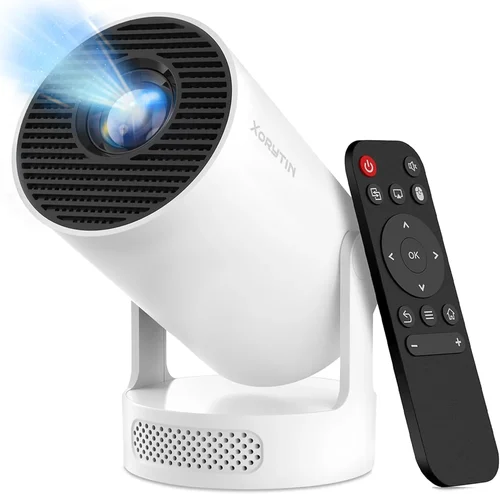
Expert Tips for Getting the Best Deal
- Buy during major sales events or use manufacturer coupon codes.
- Consider refurbished units from reputable sellers; they usually come with a warranty and are significantly cheaper.
- Check if the retailer offers free shipping or bundle accessories (mounts, HDMI cables) to save extra cash.
- Read the fine print on return policies; a 30‑day hassle‑free return window is ideal.
- Test the projector in store if possible—pay attention to image uniformity and fan noise.
- Look for models with firmware updates; they can improve performance post‑purchase.
- Register your device online to unlock extended warranty options.
Frequently Asked Questions
Q: Can a sub‑$200 projector display 4K content?
A: Most budget projectors only support up to 1080p natively. They can accept a 4K signal but will downscale it, so you won’t experience true 4K detail.
Q: How bright does a projector need to be for daytime use?
A: For any ambient light, aim for at least 3,000 lumens. Below this, you’ll need to darken the room or use a high‑gain screen.
Q: Are LED projectors better than lamp‑based ones?
A: LED units offer longer lamp life, lower heat, and instant on/off, but they may have lower peak brightness compared to UHP lamps at the same price point.
Q: Do I need a separate sound system?
A: Built‑in speakers on budget models are usually modest (1‑2 W). For an immersive experience, pair the projector with external Bluetooth or wired speakers.
Q: What screen size can I get with a 2,000 lm projector?
A: In a dark room, a 2,000 lm projector can comfortably fill a 100‑inch screen (16:9). In brighter environments, reduce the screen size or increase ambient light control.
Q: Is keystone correction essential?
A: Keystone correction helps if you can’t place the projector perfectly perpendicular to the screen. However, excessive digital correction can degrade image quality; mechanical lens shift is preferable.
Q: How often do I need to replace the lamp?
A: LED lamps last up to 20,000 hours, while traditional UHP lamps may need replacement after 2,000‑3,000 hours. Check the manufacturer’s specifications.
Our Final Recommendations
- Best for Budget‑Conscious Buyers: Anker Nebula Capsule II – $149, 720p, 720 lm, built‑in Android TV, compact size.
- Best Overall Value: ViewSonic M1 Mini Plus – $179, 1080p, 2,500 lm, LED lamp, portable with built‑in JBL speakers.
- Best Premium Option: Epson EF‑100 – $199, 1080p, 3,200 lm, laser light source, versatile HDMI/USB‑C inputs.
- Best for Beginners: BenQ GS2 – $159, 720p, 2,300 lm, robust battery, easy auto‑focus.
- Best for Advanced Users: Optoma GT5600 – $199, 1080p, 3,600 lm, short‑throw, low input lag for gaming.
Conclusion: Making the Right Choice
Choosing a projector under $200 doesn’t mean you have to settle for a subpar experience. By focusing on the right blend of brightness, resolution, lamp type, and connectivity, you can enjoy crisp movies, smooth gaming, and clear presentations without overspending. Remember to match the projector’s throw ratio to your space, verify input compatibility, and read user reviews for real‑world reliability.
Take the time to compare the models listed above, consider the expert tips, and align your purchase with your specific viewing environment. With the knowledge from this guide, you’re equipped to pick a budget projector that delivers great value and lasting performance. Happy viewing!