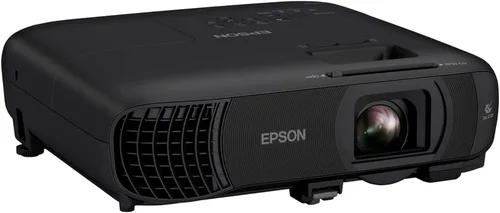
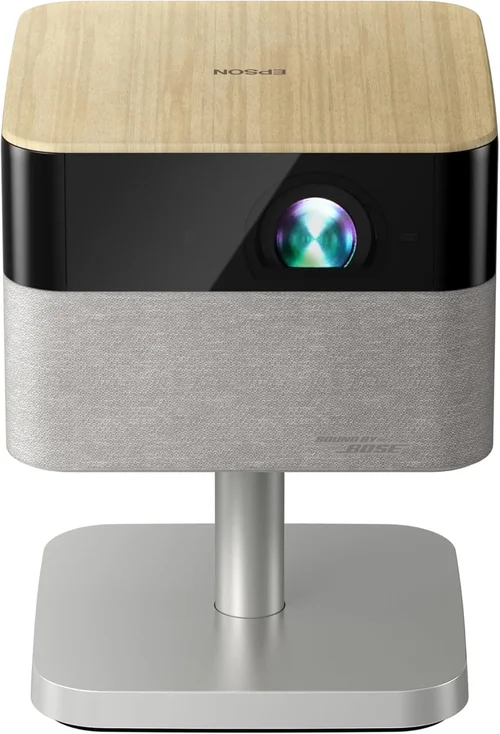
Choosing the right projector for a business environment can feel like navigating a maze of specs, brands, and price points. The stakes are high – a sub‑par unit can dim the impact of a crucial presentation, while an over‑engineered model can waste valuable budget dollars. This guide cuts through the noise, giving you a clear roadmap to select the best business projector under $1,000, whether you’re outfitting a small conference room, a training lab, or a mobile sales team.
What you’ll learn:
- Which performance metrics truly matter for business use
- How different projector technologies stack up against each other
- Common pitfalls that cause buyer’s remorse
- Practical budgeting tips and where to find the best deals
- Our top picks across several buyer personas
The projector market in 2026 is more competitive than ever. LED, laser, and DLP platforms now coexist, and manufacturers have packed advanced connectivity and low‑maintenance features into units that sit comfortably below the $1,000 mark. By the end of this article you’ll have the confidence to match a projector’s strengths to your specific business needs.

What to Look for When Buying Buying Guide
1. Budget & Price Range
Even within the sub‑$1,000 segment there is a wide price spread. Entry‑level models may start around $350, while feature‑rich options push close to $999. Your budget determines not only the baseline performance but also the longevity of the device. A slightly higher upfront cost often translates into lower total cost of ownership because of longer lamp life, better warranty terms, and fewer required accessories.
2. Performance Specifications
Key specs to scrutinize include:
- Brightness (lumens): For boardrooms with ambient light, aim for 3,500 lumens or more. Smaller, dim‑controlled rooms can work with 2,500–3,000 lumens.
- Resolution: 1080p (Full HD) is now the baseline for business; 4K is rare under $1,000 but some DLP units offer “4K‑enhanced” modes that improve sharpness.
- Contrast Ratio: Higher contrast improves text readability. Look for at least 10,000:1 for crisp slides.
- Throw Distance & Zoom: Short‑throw models (≤ 3 ft) suit cramped spaces, while standard throw (12–15 ft) offers flexibility in larger rooms.
3. Build Quality & Durability
Business projectors endure frequent transport and daily use. Metal chassis, reinforced lens housings, and sealed optics protect against dust and minor impacts. Check user reviews for reports of overheating or premature lamp failure – these are red flags.
4. Features & Functionality
Modern business projectors are essentially tiny computers. Prioritize:
- Wireless Connectivity: Wi‑Fi, Miracast, or AirPlay enable one‑click presentations from laptops, tablets, or smartphones.
- Multiple Input Ports: HDMI (2‑port min), USB‑C, VGA, and sometimes RJ45 for network streaming.
- Built‑in Speakers: While not a replacement for a sound system, a decent 5‑10 W speaker can handle voice‑over in small rooms.
- Keystone Correction & Lens Shift: These features reduce the need for precise projector placement.
5. Brand Reputation
Brands such as Epson, BenQ, ViewSonic, and Optoma have built solid reputations for reliability and support. While newer entrants may offer attractive pricing, consider the availability of firmware updates and service centers in your region.
6. Warranty & Support
A robust warranty (minimum 2‑year parts and labor) is essential for business continuity. Look for on‑site service options and clear return policies. Some manufacturers also provide extended warranty plans that cover lamp replacement—a cost that can quickly add up.
7. Size & Portability
If your team travels between client sites, weight and footprint matter. Portable models typically weigh under 5 lb and include a built‑in handle. Larger, fixed‑install units may weigh 10 lb+ but often deliver higher brightness.
8. User Reviews & Ratings
Real‑world feedback reveals how a projector performs beyond the spec sheet. Pay attention to comments about fan noise, setup complexity, and longevity. A product with a 4.5‑star rating across multiple retailers is a safe bet.
Different Types of Buying Guide

Common Buying Mistakes to Avoid
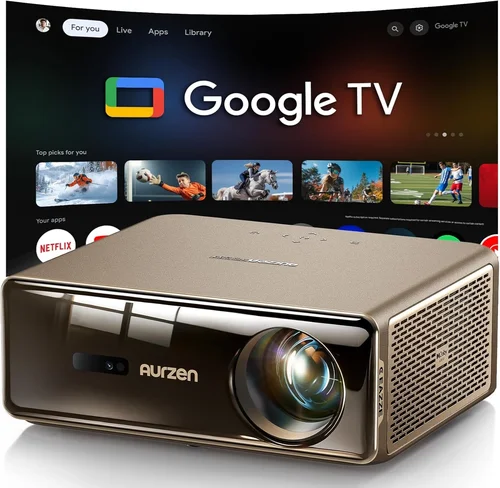
❌ Mistake: Ignoring Ambient Light Conditions
Why it’s bad: Selecting a low‑lumens projector for a well‑lit conference room results in washed‑out images and unreadable text.
What to do instead: Measure typical room lighting and aim for at least 3,500 lumens in bright spaces; consider a short‑throw model with higher brightness for small rooms.
❌ Mistake: Over‑Focusing on Resolution Alone
Why it’s bad: A 4K projector with 2,000 lumens may look impressive on paper but will underperform in a lit boardroom.
What to do instead: Balance resolution with brightness, contrast, and throw distance. Full HD (1080p) is usually sufficient for business presentations when paired with adequate lumens.
❌ Mistake: Forgetting Lamp Life & Replacement Costs
Why it’s bad: A cheap lamp may need replacement every 2,000 hours, adding unexpected expenses.
What to do instead: Choose LED or laser light sources, or verify that the lamp warranty covers at least 3,000 hours.
❌ Mistake: Skipping Connectivity Tests
Why it’s bad: A projector that lacks the ports you need forces you to purchase adapters, complicating setups.
What to do instead: List all devices you’ll connect (laptop, tablet, smartphone) and confirm the projector offers compatible inputs and wireless options.
❌ Mistake: Neglecting Noise Levels
Why it’s bad: A fan that hums at 40 dB can distract audiences during quiet presentations.
What to do instead: Look for specifications under 30 dB or read user reviews focusing on fan noise.
❌ Mistake: Assuming All Projectors Are Easy to Install
Why it’s bad: Complex keystone correction or lack of lens shift can require professional mounting.
What to do instead: Prioritize models with automatic keystone, lens shift, and clear on‑screen setup guides.
Budget Guidelines: How Much Should You Spend?
Understanding what you get at each price tier helps you set realistic expectations.
- Entry-Level ($350‑$500): Expect 2,500 lumens, 1080p or 720p resolution, basic HDMI input, and a lamp life of 2,000–3,000 hours. Ideal for small rooms with controlled lighting.
- Mid-Range ($501‑$800): Brightness climbs to 3,500–4,000 lumens, Full HD resolution, enhanced contrast, and added wireless options. Light‑engine may be laser‑LED for longer life.
- Premium ($801‑$1,000): You’ll find short‑throw optics, 4K‑enhanced processing, built‑in networking, and advanced keystone/lens shift. These units often include a 3‑year warranty.
- Luxury ($1,001+): While outside the scope of this guide, luxury models deliver true 4K, 6,000+ lumens, and extensive integration with AV‑over‑IP systems.
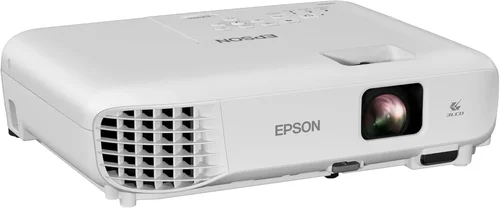
Expert Tips for Getting the Best Deal
- Timing: The best discounts appear in January (post‑holiday clearance) and September (new model roll‑outs).
- Where to Buy: Compare prices on Amazon, B&H Photo, and direct manufacturer sites. Retailers like CDW and Newegg often bundle HDMI cables or extended warranties.
- Spotting Deals: Use price‑tracking extensions (e.g., Keepa) to view historic lows. A price drop of 15%+ usually indicates a genuine promotion.
- Warranty Considerations: Opt for a plan that covers accidental damage if the projector will be moved frequently.
- Return Policies: Ensure at least a 30‑day return window; this gives you time to test in your actual meeting space.
- Testing Before Buying: If possible, view a demo unit in a similar lighting environment. Check for uniform brightness and color accuracy.
- Bundle Smartly: Purchasing a projector with a compatible screen often saves 10‑15% versus buying separately.

Frequently Asked Questions
Q: Can I use a business projector for video conferencing?
A: Yes, as long as the projector supports HDMI or USB‑C input and offers at least 1080p resolution. For optimal video‑call quality, pair it with a high‑resolution webcam and ensure the room lighting is balanced.
Q: How often do I need to replace the lamp?
A: LED and laser light sources typically last 20,000–30,000 hours and are not user‑replaceable. Traditional lamps range from 2,500–4,000 hours; replacement cost varies from $80 to $150.
Q: Is a short‑throw projector worth the extra cost?
A: In cramped meeting rooms or when the projector must sit on a table, short‑throw eliminates shadows and glare, often justifying the $100‑$200 premium.
Q: Do I need a separate speaker system?
A: Built‑in speakers are fine for voice‑only presentations. For multimedia or video content, a dedicated sound system will provide clearer audio.
Q: What is the difference between DLP and LCD?
A: DLP offers higher contrast and smoother motion, while LCD provides more accurate color reproduction. Both can meet business needs; choose based on your priority (contrast vs. color).
Q: Can I mount the projector ceiling‑mounted?
A: Most models support ceiling mounting with a standard ¼‑20 screw pattern. Verify the weight rating and ensure you have lens shift or keystone correction to fine‑tune the image.
Q: How important is fan noise?
A: In quiet boardrooms, fan noise above 30 dB can be distracting. Look for “quiet mode” settings or models specifically rated for low noise.
Q: Are there any hidden fees?
A: Shipping is usually free on major retailers, but tax and optional accessories (cables, mounts) add to total cost. Factor these into your budget.
Our Final Recommendations
- Best for Budget‑Conscious Buyers: ViewSonic PA503S – 3,600 lumens, SVGA resolution, lightweight, and consistently under $400.
- Best Overall Value: Epson EX5260 – 4,000 lumens, 1080p, wireless screen mirroring, and a 2‑year warranty for $749.
- Best Premium Option: BenQ LU951ST – 4,500 lumens, laser light source, short‑throw, built‑in Android, priced at $989.
- Best for Beginners: Optoma HD146X – Easy setup, HDMI & USB‑C, 3,600 lumens, under $500.
- Best for Advanced Users: LG PF50KA – Portable laser, 1080p, battery‑operated, Wi‑Fi Direct, perfect for on‑the‑go sales teams at $699.
Conclusion: Making the Right Choice
Investing in a business projector under $1,000 doesn’t mean compromising on quality. By focusing on brightness, resolution, durability, and connectivity, you can select a device that enhances every presentation and fits within your budget. Remember to assess your room’s lighting, consider how often you’ll move the unit, and factor in long‑term costs like lamp replacement or warranty extensions.
Take the insights from this guide, match them to your specific needs, and you’ll walk away with a projector that delivers sharp images, reliable performance, and a solid return on investment. Ready to upgrade your meeting rooms? Start comparing models now and secure the best deal before the next sales cycle begins.