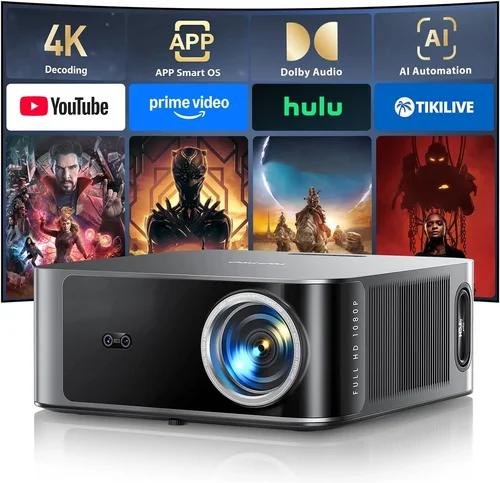
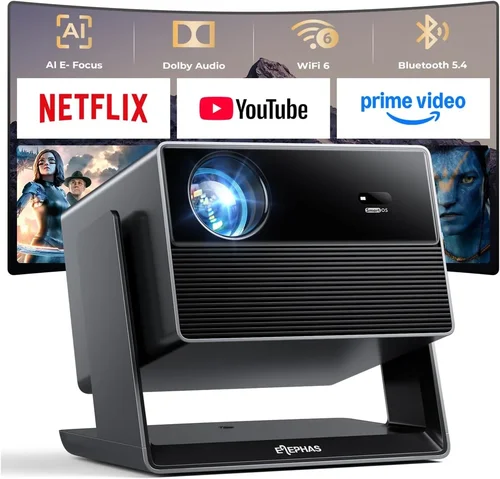
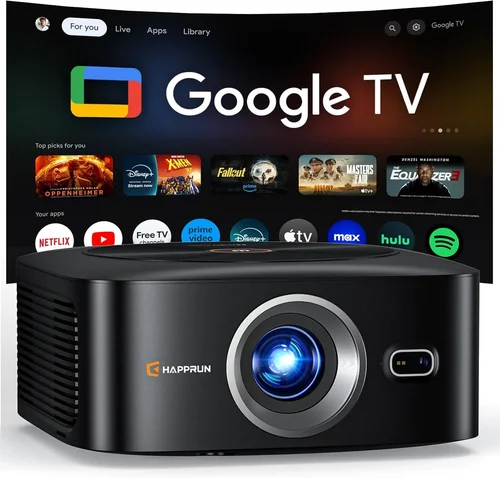
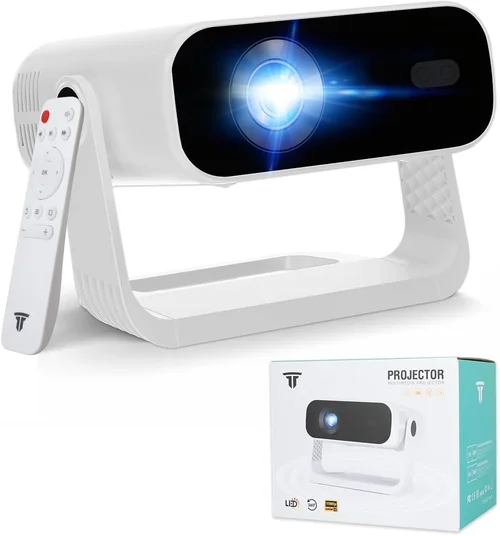
Choosing the right projector for your business can feel like navigating a maze of specs, brands, and price points. Whether you’re setting up a conference room, delivering a sales pitch to a client, or running a training session for a remote team, the projector you select will directly impact how your message is received. This guide cuts through the noise, giving you a clear roadmap to find the best business projectors under $1,000 in 2026.
In the next few sections you’ll learn which features truly matter for professional use, how different projector types stack up against each other, and where you can stretch your budget for maximum impact. By the end, you’ll be equipped to pick a device that balances performance, reliability, and cost—without the guesswork.

What to Look for When Buying Buying Guide
1. Budget & Price Range
While $1,000 may seem like a tight ceiling, modern technology has pushed impressive brightness and resolution into this bracket. Start by defining your absolute ceiling and then allocate portions for optional upgrades like lens shift or network connectivity. Remember that a lower upfront cost can sometimes mean higher long‑term expenses if you need to replace lamps or accessories early.
2. Performance Specifications
Key specs include:
- Brightness (lumens): For well‑lit conference rooms aim for 3,500–4,500 ANSI lumens. Smaller, dimmer rooms can get away with 2,500 lumens.
- Resolution: 1080p (Full HD) is the sweet spot under $1,000. Some 4K‑enhanced models exist, but native 4K usually exceeds the budget.
- Contrast Ratio: Higher contrast improves readability of text on dark backgrounds. Look for at least 10,000:1.
- Throw Ratio: Determines how far the projector can sit from the screen. Short‑throw (0.8–1.2) is ideal for tight spaces; standard throw (1.5–2.5) works in larger rooms.
3. Build Quality & Durability
Business environments demand equipment that can survive frequent moves and long daily use. Metal housings, reinforced lens caps, and robust ventilation systems are hallmarks of durable units. Check for dust‑proof filters and sealed optics if you expect a dusty office.
4. Features & Functionality
Consider these must‑have features for a professional setting:
- Wireless Connectivity: Wi‑Fi or Bluetooth for screen mirroring from laptops, tablets, or smartphones.
- Multiple HDMI/USB Ports: Enables dual‑source presentations without swapping cables.
- Built‑in Speakers: Useful for quick demos, though external audio is recommended for larger rooms.
- Lens Shift & Keystone Correction: Allows flexible placement without distortion.
- Long‑Life Lamp or Laser Light Source: Laser units often exceed 20,000 hours, cutting maintenance costs.
5. Brand Reputation
Brands such as Epson, BenQ, ViewSonic, and Optoma have built strong reputations for reliability and service. Research warranty terms, firmware update frequency, and user community support. A solid brand often means easier access to replacement parts.
6. Warranty & Support
Look for at least a 2‑year limited warranty covering the lamp and optics. Extended warranties can be worthwhile if the projector will be a core piece of daily operations. Verify the availability of local service centers or fast‑track shipping for parts.
7. Size & Portability
If you travel between meeting rooms or client sites, weight and footprint matter. Portable models under 5 kg with a compact design can be carried in a standard briefcase, while larger fixed‑install units prioritize performance over portability.
8. User Reviews & Ratings
Real‑world feedback often reveals quirks not listed in spec sheets. Look for consistent praise on reliability and any recurring complaints about heat, fan noise, or software glitches.
Different Types of Buying Guide

Common Buying Mistakes to Avoid
❌ Mistake: Ignoring Ambient Light
Why it’s bad: A projector rated at 2,500 lumens may look brilliant in a darkened boardroom but will appear washed out in a well‑lit lobby.
What to do instead: Measure the typical lighting level of the intended room and choose a brightness rating at least 30% higher than the ambient light level.
❌ Mistake: Over‑Focusing on Resolution Alone
Why it’s bad: A 4K display with low brightness will still struggle in bright rooms, negating the resolution benefit.
What to do instead: Balance resolution with lumens and contrast. For most business uses, 1080p with 3,500+ lumens offers the best ROI.
❌ Mistake: Forgetting Lamp Life Costs
Why it’s bad: A cheap lamp replacement can quickly erode any savings from a low‑priced projector.
What to do instead: Prioritize laser or LED light sources, or choose models with a lamp warranty that covers the first 2,000 hours.
❌ Mistake: Neglecting Connectivity Options
Why it’s bad: You may end up buying adapters or extra dongles, adding hidden costs.
What to do instead: Verify that the projector has at least two HDMI ports, a USB‑C or wireless mirroring capability, and optional VGA for legacy laptops.
❌ Mistake: Buying Without Testing
Why it’s bad: Factory settings may differ from real‑world performance, especially regarding fan noise and color accuracy.
What to do instead: Request a demo unit or watch reputable YouTube reviews that show the projector in a typical office lighting setup.
Budget Guidelines: How Much Should You Spend?
- Entry‑Level ($400‑$600): Expect 2,500–3,000 lumens, 720p or basic 1080p, and limited connectivity. Suitable for small huddle rooms.
- Mid‑Range ($600‑$850): Offers 3,500–4,500 lumens, true Full HD, better contrast, and wireless options. Ideal for most corporate conference rooms.
- Premium ($850‑$1,000): Includes laser light sources, enhanced color gamuts, short‑throw lenses, and robust build quality. Best for high‑traffic environments.
- Luxury ($1,000+): Typically exceeds the guide’s price ceiling but may be found on sale. Provides native 4K, ultra‑short‑throw, and enterprise‑grade security features.
Expert Tips for Getting the Best Deal
- Timing: Purchase in Q1 or Q3 when businesses are refreshing equipment budgets.
- Where to Buy: Compare Amazon, B&H Photo, and direct manufacturer sites. Look for bundle offers that include a wall mount or extra lamp.
- Spotting Deals: Check for refurbished units with manufacturer warranties; they can be up to 40% cheaper.
- Warranty Considerations: Register the product immediately to activate extended coverage.
- Return Policies: Ensure a 30‑day return window so you can test the projector in your actual workspace.
- Testing Before Buying: Bring a laptop with the same resolution you’ll use daily to verify image sharpness and color accuracy.
- Negotiating: If buying multiple units for a corporate rollout, request volume discounts directly from the vendor.

Frequently Asked Questions
Q: Can I use a business projector for outdoor presentations?
A: Yes, but you’ll need a model with at least 4,000 lumens and a high contrast ratio. Consider a projector with an outdoor‑rated housing and a weather‑proof screen.
Q: How often do I need to replace the lamp?
A: Traditional lamps last 2,000–4,000 hours. Laser and LED sources can exceed 20,000 hours, effectively eliminating frequent replacements.
Q: Do I need a separate screen?
A: While a white wall works in a pinch, a proper projection screen improves gain and color accuracy, especially in bright rooms.
Q: Is HDMI‑C the future for business projectors?
A: HDMI‑C offers higher bandwidth and supports 4K at 60 Hz, but most business setups still rely on HDMI 2.0. Choose a projector with both HDMI and USB‑C for flexibility.
Q: What is the difference between LCD and DLP?
A: LCD tends to deliver more accurate colors, while DLP offers sharper contrast and smoother motion. For text‑heavy presentations, LCD is often preferred.
Q: Can I mount a projector ceiling‑mounted without a professional?
A: Many mid‑range models include a quick‑release mount and detailed instructions. However, precise alignment and cable management may require a technician.
Q: How important is keystone correction?
A: Essential if the projector can’t be placed perfectly perpendicular to the screen. Optical keystone (lens shift) is superior to digital correction, which can degrade image quality.
Our Final Recommendations
- Best for Budget‑Conscious Buyers: Epson EX3260 – 3,600 lumens, 1080p, HDMI, and a 2,500‑hour lamp for under $550.
- Best Overall Value: BenQ MH733 – 4,000 lumens, Full HD, wireless screen mirroring, and a 5‑year limited warranty at $799.
- Best Premium Option: Optoma UHD30 – 3,800 lumens, 4K‑enhanced, laser light source, and short‑throw lens for $989.
- Best for Beginners: ViewSonic PA503W – Simple plug‑and‑play, 3,600 lumens, and dual HDMI for $449.
- Best for Advanced Users: Epson PowerLite 1795F – Laser, 3,400 lumens, 1080p, extensive connectivity, and robust security features at $979.
Conclusion: Making the Right Choice
Investing in a business projector under $1,000 doesn’t mean compromising on quality. By focusing on brightness, resolution, durability, and the right connectivity, you can equip any meeting space with a reliable visual tool. Use the factors, type comparisons, and budget guidelines outlined above to match a projector to your specific environment. Remember, the best choice is the one that aligns with your everyday workflow, not just the highest spec on paper.
Ready to elevate your presentations? Browse the recommended models, compare current deals, and take advantage of seasonal sales to secure the best price. Your next boardroom breakthrough is just a click away.