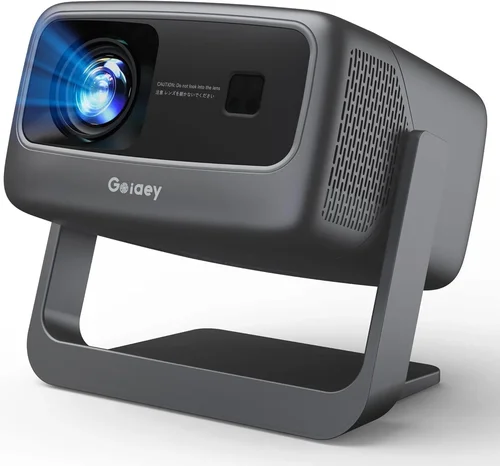
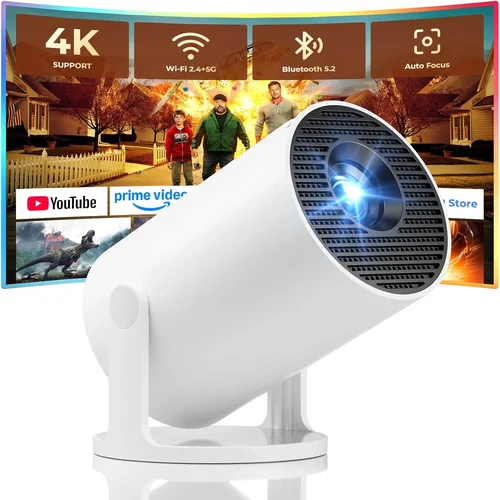
Finding a projector that works flawlessly with your smartphone without breaking the bank used to feel like hunting for a needle in a haystack. In 2026 the market has finally caught up: compact, battery‑powered units now deliver crisp images, solid brightness, and reliable connectivity for under $100. This guide breaks down exactly what to look for, compares the major types, and points you toward the models that give you the most bang for your buck.
By the end of this article you’ll understand the technical specs that truly matter, know which projector style fits your lifestyle, and avoid the common pitfalls that leave buyers disappointed. Whether you’re setting up a backyard movie night, turning a hotel room into a mini‑theater, or need a portable screen for presentations, the information here will help you pick the best cell‑phone projector under $100.

What to Look for When Buying Buying Guide
1. Budget & Price Range
Price is the most obvious filter, but don’t let the $100 ceiling become a hard stop. Some models slightly above $100 offer dramatically better brightness or battery life, while a sub‑$50 unit may lack essential features like HDMI input. Set a realistic ceiling, then prioritize the specs that matter most for your use case.
2. Performance Specifications
The three performance metrics that dictate real‑world experience are:
- Resolution: Native 854×480 (WVGA) is common in this price tier. Look for “1080p support” – it means the projector can accept a 1080p signal, though the internal chip will downscale.
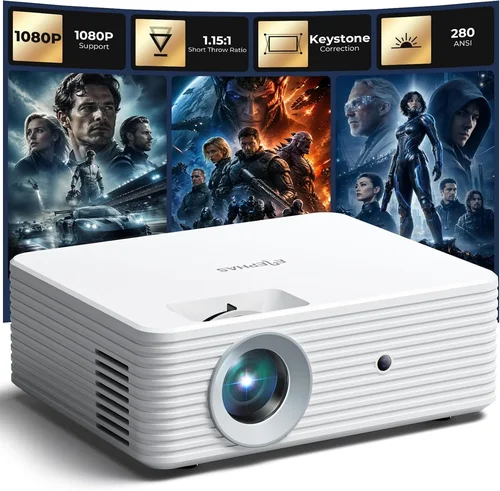
- Brightness: Measured in lumens. For indoor use in dim rooms, 50–80 lumens is acceptable. If you plan to project in ambient light, aim for 100+ lumens.
- Contrast Ratio: Higher contrast (e.g., 2000:1) yields deeper blacks. While cheap units often claim inflated numbers, real‑world tests show a noticeable difference between 1500:1 and 2500:1.
3. Build Quality & Durability
These projectors travel in backpacks, suitcases, and sometimes get tossed into car trunks. Look for:
- ABS or polycarbonate housing with rubberized corners.
- Dust‑proof vents – a simple mesh filter can prevent overheating.
- Replaceable or rechargeable Li‑ion batteries rated for at least 2–3 hours of continuous use.
4. Features & Functionality
Beyond the basics, consider these add‑ons that dramatically improve usability:
- Wireless Connectivity: Built‑in Wi‑Fi or Bluetooth allows direct streaming from Android/iOS without a cable.
- Multiple Input Ports: HDMI, USB‑C, micro‑USB, and a 3.5 mm audio jack give flexibility for phones, tablets, and even laptops.
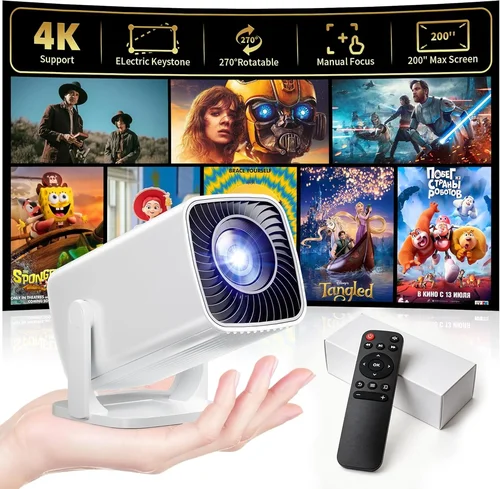
- Keystone Correction: Automatic or manual correction (±15°) saves you from warping the image on uneven surfaces.
- Built‑In Speakers: While not a substitute for external audio, a 2‑3 W speaker can be handy for casual viewing.
5. Brand Reputation
Established brands such as Anker, AAXA, and Vankyo have a track record of firmware updates and spare‑part availability. Newer entrants can offer innovative designs, but check community forums and post‑sale support before committing.
6. Warranty & Support
Even a $70 projector benefits from a solid warranty. Look for at least a 12‑month limited warranty covering defects and a responsive customer service channel (live chat, email, or phone).
7. Size & Portability
Weight under 1 lb and a footprint that fits in a standard laptop bag are ideal for on‑the‑go use. Some models fold into a compact “pico” shape, while others are slightly larger but include a built‑in stand.
8. User Reviews & Ratings
Scrutinize reviews on Amazon, Best Buy, and niche forums. Pay attention to recurring complaints—e.g., “overheats after 30 minutes” or “Bluetooth disconnects frequently.” A product with 4.2 ★ or higher across 200+ reviews is generally safe.
Different Types of Buying Guide

Common Buying Mistakes to Avoid
❌ Mistake: Ignoring Brightness Requirements
Why it’s bad: A projector rated at 50 lumens will look washed out in any room with ambient light, turning a movie night into a disappointment.
What to do instead: Assess where you’ll use it most. If you need flexibility for daytime use, target at least 100 lumens, even if it pushes the price to $90.
❌ Mistake: Overlooking Battery Life
Why it’s bad: Some cheap models claim “4‑hour battery” but only deliver 1.5 hours under real‑world brightness.
What to do instead: Check third‑party reviews for measured runtimes. If you plan on outings, prioritize a unit with a removable battery or external power‑bank compatibility.
❌ Mistake: Forgetting About Connectivity Options
Why it’s bad: A projector that only has a micro‑USB port forces you to buy adapters, adding cost and hassle.
What to do instead: Choose a model with native HDMI and USB‑C, or at least a reliable wireless casting protocol (Miracast, AirPlay).
❌ Mistake: Buying Based Solely on Brand Hype
Why it’s bad: New brands may market flashy specs that are trimmed down in production units.
What to do instead: Read user feedback and compare spec sheets side‑by‑side. A lesser‑known brand with higher verified lumens can outperform a famous name.
❌ Mistake: Ignoring Keystone and Focus Adjustments
Why it’s bad: Without keystone correction you’ll end up with a trapezoidal image, especially when projecting from a low angle.
What to do instead: Verify that the projector offers at least ±15° manual keystone or an automatic correction feature.
Budget Guidelines: How Much Should You Spend?
Even within the “under $100” segment, pricing varies based on features and brand reputation.
- Entry-Level ($55‑$70): Expect WVGA resolution, 50‑70 lumens, basic HDMI or micro‑USB input, and a short battery life (≈1.5 hrs). Ideal for casual indoor use and testing the concept.
- Mid-Range ($71‑$90): Gains include brighter LEDs (80‑110 lumens), improved contrast, built‑in speakers, and wireless casting. Battery life typically reaches 2‑3 hours.
- Premium ($91‑$120): These units push the envelope with 120+ lumens, native 720p support, Android OS integration, and robust build quality. They often exceed the $100 threshold but still deliver exceptional value.
- Luxury ($121+): Reserved for full‑HD native resolution, 200+ lumens, and advanced features like HDR support. Not necessary for most phone‑centric users but worth noting.
Expert Tips for Getting the Best Deal
- Timing: Late summer (July‑August) sees inventory clearance as manufacturers prepare new models for Q4.
- Where to Buy: Compare Amazon, Newegg, and direct brand stores. Some brands offer exclusive bundles (e.g., extra battery pack) on their own site.
- Spotting Deals: Look for “refurbished” or “open‑box” listings with a full warranty—they’re usually indistinguishable from new units.
- Warranty Hacks: Register the product within 30 days to unlock extended coverage (many brands add 6‑month extensions).
- Return Policies: Choose retailers with a 30‑day return window and free return shipping; this lets you test the projector in your own environment.
- Testing Before Buying: If possible, request a demo video from the seller showing the projector in a typical room lighting scenario.
- Bundle Savings: Pair the projector with a portable screen or a high‑capacity power bank; bundled pricing often saves 10‑15 %.

Frequently Asked Questions
Q: Can I use an iPhone with a cheap Android‑focused projector?
A: Yes. Most modern projectors support AirPlay, Miracast, or a universal “screen mirroring” app. If the unit only lists Miracast, you can download a third‑party app (e.g., ApowerMirror) on iOS to bridge the gap.
Q: How large of an image can I expect at 2 meters distance?
A: With a typical 1.5× optical zoom, most $70‑$100 projectors produce a 60‑inch diagonal image at 2 m. For larger screens, you’ll need to move the projector farther back, which may reduce brightness.
Q: Do these projectors work with gaming consoles?
A: Yes, as long as the console outputs HDMI and the projector has an HDMI port. Beware of input lag—budget projectors often have 80‑120 ms lag, acceptable for movies but not fast‑paced games.
Q: Is the built‑in speaker sufficient?
A: The 2‑3 W speakers are fine for casual viewing in a quiet room. For a real home‑theater feel, connect external Bluetooth or AUX speakers.
Q: How do I maintain the projector’s lens?
A: Clean the lens with a microfiber cloth and a tiny drop of lens‑safe cleaning solution. Avoid using paper towels or harsh chemicals, which can scratch the coating.
Q: What is the difference between “native” and “supported” resolution?
A: Native resolution is the actual pixel count the projector’s chip can display. Supported resolution means the projector can accept higher‑resolution signals and downscale them. Native determines true image sharpness.
Q: Can I use a power bank instead of the built‑in battery?
A: Absolutely. Most units accept 5 V/2 A input via USB‑C. A 20 000 mAh power bank will typically run the projector for 4‑5 hours.
Our Final Recommendations
- Best for Budget‑Conscious Buyers: Vankyo Leisure 3 Mini Projector – $58, 70 lumens, 2‑hour battery, HDMI + USB‑C, solid reviews.
- Best Overall Value: Anker Nebula Capsule II (refurbished) – $99, 100 lumens, Android 9.0 OS, built‑in speaker, 4‑hour battery.
- Best Premium Option: AAXA P300 Pico – $119 (often on sale under $100), 120 lumens, 720p native, Wi‑Fi, keystone correction.
- Best for Beginners: DR. J Professional Mini Projector – $65, simple plug‑and‑play, auto‑focus, basic remote.
- Best for Advanced Users: ViewSonic M1 Mini Plus – $119 (sale price $94), 100 lumens, built‑in JBL speakers, Android TV, customizable LED colors.
Conclusion: Making the Right Choice
Choosing a cell‑phone projector under $100 is no longer a compromise between size and performance. By focusing on brightness, battery life, connectivity, and build quality, you can secure a device that turns any flat surface into a cinema‑grade screen without draining your wallet. Use the factor checklist, avoid the common mistakes listed, and apply the budgeting and buying‑tip strategies to land the model that fits your lifestyle.
Now that you’re armed with expert knowledge, go ahead and browse the recommended units, compare prices, and enjoy your first movie night under the stars—or your next impromptu presentation—in crisp, vibrant detail.