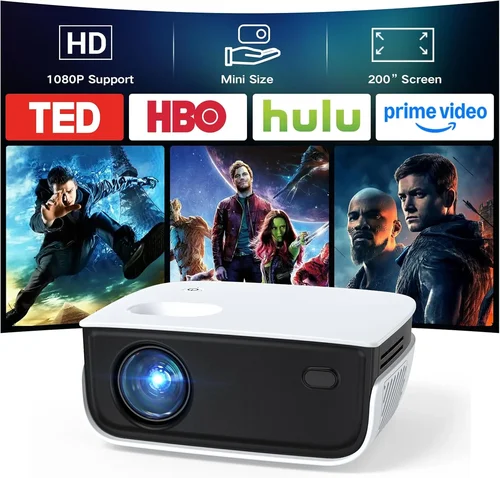
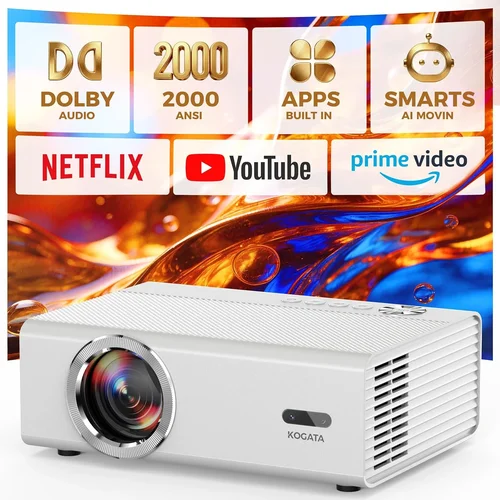
Finding a projector that delivers decent image quality without breaking the bank can feel like hunting for a needle in a haystack. The market is flooded with models that promise big‑screen cinema experiences, yet many of them either overshoot the budget or fall short on performance. That’s why this guide exists – to cut through the noise and give you a clear roadmap for selecting the best cheap projectors under $200 in 2026.
In the pages that follow you will learn exactly what specifications matter most at this price point, which projector types give you the biggest bang for your buck, and how to avoid common pitfalls that leave buyers disappointed. Whether you’re setting up a dorm room movie night, a backyard sports viewing area, or a portable presentation solution for work, this guide equips you with the knowledge to make a confident purchase.
The budget projector segment has evolved dramatically over the past few years. LED and laser light sources have become more affordable, resulting in longer lifespans and brighter images even in cheaper units. At the same time, connectivity options such as HDMI, USB‑C, and wireless casting have moved from premium to standard. Understanding these trends helps you spot a model that truly offers value rather than just a low price tag.

What to Look for When Buying Buying Guide
1. Budget & Price Range
When you set a hard ceiling of $200, the first step is to understand how far that money can stretch. Prices under $200 typically cover entry‑level LED or DLP projectors with native resolutions ranging from 720p to 1080p (often upscaled). Expect a trade‑off between brightness and feature set: the brighter the lamp, the higher the cost.
Key tip: Aim for a projector that offers at least 2,500 lumens (ANSI) if you plan to use it in rooms with some ambient light. If you can control lighting completely, a unit with 1,800–2,200 lumens can still provide a good experience.
2. Performance Specifications
The core specifications that dictate image quality are resolution, brightness, contrast ratio, and throw distance.
- Resolution: 720p (1280×720) is common, but a handful of sub‑$200 models now ship with true 1080p. For text‑heavy presentations, higher resolution reduces pixelation.
- Brightness: Measured in lumens. Higher numbers mean clearer images in daylight or well‑lit rooms.
- Contrast Ratio: Indicates how deep the blacks are. A ratio of 2,000:1 or higher is acceptable for budget units.
- Throw Ratio: Determines how far the projector needs to be from the screen to achieve a specific image size. Short‑throw models (throw ratio <1.0) are great for small spaces.
3. Build Quality & Durability
Cheap projectors can feel flimsy, but many reputable brands reinforce their chassis with metal housing and sturdy lens covers. Look for models with a solid feel, minimal wobble, and a well‑ventilated design that keeps the lamp cool. A durable build not only lasts longer but also reduces the risk of overheating, which can shorten lamp life.
4. Features & Functionality
Beyond the basics, consider what extra capabilities will enhance your use case.
- Connectivity: HDMI is a must; USB‑C and wireless (Miracast, AirPlay) are bonuses.
- Built‑in Speakers: Most budget projectors include 2‑5 W speakers. They’re fine for casual movies but invest in external audio for a real home‑theater feel.
- Keystone Correction: Automatic or manual correction (±30°) helps when your projector isn’t perfectly centered.
- Screen‑Size Flexibility: Some models allow 30‑300 inches, giving you room to experiment.
5. Brand Reputation
Even at low price points, brand reputation matters. Companies like BenQ, ViewSonic, Epson, and Anker have dedicated budget lines with solid after‑sales support. Newer entrants (e.g., DR. J, Vankyo) can offer competitive specs, but research their warranty policies and customer service track record before committing.
6. Warranty & Support
A reliable warranty can save you from unexpected repair costs. Look for at least a one‑year limited warranty that covers the lamp and major components. Some manufacturers also provide an extended warranty for a modest fee, which can be worthwhile if you plan heavy usage.
7. Size & Portability
If you’ll be moving the projector between rooms or taking it on the road, weight and dimensions become critical. Portable models often weigh under 2 kg and come with a built‑in handle. Keep an eye on the power source—some units run on DC power packs, allowing true cordless operation.
8. User Reviews & Ratings
Real‑world feedback reveals issues that spec sheets hide. Scan reviews on Amazon, Best Buy, and dedicated AV forums. Pay attention to recurring complaints such as “lamp flicker after 3 months” or “Wi‑Fi drops frequently.” A high average rating (4 stars or above) with a sizable review count is a strong indicator of overall satisfaction.
Different Types of Buying Guide

Common Buying Mistakes to Avoid
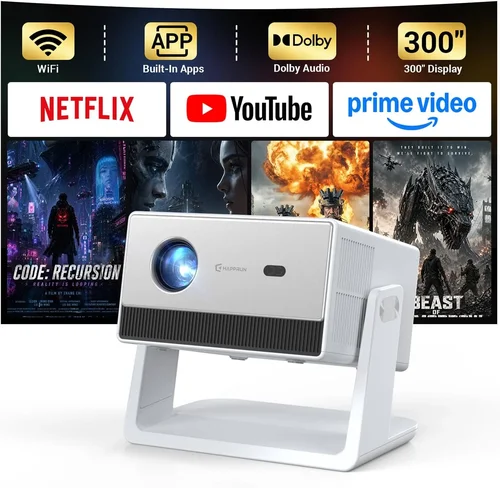
❌ Mistake: Focusing Solely on Price
Why it’s bad: The cheapest unit often sacrifices brightness, durability, or connectivity, leading to frustration.
What to do instead: Set a realistic budget ceiling, then prioritize the features that matter most for your use case. A $180 projector with decent lumen output will outperform a $130 model that can’t handle ambient light.
❌ Mistake: Ignoring Lamp Type
Why it’s bad: Some budget projectors still use traditional UHP lamps that may need replacement after 1,000–2,000 hours, adding hidden costs.
What to do instead: Choose LED or laser‑based light sources. They have longer lifespans (20,000+ hours) and maintain consistent brightness.
❌ Mistake: Overlooking Input Lag for Gaming
Why it’s bad: High input lag (over 80 ms) makes fast‑paced games feel sluggish.
What to do instead: Look for projectors that list “Game Mode” or have input lag under 45 ms. Even at a lower price, many DLP models now offer gaming‑friendly performance.
❌ Mistake: Forgetting About Audio Needs
Why it’s bad: Built‑in speakers on cheap projectors are typically tinny and underpowered.
What to do instead: Budget for an external sound solution—Bluetooth speakers or a small soundbar—especially if you plan movie nights.
❌ Mistake: Not Checking Throw Distance
Why it’s bad: A projector with a long throw ratio may require you to place it far from the wall, which isn’t feasible in apartments.
What to do instead: Measure your room and compare it with the projector’s throw ratio chart. Short‑throw models are ideal for limited spaces.
❌ Mistake: Assuming All “HD” Projectors Are 1080p
Why it’s bad: Some manufacturers label 720p devices as “HD” to sound more impressive.
What to do instead: Verify the native resolution in the spec sheet. If you need crisp text, aim for true 1080p.
❌ Mistake: Skipping Firmware Updates
Why it’s bad: Out‑of‑date firmware can cause connectivity glitches or limit feature sets.
What to do instead: Check the manufacturer’s website for the latest firmware and follow the update instructions before first use.
Budget Guidelines: How Much Should You Spend?
- Entry‑Level ($120 – $150): Expect 720p resolution, 2,000 lumens, basic HDMI input, and modest built‑in speakers. Ideal for occasional movie nights in dark rooms.
- Mid‑Range ($151 – $180): You’ll find true 1080p models, 2,500–3,000 lumens, better contrast ratios, and added features like USB‑C or wireless mirroring. This tier balances performance and price.
- Premium ($181 – $200): Short‑throw optics, higher contrast (3,000:1+), enhanced color accuracy (Rec. 709), and robust build quality. Best for small apartments where you can’t place the projector far away.
- Luxury ($200+): Though beyond our “under $200” scope, it’s worth noting that stepping just above $200 unlocks 4K‑enhanced DLP engines and higher‑end LED sources.
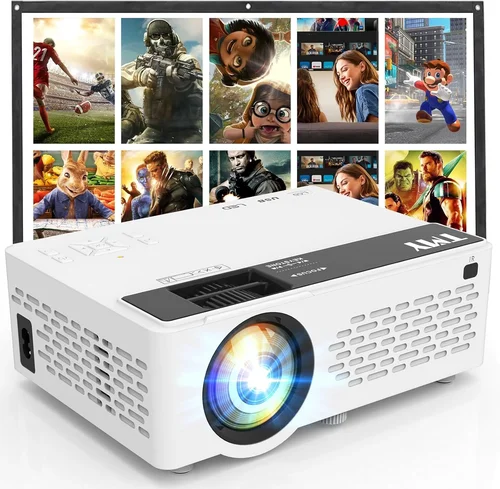
Expert Tips for Getting the Best Deal
- Time Your Purchase: New models launch in Q2 and Q4, pushing older inventory into deep discount.
- Shop Multiple Sources: Compare Amazon, Newegg, and manufacturer outlet stores. Sometimes the same unit is $20 cheaper on a brand’s refurbished page.
- Check Bundle Options: Some sellers include a free screen, HDMI cable, or portable speaker—adding real value.
- Read the Fine Print on Warranty: Ensure the lamp is covered for at least 12 months; a cheap projector with a 90‑day warranty can become a money pit.
- Test Before You Commit: If buying in‑store, bring a laptop or phone to verify HDMI and wireless casting work smoothly.
- Consider Refurbished Units: Certified refurbished models often come with a full warranty and are inspected for defects, offering near‑new performance at a lower price.
- Factor in Shipping Costs: Heavy projectors can incur high freight fees; look for free‑shipping promotions.
- Utilize Cashback & Rewards: Credit cards with 2%‑5% cashback on electronics can effectively lower your net spend.

Frequently Asked Questions
Q: Can a $200 projector display a clear image in a well‑lit living room?
A: It’s possible, but you’ll need a model with at least 2,500 lumens and a good contrast ratio. Position the projector away from direct sunlight and consider adding blackout curtains for optimal results.
Q: How long does the LED lamp last in budget projectors?
A: Most LED lamps are rated for 20,000–30,000 hours. At typical use (3–4 hours per day), that translates to 15‑20 years of service, far exceeding the lifespan of traditional bulbs.
Q: Is it necessary to buy a separate screen?
A: Not strictly. A smooth white wall works fine for casual viewing. However, a 120‑inch matte white screen improves brightness uniformity and color accuracy, especially in rooms with ambient light.
Q: Do cheap projectors support 4K content?
A: Most under‑$200 units are limited to 1080p or 720p. They can upscale 4K streams, but you won’t see true 4K detail. For genuine 4K, you’ll need to exceed the $200 budget.
Q: What is the difference between DLP and LCD in budget models?
A: DLP projectors often have better contrast and faster response times, making them suitable for gaming. LCD models typically offer richer colors and uniform brightness, which is great for movies. Both technologies can be found under $200.
Q: Can I use a cheap projector for business presentations?
A: Absolutely, as long as the projector has sufficient brightness (≥2,500 lumens) and clear HDMI input. For text clarity, prioritize a higher native resolution (1080p) and low input lag.
Q: How do I maintain a projector to extend its life?
A: Keep vents clean, avoid dust buildup, use the projector in a well‑ventilated area, and run the lamp for a few minutes before turning it off to cool down. Follow the manufacturer’s cleaning schedule for the lens.
Q: Are portable battery‑powered projectors reliable?
A: Battery‑powered models are convenient but often compromise on brightness and resolution. If you need true portability, choose a pocket projector with at least 1,800 lumens and an LED source.
Q: What connectivity should I prioritize?
A: HDMI is universal. If you stream from phones, look for Miracast, AirPlay, or a USB‑C port with video‑over‑USB capability. Some budget units also include a micro‑SD slot for direct media playback.
Our Final Recommendations
- Best for Budget‑Conscious Buyers: Vankyo Leisure 3 Mini Projector – $129, 720p, 2,400 lumens, HDMI & USB‑C, compact design.
- Best Overall Value: Anker Nebula Capsule II – $179, 720p, 2,500 lumens, Android TV 7.1 OS, built‑in 8 W speakers, battery‑backed.
- Best Premium Option (just under $200): ViewSonic M1 Mini Plus – $199, 1080p, 2,800 lumens, short‑throw, integrated Harman Kardon sound.
- Best for Beginners: BenQ MW535A – $149, 720p, 3,600 lumens, easy auto‑keystone, solid warranty.
- Best for Advanced Users: Optoma GT5600 Short‑Throw – $199, 1080p, 3,600 lumens, low input lag, multiple HDMI ports.
Conclusion: Making the Right Choice
Choosing a cheap projector under $200 doesn’t have to be a gamble. By focusing on the key factors—brightness, resolution, lamp type, and connectivity—you can pinpoint a model that fits your space, usage pattern, and budget. Remember to verify warranty terms, read real‑user reviews, and consider the total cost of ownership (including optional accessories). With the insights and tips provided in this guide, you’re now equipped to walk into any store—or click online—with confidence, knowing exactly what to look for and what to avoid.
Ready to bring the big screen home? Browse the recommended models, set a price alert, and enjoy cinematic nights without draining your wallet.