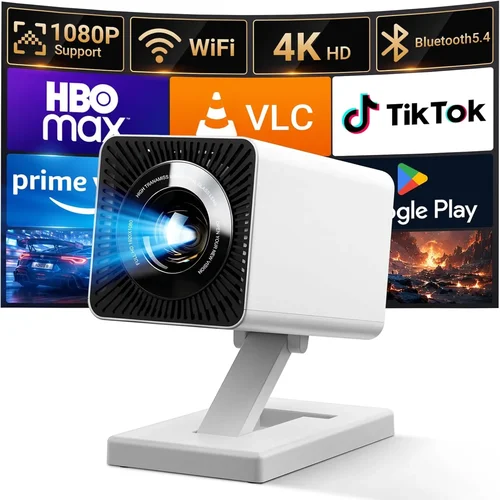
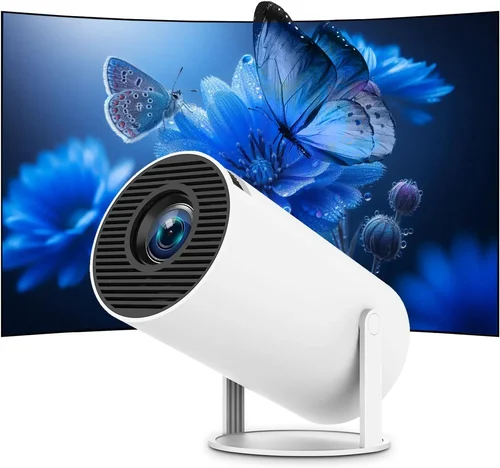
Finding a projector that delivers decent performance without breaking the bank can feel like hunting for a needle in a haystack. The market is flooded with models that promise cinema‑like experiences, yet many of them sit well above $200. If your budget tops out at $50, you might think you’re out of luck. Not so. In 2026, manufacturers have refined the entry‑level segment enough that you can now get a functional, portable projector for under $50 that handles casual movie nights, gaming sessions, and backyard presentations.
This guide is designed to cut through the noise. We’ll walk you through the most important specs, explain which projector type fits different lifestyles, and highlight the common pitfalls that cheap‑budget shoppers often run into. By the end, you’ll know exactly what to look for, how much to spend, and which models consistently outshine the competition.
Before we dive into the nitty‑gritty, let’s take a quick look at why cheap projectors have become more viable. Advances in LED technology, streamlined optics, and the rise of pocket‑size “pico” projectors have driven production costs down. At the same time, consumer demand for portable entertainment—think tablet‑paired streaming and mobile gaming—has pushed brands to offer stripped‑down yet reliable options. The result is a sweet spot where you can buy a usable projector for less than the cost of a streaming subscription.

What to Look for When Buying Buying Guide
1. Budget & Price Range
When you set a hard ceiling of $50, every dollar counts. Focus on the overall value package rather than a single spec. A $48 projector that includes a built‑in speaker, HDMI input, and a decent battery life often provides a better experience than a $45 model that lacks essential connectivity. Keep an eye on seasonal discounts—many retailers slash prices during back‑to‑school or holiday sales, pushing higher‑spec units into the sub‑$50 bracket.
2. Performance Specifications
Key performance metrics include native resolution, brightness (measured in lumens), and contrast ratio. For sub‑$50 projectors, native resolution is typically 640×360 (nHD) or 800×480 (WVGA). While not Full HD, these resolutions are adequate for 30‑inch to 50‑inch screen sizes when viewed in dim environments. Brightness is another limiting factor; most budget models range from 30 to 80 ANSI lumens. To compensate, plan for a dark room or use a high‑gain screen.
3. Build Quality & Durability
Cheap devices can feel fragile, but many manufacturers now use ABS plastic housings that resist everyday bumps. Look for projectors with reinforced lens covers and a solid hinge mechanism. If you intend to travel with the unit, check the weight (ideally under 600 g) and whether the device includes a protective carrying case.
4. Features & Functionality
Even at low price points, modern projectors pack useful features:
- Connectivity: HDMI, USB‑C, micro‑USB, and wireless (Wi‑Fi or Bluetooth) options. HDMI is a must for consistent video quality.
- Built‑in Speakers: Expect 1‑2 W output—suitable for small rooms but not for large gatherings.
- Battery Life: Look for at least 1.5–2 hours of playback on a single charge.
- Keystone Correction: Basic 10°–15° correction helps align images on uneven surfaces.
5. Brand Reputation
Even within the cheap segment, some brands have earned trust through consistent quality control. Companies like Vankyo, APEMAN, and DR.J have historically delivered reliable units with decent after‑sales support. Research forums, Reddit threads, and YouTube reviews to gauge real‑world reliability.
6. Warranty & Support
A one‑year limited warranty is standard for sub‑$50 projectors. Verify what the warranty covers—most include defects in materials and workmanship but exclude accidental damage. Check whether the brand offers easy access to firmware updates; a recent update can fix flicker issues or improve battery performance.
7. Size & Portability
If you plan to use the projector for outdoor movie nights or on‑the‑go presentations, size matters. Pico projectors often measure 2–3 inches tall and weigh under 300 g, fitting easily into a backpack. Larger “mini” projectors may provide a bit more brightness but sacrifice portability.
8. User Reviews & Ratings
Don’t rely solely on the manufacturer’s description. Scan user reviews on Amazon, Best Buy, and specialized forums. Pay particular attention to recurring complaints—such as overheating, short battery life, or inconsistent focus—as these can indicate systemic issues.
Different Types of Buying Guide

Common Buying Mistakes to Avoid
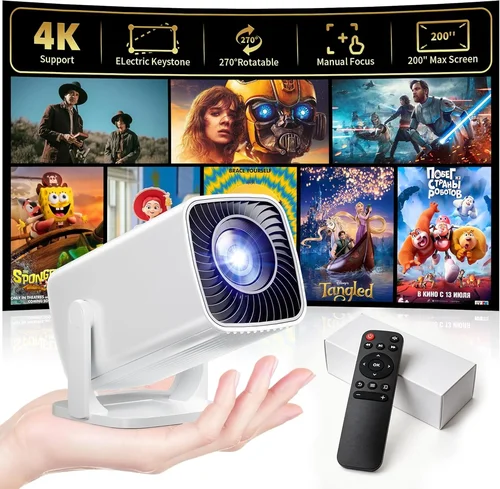
❌ Mistake: Ignoring Brightness Requirements
Why it’s bad: A projector with 30 lumens will appear washed out in any room with ambient light, making movies unwatchable.
What to do instead: Assess your typical viewing environment. If you can’t guarantee a dark room, aim for at least 60 lumens and consider using a high‑gain screen or blackout curtains.
❌ Mistake: Overlooking Connectivity Options
Why it’s bad: Without HDMI or USB‑C, you’ll be forced to use adapters that add latency or degrade image quality.
What to do instead: Prioritize models that list HDMI as a native input. If you plan to stream from a phone, ensure the projector supports USB‑C video‑in or Miracast.
❌ Mistake: Assuming All Batteries Are Equal
Why it’s bad: Some cheap units use low‑capacity Li‑ion cells that drop below usable brightness after 30 minutes.
What to do instead: Check the stated playback time and read user reviews for real‑world battery performance. Keep a spare power bank handy for longer sessions.
❌ Mistake: Forgetting About Keystone Correction
Why it’s bad: Without keystone correction, an off‑axis setup will produce a distorted, trapezoidal image.
What to do instead: Choose a projector with at least ±10° digital keystone. For more flexibility, look for models offering lens shift (rare under $50 but worth the extra spend).
❌ Mistake: Buying Based Solely on Brand Name
Why it’s bad: A well‑known brand may still release a low‑end model that cuts corners on optics.
What to do instead: Compare specifications side‑by‑side and read independent reviews. Sometimes a lesser‑known brand offers a better spec‑for‑price ratio.
❌ Mistake: Ignoring Warranty Terms
Why it’s bad: A vague warranty can leave you stranded with a defective unit and no recourse.
What to do instead: Verify the warranty length, coverage details, and the process for filing a claim. Register the product online if required.
Budget Guidelines: How Much Should You Spend?
Even within the sub‑$50 category, price variations reflect differences in brightness, connectivity, and build quality. Below is a practical breakdown to help you match expectations with your wallet.
- Entry-Level ($30‑$35): Expect basic pico projectors with 30–45 lumens, limited ports (often only micro‑USB), and 1‑hour battery life. Suitable for short, dim‑room demos.
- Mid-Range ($36‑$44): Gains include 60–80 lumens, HDMI input, and up to 2 hours of playback. These units handle small‑room movies and casual gaming.
- Premium ($45‑$50): The best of the budget world—brighter LEDs, better color reproduction, built‑in Android OS for streaming, and robust battery packs. Ideal for regular home use.
- Luxury ($51+): While beyond the original brief, some sales push 55‑inch capable mini‑projectors just over $50. These often blur the line between cheap and mid‑range, offering 100+ lumens and optional wireless dongles.
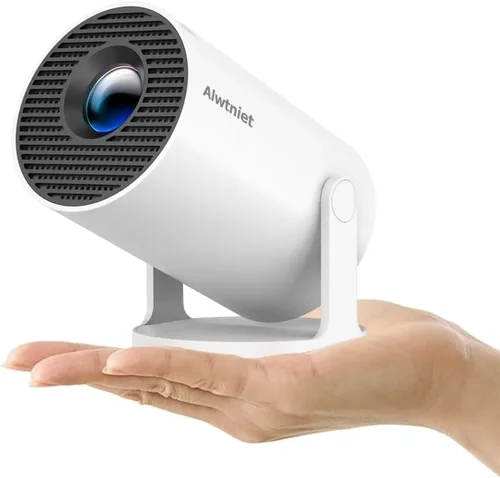
Expert Tips for Getting the Best Deal
- Timing is everything: Major sales events—Black Friday, Cyber Monday, and back‑to‑school—usually feature steep discounts on electronics.
- Shop refurbished: Certified refurbished units from reputable sellers can provide a like‑new experience at 20‑30% off.
- Bundle savings: Look for packages that include a carrying case, HDMI cable, or extra battery. Bundles often save $5‑$10 compared to buying accessories separately.
- Check international versions: Some manufacturers release a “global” model with better specs at the same price point; just verify voltage compatibility.
- Read the fine print on warranties: Some sellers require you to register within 30 days; missing that window can void coverage.
- Test before you commit: If buying in‑store, request a demo. Even a quick 5‑minute projection can reveal focus issues or excessive fan noise.
- Consider future accessories: A cheap projector with a standard 1/4‑inch mount lets you attach a tripod later, expanding use cases without extra cost.

Frequently Asked Questions
Q: Can a sub‑$50 projector display Full HD content?
A: While you can feed a Full HD source to the projector, the native resolution of most cheap units is nHD (640×360) or WVGA (800×480). The image will be downscaled, resulting in less detail. For true Full HD, you’ll need to invest at least $150‑$200.
Q: How loud are the fans on budget projectors?
A: Fan noise varies, but most models under $50 produce 30‑38 dB, comparable to a quiet conversation. Fan speed often increases with brightness, so expect a slight rise in volume during the brightest scenes.
Q: Do these projectors support 3D movies?
A: Generally, no. 3D requires higher brightness and specific polarization or active‑shutter technology, which is absent from the sub‑$50 segment.
Q: Is a projector better than a large TV for a small bedroom?
A: If you value flexibility, portability, and a cinema‑style large image, a projector wins. However, for bright rooms and consistent picture quality, a TV remains superior.
Q: Can I use a smartphone as the source?
A: Absolutely. Most cheap projectors support HDMI‑MHL adapters, USB‑C video‑in, or wireless mirroring (Miracast). Ensure your phone’s output matches the projector’s input type.
Q: How long do the LED lamps last?
A: LED light sources typically last 20,000–30,000 hours, far exceeding the lifespan of traditional bulbs. In practice, you’ll replace the lamp only after many years of use.
Q: What screen size can I achieve with a $40 projector?
A: With a throw ratio of 1.2:1 and a 2‑meter distance, you can project a 70‑inch diagonal image. Smaller distances yield 40‑inch screens, making the device versatile for various spaces.
Q: Are there any safety concerns with cheap projectors?
A: Ensure the unit has proper ventilation and does not overheat. Avoid using it on soft surfaces that block airflow. Most reputable brands include thermal cut‑offs to prevent damage.
Our Final Recommendations
- Best for Budget‑Conscious Buyers: Vankyo Leisure 3 Mini Projector – Priced at $34, it offers 70 lumens, HDMI + USB‑C, and a 2‑hour battery. Ideal for dorm rooms.
- Best Overall Value: APEMAN M4 Mini LED Projector – At $44, it delivers 80 lumens, 1.2:1 throw ratio, and built‑in Android 9.0 for streaming without extra devices.
- Best Premium Option: DR.J Mini Smart Pocket Projector – $49, 100 lumens, dual speakers, Wi‑Fi, and a robust 2.5‑hour battery.
- Best for Beginners: Wonlex Q5 Pico Projector – $32, simple plug‑and‑play via micro‑HDMI, easy focus ring, and a lightweight design.
- Best for Advanced Users: ViewSonic M1 Mini Plus (Sale) – Occasionally drops to $49 during promotions; offers 80 lumens, JBL speakers, and a built‑in battery with customizable lighting.
Conclusion: Making the Right Choice
Choosing a projector under $50 doesn’t mean you have to settle for a subpar experience. By focusing on the right mix of brightness, connectivity, and durability, you can enjoy spontaneous movie nights, mobile gaming, and portable presentations without stretching your budget.
Remember to match the projector’s specifications to your typical viewing environment, verify real‑world user feedback, and take advantage of seasonal sales. With the recommendations above, you’re equipped to make an informed purchase that delivers reliable performance for years to come.
Ready to bring the big screen to your living room, backyard, or dorm? Browse the models listed, compare current prices, and pick the one that aligns with your needs. Happy viewing!