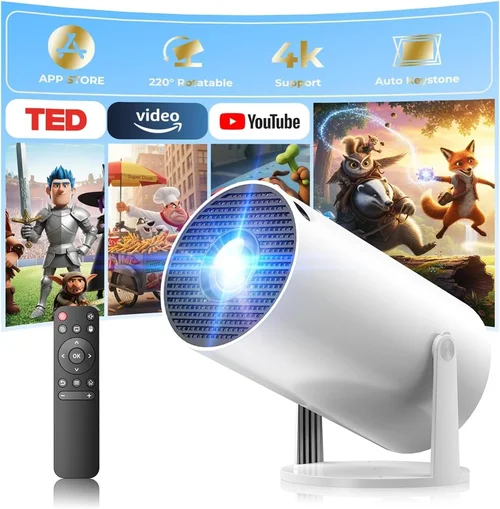
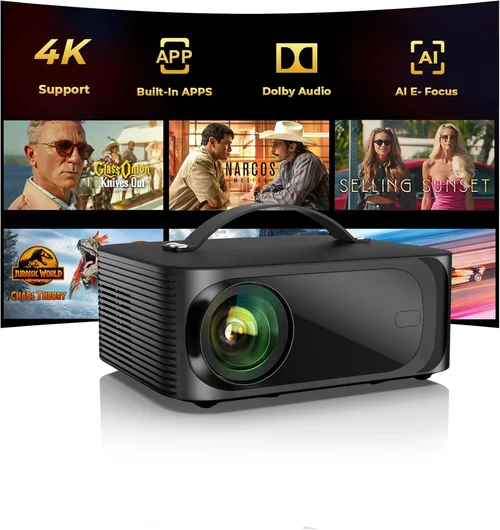
Choosing a data projector under $1,000 can feel like navigating a maze of specs, brands, and price points. Whether you are a teacher prepping slides for a classroom, a small‑business owner presenting quarterly results, or a home‑theater enthusiast looking for a bright, crisp image, the right projector can dramatically improve how your content is seen. This guide cuts through the noise, giving you a clear roadmap so you can buy with confidence and avoid costly regrets.
In the pages that follow you will learn how to match projector features to real‑world needs, understand the trade‑offs between different technologies, and discover which models consistently outperform the competition. We also provide a step‑by‑step budgeting framework, a list of common pitfalls, and expert tips that will help you snag the best deal possible. By the end, you’ll be equipped to pick a data projector under $1,000 that delivers the performance you need without breaking the bank.
The projector market in 2026 is richer than ever. LED and laser light sources have become mainstream, offering longer lifespans and lower maintenance than traditional lamps. At the same time, manufacturers have pushed native 1080p and even 4K‑enhanced resolutions into the sub‑$1,000 segment. Connectivity options have expanded to include HDMI 2.1, USB‑C, and wireless screen‑mirroring, while built‑in speakers and smart‑OS integrations add convenience for on‑the‑fly presentations. With these advances, the “under $1,000” category now includes options that were once only found in the $2,000‑plus tier.

What to Look for When Buying Buying Guide
1. Budget & Price Range
Even within the sub‑$1,000 bracket, there is a wide spectrum of pricing. Entry‑level models may sit just under $400, while premium‑feature units can approach the $999 ceiling. Setting a realistic budget early helps you narrow down which features are negotiable and which are essential. Remember, the cheapest unit often sacrifices brightness or connectivity, which can cost you more in the long run if you need upgrades.
2. Performance Specifications
The heart of any projector is its performance specs. Key numbers to watch include:
- Resolution: Native 1080p (1920×1080) is now common under $1,000. Some models use “4K‑enhanced” scaling, which can look sharper than true 720p but won’t match true 4K.
- Brightness (lumens): For well‑lit conference rooms or classrooms, aim for at least 3,000–3,500 ANSI lumens. Darker home‑theater rooms can get away with 2,200–2,800 lumens.
- Contrast Ratio: Higher contrast yields deeper blacks. Look for ratios of 10,000:1 or better for vibrant images.
- Throw Ratio: Determines how far the projector must be from the screen. Short‑throw (0.5–1.0) is ideal for small spaces; standard throw (1.5–2.5) works in larger rooms.
3. Build Quality & Durability
A projector that feels flimsy will not survive frequent moves between meeting rooms or classrooms. Metal chassis, reinforced lens housings, and robust cooling systems are hallmarks of durable units. Check for dust‑filter designs that are easy to clean, as clogged filters reduce brightness over time.
4. Features & Functionality
Modern projectors bundle a range of features that can simplify setup and improve usability:
- Wireless Mirroring: Apple AirPlay, Google Cast, or Miracast let you stream directly from phones or laptops.
- Built‑in Speakers: While not a substitute for a dedicated sound system, 10 W‑10 W stereo speakers can be handy for small rooms.
- Lens Shift & Keystone Correction: Lens shift offers true geometric correction without image distortion; keystone correction is useful for quick, imperfect setups.
- Multiple Input Ports: HDMI 2.0/2.1, USB‑C, VGA, and audio‑in/out give flexibility for legacy and modern devices.
5. Brand Reputation
Established brands such as Epson, BenQ, ViewSonic, and Optoma have proven track records for reliability and service. Newer entrants may offer innovative tech at lower prices, but research their warranty policies and post‑sale support before committing.
6. Warranty & Support
A solid warranty can save you thousands if a lamp or laser module fails early. Look for at least a 2‑year limited warranty that covers the light source. Some manufacturers also provide free on‑site service or extended warranty upgrades for a modest fee.
7. Size & Portability
If you need to move the projector between rooms, weight matters. Portable models typically weigh under 5 lb and include a carry case. Fixed‑installation units may be heavier but often provide better heat dissipation and stability.
8. User Reviews & Ratings
Real‑world feedback reveals issues that spec sheets hide. Scan reviews on Amazon, B&H, and professional forums for recurring complaints—such as fan noise, image uniformity, or software glitches. A high average rating combined with detailed user comments is a strong indicator of overall satisfaction.
Different Types of Buying Guide

Common Buying Mistakes to Avoid
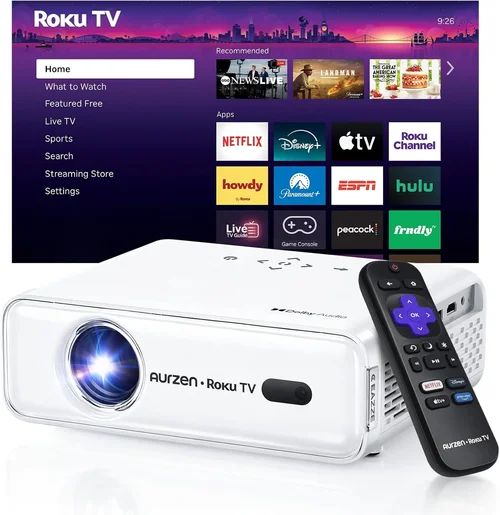
❌ Mistake: Ignoring Ambient Light Conditions
Why it’s bad: Choosing a low‑lumens projector for a bright conference room will result in washed‑out slides that are hard to read.
What to do instead: Measure the typical light level in your presentation space. For rooms with windows or overhead lighting, target 3,000 lumens or higher. In dedicated dark rooms, 2,200 lumens may suffice.
❌ Mistake: Overlooking Input Compatibility
Why it’s bad: You might end up with a projector that lacks the ports your laptop or media player uses, forcing you to buy adapters.
What to do instead: List all devices you plan to connect. Ensure the projector has at least one HDMI 2.0/2.1, a USB‑C or USB‑A for media playback, and VGA if you still use older equipment.
❌ Mistake: Forgetting About Throw Ratio
Why it’s bad: A standard‑throw projector in a cramped room may need to be placed far from the screen, creating shadows and unusable space.
What to do instead: Calculate the required throw distance (Screen Width × Throw Ratio). If your room is under 8 ft deep, consider a short‑throw or ultra‑short‑throw model.
❌ Mistake: Assuming All Lamps Are Equal
Why it’s bad: Traditional UHP lamps need replacement every 2,000–3,000 hours, adding hidden costs.
What to do instead: Opt for laser or LED light sources when possible. They often last 20,000+ hours and maintain consistent brightness.
❌ Mistake: Neglecting Fan Noise
Why it’s bad: A loud fan can distract audiences, especially in quiet meeting rooms.
What to do instead: Look for specifications that list dB(A) levels. Models under 30 dB(A) are considered quiet enough for most professional settings.
❌ Mistake: Skipping Warranty Terms
Why it’s bad: A short or limited warranty may leave you paying for repairs that could have been covered.
What to do instead: Choose a projector with at least a 2‑year warranty covering the light source. Register the product promptly to activate support.
Budget Guidelines: How Much Should You Spend?
Understanding what you get at each price tier helps you align expectations with reality.
- Entry‑Level ($300‑$500): Typically 720p or 1080p “enhanced” resolution, 2,200–2,800 lumens, basic connectivity (HDMI, VGA). Ideal for occasional use in dim rooms.
- Mid‑Range ($501‑$800): True 1080p, 3,000+ lumens, improved contrast (10,000:1), wireless mirroring, and sometimes short‑throw optics. Best value for small‑to‑medium businesses.
- Premium ($801‑$1,000): Laser or high‑efficiency LED light sources, 3,500+ lumens, advanced lens shift, built‑in speakers, and robust warranty. Suited for heavy daily use and larger venues.
- Luxury ($1,001+): True 4K resolution, 4,000+ lumens, HDR support, and premium smart‑OS platforms. These exceed the guide’s price ceiling but are worth mentioning for context.
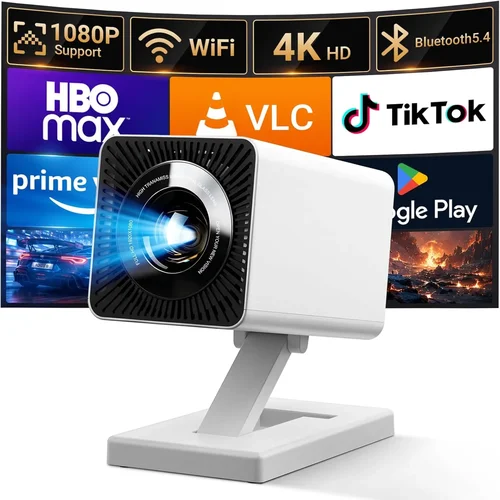
Expert Tips for Getting the Best Deal
- Timing is everything: Major discount windows include Black Friday, Cyber Monday, and the post‑holiday January clearance.
- Buy refurbished: Certified refurbished units from reputable sellers often come with a full warranty at 20‑30% less than new.
- Bundle wisely: Some retailers offer free HDMI cables, ceiling mounts, or extended warranties when you purchase a bundle.
- Check for price‑match policies: Large retailers like Best Buy and Amazon will match a lower price found elsewhere within 30 days.
- Test before you commit: If possible, view a demo in a lighting environment similar to yours. Bring a laptop to run a quick presentation.
- Read the fine print on lamp life: A low upfront price may hide a short lamp warranty that will cost you later.
- Consider future connectivity: USB‑C with DisplayPort Alt‑Mode is becoming standard. Investing in a projector with this port protects you from obsolescence.

Frequently Asked Questions
Q: Does a higher lumen rating always mean a better image?
A: Not necessarily. Brightness is crucial in well‑lit rooms, but if you’re projecting in a dark home theater, excessive lumens can wash out blacks. Balance lumens with contrast ratio and the ambient light of your typical environment.
Q: Can I use a projector with a 4K TV as the source?
A: Yes, as long as the projector has an HDMI 2.0/2.1 input that supports 4K at 60 Hz. However, most sub‑$1,000 projectors will downscale the signal to their native resolution (usually 1080p).
Q: How often do I need to replace the lamp?
A: Traditional UHP lamps last 2,000–3,000 hours. Laser and LED light sources can exceed 20,000 hours and usually do not require replacement during the projector’s warranty period.
Q: Is keystone correction enough for off‑axis placement?
A: Keystone correction can fix minor angle issues but may degrade image sharpness. Lens shift provides true geometric correction without loss of quality and is preferable for permanent installations.
Q: Will a portable projector work for a 100‑inch screen?
A: Portable (pico) projectors often struggle to fill a 100‑inch screen with sufficient brightness. For that size, look for at least 2,500 lumens and a throw ratio that supports the distance you have.
Q: Are built‑in speakers sufficient for conference rooms?
A: Built‑in speakers are convenient for small rooms (up to 30 sq ft). Larger rooms typically need external audio solutions for clear speech and any multimedia content.
Q: What is the difference between “4K‑enhanced” and true 4K?
A: “4K‑enhanced” uses pixel‑shifting or upscaling to simulate 4K detail on a native 1080p chip. True 4K has a 3840×2160 pixel panel, delivering sharper images but usually at a higher cost.
Q: How important is warranty length?
A: Very important. A 2‑year warranty that includes the light source protects you from the most common failure point. Some brands offer optional extensions for an additional fee.
Q: Can I mount a short‑throw projector on the ceiling?
A: Short‑throw units are designed to sit close to the screen, often on a table or shelf. Ceiling mounting is possible but requires a specialized mount and careful angle calculation.
Our Final Recommendations
- Best for Budget‑Conscious Buyers: ViewSonic PA503W – 3,600 lumens, WXGA resolution, HDMI/VGA inputs, and a price around $380. Ideal for classrooms with moderate lighting.
- Best Overall Value: BenQ TH671ST – 3,200 lumens, true 1080p, short‑throw (0.69:1), low fan noise (28 dB), and includes wireless mirroring. Priced at $749, it balances performance and price.
- Best Premium Option: Epson EF‑100L – Laser light source, 3,500 lumens, 1080p, built‑in Android TV, and a 2‑year laser warranty. Costs $979, delivering a cinema‑like experience.
- Best for Beginners: Optoma HD146X – Simple plug‑and‑play, 3,600 lumens, 1080p, and a user‑friendly menu. At $429, it’s perfect for first‑time users.
- Best for Advanced Users: LG HU80KA (often found discounted just under $1,000) – Ultra‑short‑throw, 4K UHD, 2,500 lumens, HDR10, and a sleek portable design. Offers professional‑grade features for power users.
Conclusion: Making the Right Choice
Investing in a data projector under $1,000 is no longer a compromise; it’s a strategic decision that can elevate your presentations, training sessions, or home entertainment. By focusing on the right combination of brightness, resolution, throw ratio, and connectivity, and by avoiding common pitfalls, you can secure a device that meets your needs today and adapts to tomorrow’s tech.
Remember to assess your environment, set a realistic budget, and verify warranty terms before you click “buy.” With the knowledge from this guide, you’re ready to compare models confidently, spot the best deals, and ultimately choose a projector that delivers crisp, vivid images without draining your wallet.