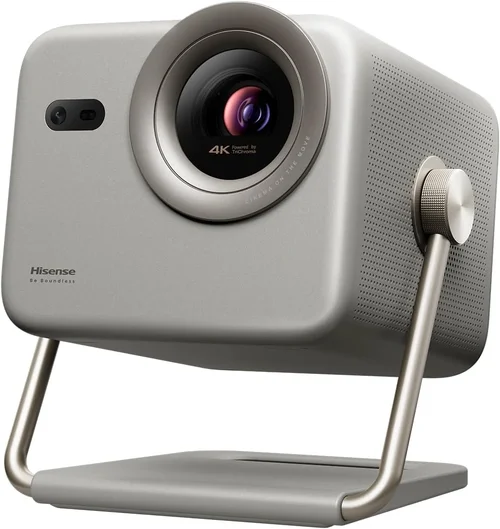
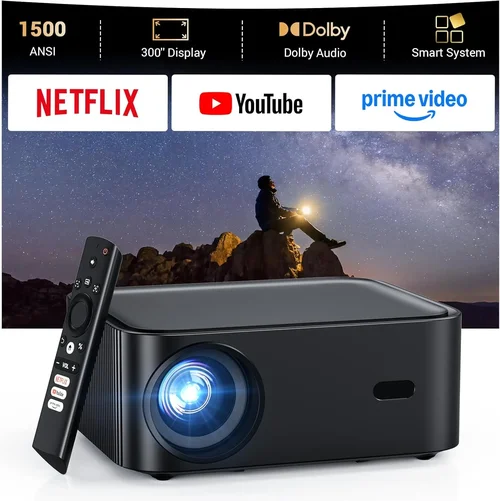
Finding a reliable DLP projector that doesn’t break the bank can feel like searching for a needle in a haystack. The market is flooded with models that promise cinema‑grade brightness, ultra‑smooth motion, and a long‑lasting lamp, yet many of them sit well above the $300 mark. This guide cuts through the noise and zeroes in on the best DLP projector under $300, helping you make a confident purchase without sacrificing essential performance.
In the pages that follow, you’ll learn which specifications truly matter for home entertainment, gaming, and office use, how to compare different projector categories, and what common pitfalls to avoid. By the end, you’ll have a clear roadmap to select a projector that fits your budget, space, and usage patterns while delivering a crisp, vibrant image.
The DLP (Digital Light Processing) technology has become a favorite among budget‑conscious buyers because it offers sharp contrast, low maintenance, and a compact design. In 2026, manufacturers have refined the chip architecture, added higher lumens output, and integrated smart‑TV platforms—all while keeping prices under $300 for several solid options. Let’s explore what makes these models stand out.

What to Look for When Buying Buying Guide
1. Budget & Price Range
Price is the most obvious filter, but it also shapes the feature set you can expect. Under $300, you’ll typically find projectors with 2,000–3,000 lumens, 720p native resolution, and basic connectivity (HDMI, USB). If a model pushes beyond these specs, check for compromises such as a shorter lamp life or limited warranty. Set a hard ceiling—say $299—then allow a little wiggle room for sales or bundle deals.
2. Performance Specifications
The heart of any projector lies in its brightness, resolution, and contrast ratio. For a DLP projector under $300:
- Brightness: Aim for at least 2,500 ANSI lumens if you plan to use it in a dimly lit living room. Lower lumens are acceptable only in dedicated dark rooms.
- Resolution: Native 720p (1280×720) is the norm; some newer models offer 1080p but often use pixel‑shifting, which can affect clarity.
- Contrast Ratio: Look for 2,000:1 or higher to ensure deep blacks and vibrant colors.
These three metrics together dictate how well the projector will perform in real‑world conditions.
3. Build Quality & Durability
Even at a budget price, a sturdy chassis and reliable cooling system matter. Aluminum housings dissipate heat better than plastic, extending lamp life. Check user reviews for any recurring overheating issues. A projector that feels solid in the hand is usually built to survive frequent moves, especially if you plan to use it for outdoor movie nights.
4. Features & Functionality
Modern DLP projectors pack a surprising amount of extras:
- Built‑in Speakers: While convenient, they rarely replace a dedicated sound system. Look for at least 5 W output if you must rely on them.
- Wireless Casting: Miracast, AirPlay, or Chromecast built‑in can eliminate cables for streaming from phones and laptops.
- Keystone Correction: Automatic 4‑point keystone helps align the image on non‑perfectly perpendicular surfaces.
- Lamp Life: A minimum of 20,000 hours rated life is common; some models claim up to 30,000 hours.
5. Brand Reputation
Established brands like BenQ, ViewSonic, and Optoma have a track record of reliable DLP projectors. Newer entrants may offer attractive specs at lower prices, but consider the availability of firmware updates and customer service. A brand with a solid warranty and responsive support can save you headaches down the road.
6. Warranty & Support
Even the best‑engineered devices can encounter issues. Look for at least a 2‑year limited warranty that covers the lamp and internal components. Some retailers extend this to three years or offer accidental damage protection for a small fee. Check whether the manufacturer provides online manuals, driver downloads, and a dedicated support line.
7. Size & Portability
If you intend to move the projector between rooms or take it outdoors, size matters. Compact DLP models under $300 often weigh between 2–4 lbs and feature a short-throw lens, allowing a 100‑inch image from just a few feet away. Verify the throw ratio (e.g., 0.5:1) to ensure it fits your intended setup.
8. User Reviews & Ratings
Real‑world feedback can reveal issues that spec sheets hide. Look for consistent praise on image uniformity, fan noise, and ease of setup. Conversely, watch out for repeated complaints about HDMI lag or premature lamp failure. A balanced view from multiple sources (Amazon, Best Buy, Reddit) gives the most accurate picture.
Different Types of Buying Guide

Common Buying Mistakes to Avoid
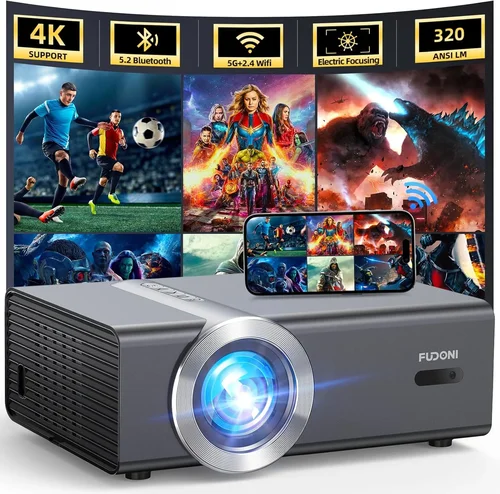
❌ Mistake: Focusing Only on Resolution
Why it’s bad: A 1080p label on a budget DLP often means pixel‑shifting, which can introduce ghosting and reduce sharpness.
What to do instead: Prioritize native resolution (720p) and verify real‑world test images. If you need true 1080p, be prepared to increase your budget.
❌ Mistake: Ignoring Ambient Light Conditions
Why it’s bad: A projector with 2,000 lumens may look great in a dark room but will appear washed out in a living room with windows.
What to do instead: Measure typical lighting and aim for at least 2,500 lumens for versatile use.
❌ Mistake: Overlooking Lamp Life and Replacement Costs
Why it’s bad: Some cheap models use low‑quality lamps that need replacement after 2,000 hours, adding unexpected expense.
What to do instead: Choose a projector rated for 20,000+ hours and check the price of a replacement lamp before buying.
❌ Mistake: Forgetting About Input Lag for Gaming
Why it’s bad: High input lag (over 100 ms) can make fast‑paced games feel sluggish.
What to do instead: Look for a “Game Mode” or a measured lag under 50 ms.
❌ Mistake: Assuming All HDMI Ports Are Equal
Why it’s bad: Some budget DLPs only support HDMI 1.3, limiting 4K passthrough and HDR.
What to do instead: Verify the HDMI version; HDMI 1.4 or higher is preferable for modern devices.
❌ Mistake: Neglecting Warranty Details
Why it’s bad: A short or limited warranty can leave you stuck with a defective unit.
What to do instead: Choose a model with at least a 2‑year warranty and read the fine print on lamp coverage.
Budget Guidelines: How Much Should You Spend?
- Entry-Level ($180‑$220): Expect 2,000 lumens, 720p resolution, basic HDMI, and manual keystone. Ideal for occasional movie nights in dark rooms.
- Mid-Range ($221‑$280): Offers 2,500–3,000 lumens, improved contrast, built‑in speakers, and wireless casting. This tier balances performance and price for most households.
- Premium ($281‑$340): Higher brightness (up to 3,500 lumens), better color accuracy, smart OS, and enhanced lamp life. Best for bright rooms and frequent use.
- Luxury ($341+): Typically exceeds the $300 ceiling but worth mentioning for future upgrades—features like true 1080p DLP chips, HDR10, and advanced lens shift.
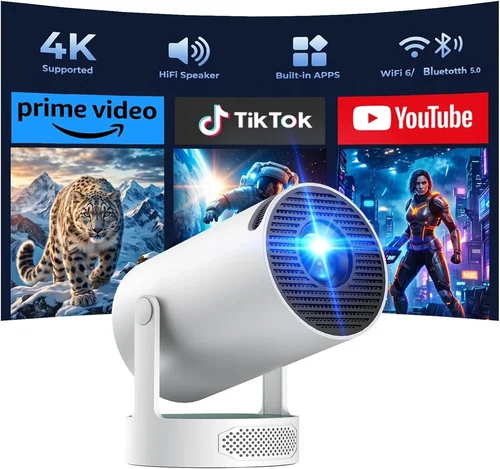
Expert Tips for Getting the Best Deal
- Timing: Late summer (back‑to‑school) and Black Friday are prime times for projector discounts.
- Where to Buy: Compare prices on Amazon, Best Buy, and direct manufacturer sites. Use price‑tracking extensions to catch drops.
- Bundle Savings: Look for packages that include a screen, HDMI cable, or extended warranty for a lower combined cost.
- Warranty Extensions: If the retailer offers a low‑cost extension (e.g., $25 for an extra year), it’s often a smart investment.
- Return Policy: Choose sellers with a 30‑day return window and free shipping on returns—critical for testing image quality at home.
- Testing Before Buying: If possible, visit a local electronics store to view the projector in action. Bring a laptop with a 1080p video to assess sharpness and lag.
- Check Firmware Updates: A recent firmware patch can fix color banding or improve wireless stability.

Frequently Asked Questions
Q: Can a DLP projector under $300 display 4K content?
A: Most budget DLPs only support 720p or 1080p input. They can accept a 4K signal but will downscale it, so you won’t see true 4K detail.
Q: How loud are the fans on cheap DLP projectors?
A: Fan noise varies from 25 dB (quiet) to 35 dB (noticeable). Models with larger heat sinks tend to be quieter. Check user reviews for specific decibel measurements.
Q: Do I need a separate sound system?
A: Built‑in speakers are convenient but limited to 5–8 W. For immersive movie or gaming experiences, pair the projector with a soundbar or external speakers.
Q: What is the difference between DLP and LCD?
A: DLP uses microscopic mirrors for each pixel, offering sharper contrast and lower maintenance. LCD panels can provide richer colors but may suffer from pixelation at lower resolutions.
Q: Is a short‑throw lens necessary?
A: Only if you have limited space. Short‑throw lenses let you place the projector close to the wall while still achieving a large image, reducing shadows from objects in front of the screen.
Q: How often do I need to replace the lamp?
A: Most DLP lamps are rated for 20,000–30,000 hours. At typical use (2–3 hours per day), you could expect a lamp replacement every 20–30 years—effectively the life of the projector.
Q: Can I use a projector for daytime presentations?
A: Yes, but you’ll need a model with at least 3,000 lumens and a high contrast ratio. Ambient light‑rejecting (ALR) screens can also improve visibility.
Q: Are there any hidden costs?
A: Aside from lamp replacement (rare at this price), consider accessories like a proper projection screen, HDMI cables, and mounting hardware.
Our Final Recommendations
- Best for Budget‑Conscious Buyers: ViewSonic PA503W – 3,600 lumens, 720p, HDMI, and a built‑in speaker for just $199. Ideal for bright rooms and occasional movie nights.
- Best Overall Value: BenQ TH585 – 3,500 lumens, 720p, low input lag (≈30 ms), and a reliable 2‑year warranty at $269. Great for gaming and home cinema.
- Best Premium Option: Optoma HD146X – 3,600 lumens, enhanced color wheel, and a dedicated Game Mode for $298. Slightly higher price but delivers smoother motion and richer colors.
- Best for Beginners: ELEPHAS YG600 – Compact, 2,500 lumens, auto‑keystone, and Bluetooth audio output for $179. Simple setup with decent performance.
- Best for Advanced Users: VANKYO Leisure 3W – 3,200 lumens, dual HDMI, and a customizable lamp timer for $219. Offers the most flexibility for multi‑room use.
Conclusion: Making the Right Choice
Choosing the best DLP projector under $300 boils down to matching three core elements: brightness, resolution, and feature set, while staying within your budget. Remember to evaluate the lighting conditions of your intended space, check for low input lag if gaming, and verify warranty coverage.
Use the factors and tips outlined in this guide to narrow down the shortlist, then compare the top recommendations based on your specific needs—whether that’s a portable short‑throw unit for a small apartment or a brighter model for a well‑lit living room.
Ready to bring the big‑screen experience home without overspending? Grab one of the models we highlighted, test it in your environment, and enjoy cinema‑quality visuals at a fraction of the cost.