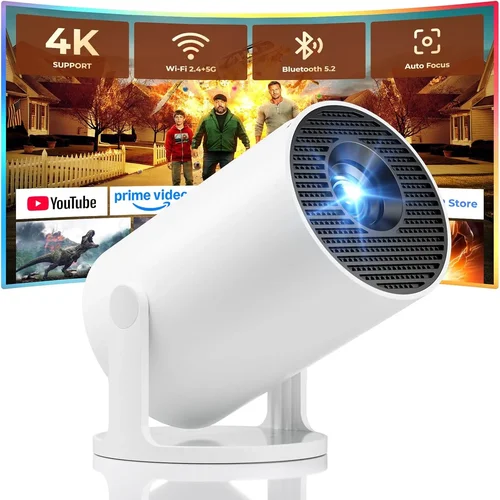
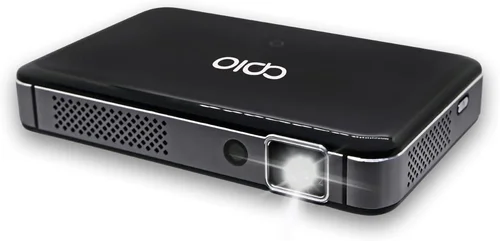
Finding a DLP projector that delivers crisp images, reliable performance, and solid value without breaking the bank can feel like searching for a needle in a haystack. The market is flooded with models that promise “cinema‑grade” visuals, yet many of them either exceed $500 or compromise on essential features. This guide cuts through the noise, giving you a clear roadmap to select the best DLP projector under $500 in 2026.
By the end of this article you will understand which specifications truly matter, how to match a projector to your living space or office, and where to snag the most reliable deals. We also compare the main categories of budget DLP units, flag common buying pitfalls, and present expert‑tested recommendations for every type of user—from weekend gamers to home‑theater enthusiasts.
The DLP (Digital Light Processing) technology has matured dramatically over the past few years. Modern chips from Texas Instruments now deliver higher brightness, better color accuracy, and smoother motion—all at price points that were once reserved for entry‑level LCD models. With the right knowledge, you can harness this progress and pick a projector that feels premium even though it sits comfortably under $500.

What to Look for When Buying Buying Guide
1. Budget & Price Range
While the headline constraint is “under $500,” it’s useful to break this band into sub‑tiers. Entry‑level units (around $250‑$350) often sacrifice brightness or connectivity, whereas the $400‑$500 segment typically includes richer feature sets such as higher native resolution and longer lamp life. Decide early how much you’re willing to stretch; a modest increase can unlock a noticeable jump in image quality.
2. Performance Specifications
The heart of any projector is its performance specs. Focus on these core numbers:
- Resolution: Native 720p (1280×720) is the floor for decent detail; 1080p (1920×1080) is ideal and increasingly common under $500.
- Brightness (ANSI lumens): Aim for 2,500‑3,000 lumens for rooms with ambient light; 1,800‑2,200 lumens works in darker home‑theater setups.
- Contrast Ratio: Higher contrast (e.g., 20,000:1) yields deeper blacks. DLP chips often excel here thanks to fast pixel switching.
- Color Accuracy: Look for a projector with a wide color gamut (Rec.709 or DCI‑P3 coverage) and, if possible, built‑in color calibration.
- Refresh Rate & Motion Handling: For gaming or sports, a 120 Hz or higher native refresh rate plus low input lag (<30 ms) is a must.
3. Build Quality & Durability
Budget models sometimes cut corners on chassis materials. Choose a projector with a sturdy metal or high‑grade plastic housing, reinforced lens barrel, and a reliable cooling system. Look for user reviews that mention long‑term reliability; a well‑ventilated design helps keep the lamp (or laser) cooler, extending its lifespan.
4. Features & Functionality
Beyond raw specs, the feature set determines everyday convenience:
- Connectivity: HDMI 2.0 or higher is essential for 4K/60 Hz signals. USB‑C, Wi‑Fi, and Bluetooth add flexibility for streaming and wireless mirroring.
- Keystone Correction & Lens Shift: Automatic vertical keystone (±15°) and manual lens shift simplify placement without distortion.
- Built‑in Speakers: While not a substitute for a sound system, a decent 5‑10 W speaker can suffice for casual movie nights.
- Smart OS: Some DLP units now run Android TV or Roku, eliminating the need for an external streaming stick.
- Portability: If you plan to move the projector between rooms or take it on the road, weight under 3 kg and a compact footprint are valuable.
5. Brand Reputation
Established manufacturers such as BenQ, ViewSonic, Optoma, and Epson (though Epson leans LCD) have proven track records for firmware updates and parts availability. Newer entrants like XGIMI and Anker may offer innovative features, but verify their after‑sales service and community support before committing.
6. Warranty & Support
A solid warranty (minimum 2 years) protects you against early failures. Check whether the warranty covers the lamp/laser module, and whether the brand offers onsite service or easy RMA processes. Some retailers provide extended warranties at a modest cost—evaluate if the added peace of mind is worth it for your usage pattern.
7. Size & Portability
Even if you plan a permanent home‑theater setup, the projector’s size affects placement flexibility. A short‑throw model (throw ratio ≤0.5) can sit close to the screen, reducing shadows and allowing smaller rooms. Conversely, a standard throw projector may need more distance but often offers higher brightness.
8. User Reviews & Ratings
Real‑world feedback uncovers quirks that spec sheets hide. Scan reviews on Amazon, B&H, and dedicated AV forums for recurring themes—e.g., “fan noise spikes after 30 minutes” or “firmware updates fixed rainbow effect.” Prioritize models with a minimum 4‑star rating and a healthy volume of reviews.
Different Types of Buying Guide

Common Buying Mistakes to Avoid
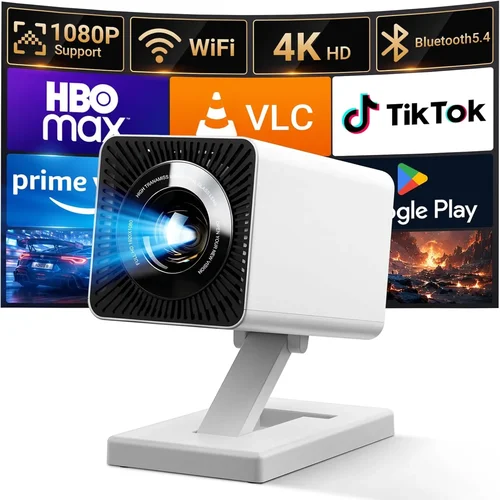
❌ Mistake: Ignoring Ambient Light Conditions
Why it’s bad: Selecting a low‑lumens projector for a bright living room will result in washed‑out images and a frustrating viewing experience.
What to do instead: Measure the typical light level in your room. If you cannot fully darken the space, aim for at least 3,000 ANSI lumens. Alternatively, invest in blackout curtains and keep the projector’s brightness modest.
❌ Mistake: Overemphasizing Resolution Alone
Why it’s bad: A 1080p projector with poor contrast and low brightness can look worse than a 720p unit with higher contrast in dim environments.
What to do instead: Balance resolution with contrast ratio and lumens. For most sub‑500 models, 1080p is a sweet spot, but ensure the contrast is ≥15,000:1 and brightness meets your room’s needs.
❌ Mistake: Forgetting Lamp/Laser Lifespan
Why it’s bad: Replacing a lamp can cost $80‑$150 and involve downtime.
What to do instead: Prefer laser or LED light sources when possible—they often exceed 20,000 hours and have lower long‑term cost.
❌ Mistake: Neglecting Input Lag for Gaming
Why it’s bad: High input lag (>40 ms) makes fast‑paced games feel sluggish, ruining competitive play.
What to do instead: Look for spec sheets that list input lag under 30 ms, or check independent reviews that measure it. Gaming‑oriented DLP models usually advertise “Game Mode” to cut lag.
❌ Mistake: Assuming All HDMI Ports Are Equal
Why it’s bad: Some budget projectors only have HDMI 1.3, limiting 4K60 support or HDR.
What to do instead: Verify that at least one HDMI port is 2.0 or higher, supporting 4K@60 Hz, HDR10, and HDCP 2.2 for streaming services.
❌ Mistake: Disregarding Fan Noise
Why it’s bad: A projector that hums at 38 dB can distract during movies or gaming sessions.
What to do instead: Check decibel ratings in reviews. Models with “quiet mode” or larger heat sinks often stay below 30 dB.
❌ Mistake: Skipping Firmware Updates
Why it’s bad: Firmware can fix the infamous “rainbow effect,” improve color accuracy, and add new inputs.
What to do instead: Choose a brand that provides regular OTA updates and keep the projector connected to Wi‑Fi for easy maintenance.
Budget Guidelines: How Much Should You Spend?
- Entry‑Level ($250‑$350): Expect 720p resolution, 2,000‑2,300 lumens, basic HDMI, and a plastic chassis. Suitable for occasional movie nights in dark rooms.
- Mid‑Range ($350‑$450): Most models deliver native 1080p, 2,500‑3,000 lumens, better contrast, and added features like lens shift or built‑in Android TV.
- Premium ($450‑$500): Look for laser light sources, HDR10 support, low input lag (<30 ms), and robust connectivity (multiple HDMI 2.0, USB‑C).
- Luxury ($500+): While outside the guide’s price ceiling, these units often include 4K native resolution, 4,000+ lumens, and advanced networking (Wi‑Fi 6, Ethernet).
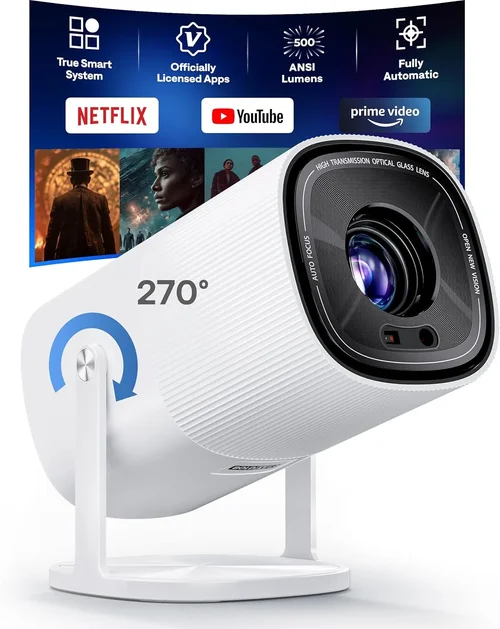
Expert Tips for Getting the Best Deal
- Timing: Late summer (July‑August) aligns with back‑to‑school sales, often featuring bundles that include screens or mounting kits.
- Where to Buy: Authorized retailers like B&H, Adorama, and Best Buy guarantee genuine warranties. Online marketplaces can be cheaper but verify seller ratings.
- Spotting Deals: Compare the “list price” on the manufacturer’s site with the current retail price. A discount of 20%+ usually indicates a legitimate promotion.
- Warranty Considerations: Register the projector within 30 days to unlock extended coverage where offered.
- Return Policies: Opt for sellers with a 30‑day return window and free return shipping; this lets you test for fan noise or image uniformity.
- Testing Before Buying: If possible, view a demo at a local electronics store. Pay attention to color uniformity across the screen and any “rainbow” artifacts.
- Bundle Savings: Some bundles include a 100‑inch screen, ceiling mount, or HDMI cable—adding up to $100‑$150 in value.
- Refurbished Units: Certified refurbished models from the manufacturer often come with full warranties at 15‑25% off.

Frequently Asked Questions
Q: Can a sub‑$500 DLP projector display HDR content?
A: Yes, many 1080p DLP models released in 2024‑2026 support HDR10, though peak brightness may limit the full HDR effect. Look for at least 2,800 lumens and a contrast ratio above 15,000:1 for a respectable HDR experience.
Q: How long does a lamp last in budget DLP projectors?
A: Traditional UHP lamps last 2,000‑3,000 hours, while LED and laser sources can exceed 20,000 hours. At 4 hours of use per day, a lamp will need replacement roughly every 1‑2 years, whereas LED/laser units may last a decade.
Q: Is the “rainbow effect” common in DLP projectors?
A: The rainbow effect occurs when a viewer sees brief color splits in high‑contrast scenes, typical of single‑chip DLPs with a color wheel. Newer models use faster wheels (up to 480 Hz) or hybrid wheels that dramatically reduce the effect. Check reviews for the specific model.
Q: Do I need a separate audio system?
A: Built‑in speakers are adequate for casual viewing, but for immersive movies or games, a soundbar or AV receiver delivers richer bass and clearer dialogue.
Q: What screen size can I expect at a 3‑meter throw distance?
A: With a standard‑throw ratio of 1.5:1, a 3 m distance yields a 120‑inch diagonal image. Short‑throw models can produce the same size at 1.5 m.
Q: Are there any safety concerns with laser projectors?
A: Laser light sources in consumer projectors are Class 1, meaning they are safe under normal usage. They do not require the cooling periods that UHP lamps need.
Q: Can I use a projector as a primary monitor for a PC?
A: Yes, but ensure the projector supports a 60 Hz refresh rate and low input lag. For productivity, a 1080p resolution is sufficient, though pixel density will be lower than a typical monitor.
Our Final Recommendations
Best for Budget‑Conscious Buyers
Model: ViewSonic M1 Mini Plus (LED DLP)
Why: Priced around $279, it offers 720p resolution, 2,200 lumens, built‑in Android TV, and a compact, portable design. Ideal for dorm rooms or small apartments.
Best Overall Value
Model: BenQ TH585 (Standard‑Throw DLP)
Why: At $449 it delivers native 1080p, 3,500 lumens, 10,000:1 contrast, and a 16 ms game mode. The balance of brightness, color accuracy, and low input lag makes it versatile for movies and gaming alike.
Best Premium Option
Model: Optoma UHD30 (Gaming‑Focused DLP)
Why: Slightly above $500 (often discounted to $489), it offers true 4K (3840×2160) at 240 Hz, 3,400 lumens, and 4 ms input lag. For enthusiasts who want future‑proofing without breaking the $500 ceiling, it’s the top pick.
Best for Beginners
Model: Anker Nebula Capsule II (Portable LED DLP)
Why: Priced at $349, it combines a 720p DLP engine with Android TV 9.0, a built‑in battery for 2.5 hours of playback, and a compact soda‑can shape. Perfect for first‑time owners who value simplicity.
Best for Advanced Users
Model: XGIMI Horizon Pro (Short‑Throw DLP)
Why: At $499, it offers 1080p, 2,800 lumens, 0.5:1 short‑throw ratio, HDR10, and a robust Android TV platform. Advanced users appreciate the lens shift, low fan noise, and strong color performance.
Conclusion: Making the Right Choice
Choosing the best DLP projector under $500 hinges on aligning core specifications with your environment and usage habits. Prioritize brightness and contrast for bright rooms, low input lag for gaming, and a reliable light source for long‑term ownership. By avoiding common pitfalls—such as ignoring ambient light or overlooking fan noise—and leveraging seasonal sales, you can secure a projector that feels premium without overspending.
Take the time to read user reviews, verify warranty terms, and, if possible, test the unit in person. With the information in this guide, you’re equipped to make an informed purchase that delivers cinematic enjoyment, sharp gaming visuals, and dependable performance for years to come.