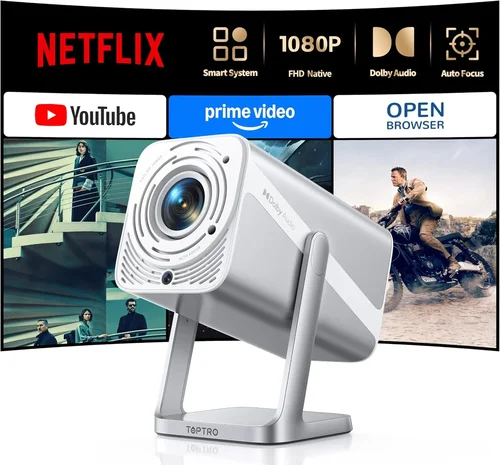
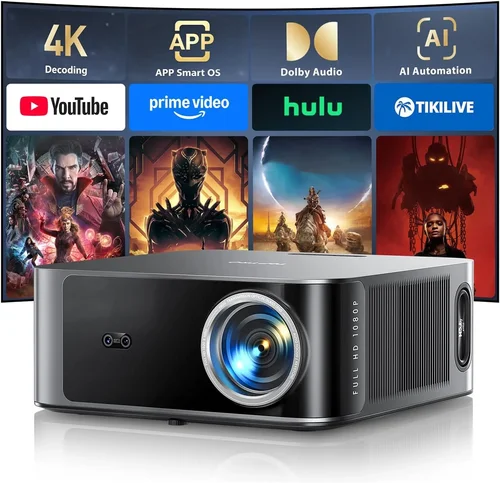
Finding a projector that can keep up with fast‑paced shooters, sprawling RPG worlds, and vibrant e‑sports titles without blowing your budget is a real challenge. The market is flooded with models that promise cinema‑grade visuals, but many fall short when it comes to low‑latency gaming, high refresh rates, or the flexibility needed for a dedicated gaming space. This guide cuts through the noise, giving you a clear roadmap to the best gaming projector under $1000 in 2026.
By the end of this article you will understand which specifications truly matter for gaming, how to match a projector to your room and play style, and which models currently deliver the best performance‑to‑price ratio. Whether you’re setting up a weekend battle‑station in a spare bedroom or upgrading a home theater for occasional game nights, the insights here will help you make an informed purchase.
The projector landscape has evolved dramatically over the past few years. LED and laser light sources have become more affordable, providing brighter images and longer lifespans than traditional lamps. At the same time, manufacturers have started to address gamers’ concerns—input lag, refresh rates, and HDR support—making sub‑$1000 options far more capable than they were just a couple of years ago. Let’s dive into the details.

What to Look for When Buying Buying Guide
1. Budget & Price Range
Sticking to a $1000 ceiling forces you to prioritize features that directly affect gaming performance. While you might be tempted by a projector with a massive 4,000‑lumens rating, those models often exceed the budget or sacrifice contrast. Focus on the sweet spot where brightness, resolution, and latency intersect within your price limit.
2. Performance Specifications
Key specs include resolution, refresh rate, and input lag. For modern gaming, a minimum of 1080p (Full HD) is essential; 4K is rare under $1000 but some DLP chips offer “4K‑enhanced” upscaling. Aim for a native 60 Hz refresh rate at the very least, and look for input lag under 30 ms—anything higher will be noticeable in fast‑action titles.
3. Build Quality & Durability
Gaming sessions can be long, and projectors often sit in dusty environments. Metal housings, sealed optics, and robust cooling systems prolong lifespan. Check user reviews for any recurring overheating or lamp‑failure issues, even if the projector uses LED or laser light sources.
4. Features & Functionality
Features that matter to gamers include:
- Game mode (automatically reduces input lag).
- Low‑latency HDMI 2.0 or 2.1 ports.
- HDR support (HDR10 is common; Dolby Vision is rare under $1000).
- Adjustable keystone and lens shift for flexible placement.
- Built‑in speakers—useful for quick setups, though a separate sound system is recommended.
5. Brand Reputation
Established brands such as BenQ, Optoma, ViewSonic, and Epson have dedicated gaming lines and proven service networks. Newer entrants may offer cutting‑edge tech but can lack reliable firmware updates or widespread support.
6. Warranty & Support
A solid warranty (minimum 2 years) protects you against early failures. Look for on‑site service options and responsive customer support—especially important for laser or LED units where component replacement can be pricey.
7. Size & Portability
If you plan to move the projector between rooms or take it to a friend’s house, weight and footprint matter. Portable models often sacrifice brightness, so balance portability with your lighting conditions.
8. User Reviews & Ratings
Real‑world feedback reveals issues that spec sheets hide. Pay attention to comments about fan noise, color accuracy, and long‑term reliability. A high average rating combined with detailed reviews is a good indicator of overall satisfaction.
Different Types of Buying Guide

Common Buying Mistakes to Avoid
❌ Mistake: Ignoring Input Lag
Why it’s bad: High input lag creates a noticeable delay between controller actions and on‑screen response, ruining fast‑paced gameplay.
What to do instead: Prioritize projectors with documented input lag under 30 ms, and enable any “Game Mode” or low‑latency settings.
❌ Mistake: Overlooking Ambient Light
Why it’s bad: A projector that looks great in a dark room may appear washed out in a typical living space, forcing you to crank up brightness and lose contrast.
What to do instead: Choose a model with at least 2500 ANSI lumens and consider a projector with high contrast ratios or dynamic iris.
❌ Mistake: Forgetting Throw Distance
Why it’s bad: Miscalculating throw distance leads to a picture that’s either too small or requires a wall‑mount you didn’t plan for.
What to do instead: Measure your room, use the manufacturer’s throw‑ratio chart, and consider a short‑throw model if space is limited.
❌ Mistake: Choosing Lowest Price Over Longevity
Why it’s bad: Cheap lamp‑based projectors may need a lamp replacement within a year, costing $150‑$250 extra.
What to do instead: Opt for LED or laser light sources that have 20,000+ hour lifespans, even if the upfront cost is slightly higher.
❌ Mistake: Ignoring Firmware Updates
Why it’s bad: Out‑of‑date firmware can cause compatibility issues with new consoles or cause performance bugs.
What to do instead: Check the brand’s update history; a commitment to regular updates is a good sign of ongoing support.
Budget Guidelines: How Much Should You Spend?
Understanding what you can realistically expect at each price tier helps you set clear expectations.
- Entry‑Level ($500‑$700): Expect 1080p resolution, basic HDR, and input lag around 30‑40 ms. Brightness will be 2000‑2500 lumens, suitable for dark rooms.
- Mid‑Range ($701‑$900): You’ll find models with 1080p or “4K‑enhanced” DLP chips, input lag under 30 ms, and brightness 2500‑3000 lumens. HDR10 support becomes more reliable.
- Premium ($901‑$1000): This bracket includes laser light sources, short‑throw optics, and advanced color processing. Expect the best low‑latency performance and the longest lamp life.
- Luxury ($1000+): While outside the scope of this guide, luxury units push true 4K, 120 Hz refresh, and ultra‑low lag, but they often exceed $1500.
Expert Tips for Getting the Best Deal
- Timing: The best discounts appear in January (post‑holiday clearance) and July (mid‑year sales).
- Where to buy: Compare prices on Amazon, Best Buy, and the manufacturer’s website. Retailer price‑match policies can save you up to 10%.
- Spotting deals: Look for bundled accessories (e.g., HDMI 2.1 cable, mounting kit) that add value without raising the base price.
- Warranty considerations: Extend the warranty during the purchase if the cost is less than 10% of the projector price; it pays off for laser models.
- Return policies: Choose retailers with at least a 30‑day return window and free shipping for returns—essential for testing latency in your own setup.
- Testing before buying: If possible, demo the projector in a store using a gaming console to check input lag and color accuracy.
- Calibration: Invest in a simple calibration disc or software to fine‑tune brightness and color for your specific lighting.

Frequently Asked Questions
Q: Can I use a gaming projector with a PlayStation 5?
A: Yes, provided the projector has an HDMI 2.1 port or at least HDMI 2.0 with HDCP 2.2 support. Look for models that explicitly list PS5 compatibility and offer a “Game Mode” to reduce latency.
Q: Do I need a special screen for gaming?
A: While a white wall works, a high‑gain screen (120‑150) improves brightness and contrast, especially in rooms with ambient light. For short‑throw models, a fixed‑frame screen helps maintain a uniform image.
Q: How important is HDR for gaming?
A: HDR expands the color gamut and contrast, making bright scenes pop and dark areas more detailed. HDR10 is the most common standard and works well with most modern consoles. However, if you game mostly in a dark room, HDR is less critical than low input lag.
Q: Will a projector replace my monitor for competitive esports?
A: For high‑level competitive play, most pros still prefer a monitor with 144 Hz or higher refresh rates and sub‑1 ms response times. A projector can be great for casual or immersive sessions, but latency and refresh limitations may hinder top‑tier performance.
Q: How often do I need to replace the lamp?
A: LED and laser projectors typically last 20,000‑30,000 hours, effectively a lifetime for most gamers. Lamp‑based units may need a replacement every 2‑3 years depending on usage.
Q: Is a short‑throw projector worth the extra cost?
A: If you have limited space (under 8 ft from screen to projector), a short‑throw model prevents image distortion and eliminates the need for a ceiling mount. The trade‑off is usually slightly lower brightness, but many short‑throw lasers compensate with higher lumens.
Q: Can I connect multiple consoles at once?
A: Most gaming projectors feature at least two HDMI inputs, allowing you to switch between a PC and a console without unplugging cables. Some models also include a USB‑C input for next‑gen consoles.
Our Final Recommendations
- Best for Budget‑Conscious Buyers: BenQ TH671ST – 1080p, 3000 lumens, 16 ms input lag, short‑throw, under $650.
- Best Overall Value: Optoma UHD38 – True 4K, 2400 lumens, 4 ms lag, HDR10, priced around $899.
- Best Premium Option: Epson EpiqVision Laser Mini – Laser light source, 3500 lumens, 25 ms lag, 1080p, just under $1000.
- Best for Beginners: ViewSonic PX706HD – Easy setup, 1080p, 3000 lumens, 22 ms lag, $620.
- Best for Advanced Users: LG CineBeam HU85LA – Ultra short‑throw, 4K‑enhanced, 2700 lumens, 30 ms lag, $999.
Conclusion: Making the Right Choice
Choosing the best gaming projector under $1000 boils down to balancing brightness, latency, and resolution against your room conditions and play style. Remember to verify input lag, check throw distance, and prioritize LED or laser light sources for longevity. Use the budget tiers as a guide, take advantage of seasonal sales, and don’t forget to read real‑world user reviews.
Armed with the information in this guide, you’re ready to select a projector that transforms your gaming sessions into immersive, cinema‑like experiences without breaking the bank. Happy gaming!