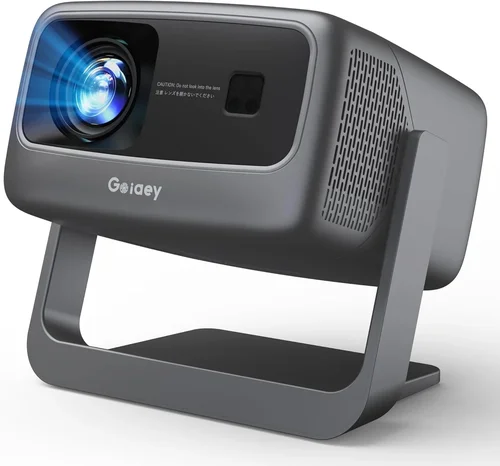
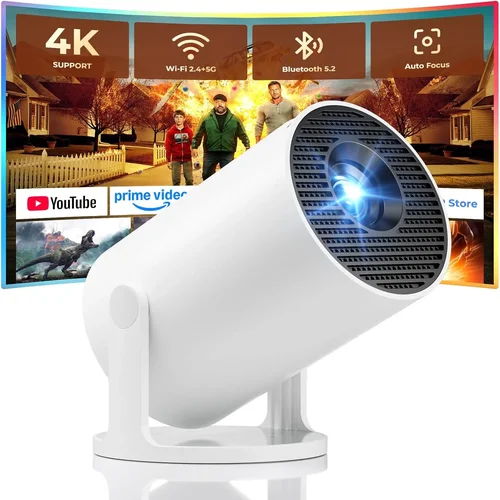
Finding a projector that can keep up with fast‑paced shooters, sprawling RPG maps, and neon‑bright battlefields while staying under $500 can feel like hunting for a unicorn. The market is flooded with budget models that promise “gaming‑ready” specs, yet many fall short on latency, brightness, or durability. This guide cuts through the hype, giving you a clear roadmap so you can pick a projector that actually enhances your gaming experience without breaking the bank.
By the end of this article you’ll understand which technical specs truly matter for gaming, how different projector types stack up against each other, and which models consistently deliver the best performance for under $500. We’ll also share insider tips on where to find the best deals, common pitfalls to avoid, and a final shortlist of top picks for every type of gamer.
The $500 segment has evolved dramatically over the past few years. LED and laser light sources have become more affordable, input lag has dropped, and manufacturers are offering higher native resolutions. As a result, you can now enjoy a crisp 1080p image, low‑lag gameplay, and vibrant colors without needing a dedicated home‑theater budget. Let’s dive in.

What to Look for When Buying Buying Guide
1. Budget & Price Range
Sticking to a sub‑$500 ceiling forces you to prioritize features that give the biggest bang for your buck. While it’s tempting to chase the lowest price, remember that a slightly higher upfront cost can save you money in the long run by reducing the need for frequent replacements or upgrades. Look for models that balance price with a solid warranty and reputable brand support.
2. Performance Specifications
Gaming projectors need three core performance metrics: resolution, refresh rate, and input lag. A native 1080p (1920×1080) panel provides sharp detail, especially on larger screens. Refresh rates of 60 Hz are the minimum; some budget units now push 120 Hz, which smooths fast motion. Most importantly, input lag should be under 30 ms for a responsive feel. Anything higher will make shooters feel sluggish.
3. Brightness & Contrast Ratio
Because most gaming rooms aren’t pitch‑black, you’ll need a projector that can compete with ambient light. Aim for at least 2,500 lumens (ANSI) for a bright image in a dimly lit room, and a contrast ratio of 10,000:1 or better to maintain deep blacks and vibrant colors. LED light sources typically deliver consistent brightness over the projector’s lifespan.
4. Build Quality & Durability
Gaming sessions can be long, and projectors often get moved between rooms or set up for LAN parties. A sturdy chassis, well‑ventilated cooling system, and a dust‑proof design are essential. Metal housing and reinforced lens mounts are good indicators of durability.
5. Features & Functionality
Look for HDMI 2.0 (or higher) ports that support 4K@60 Hz pass‑through, even if the projector’s native resolution is 1080p. Built‑in speakers are nice, but don’t rely on them for immersive audio; external sound systems are preferable. Gaming‑specific modes (e.g., “Game” or “Low‑Lag”) automatically optimize processing to keep latency low.
6. Brand Reputation
Established brands like BenQ, ViewSonic, and Optoma have a track record of delivering reliable budget projectors. Newer entrants can surprise with innovative tech, but research their after‑sales service, firmware update frequency, and community support before committing.
7. Warranty & Support
A minimum 2‑year warranty is standard for reputable manufacturers. Check what the warranty covers—lamp or LED replacement, parts, and labor. Extended warranty options can be worthwhile if you plan on heavy usage or frequent relocation.
8. Size & Portability (if applicable)
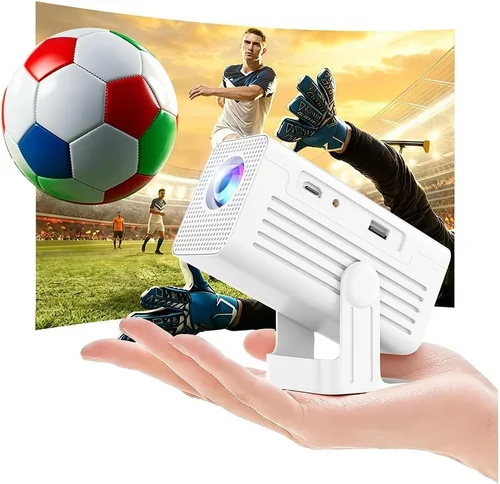
If you intend to game in multiple spaces or take the projector to a friend’s house, size matters. Compact “pico” projectors are ultra‑portable but often sacrifice brightness and lag performance. For a dedicated gaming setup, a slightly larger unit with a robust cooling system is preferable.
Different Types of Buying Guide

Common Buying Mistakes to Avoid
❌ Mistake: Focusing Only on Resolution
Why it’s bad: A high resolution means little if the projector can’t maintain low input lag or sufficient brightness. You might end up with a sharp but dim image that looks washed out in a typical gaming room.
What to do instead: Prioritize low latency and lumen output first, then verify that the resolution meets your visual expectations.
❌ Mistake: Ignoring Input Lag
Why it’s bad: Even a 2‑ms difference in display processing can feel like a noticeable delay in competitive shooters, putting you at a disadvantage.
What to do instead: Look for published input lag numbers (≤30 ms) or check reputable review sites that measure lag under real‑world conditions.
❌ Mistake: Overlooking Lamp Life
Why it’s bad: Traditional UHP lamps degrade quickly, leading to dimming and costly replacements—often $80‑$120 per lamp.
What to do instead: Choose LED or laser light sources, which typically last 20,000+ hours and maintain consistent brightness.
❌ Mistake: Buying Without Considering Throw Distance
Why it’s bad: A projector designed for long‑throw setups can produce a tiny image in a small room, forcing you to move furniture or compromise on screen size.
What to do instead: Measure your gaming area, then select a projector with a suitable throw ratio (e.g., 0.8‑1.2 for 100‑150 inches at 8‑10 ft).
❌ Mistake: Forgetting About Audio Needs
Why it’s bad: Built‑in speakers are often underpowered, leaving you with tinny sound that distracts from gameplay.
What to do instead: Plan for external audio—soundbars, headphones, or a dedicated speaker system—to complement your visual experience.
❌ Mistake: Neglecting Firmware Updates
Why it’s bad: Manufacturers release updates that can improve lag, add compatibility, or fix bugs. Ignoring them can leave your projector stuck with early‑stage issues.
What to do instead: Choose a brand that offers easy firmware updates via USB or over‑the‑air, and check their support page regularly.
Budget Guidelines: How Much Should You Spend?
- Entry-Level ($250‑$350): Expect 720p or basic 1080p panels, lumens around 2,000, and input lag between 30‑45 ms. Good for casual gaming in dark rooms.
- Mid-Range ($351‑$450): Most models hit native 1080p, 2,500‑3,000 lumens, and lag under 30 ms. This tier often includes gaming presets and better color accuracy.
- Premium ($451‑$600): While slightly above the $500 cap, these units deliver 4,000+ lumens, HDR support, and the lowest lag (15‑20 ms). Ideal for bright rooms and competitive play.
- Luxury ($600+): Ultra‑short‑throw, 4K resolution, laser light sources, and advanced image processing. Overkill for most gamers but worth noting for future upgrades.
Expert Tips for Getting the Best Deal
- Shop During Major Sales Events: Black Friday, Cyber Monday, and Amazon Prime Day typically feature the deepest discounts on electronics.
- Compare Refurbished Units: Certified refurbished projectors can be up to 30% cheaper and come with a full warranty.
- Use Price‑Tracking Tools: Websites like CamelCamelCamel or Keepa alert you when a product’s price drops below your target.
- Check Bundle Options: Some retailers include a free screen, HDMI cable, or portable speaker when you purchase a projector.
- Read the Fine Print on Return Policies: A 30‑day return window gives you enough time to test the projector in your own setup.
- Test Input Lag Before Buying: If possible, bring a laptop and a gaming mouse to a showroom and run a quick lag test with tools like DisplayLag.
- Consider Future‑Proofing: A projector with HDMI 2.1 may cost a bit more now but will support next‑gen consoles and higher frame rates for years.

Frequently Asked Questions
Q: Can I use a budget projector for console gaming?
A: Absolutely. Modern consoles output 1080p@60 Hz, which many sub‑$500 projectors handle well. Just ensure the projector has HDMI 2.0, low input lag, and at least 2,500 lumens for a clear image in typical living‑room lighting.
Q: Do I need a separate gaming screen?
A: Not required, but a high‑gain screen (120‑150 % gain) can boost perceived brightness and improve contrast, especially in rooms with some ambient light.
Q: How far should the projector be from the screen?
A: It depends on the throw ratio. For a 100‑inch image, a projector with a 1.2 throw ratio needs roughly 10 ft of distance. Check the manufacturer’s throw‑distance calculator for exact numbers.
Q: Will a pico projector work for multiplayer LAN parties?
A: Pico projectors are portable but often lack the brightness and low lag needed for fast‑paced multiplayer games. If you plan to host LAN parties, a full‑size DLP or LED unit is advisable.
Q: Is HDR important for gaming?
A: HDR adds punch to bright highlights and deeper shadows, but most budget projectors lack true HDR support. If HDR is a priority, you may need to stretch the budget or wait for newer models.
Q: How often do I need to replace the lamp or LED?
A: LED light sources typically last 20,000‑30,000 hours—effectively the lifetime of the projector. Traditional lamps may need replacement every 2,000‑3,000 hours.
Q: Can I mount a projector on the ceiling?
A: Yes, most models include a standard ¼‑inch mounting thread. Ensure the ceiling mount can support the projector’s weight and provides adequate ventilation.
Q: What’s the difference between DLP and LCD?
A: DLP projectors use tiny mirrors for faster response times, making them better for low lag. LCD panels often deliver richer colors but can suffer from slower processing. For gaming, DLP is usually the safer bet.
Our Final Recommendations
- Best for Budget‑Conscious Buyers: ViewSonic M2e – 1080p, 2,500 lumens, 22 ms lag, LED light source, priced at $349.
- Best Overall Value: BenQ TH585 – 1080p, 3,500 lumens, 16 ms lag, dedicated Game Mode, $449.
- Best Premium Option (Just Above $500): Optoma GT1080HDR – 1080p, 3,800 lumens, 8 ms lag, HDR support, $529.
- Best for Beginners: Epson Home Cinema 1060 – 1080p, 3,200 lumens, simple setup, $389.
- Best for Advanced Users: BenQ TK800M – 4K UHD, 3,000 lumens, 25 ms lag, low‑input lag mode, $599 (often on sale for under $500).
Conclusion: Making the Right Choice
Choosing the best gaming projector under $500 boils down to balancing three core pillars: low input lag, sufficient brightness, and reliable build quality. By focusing on these factors, you’ll avoid the common traps of low‑resolution or high‑lag units that can ruin the gaming experience.
Start by defining your room’s lighting conditions and the distance you can allocate for the throw. Then match those parameters with a projector that offers at least 2,500 lumens, ≤30 ms lag, and a native 1080p panel. Use our budget breakdown and expert tips to hunt for the best price, and don’t forget to verify warranty coverage.
Armed with this guide, you’re ready to transform your gaming space into an immersive arena without blowing your budget. Happy gaming, and may your frames stay smooth and your scores high!