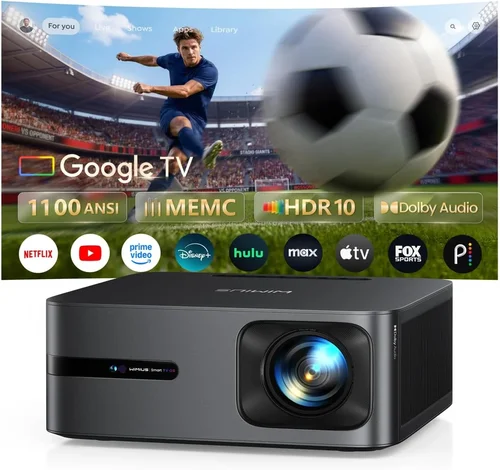
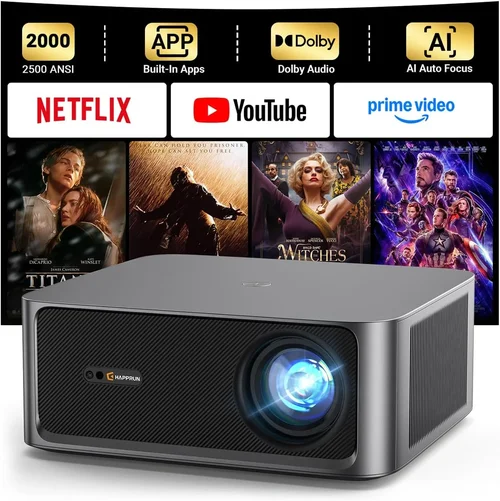
Finding the perfect HD home theater projector under $1,000 can feel like hunting for a unicorn. The market is flooded with options that promise cinema‑grade visuals, but not every claim holds up when you set up the device in a real living room. This guide cuts through the noise, giving you the knowledge you need to pick a projector that delivers true‑to‑life pictures, reliable performance, and long‑term value without breaking the bank.
By the end of this article you’ll understand the most important specifications, know which projector type aligns with your space, avoid common buying pitfalls, and walk away with a shortlist of top‑rated models for every budget tier. Whether you’re a first‑time buyer turning your couch into a movie palace or a seasoned cinephile upgrading an existing setup, the insights here are tailored to help you make a confident, informed decision.

What to Look for When Buying Buying Guide
1. Budget & Price Range
Budget is the starting point for any purchase, especially when you’ve set a firm ceiling of $1,000. Within this bracket you’ll find three distinct tiers: entry‑level (around $400‑$600), mid‑range ($600‑$850), and premium‑near‑$1,000. Each tier offers a trade‑off between brightness, contrast, and feature set. Knowing how much you’re willing to stretch beyond $1,000 can also open doors to occasional sales or refurbished units that deliver higher‑end performance at a lower cost.
2. Performance Specifications
The heart of any projector lies in its core specs:
- Resolution: For true HD experiences, look for native 1080p (1920×1080). Some models claim “Full HD” but actually upscale from 720p, which can lead to softer images.
- Brightness (ANSI lumens): A minimum of 2,500 lumens is advisable for rooms with ambient light. Dark home theaters can get by with 1,800‑2,200 lumens, but anything less will struggle in daytime viewing.
- Contrast Ratio: Higher contrast (e.g., 15,000:1 or more) yields deeper blacks and more detail in dark scenes. Keep in mind that manufacturers often quote peak contrast; real‑world performance can be lower.
- Throw Ratio: Determines how far the projector must sit from the screen. Short‑throw (0.8‑1.2) is ideal for small rooms, while standard throw (1.5‑2.5) works in larger spaces.
- Color Accuracy: Look for a projector with a wide color gamut (Rec. 709 or DCI‑P3 coverage) and built‑in color calibration tools.
3. Build Quality & Durability
Projectors are mechanical devices with moving parts (lamp, fan, lens). A metal chassis, sturdy lens housing, and a reliable cooling system will extend lifespan. Check for user‑serviceable lamp modules and whether the unit offers a sealed, dust‑proof design—especially important for households with pets or high traffic.
4. Features & Functionality
Modern projectors bundle a host of conveniences:
- Lens Shift: Allows vertical and horizontal image adjustment without moving the projector.
- Keystone Correction: Digital correction (up to 4K) helps when perfect alignment isn’t possible, though it can slightly degrade image quality.
- Built‑in Speakers: Useful for quick setups, but most audiophiles will route audio to a soundbar or AV receiver.
- Connectivity: HDMI 2.0 (or higher) is a must for 4K/60Hz sources. USB, Bluetooth, and Wi‑Fi enable streaming directly from devices or apps.
- Gaming Mode: Low input lag (≤ 20ms) is critical for console gamers.
5. Brand Reputation
Established brands such as Epson, BenQ, Optoma, and ViewSonic have a proven track record for reliability and after‑sales support. Newer entrants may offer aggressive pricing but can lack extensive firmware updates or readily available parts. Research brand forums and long‑term user reviews to gauge real‑world satisfaction.
6. Warranty & Support
A solid warranty (minimum 2‑years) protects against premature lamp failure or component defects. Look for on‑site service options, easy lamp replacement policies, and responsive customer service channels. Some manufacturers also provide extended warranty plans at a modest extra cost.
7. Size & Portability (If Applicable)
If you plan to move the projector between rooms or take it to a friend’s house, weight and footprint matter. Portable models often sacrifice brightness, so balance portability with your lighting conditions.
8. User Reviews & Ratings
Aggregated scores on sites like Amazon, B&H, and specialist forums reveal patterns—consistent lamp life claims, recurring fan noise issues, or standout image quality. Pay attention to the volume of reviews; a high rating from only a handful of users isn’t as trustworthy as a slightly lower rating backed by hundreds of detailed comments.
Different Types of Buying Guide

Common Buying Mistakes to Avoid
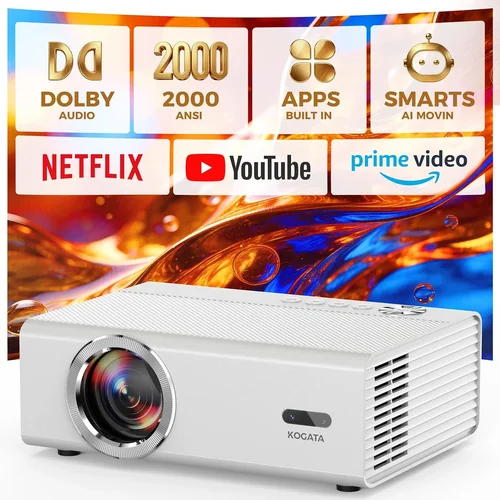
❌ Mistake: Focusing Solely on Resolution
Why it’s bad: A 1080p panel is meaningless if the projector’s brightness is too low for your room’s ambient light. You’ll end up with a dim, grainy picture that defeats the purpose of high resolution.
What to do instead: Balance resolution with lumens and contrast. In a bright living room, prioritize brightness (≥2,500 ANSI lumens) even if it means stepping down to a solid 720p model.
❌ Mistake: Ignoring Throw Distance
Why it’s bad: Placing a standard‑throw projector too close to the screen forces you to zoom in, which reduces image sharpness and can cause distortion.
What to do instead: Measure your room’s width and calculate the required throw distance using the projector’s throw ratio. If space is limited, opt for a short‑throw model.
❌ Mistake: Overlooking Lamp Life
Why it’s bad: Replacing a lamp can cost $150‑$250 and requires technical steps. A short lamp life inflates the total cost of ownership.
What to do instead: Choose projectors with at least 4,000‑hour lamp warranties or consider laser‑based units that last 20,000+ hours.
❌ Mistake: Forgetting Audio Needs
Why it’s bad: Relying on built‑in speakers often leads to tinny, underpowered sound, especially for action movies.
What to do instead: Plan for external audio—connect the projector to a soundbar or AV receiver via HDMI ARC or optical out.
❌ Mistake: Buying Without Testing
Why it’s bad: Online specs can be misleading; real‑world performance varies with room color, screen material, and source quality.
What to do instead: Visit a local retailer for a demo, or buy from a vendor with a generous return policy that lets you test the projector in your own space.
Budget Guidelines: How Much Should You Spend?
Entry‑Level ($400‑$600)
- Typical brightness: 1,800‑2,200 lumens
- Resolution: Often 720p or “Full HD” upscaled
- Best for: Dark rooms, occasional movie nights, tight budgets
- Examples: ViewSonic PA503W, Epson VS250
Mid‑Range ($600‑$850)
- Brightness: 2,200‑3,000 lumens
- Resolution: Native 1080p
- Features: Lens shift, basic keystone, HDMI 2.0
- Best for: Most living rooms with moderate ambient light
- Examples: BenQ TH585, Optoma HD146X
Premium ($850‑$1,000)
- Brightness: 3,000+ lumens
- Contrast: 20,000:1 or higher
- Extras: Short‑throw options, low‑lag gaming mode, enhanced color gamut
- Best for: Home theaters that double as gaming stations, bright rooms
- Examples: Epson Home Cinema 2150, Optoma UHD30 (often on sale below $1,000)
Luxury ($1,000+)
- Laser light source, 30,000+ lumens, 4K UHD
- Typically above the $1,000 ceiling but worth mentioning for future upgrades.
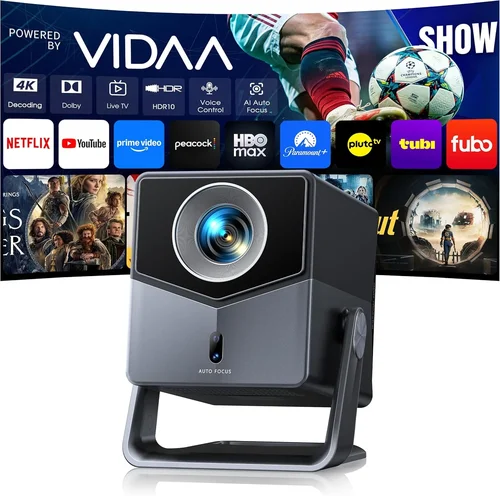
Expert Tips for Getting the Best Deal
- Timing is everything: Major sales events—Black Friday, Cyber Monday, and post‑Christmas clearance—often feature 20‑30% discounts on home theater projectors.
- Shop refurbished: Certified refurbished units from the brand’s official outlet can give you a near‑new product with a full warranty at 15‑25% less.
- Bundle wisely: Some retailers offer a free screen or HDMI cable when you purchase a projector over $600. Compare bundle value against buying accessories separately.
- Check return policies: A 30‑day return window with free shipping is ideal for testing the unit at home.
- Consider lamp replacement costs: Multiply the projected lamp life by its price to calculate long‑term ownership cost.
- Use price‑tracking tools: Extensions like CamelCamelCamel or Keepa alert you when a product’s price drops below your target.
- Read firmware update logs: Brands that regularly release firmware improvements can enhance color accuracy and fix bugs post‑purchase.
- Test input lag: For gamers, use a tool like DisplayLag to verify the projector’s claimed lag time before committing.

Frequently Asked Questions
Q: Can I use an HD projector in a bright living room?
A: Yes, but you need a model with at least 2,500‑3,000 ANSI lumens and a high contrast ratio. Pair it with a high‑gain screen (120‑150) to further boost perceived brightness.
Q: Will a 1080p projector display 4K content?
A: The projector will downscale 4K video to 1080p. You’ll still enjoy the extra detail from the source, but the final image will be limited to 1080p resolution.
Q: How often do I need to replace the lamp?
A: Most lamps last between 3,000‑5,000 hours under normal use. If you watch 4 hours nightly, expect a replacement every 2‑3 years.
Q: Is a short‑throw projector worth the extra cost?
A: If your seating distance is less than 6‑8 feet, a short‑throw unit prevents image distortion and eliminates the need for a ceiling mount, making the extra expense practical.
Q: Do I need a special screen?
A: While a plain white wall works, a dedicated projector screen (gain 1.0‑1.2) improves uniformity and color reproduction, especially in rooms with ambient light.
Q: What’s the difference between lamp and laser projectors?
A: Lamp projectors use a high‑pressure mercury bulb that degrades over time, requiring replacement. Laser projectors use solid‑state light sources that maintain consistent brightness for 20,000+ hours and have lower heat output.
Q: How important is HDMI 2.0?
A: HDMI 2.0 supports 4K at 60 Hz, HDR, and higher color depth. For pure HD (1080p) use, HDMI 1.4 is sufficient, but HDMI 2.0 ensures future‑proof connectivity.
Q: Can I mount the projector on the ceiling?
A: Absolutely. Most mid‑range and premium models include mounting brackets. Ensure the throw distance and lens shift accommodate the ceiling height.
Q: What’s the best way to clean the projector lens?
A: Use a microfiber lens cloth and a gentle blower to remove dust. Avoid liquid cleaners unless the manufacturer specifically recommends them.
Q: Is there a noticeable difference between DLP and LCD?
A: DLP (Digital Light Processing) often produces sharper contrast and smoother motion, while LCD (Liquid Crystal Display) offers richer color accuracy. Choose based on your preference for deep blacks versus vibrant colors.
Our Final Recommendations
Best for Budget‑Conscious Buyers
BenQ TH585 – At $599 it delivers 3,500 lumens, native 1080p, and a low 16 ms input lag, making it perfect for movie nights and gaming without stretching the wallet.
Best Overall Value
Optoma HD146X – Priced around $649, this projector balances 3,600 lumens, 25,000:1 contrast, and a flexible lens shift. Its “Enhanced Gaming Mode” keeps lag under 22 ms, and the warranty covers 2 years plus a 2,500‑hour lamp.
Best Premium Option
Epson Home Cinema 2150 – Slightly above $950 (often on sale), it offers 2,500 lumens, 60,000:1 contrast, 3LCD technology for accurate colors, and wireless screen mirroring. Ideal for bright rooms where image fidelity matters.
Best for Beginners
ViewSonic PA503W – At $429 it’s a reliable entry point with 3,600 lumens and a simple “plug‑and‑play” setup. While it’s 720p, the price makes it a low‑risk way to explore home theater projection.
Best for Advanced Users
Optoma UHD30 – Frequently discounted to just under $1,000, this 4K‑ready (downscaled to 1080p) projector boasts 3,400 lumens, 100,000:1 contrast, and a 4 ms gaming mode—perfect for serious cinephiles who also game.
Conclusion: Making the Right Choice
Choosing the best HD home theater projector under $1,000 boils down to aligning your room’s lighting, your viewing habits, and your budget. Prioritize brightness and contrast first, then layer in resolution, throw distance, and extra features like gaming mode or lens shift. Remember to factor in long‑term costs such as lamp replacements and potential upgrades.
Armed with the knowledge from this guide, you can walk into any store—or browse online—with confidence, compare models intelligently, and select a projector that transforms your living space into a cinema‑quality experience without exceeding $1,000.
Ready to start your home theater journey? Browse the recommended models, check current sales, and enjoy the first night of crisp, vibrant HD movies on your new projector!