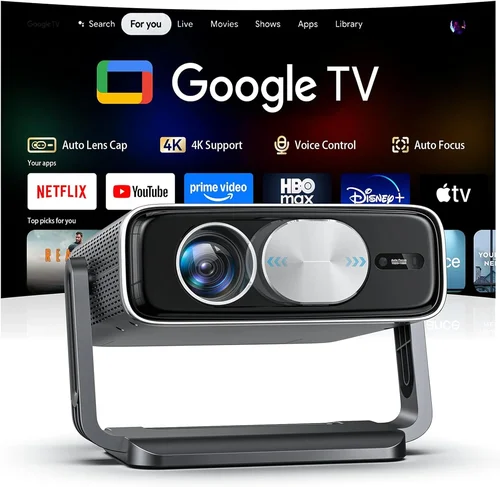
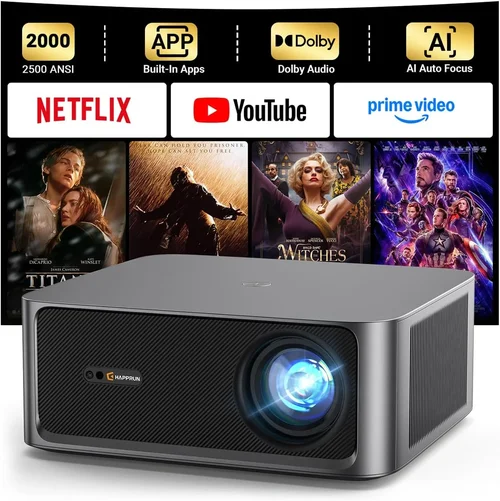
Choosing the right HD home theater projector under $500 can feel like navigating a maze. Prices, specs, and brand promises flood the market, and it’s easy to get lost in technical jargon. This guide cuts through the noise, giving you a clear roadmap so you can buy with confidence, whether you’re setting up a cozy family movie night or a full‑blown gaming den.
In the pages ahead you’ll learn which performance metrics truly matter, how to match a projector to your room, and which common pitfalls to dodge. We’ll also compare the main projector categories, break down what you can realistically expect at each price tier, and hand you expert‑level tips for snagging the best deal. By the end, you’ll be equipped to pick a projector that delivers sharp, vibrant images without blowing your budget.

What to Look for When Buying Buying Guide
1. Budget & Price Range
Sticking to a $500 ceiling forces you to prioritize features that give the biggest visual payoff. While you won’t find true 4K laser units here, many models deliver impressive 1080p resolution, high brightness, and solid contrast ratios. Identify the absolute must‑haves (for example, a minimum of 2,500 lumens for a light‑controlled living room) and be ready to compromise on extras like built‑in speakers or ultra‑short throw lenses.
2. Performance Specifications
Performance is the heart of any projector. Focus on three core specs:
- Resolution: Full HD (1920×1080) is the sweet spot under $500. Some budget units claim “native 720p” but upscale to 1080p; these can look soft, so aim for true 1080p when possible.
- Brightness (lumens): Measured in ANSI lumens, this determines how well the image will stand up to ambient light. For a dark home theater, 2,000–2,500 lumens is sufficient; brighter rooms need 3,000+.
- Contrast Ratio: This tells you how deep the blacks will be. Look for at least 10,000:1; higher numbers usually mean richer detail in dark scenes.
3. Build Quality & Durability
Projectors are often moved for setup, so a sturdy chassis and quality cooling system matter. Metal housings resist warping, while high‑quality fans keep the lamp cool, extending its lifespan. Check user reviews for any recurring overheating or plastic cracking issues.
4. Features & Functionality
Modern projectors pack a lot of convenience tools. Prioritize features that add real value:
- Lens Shift & Keystone Correction: Allows you to fine‑tune image placement without moving the projector.
- Multiple Input Ports: HDMI is a must; USB, VGA, and audio‑out ports add flexibility.
- Built‑in Speakers: Acceptable for casual viewing, but plan for external sound if you want cinema‑level audio.
- Streaming Compatibility: Some budget models include Roku, Android TV, or Chromecast built‑in.
5. Brand Reputation
Established brands like Epson, BenQ, ViewSonic, and Optoma have proven track records for reliability and service. Newer entrants can surprise with innovation, yet they may lack extensive warranty networks. Cross‑check brand reputation through forums, YouTube reviews, and long‑term user feedback.
6. Warranty & Support
A solid warranty protects your investment. Look for at least a 2‑year coverage on the projector body and a minimum 90‑day lamp warranty. Some manufacturers also offer extended plans or on‑site service, which can be a lifesaver if the unit fails during a movie marathon.
7. Size & Portability (if applicable)
If you plan to move the projector between rooms or take it to a friend’s house, weight and footprint become crucial. Portable models typically weigh under 5 lb and include carry cases. However, ultra‑portable units may sacrifice brightness, so balance portability with performance needs.
8. User Reviews & Ratings
Numbers speak louder than marketing copy. Scan Amazon, Best Buy, and dedicated AV forums for consistent praise or complaints. Pay attention to recurring themes—like “lamp died after 200 hours”—which can signal systemic issues.
Different Types of Buying Guide
Common Buying Mistakes to Avoid
❌ Mistake: Ignoring Ambient Light Conditions
Why it’s bad: A projector rated at 2,500 lumens will look brilliant in a dark room but appear washed out in a bright living area.
What to do instead: Measure your typical lighting. If you can’t fully darken the space, aim for 3,000+ lumens or choose a model with high contrast and dynamic iris technology.
❌ Mistake: Over‑Focusing on Megapixels
Why it’s bad: Megapixels matter for still‑image printers, not projectors. A 720p projector with a high‑quality lamp can outperform a 1080p unit with poor brightness.
What to do instead: Prioritize native resolution, brightness, and contrast over pixel count.
❌ Mistake: Forgetting Lamp Life Costs
Why it’s bad: Some cheap projectors use low‑cost lamps that need replacement after 1,000–2,000 hours, adding hidden expenses.
What to do instead: Look for LED or laser light sources, or at least a lamp warranty of 2,000+ hours.
❌ Mistake: Skipping the Throw Distance Calculation
Why it’s bad: Buying a long‑throw projector for a 6‑foot room forces you to place the unit far back, causing image distortion or loss of brightness.
What to do instead: Use the manufacturer’s throw‑ratio chart to ensure the projector fits your room size.
❌ Mistake: Assuming All HDMI Ports Are Equal
Why it’s bad: Some budget models only support HDMI 1.3, limiting 4K/60Hz pass‑through and HDR capabilities.
What to do instead: Verify the HDMI version (at least 1.4 for basic HDR, 2.0 for higher bandwidth).
❌ Mistake: Disregarding Audio Needs
Why it’s bad: Built‑in speakers are often tinny. Relying on them can ruin the cinematic experience.
What to do instead: Plan for external speakers or a soundbar; ensure the projector has audio‑out or Bluetooth.
Budget Guidelines: How Much Should You Spend?
Even within a $500 cap, you can segment the market to set realistic expectations.
- Entry‑Level ($200‑$300): Expect 720p or basic 1080p, 2,000 lumens, and modest contrast. Ideal for occasional movie nights in a dark bedroom.
- Mid‑Range ($300‑$400): Most models here deliver true Full HD, 2,500‑3,000 lumens, and better color accuracy. Good for dedicated home theaters and gaming.
- Premium ($400‑$500): Look for short‑throw options, LED light sources, higher contrast ratios (15,000:1+), and richer connectivity (HDMI 2.0, USB‑C). Perfect for small living rooms with some ambient light.
- Luxury (>$500): Outside the scope of this guide, but includes 4K, laser light sources, and advanced lens shift. Consider when budget is flexible.
Expert Tips for Getting the Best Deal
- Timing is everything: Major sales events (Black Friday, Cyber Monday, post‑Christmas) typically shave 15‑30% off.
- Shop from authorized retailers: You’ll get a valid warranty and easier return processes.
- Bundle wisely: Some sellers include a screen, HDMI cable, or mounting kit—add value without extra cost.
- Check refurbished options: Certified refurbished units from the manufacturer can be 20% cheaper with full warranty.
- Read the fine print on lamp warranties: A cheap projector with a 1‑year lamp warranty may cost more in the long run.
- Test before you buy: If possible, view a demo in a store; bring a laptop to check resolution and color.
- Consider future upgrades: Choose a model with spare HDMI ports for future streaming devices.

Frequently Asked Questions
Q: Can I use a projector under $500 for gaming?
A: Yes, provided the projector supports at least 60 Hz refresh rate and has low input lag (under 30 ms). Look for “Game Mode” or “Low Latency” in the specs.
Q: How far should the projector be from the screen?
A: It depends on the throw ratio. A 1.5:1 ratio needs 1.5 ft of distance for each foot of image width. Use the manufacturer’s calculator to match your room.
Q: Do I need a separate screen?
A: Not mandatory. A smooth, white wall works, but a dedicated screen improves brightness gain and color accuracy, especially in rooms with ambient light.
Q: What’s the difference between LED and lamp projectors?
A: LED light sources last longer (20,000+ hours) and maintain color stability, while traditional lamps are cheaper upfront but need replacement every 2,000–3,000 hours.
Q: Is 1080p really worth it over 720p?
A: For screen sizes above 80 inches, 1080p provides noticeably sharper images, especially for text and fine details in movies and games.
Q: Can I mount the projector on the ceiling?
A: Most models support ceiling mount with a standard ¼‑20 thread. Ensure you have enough clearance for ventilation.
Q: How do I maintain my projector?
A: Keep vents dust‑free, replace filters regularly, and avoid turning the unit on/off frequently to prolong lamp life.
Q: Will Bluetooth audio work with any speaker?
A: Yes, as long as the speaker supports standard Bluetooth A2DP. Latency can be an issue for gaming, so wired audio is preferable.
Our Final Recommendations
- Best for Budget‑Conscious Buyers: ViewSonic PA503W – 3,600 lumens, 1280×800 WXGA, excellent for bright rooms, under $250.
- Best Overall Value: BenQ TH671ST – 1080p, 3,000 lumens, 0.69 short‑throw, low input lag, priced around $440.
- Best Premium Option (just under $500): Epson Home Cinema 1060 – 3,800 lumens, 1080p, good color accuracy, includes lens shift.
- Best for Beginners: Optoma HD146X – Plug‑and‑play, 1080p, 3,600 lumens, simple menu, $380.
- Best for Advanced Users: LG PF50KA – Portable LED, 1080p, 600 lumens, built‑in battery, Bluetooth, $470.
Conclusion: Making the Right Choice
Investing in an HD home theater projector under $500 is entirely feasible when you focus on the specs that matter most: true 1080p resolution, adequate brightness for your lighting conditions, and a solid contrast ratio. Pair those fundamentals with a reputable brand, a reliable warranty, and the right type of throw distance for your space, and you’ll enjoy cinema‑quality viewing without breaking the bank.
Remember to assess your room, set a realistic budget tier, and avoid the common pitfalls outlined above. With the expert tips and final recommendations in hand, you’re ready to pick a projector that turns any night into a blockbuster event. Happy viewing!