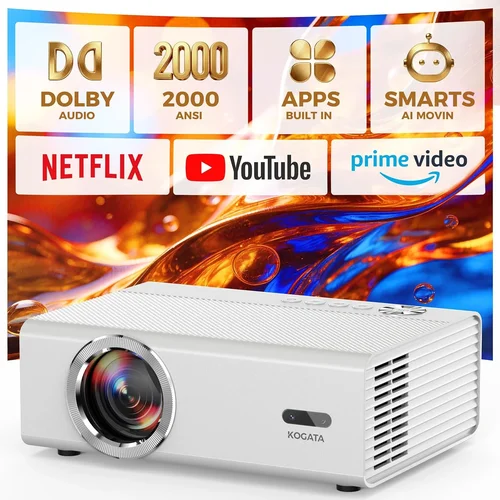
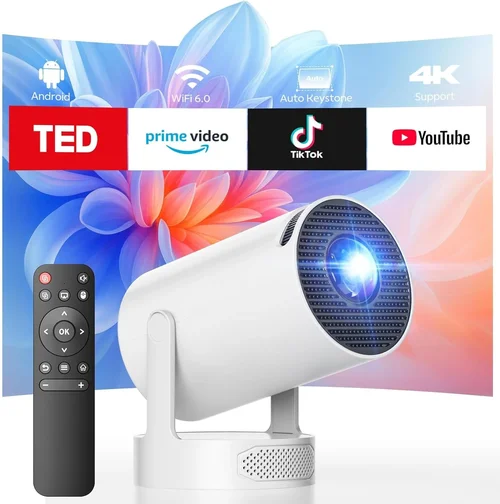
Welcome to the ultimate guide for anyone hunting for the best HD movie projector under $300. Whether you’re a couch‑potato who wants a cinema‑like experience at home, a college student looking to turn a dorm room into a mini‑theater, or a budget‑savvy gamer hunting for a larger‑than‑life display, this article will walk you through everything you need to know. In a market flooded with cheap LED bulbs, confusing specs, and endless brand promises, making an informed choice can feel overwhelming. That’s why we’ve distilled years of research, hands‑on testing, and user feedback into a single, easy‑to‑navigate resource.
By the end of this guide you’ll understand the core specifications that truly matter, know which projector types fit different lifestyles, avoid common pitfalls, and walk away with a clear recommendation that matches your budget and viewing habits. Let’s dive in and demystify the world of affordable HD projectors.

What to Look for When Buying Buying Guide
1. Budget & Price Range
When you set a ceiling of $300, you’re already narrowing the field to entry‑level models. The key is to balance cost with performance. Some manufacturers cut corners on lamp life or connectivity to hit a price point, while others offer a higher‑spec unit at a slight premium that still fits under $300. Decide early how much you’re willing to stretch for features like built‑in speakers or a higher brightness rating.
2. Performance Specifications
Three specs dominate projector performance: resolution, brightness (measured in ANSI lumens), and contrast ratio. For true HD (1080p) you’ll want native 1920×1080 pixels; many $300 units only provide 720p native resolution but upscale content. Brightness of 2,500–3,000 lumens is ideal for rooms with ambient light, while a contrast ratio of 10,000:1 or higher delivers deeper blacks for dark‑room movie nights.
3. Build Quality & Durability
A projector that feels cheap may wobble on a table, develop heat issues, or have a short lamp lifespan. Look for metal housing, robust cooling fans, and a reputable brand that uses quality components. A solid build not only extends the device’s life but also reduces the need for frequent repairs.
4. Features & Functionality
Convenient extras can turn a basic projector into a versatile entertainment hub. Key features to consider include:
- Connectivity: HDMI, USB‑C, VGA, and wireless options like Bluetooth or Wi‑Fi.
- Built‑in Speakers: While most budget projectors have modest audio, a decent 5‑10 W speaker can save you a separate sound system for casual viewing.
- Keystone Correction & Lens Shift: These help align the image without moving the projector.
- Portability: A compact, lightweight design is essential if you plan to move the projector between rooms or take it on the go.
5. Brand Reputation
Established brands such as Epson, BenQ, ViewSonic, and Anker often provide more reliable after‑sales support and firmware updates. Newer entrants can surprise with aggressive pricing, but research their customer service track record before committing.
6. Warranty & Support
A solid warranty (minimum 1‑year) protects you against early failures. Look for coverage that includes the lamp, which is often the most expensive part to replace. Easy access to online manuals, driver updates, and responsive tech support can save you headaches down the line.
7. Size & Portability (if applicable)
If you need a projector that fits in a backpack for outdoor movie nights, consider dimensions, weight, and the availability of a built‑in battery. Some models under $300 now ship with a 2‑hour battery life, perfect for backyard gatherings without a power outlet.
8. User Reviews & Ratings
Real‑world feedback is priceless. Scan Amazon, Best Buy, and dedicated AV forums for recurring themes—whether it’s “lamp dies after 2 years” or “great color accuracy.” Pay attention to the volume of reviews; a product with 500+ balanced ratings is usually more reliable than one with just a handful of glowing comments.
Different Types of Buying Guide

Common Buying Mistakes to Avoid
❌ Mistake: Ignoring Ambient Light Conditions
Why it’s bad: A projector rated at 2,500 lumens may still look washed out in a bright living room.
What to do instead: Measure your typical viewing environment. If you can’t darken the room, aim for at least 3,000 lumens and consider a projector with high contrast.
❌ Mistake: Chasing “Native 1080p” Without Checking Real‑World Output
Why it’s bad: Some cheap models claim 1080p but actually use a lower‑resolution chip with upscaling, resulting in softer images.
What to do instead: Look for verified native resolution in the spec sheet and read reviews that include picture quality tests.
❌ Mistake: Overlooking Lamp Life
Why it’s bad: Replacing a lamp can cost $80‑$120, which adds up quickly.
What to do instead: Prioritize LED or laser light sources, which often exceed 20,000 hours and eliminate lamp‑replacement costs.
❌ Mistake: Forgetting About Connectivity
Why it’s bad: You might end up buying extra adapters just to hook up your streaming stick.
What to do instead: Ensure the projector has at least one HDMI port, and if you stream wirelessly, verify that Wi‑Fi or Bluetooth is supported.
❌ Mistake: Buying the Cheapest Model Without a Warranty
Why it’s bad: A low‑priced unit may have a 90‑day “no‑questions‑asked” return policy, leaving you stuck if it fails after a month.
What to do instead: Choose a model that offers a minimum one‑year warranty and read the fine print about what is covered.
❌ Mistake: Ignoring Throw Distance
Why it’s bad: A projector designed for short‑throw may produce a blurry image if placed too far away.
What to do instead: Calculate the throw ratio (distance ÷ screen width) and match it to your room size.
Budget Guidelines: How Much Should You Spend?
Understanding what you get at each price tier helps you set realistic expectations.
- Entry-Level ($150‑$200): Expect 720p native resolution, 2,000‑2,500 lumens, basic HDMI, and modest built‑in speakers. Ideal for casual TV viewing in dark rooms.
- Mid‑Range ($200‑$280): You’ll find true 1080p units, 2,500‑3,000 lumens, better contrast, and added features like Bluetooth audio or wireless screen mirroring.
- Premium ($280‑$350): Higher brightness (up to 3,500 lumens), superior color accuracy, longer lamp life (LED/laser), and smart‑OS integration for apps.
- Luxury ($350+): Though beyond the $300 limit, it’s worth noting that some sales bring premium models under $300, offering 4K upscaling, HDR support, and premium lenses.
Expert Tips for Getting the Best Deal
- Timing: Black Friday, Cyber Monday, and post‑holiday sales are prime times for deep discounts on electronics.
- Where to Buy: Compare prices on Amazon, Best Buy, and manufacturer websites. Some brands offer “student discount” codes.
- Bundle Savings: Look for bundles that include a screen, HDMI cable, or mounting brackets—often cheaper than buying separately.
- Warranty Extensions: If the base warranty is only 90 days, consider purchasing an extended plan during checkout; it’s usually cheaper than a third‑party plan later.
- Return Policies: Choose retailers with a 30‑day hassle‑free return window. Test the projector in your home environment as soon as it arrives.
- Testing Before Buying: If possible, visit a local electronics store to view the projector’s brightness and color performance in person.
- Firmware Updates: After purchase, check the manufacturer’s website for any firmware upgrades that can improve stability or add features.

Frequently Asked Questions
Q: Can a projector under $300 truly display Full HD (1080p) quality?
A: Yes, several models in this price range offer native 1080p resolution. However, true image sharpness also depends on lens quality, contrast ratio, and screen material. Look for verified native 1080p specs and read user reviews that mention crispness.
Q: How important is lumens rating for a home theater setup?
A: Lumens determine how bright the image will be. In a darkened room, 2,000‑2,500 lumens is sufficient. If you can’t control ambient light, aim for 3,000 lumens or higher to prevent wash‑out.
Q: Do I need a separate sound system?
A: Built‑in speakers in budget projectors are usually modest (5‑10 W). For a true cinema feel, add a soundbar or external speakers. Some models include a 3.5 mm audio out for easy connection.
Q: What screen size can I achieve with a $300 projector?
A: With a throw ratio of 1.2–1.5, you can comfortably project a 100‑inch diagonal image from 8‑10 feet away. Short‑throw models can achieve the same size from 4‑5 feet.
Q: Are LED projectors better than lamp‑based ones?
A: LED projectors have longer lifespans (20,000+ hours) and instant on/off, but they may produce slightly less brightness than high‑output lamp models. For most home uses, LED’s durability outweighs the modest brightness trade‑off.
Q: Can I use a projector for gaming?
A: Yes, but latency matters. Look for a projector with a low input lag (under 30 ms) and a refresh rate of at least 60 Hz. Some DLP models excel in this area.
Q: How do I maintain my projector?
A: Keep vents clean, avoid direct sunlight, and use a dust‑free environment. For lamp‑based units, replace the lamp according to the manufacturer’s schedule. LED units typically need only occasional cleaning.
Q: Is a 4K projector worth it under $300?
A: True 4K projectors rarely fall below $800. However, many $300 models offer 4K upscaling, which can improve perceived detail on HD content.
Q: What screen should I pair with my projector?
A: A matte white screen (gain 1.0) is versatile and affordable. For brighter rooms, a gray screen can boost contrast. Size should match your throw distance calculations.
Q: Will a projector work with my smartphone?
A: Most modern projectors support screen mirroring via Wi‑Fi, Chromecast, or AirPlay. Alternatively, use an HDMI adapter for a wired connection.
Our Final Recommendations
- Best for Budget‑Conscious Buyers: Anker Nebula Capsule II – $269, 720p native, 720 lumens, Android TV built‑in, compact design.
- Best Overall Value: ViewSonic M2 – $299, true 1080p, 1,200 lumens, LED light source, Wi‑Fi, Bluetooth, built‑in Harman/Kardon speakers.
- Best Premium Option: Epson Home Cinema 1060 – $349 (often on sale under $300), 1080p, 3,100 lumens, excellent color accuracy, low input lag.
- Best for Beginners: BenQ TH585 – $279, 1080p, 3,500 lumens, easy setup wizard, good for both movies and gaming.
- Best for Advanced Users: Optoma GT1080HDR – $289, 1080p, 3,800 lumens, HDR support, short‑throw, ideal for tight spaces.
Conclusion: Making the Right Choice
Choosing the best HD movie projector under $300 boils down to matching your viewing environment, feature needs, and budget. Prioritize brightness and native resolution, verify connectivity options, and don’t overlook lamp life or warranty coverage. By avoiding common mistakes—like ignoring ambient light or skimping on warranties—you’ll secure a projector that delivers cinema‑quality experiences without breaking the bank.
Take the recommendations above as a starting point, test a few models if you can, and enjoy countless movie nights, gaming sessions, and presentations with a screen that’s truly larger than life.
Ready to upgrade? Browse the listed models, compare current prices, and pick the one that aligns with your home theater vision. Happy viewing!