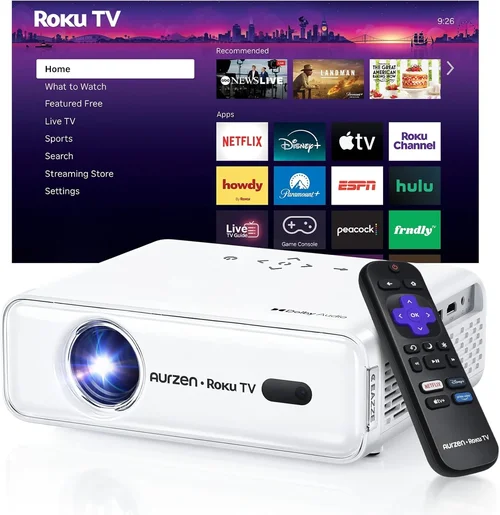
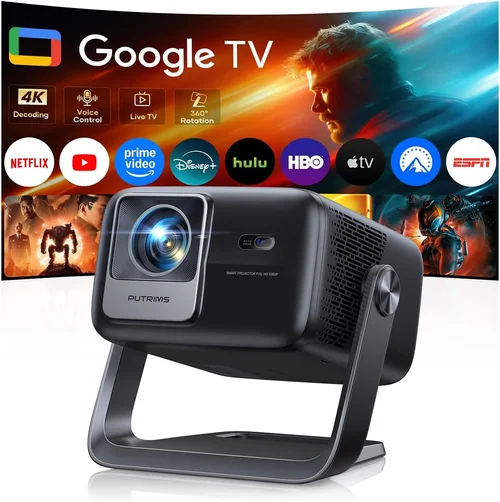
Finding a high‑definition projector that you can actually carry in a backpack, while staying under $300, feels a bit like hunting for a unicorn. Yet the market has matured enough that several solid options now exist, and you don’t have to sacrifice picture quality just because you need portability. This guide pulls together everything you need to know to make a confident purchase, whether you’re setting up an impromptu movie night in a backyard, turning a hotel room into a tiny home‑theater, or need a reliable visual aid for presentations on the go.
In the next few sections we’ll break down the most important specs, compare the main categories of portable HD projectors, flag common pitfalls, and give you a clear budget roadmap. By the end, you’ll be able to match your specific use‑case with the best projector under $300, and you’ll know exactly what to look for before you click “Add to Cart”.

What to Look for When Buying Buying Guide
1. Budget & Price Range
Even within the sub‑$300 bracket, prices can vary widely based on brand reputation, lamp type, and bundled accessories. Set a realistic ceiling that includes any extra gear you might need—like a screen, HDMI cable, or a portable power bank. Remember that a lower price often means a trade‑off in brightness or built‑in speakers, so decide which compromises you’re willing to accept.
2. Performance Specifications
Resolution is the cornerstone of HD quality. Look for at least 1920×1080 (Full HD). Some budget models only offer 1280×720 (HD) but upscale to 1080p; these can be acceptable for casual viewing but will fall short for detailed presentations.
Brightness measured in lumens determines how well the projector performs in ambient light. For indoor use with modest lighting, 300–500 ANSI lumens is adequate. If you plan to project in daylight or bright rooms, aim for 500+ lumens, though such units are rare under $300.
Contrast Ratio influences the depth of blacks and overall picture richness. A ratio of 2,000:1 or higher is a good baseline for portable units.
3. Build Quality & Durability
Portable projectors travel a lot, so they need a sturdy chassis, preferably with a rubberized exterior or a protective carry case. Look for models with a metal or high‑grade polymer housing, and check user reviews for any recurring issues like loose hinges or cracked lenses after a few months of use.
4. Features & Functionality
Key features to consider include:
- Connectivity: HDMI, USB‑C, micro‑USB, and wireless (Wi‑Fi, Bluetooth, or Miracast) options give you flexibility with phones, laptops, and streaming sticks.
- Built‑in Speakers: While most portable projectors have modest 2–5 W speakers, some models pair well with Bluetooth headphones for a better audio experience.
- Battery Life: If you truly need cordless operation, look for a projector with at least 2–3 hours of continuous playback on a single charge.
- Keystone Correction & Lens Shift: Automated keystone (±30°) helps align the image without physically moving the projector, a must‑have for quick setups.
5. Brand Reputation
Brands that specialize in projectors—such as Anker (Nebula series), ViewSonic, and AAXA—often provide more reliable firmware updates and better customer support. Mainstream electronics brands sometimes enter the market with lower‑priced models, but after‑sales service can be hit or miss.
6. Warranty & Support
A minimum 1‑year warranty is standard, but some manufacturers extend to 2 years for peace of mind. Verify whether the warranty covers the lamp (if applicable) and check the availability of local service centers or easy return policies.
7. Size & Portability
Weight under 1 kg and a compact footprint make a projector truly portable. Consider whether you need a built‑in stand or a detachable tripod mount. Some models fold into a sleek rectangle that fits into a standard messenger bag.
8. User Reviews & Ratings
Beyond the manufacturer’s spec sheet, real‑world feedback reveals how a projector performs over time. Look for reviews that mention long‑term brightness decay, firmware stability, and how the unit handles different content sources.
Different Types of Buying Guide

Common Buying Mistakes to Avoid
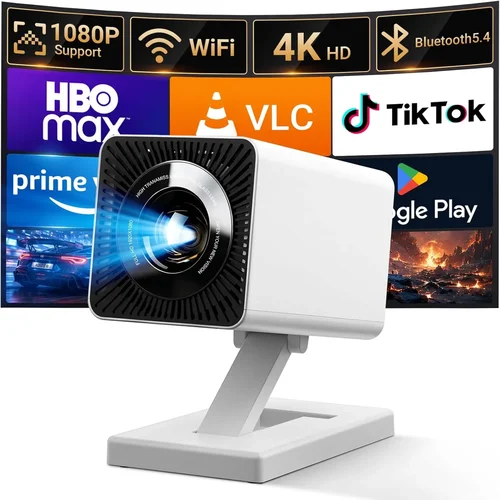
❌ Mistake: Buying the Brightest Unit Without Considering Environment
Why it’s bad: High‑lumens models often cost more and use a traditional lamp that shortens lifespan.
What to do instead: Assess your typical lighting conditions. For dim rooms, a 300‑lumens LED projector is sufficient and more energy‑efficient.
❌ Mistake: Ignoring Input Compatibility
Why it’s bad: You may end up with a projector that can’t connect to your primary device, forcing you to buy adapters.
What to do instead: List the devices you’ll use (smartphone, laptop, gaming console) and ensure the projector offers matching ports or wireless options.
❌ Mistake: Overlooking Battery Life
Why it’s bad: A great picture is useless if the unit dies after 30 minutes during a movie night.
What to do instead: Choose a model with at least 2 hours of runtime, or plan to keep a power bank handy.
❌ Mistake: Assuming All “HD” Labels Mean Full 1080p
Why it’s bad: Some manufacturers market 720p panels as “HD” and rely on upscaling, which reduces sharpness.
What to do instead: Verify the native resolution in the spec sheet; aim for true 1080p whenever possible.
❌ Mistake: Skipping the Warranty Fine Print
Why it’s bad: A short warranty that excludes the lamp can leave you paying for a replacement out‑of‑pocket.
What to do instead: Read the warranty terms carefully and factor any extended‑coverage costs into your budget.
Budget Guidelines: How Much Should You Spend?
Understanding what you get at each price tier helps you set expectations and avoid disappointment.
- Entry‑Level ($150‑$200): Expect LED light sources, 720p‑1080p upscaling, 300‑400 lumens, and basic connectivity (HDMI, micro‑USB). Ideal for casual movie nights in dark rooms.
- Mid‑Range ($200‑$260): True 1080p panels become common, brightness rises to 400‑500 lumens, and you’ll often find wireless screen mirroring, Bluetooth audio, and a built‑in battery lasting 2–3 hours.
- Premium ($260‑$300): Laser or hybrid light sources, higher contrast ratios (3,000:1+), advanced keystone correction, and stronger speakers. These units often include Android TV or Roku integration.
- Luxury ($300+): While beyond the scope of this guide, luxury models push brightness above 600 lumens, support HDR, and may include premium lenses for larger throw distances.
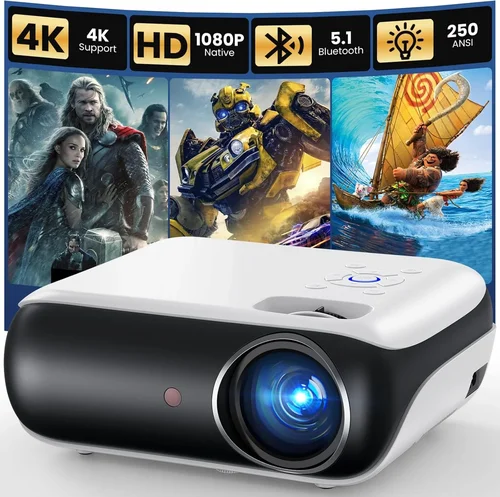
Expert Tips for Getting the Best Deal
- Shop during major sales events (Amazon Prime Day, Black Friday) when portable projectors often see 20‑30% discounts.
- Compare prices across multiple retailers; use price‑tracking tools like CamelCamelCamel to see historic lows.
- Consider refurbished units from reputable sellers; they usually come with a limited warranty and can save you 15‑25%.
- Check for bundle deals that include a screen, HDMI cable, or portable power bank—sometimes the overall value is higher than buying items separately.
- Read the return policy. A 30‑day return window with free shipping is ideal for testing the projector in your own environment.
- If possible, test the projector in a physical store to gauge brightness and focus before purchasing online.
- Keep firmware updated. Manufacturers often release performance tweaks that improve color accuracy and stability.

Frequently Asked Questions
Q: Can I use a portable projector outdoors in daylight?
A: Most sub‑$300 units are designed for low‑to‑moderate ambient light. For daytime use, aim for a model with at least 500 lumens and a high‑contrast panel, and consider a shaded area or a portable screen with a reflective surface.
Q: Do I need a separate screen?
A: Not strictly. A plain white wall works, but a dedicated projector screen improves color fidelity and contrast, especially in rooms with colored walls.
Q: How long does the lamp last?
A: LED and laser light sources common in budget portable projectors typically last 20,000–30,000 hours, effectively outlasting the device itself. Traditional lamps, if present, may need replacement after 2,000–3,000 hours.
Q: Is Wi‑Fi streaming reliable on these projectors?
A: Yes, if the projector supports Miracast, AirPlay, or has built‑in Android TV/Chromecast. A stable home Wi‑Fi network is essential for smooth playback.
Q: What is the ideal throw distance?
A: Most pocket projectors have a throw ratio of 0.5–1.0, meaning you can get a 100‑inch image from roughly 4‑5 feet away. Check the spec sheet for exact throw distance tables.
Q: Can I connect a gaming console?
A: Absolutely. Ensure the projector has an HDMI 1.4 or higher port and supports at least 60 Hz refresh rates for a decent gaming experience.
Q: Are portable projectors safe for kids?
A: Yes, as long as you supervise usage. LED models emit low heat, but keep the projector on a stable surface to avoid accidental tip‑overs.
Our Final Recommendations
- Best for Budget‑Conscious Buyers: Anker Nebula Capsule II (1080p, 200 lumens, Android TV, $199) – Offers solid image quality, built‑in Android TV, and a compact design.
- Best Overall Value: ViewSonic M1+ (1080p, 250 lumens, Harman Kardon speakers, $259) – Combines bright LED illumination, great audio, and a sleek, portable chassis.
- Best Premium Option: AAXA P7 Mini Projector (1080p, 600 lumens, laser source, $298) – Higher brightness and laser durability make it the most versatile in this price range.
- Best for Beginners: Vankyo Leisure 3 (720p native, 300 lumens, simple UI, $149) – Easy setup, good for first‑time users who mainly watch movies in dark rooms.
- Best for Advanced Users: BenQ GS2 (1080p, 400 lumens, Bluetooth, IPX2 splash‑proof, $279) – Rugged design, wireless connectivity, and solid color performance for outdoor enthusiasts.
Conclusion: Making the Right Choice
Choosing the best HD portable projector under $300 boils down to matching your primary use‑case with the right blend of brightness, resolution, and portability. Remember to set a realistic budget, verify native resolution, and prioritize connectivity options that fit your devices. By avoiding common mistakes—like over‑paying for unnecessary brightness or neglecting battery life—you’ll land a projector that delivers crisp, vibrant images wherever you need them.
Take the time to read user reviews, compare warranties, and consider bundle offers. With the information in this guide, you’re now equipped to make an informed decision and enjoy a cinema‑grade experience without breaking the bank. Happy projecting!