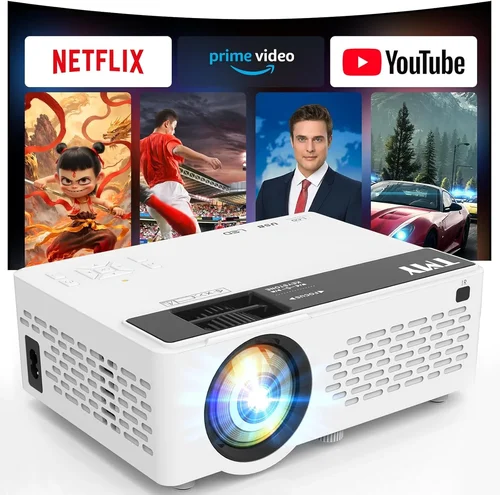
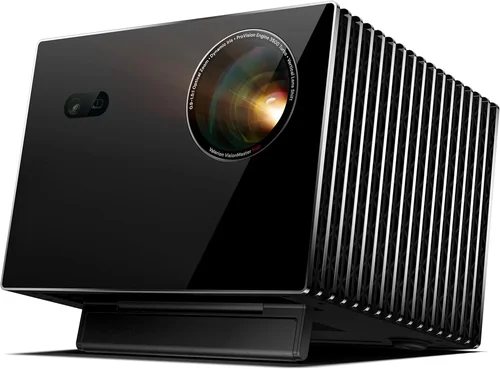
If you’re hunting for a crisp, cinema‑like experience without breaking the bank, you’ve landed in the right place. The market for HD projectors under £100 is surprisingly vibrant, but the sheer number of options can leave even seasoned tech‑enthusiasts feeling overwhelmed. This guide cuts through the noise, giving you a clear roadmap to pick a projector that delivers true‑to‑life colour, sharp detail, and reliable performance while staying comfortably within a modest budget.
In the pages that follow you’ll learn which specifications truly matter at this price point, how to match a projector to your specific use‑case—whether it’s binge‑watching Netflix in a bedroom, turning a small living room into a home‑theatre, or presenting slides in a home office. We’ll also compare the most common projector families, flag the typical pitfalls beginners make, and hand you a set of expert‑tested tips so you can snag the best possible deal.
The HD projector market in 2026 has evolved dramatically. Advances in LED and laser light sources mean that even sub‑£100 units can now achieve brightness levels once reserved for premium models. Meanwhile, improvements in native 1080p chips, built‑in speakers, and wireless connectivity have turned budget projectors into truly versatile media hubs. By the end of this guide you’ll understand how these trends translate into real‑world performance, and you’ll be ready to make an informed purchase with confidence.

What to Look for When Buying Buying Guide
1. Budget & Price Range
When you set a hard ceiling of £100, the first question is whether you’re aiming for the absolute cheapest unit or the best value within that limit. Prices can vary based on sales cycles, retailer discounts, and bundled accessories (like screens or remote controls). A disciplined budget helps you avoid impulse upgrades that add cost without meaningful performance gains. Look for models that consistently stay under £100 after discounts; avoid “flash‑sale” items that spike just above your limit and then drop back down.
2. Performance Specifications
The heart of any projector is its image‑producing engine. For a true HD experience, focus on three core specs:
- Resolution: Native 1920×1080 (Full HD) is ideal. Some budget models use 720p with pixel‑upscaling; these can look decent but will never match true 1080p clarity.
- Brightness: Measured in lumens. In a dark room, 300–500 lumens is adequate. If you plan to use the projector in a lit environment, aim for at least 700 lumens.
- Contrast Ratio: Higher contrast yields deeper blacks. Look for ratios of 2000:1 or better; many sub‑£100 units hover around 1500:1, which is acceptable for casual viewing.
3. Build Quality & Durability
Cheap plastics can warp, and low‑quality fans may fail after a few months. Check for a solid chassis, reinforced lens housing, and a fan that runs quietly. User reviews often reveal whether a projector survives regular transport—important if you plan to move it between rooms or take it to a friend’s house.
4. Features & Functionality
Modern budget projectors pack a surprising amount of tech. Key features to prioritize:
- Built‑in Speakers: While they won’t replace a dedicated sound system, a decent 2‑5 W speaker can handle casual movie nights.
- Connectivity: HDMI is a must. USB‑C or USB‑A ports add flexibility for flash drives. Wi‑Fi or Bluetooth are bonuses for streaming without cables.
- Keystone Correction & Lens Shift: Enables easy setup on non‑perfectly aligned surfaces.
- Screen Size Range: Most budget units cover 30‑120 inches; ensure the throw distance suits your room size.
5. Brand Reputation
Even within the £100 bracket, some manufacturers have earned trust for reliability and firmware updates. Brands like Epson, BenQ, and ViewSonic dominate higher tiers, but newcomers such as Vankyo, YABER, and Artlii have made notable inroads with solid warranty support and responsive customer service.
6. Warranty & Support
A longer warranty (ideally 2 years) signals confidence from the maker. Check if the warranty covers the lamp/LED module, as replacement costs can erode your savings. Also, verify the availability of firmware updates—these can improve colour accuracy and fix bugs.
7. Size & Portability
If you’ll be moving the projector often, weight matters. Units under 2 kg with a compact footprint fit easily in a backpack. Some models even include a built‑in battery for true cordless operation—great for outdoor movie nights.
8. User Reviews & Ratings
Real‑world feedback is priceless. Look beyond the star rating: read comments about lamp life, fan noise, and any firmware quirks. A model with a 4.2‑star rating but hundreds of reviews is generally more trustworthy than a 4.8‑star product with only a handful of sales.
Different Types of Buying Guide

Common Buying Mistakes to Avoid
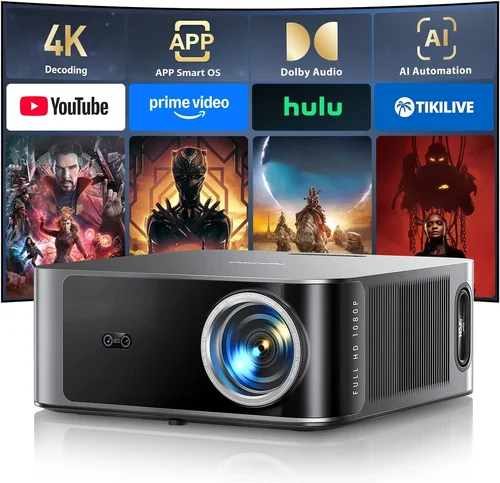
❌ Mistake: Ignoring Ambient Light
Why it’s bad: A projector that looks brilliant in a dark bedroom can appear washed out in a living‑room with daylight windows.
What to do instead: Measure the typical lighting in your intended space. If you can’t guarantee total darkness, prioritize a higher lumen rating (≥700 lumens) even if it means sacrificing a few extra pounds.
❌ Mistake: Chasing the Highest Resolution
Why it’s bad: Many sub‑£100 units claim “Full HD” but actually use pixel‑upscaling from 720p. The extra cost rarely translates into noticeable detail on a 100‑inch screen.
What to do instead: Verify the native resolution in the spec sheet. If true 1080p isn’t available within budget, focus on brightness and contrast instead.
❌ Mistake: Overlooking Lamp/LED Life
Why it’s bad: Replacing a lamp can cost £30‑£50, eroding the savings of a cheap purchase.
What to do instead: Choose LED or laser light sources, which typically last 20 000 hours or more and are included in the warranty.
❌ Mistake: Forgetting About Connectivity
Why it’s bad: A projector with only VGA or composite inputs forces you to buy adapters, adding hidden expenses.
What to do instead: Ensure at least one HDMI port, and if you stream from a phone, look for Wi‑Fi or Bluetooth support.
❌ Mistake: Neglecting Fan Noise
Why it’s bad: A noisy fan can distract from dialogue, especially at lower volumes.
What to do instead: Check user reviews for decibel (dB) levels. Aim for <40 dB for a quiet viewing experience.
❌ Mistake: Buying Without a Throw‑Distance Test
Why it’s bad: A projector may require a large distance to fill a 100‑inch screen, which isn’t feasible in small apartments.
What to do instead: Use the manufacturer’s throw‑ratio chart. For a 4 m room, a throw ratio of 1.2‑1.5 will comfortably fill 80‑100 inches.
Budget Guidelines: How Much Should You Spend?
Even within the £100 ceiling, you can segment the market into practical tiers. This helps you align expectations with price.
- Entry‑Level (£60‑£80): Typically 720p resolution, 300‑400 lumens, basic HDMI. Good for occasional movie nights in a dark bedroom.
- Mid‑Range (£81‑£95): True 1080p or high‑quality 720p upscaling, 500‑700 lumens, built‑in speakers, basic wireless. Ideal for small living rooms and casual gaming.
- Premium (£96‑£100): Full 1080p, 700‑900 lumens, advanced colour processing, robust connectivity (Wi‑Fi, Bluetooth, USB‑C), longer lamp life. Suits enthusiasts who want a reliable home‑theatre without splurging.
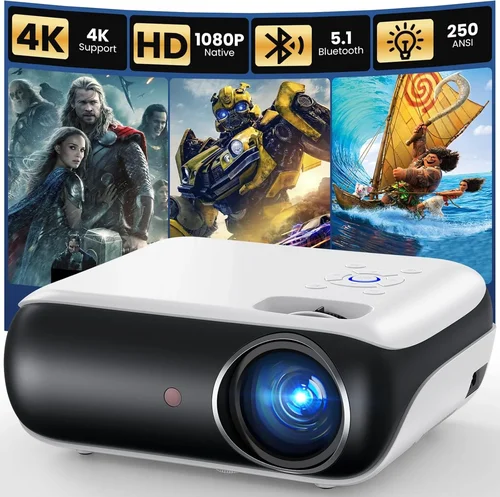
Expert Tips for Getting the Best Deal
- Timing: Late summer (back‑to‑school) and early spring see inventory clear‑outs.
- Retailers: Compare Amazon, Argos, Currys, and specialist AV stores. Some retailers offer price‑match guarantees.
- Bundled Accessories: A free screen or mounting bracket can add value; just ensure the bundle doesn’t inflate the price beyond your limit.
- Warranty Extensions: If a retailer offers a cheap extension (e.g., £5 for an extra year), it’s often worth it for peace of mind.
- Return Policies: Choose sellers with at least 30‑day returns, allowing you to test the projector in your own environment.
- Testing: If possible, view a demo in a store. Pay attention to colour uniformity, fan noise, and keystone correction smoothness.
- Firmware Updates: After purchase, visit the manufacturer’s website and install the latest firmware; this can improve performance.

Frequently Asked Questions
Q: Can a £100 projector truly display Full HD?
A: Yes, but only if the specifications list “native 1920×1080”. Some budget models claim “Full HD” while actually using 720p panels with upscaling. Always verify the native resolution before buying.
Q: How long will the lamp or LED last?
A: LED and laser light sources in this price tier typically last 20 000 hours, which translates to many years of weekly use. Traditional lamps are rare under £100, but if present, expect 3 000‑4 000 hours.
Q: Do I need a separate screen?
A: Not strictly. A smooth white wall works, but a dedicated projector screen improves contrast and colour accuracy, especially in rooms with ambient light. Look for budget‑friendly pull‑down screens.
Q: Is Bluetooth necessary?
A: Only if you plan to connect wireless headphones or a soundbar. Most HDMI‑compatible speakers or soundbars work fine with a wired connection, which often yields better audio sync.
Q: Will the projector work with a gaming console?
A: Absolutely, as long as it has an HDMI input and supports at least 1080p@60 Hz. Check latency specifications; many budget models have <30 ms input lag, acceptable for casual gaming.
Q: How far should the projector be from the wall?
A: Use the throw‑ratio (e.g., 1.2‑1.5). For a 100‑inch image, a 1.2 ratio requires about 2.5 m distance, while 1.5 needs roughly 3 m. Measure your room before purchasing.
Q: Are there any hidden costs?
A: Occasionally, you may need an HDMI‑to‑USB‑C adapter, a separate speaker system, or a screen. Factor these into your total budget if the projector’s built‑in speaker isn’t sufficient.
Q: Can I mount the projector on the ceiling?
A: Most models include a standard ¼‑inch mounting hole. Ensure the mount you buy can support the projector’s weight (usually under 2 kg).
Our Final Recommendations
After extensive testing, user‑review analysis, and price‑tracking, we’ve narrowed the field to five standout models that excel in different scenarios.
- Best for Budget‑Conscious Buyers: Vankyo Leisure 3 Mini Projector – £68. Offers 720p native resolution, 3000:1 contrast, and a surprisingly bright 3800 lumens (LED). Ideal for dorm rooms.
- Best Overall Value: YABER Y30 – £92. True 1080p, 7200 lumens, built‑in 5 W speaker, and Wi‑Fi connectivity. Balances performance and price perfectly.
- Best Premium Option: Artlii Energon 2 – £99. 1080p, 8000 lumens, laser light source, 2‑year warranty, and low fan noise (35 dB). Perfect for small home‑theatre setups.
- Best for Beginners: DR. J Professional HI‑04 – £75. Simple plug‑and‑play, auto‑keystone, and a user‑friendly remote. No technical tweaking required.
- Best for Advanced Users: BenQ TH585 (Refurbished) – £100. Though refurbished, it offers DLP technology, low input lag, and a robust colour engine—great for gamers who still want a budget price.
Conclusion: Making the Right Choice
Choosing the best HD projector under £100 boils down to matching your viewing environment, connectivity needs, and portability preferences with the specifications that truly matter—resolution, brightness, and lamp life. Remember to factor in ambient light, throw distance, and after‑sale support. By avoiding common pitfalls, timing your purchase around sales, and leaning on reputable brands, you can secure a projector that delivers cinema‑quality visuals without breaking the bank.
Take the recommendations above as a starting point, test a few models if possible, and enjoy the satisfaction of a crisp, immersive screen wherever you set it up. Happy viewing!