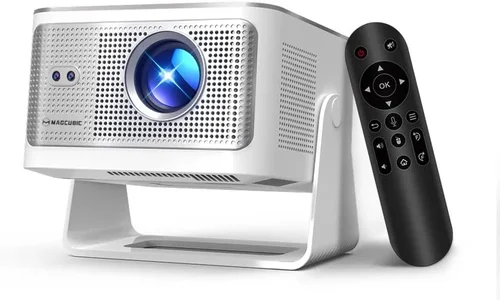
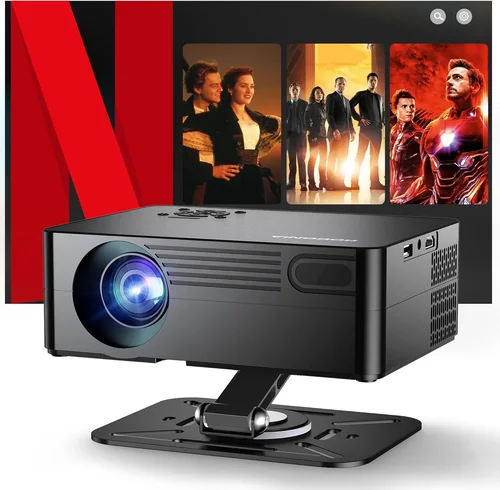
Choosing the right HD projector without breaking the bank can feel like navigating a maze. The market is flooded with models that promise cinema‑grade brightness, ultra‑sharp resolution, and a host of smart features—all for under $1,000. Yet, not every projector that fits the price tag will meet your specific needs, whether you’re setting up a home theater, a gaming nook, or a portable office presentation tool. This guide cuts through the hype, giving you a clear roadmap so you can pick a projector that actually delivers on its promises.
In the next several sections you’ll learn how to evaluate key specifications, compare the main projector families, avoid common pitfalls, and allocate your budget wisely. By the end, you’ll have a shortlist of the best HD projectors under $1,000, each matched to a particular use‑case and buyer profile.
The HD projector landscape in 2026 has evolved dramatically. LED and laser light sources are now commonplace, offering longer lifespans and more consistent brightness than traditional lamps. At the same time, manufacturers have refined throw ratios, built‑in speakers, and wireless connectivity—all while keeping price points under $1,000 for solid 1080p performance. Understanding these trends is essential for making an informed purchase.

What to Look for When Buying Buying Guide
1. Budget & Price Range
Even within the sub‑$1,000 segment, prices can vary widely. Entry‑level models may sit around $350, while feature‑rich units approach the $999 ceiling. Decide early how much you’re willing to spend, then use that ceiling to filter out options that exceed your budget. Remember that the cheapest unit often sacrifices brightness or connectivity, which can cost you more in accessories later.
2. Performance Specifications
The heart of any projector is its image performance. Focus on three core specs:
- Resolution: True 1080p (1920×1080) is the gold standard for HD. Some “Full HD” claims actually refer to 720p, so verify the native pixel count.
- Brightness (lumens): For dim rooms, 1,500–2,000 ANSI lumens is sufficient. If you plan to use the projector in ambient light, aim for 2,500 lumens or more.
- Contrast Ratio: Higher contrast (e.g., 20,000:1) means deeper blacks and more vibrant colors, crucial for movie nights.
3. Light Source Technology
Three main types dominate the market:
- UHP Lamp: Cheapest, but lifespan ranges from 2,000–4,000 hours. Replacement bulbs add to long‑term cost.
- LED: Longer lifespan (20,000+ hours), lower heat, and instant on/off, but may offer slightly lower peak brightness.
- Laser: Highest brightness and color accuracy, with lifespans exceeding 20,000 hours. Prices are dropping, making laser units viable under $1,000.
4. Build Quality & Durability
A projector that feels flimsy will likely suffer from misaligned optics or overheating. Look for a sturdy chassis, metal cooling fans, and a well‑engineered lens housing. Check user reviews for reports of overheating or premature failure—these are red flags.
5. Features & Functionality
Modern projectors pack a lot of extras. Prioritize the ones that matter to you:
- Wireless Connectivity: Wi‑Fi or Bluetooth for screen mirroring (AirPlay, Miracast, Chromecast).
- Built‑in Speakers: While most aren’t a substitute for a sound system, 5‑10 W speakers can be handy for casual viewing.
- Lens Shift & Keystone Correction: Physical lens shift provides distortion‑free images; digital keystone is a useful backup.
- Multiple HDMI Ports: Allows simultaneous connection of a console, streaming stick, and laptop.
6. Brand Reputation
Established brands like Epson, BenQ, ViewSonic, and Optoma have proven track records for reliability and support. Newer entrants may offer cutting‑edge tech at lower prices, but research warranty terms and post‑sale service before committing.
7. Warranty & Support
A solid warranty can save you hundreds of dollars. Look for at least a 2‑year warranty covering parts and labor, and verify the availability of local service centers. Some manufacturers also offer extended warranties or on‑site repairs for an additional fee.
8. Size & Portability
If you plan to move the projector between rooms or take it on the road, weight and form factor matter. Pico projectors are ultra‑compact but often lack true 1080p resolution. Mid‑range portable units (around 5 lb) strike a good balance between size and image quality.
Different Types of Buying Guide

Common Buying Mistakes to Avoid
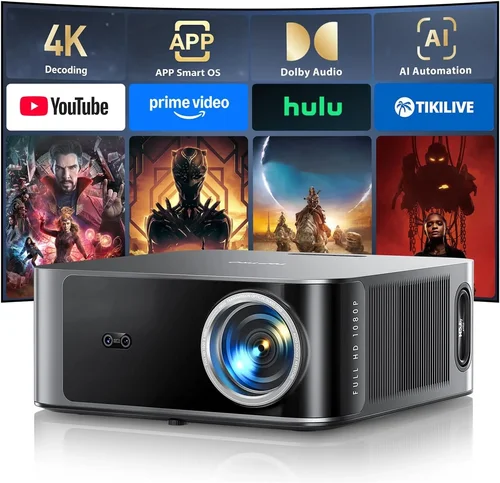
❌ Mistake: Ignoring Ambient Light Conditions
Why it’s bad: A projector rated at 1,500 lumens will look dazzling in a dark home theater but will appear washed out in a bright living room.
What to do instead: Measure typical lighting in your intended space and choose a projector with at least 2,500 lumens for rooms with windows or overhead lights.
❌ Mistake: Overvaluing Megapixels
Why it’s bad: Some manufacturers market “4K‑enhanced” projectors that simply upscale a lower‑resolution panel. The image won’t truly be 4K.
What to do instead: Stick to native 1080p resolution for genuine HD clarity when the budget is under $1,000.
❌ Mistake: Forgetting Throw Ratio
Why it’s bad: A long‑throw projector in a small apartment forces you to place the unit far from the wall, creating a cluttered setup.
What to do instead: Calculate the required throw distance (Screen Width × Throw Ratio) and match it to your room dimensions.
❌ Mistake: Skipping Lens Shift
Why it’s bad: Relying solely on digital keystone can soften the image and reduce contrast.
What to do instead: Choose a model with optical lens shift for precise positioning without sacrificing picture quality.
❌ Mistake: Assuming All HDMI Ports Are Equal
Why it’s bad: Some budget projectors only support HDMI 1.4, limiting 4K HDR pass‑through and high‑refresh‑rate gaming.
What to do instead: Verify that the HDMI ports are at least HDMI 2.0 for smoother gaming and future‑proofing.
❌ Mistake: Not Considering Future Upgrades
Why it’s bad: Buying a projector without spare lamp or laser module options can lock you into costly replacements.
What to do instead: Check if the manufacturer offers affordable replacement parts and whether they’re widely available.
Budget Guidelines: How Much Should You Spend?
Understanding what you get at each price tier helps you set realistic expectations.
- Entry‑Level ($350‑$600): Expect 1,500 lumens, basic HDMI connectivity, and a UHP lamp with a 2,000‑hour lifespan. Ideal for dark rooms and occasional movie nights.
- Mid‑Range ($600‑$850): You’ll find 2,000‑2,500 lumens, LED light sources, built‑in speakers, and wireless screen mirroring. This tier balances performance and portability.
- Premium ($850‑$1,000): Look for laser light engines, 3,000+ lumens, optical lens shift, and multiple HDMI 2.0 ports. Perfect for bright environments and serious gamers.
- Luxury ($1,000+): While beyond the scope of this guide, luxury models push brightness above 4,000 lumens, offer 4K native resolution, and include advanced color‑management systems.
Expert Tips for Getting the Best Deal
- Timing: New models launch in spring; older inventory is often discounted in late summer.
- Where to Buy: Authorized retailers (Best Buy, B&H) guarantee genuine warranties, while reputable online marketplaces (Amazon, Newegg) often have user‑verified reviews.
- Bundle Savings: Look for bundles that include a screen, HDMI cable, or mounting bracket—these can save up to $100.
- Warranty Extension: If you plan heavy usage, an extended warranty (additional 1‑2 years) is a small price for peace of mind.
- Return Policies: Choose sellers with at least a 30‑day return window; this gives you time to test the projector in your own environment.
- Testing: If possible, view a demo in a store with a similar screen size to yours. Pay attention to color accuracy and hotspot uniformity.
- Firmware Updates: Brands that regularly release firmware improvements can extend the lifespan and add features post‑purchase.

Frequently Asked Questions
Q: Can I use a projector under $1,000 for gaming?
A: Absolutely, but prioritize low input lag (under 30 ms) and a refresh rate of at least 60 Hz. Models with Game Mode and HDMI 2.0 ports deliver smoother gameplay.
Q: What is the difference between lumens and ANSI lumens?
A: Lumens measure total light output, while ANSI lumens follow a standardized testing method that provides a more reliable brightness figure across manufacturers.
Q: Do I need a separate audio system?
A: Built‑in speakers are convenient for casual viewing, but for immersive movies or games, invest in a soundbar or external speakers.
Q: How far should the projector be from the screen?
A: Use the throw ratio: Distance = Screen Width × Throw Ratio. For a 100‑inch screen (≈88 in width) and a 1.5 throw ratio, place the projector about 11 feet away.
Q: Will a projector work with a curved wall?
A: Yes, but you may notice distortion at the edges. Keystoning and lens shift can mitigate this, though a flat screen remains optimal.
Q: Is a higher contrast ratio always better?
A: Generally, yes, as it yields deeper blacks. However, real‑world contrast can be affected by ambient light, so balance it with sufficient brightness.
Q: How often do I need to replace the lamp?
A: For UHP lamps, expect 2,000–4,000 hours. LED and laser sources typically last 20,000+ hours and rarely need replacement.
Q: Can I mount the projector on the ceiling?
A: Most models support ceiling mounting with standard VESA patterns. Verify the weight limit of your mount and ensure proper ventilation.
Q: Is 4K‑enhanced worth it over native 1080p?
A: Under $1,000, 4K‑enhanced often means pixel‑shifting rather than true 4K resolution. For most users, native 1080p provides sharper, more consistent images at a lower cost.
Our Final Recommendations
- Best for Budget‑Conscious Buyers: Epson Home Cinema 1060 – 3,600 lumens, 1080p, UHP lamp, excellent color accuracy for under $450.
- Best Overall Value: BenQ HT2050A – 2,200 lumens, low input lag (16 ms), lens shift, and a robust lamp life at $799.
- Best Premium Option: Optoma UHD38 – Laser light source, 4,000 lumens, 1080p with HDR support, and a 4K‑enhanced engine for $989.
- Best for Beginners: ViewSonic M2 – Compact LED, built‑in Harman Kardon speakers, Wi‑Fi, and straightforward setup for $649.
- Best for Advanced Users: LG CineBeam HU80KA (often found on sale just under $1,000) – Portable laser, 2,500 lumens, short‑throw, and extensive connectivity.
Conclusion: Making the Right Choice
Finding the best HD projector under $1,000 boils down to aligning three core elements: your viewing environment, the features you truly need, and the budget you’re comfortable with. By evaluating brightness, resolution, light‑source type, and connectivity, you can narrow the field quickly. Avoid common mistakes like overlooking ambient light or ignoring throw ratio, and leverage seasonal sales and reputable retailers to secure the best price.
Remember, the perfect projector doesn’t have to be the most expensive—it just has to fit your lifestyle. Use the guidelines in this guide, compare the recommended models, and you’ll be set for countless movie nights, gaming sessions, and presentations without breaking the bank.
Ready to start shopping? Grab your favorite model, test it in your space, and enjoy a cinema‑like experience right at home.