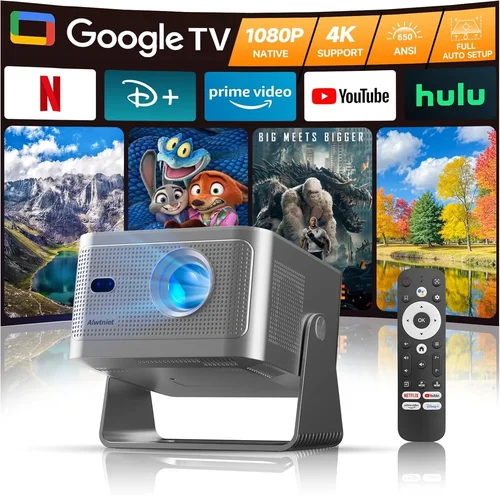
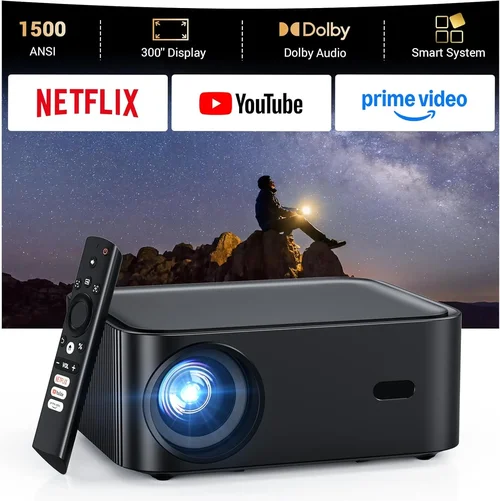
Choosing the right HD projector under $1500 can feel like navigating a maze of specs, brand promises, and endless online reviews. You want a picture that feels cinematic, a device that lasts, and a price that won’t break the bank. This guide cuts through the noise, giving you clear, expert‑level advice so you can shop with confidence.
In the pages ahead you’ll learn what performance metrics truly matter, how different projector families stack up, and which common pitfalls to sidestep. We’ll also break down the budget landscape, share pro tips for snagging the best deal, and present a curated list of top picks for every type of user. By the end, you’ll be equipped to pick the perfect HD projector that fits your space, your viewing habits, and your wallet.
The HD projector market in 2026 is buzzing with innovation. Light‑engine technologies such as laser‑phosphor and advanced DLP chips are now standard in many mid‑range models, delivering brighter images and longer lifespans. Meanwhile, smart‑TV‑style operating systems are making it easier than ever to stream directly from a projector. All of this progress is happening at price points that were once reserved for professional installations, meaning you can get a truly immersive experience without splurging on a home‑theater suite.

What to Look for When Buying Buying Guide
1. Budget & Price Range
Even though you’ve set a ceiling of $1500, it’s useful to understand how far that money can stretch. Prices fluctuate based on illumination (lumens), resolution, and extra features like built‑in speakers or smart platforms. Knowing the sweet spot within your budget helps you avoid over‑paying for unnecessary bells and whistles while still securing key performance attributes.
2. Performance Specifications
This is the heart of any projector decision. Focus on three core specs:
- Resolution: For an HD projector, look for native 1080p (1920×1080). Some models claim “Full HD” but actually upscale from a lower native panel, which can affect sharpness.
- Brightness (Lumens): Measured in ANSI lumens, a good range for most living rooms is 2000–3000 lumens. If you plan to use the projector in a bright kitchen or a room with large windows, aim for the higher end.
- Contrast Ratio: Higher contrast means deeper blacks and more vibrant colors. Look for at least 10,000:1; premium models push beyond 30,000:1.
Don’t forget color accuracy (Rec. 709 or DCI‑P3 coverage) and refresh rate if you plan to game.
3. Build Quality & Durability
Projectors endure heat, frequent transport, and occasional bumps. Metal housings, sturdy lens covers, and reliable cooling fans are signs of a long‑lasting unit. Check the lamp or laser lifespan—laser sources often exceed 20,000 hours, far outlasting traditional lamps, which may need replacement every 2,000–4,000 hours.
4. Features & Functionality
Modern projectors pack a lot of convenience tools:
- Smart OS: Android TV, Roku, or proprietary platforms let you stream without an external box.
- Connectivity: HDMI 2.1, USB‑C, Wi‑Fi, Bluetooth, and Ethernet give you flexibility for gaming consoles, laptops, and sound systems.
- Lens Shift & Zoom: These allow precise placement without keystone correction, preserving image quality.
- Short‑Throw or Ultra‑Short‑Throw: Ideal for small rooms where you can place the projector just inches from the wall.
5. Brand Reputation
Brands with a proven track record—Epson, BenQ, Optoma, ViewSonic, and LG—tend to offer better firmware support, easier access to spare parts, and more responsive customer service. While newer entrants can surprise with innovation, research their post‑sale support before committing.
6. Warranty & Support
A solid warranty can save you hundreds of dollars. Look for at least a 2‑year coverage that includes the light source. Some manufacturers also offer extended warranties or on‑site service plans for an additional fee.
7. Size & Portability
If you need a projector for travel, presentations, or occasional backyard movies, weight and footprint matter. Portable models often sacrifice brightness, so balance mobility with your primary use case.
8. User Reviews & Ratings
Real‑world feedback reveals issues that spec sheets hide—like fan noise, remote lag, or firmware glitches. Scan reviews on Amazon, B&H, and dedicated AV forums, paying attention to recurring themes rather than isolated complaints.
Different Types of Buying Guide

Common Buying Mistakes to Avoid
❌ Mistake: Ignoring Ambient Light Conditions
Why it’s bad: A projector rated at 2000 lumens may look brilliant in a dark home theater but will appear washed‑out in a sun‑lit living room.
What to do instead: Measure the typical lighting in your intended space. If you can’t fully darken the room, aim for 2500–3000 lumens and consider a model with high contrast and a dynamic iris.
❌ Mistake: Over‑Focusing on Resolution Alone
Why it’s bad: A 1080p projector with a dim lamp and poor contrast will still deliver a subpar image compared to a lower‑resolution unit with superior brightness and color.
What to do instead: Balance resolution with lumens, contrast ratio, and color gamut. For most home use, 1080p with 2500+ lumens and 10,000:1 contrast is ideal.
❌ Mistake: Forgetting Lens Shift & Zoom Needs
Why it’s bad: Relying on keystone correction can degrade image quality and introduce distortion.
What to do instead: Choose a projector that offers at least ±10% lens shift and a 1.2×–1.5× zoom range for flexible mounting.
❌ Mistake: Neglecting Audio Solutions
Why it’s bad: Built‑in speakers are often tinny and under‑powered, leading to a disappointing viewing experience.
What to do instead: Plan for external audio—soundbars, AV receivers, or Bluetooth speakers—to complement the visual performance.
❌ Mistake: Buying the Cheapest Lamp Replacement
Why it’s bad: Low‑cost third‑party lamps can shorten projector life and void warranties.
What to do instead: Stick with OEM lamps or, better yet, opt for laser light sources that rarely need replacement.
❌ Mistake: Overlooking Firmware Updates
Why it’s bad: Out‑of‑date firmware can cause compatibility issues with new streaming apps or gaming consoles.
What to do instead: Select a brand known for regular updates and check that the projector has an easy way to install them (Wi‑Fi or USB).
Budget Guidelines: How Much Should You Spend?
- Entry‑Level ($800‑$1000): Expect 1080p resolution, 2000–2500 lumens, and basic connectivity (HDMI, USB). Ideal for dim rooms and occasional movie nights.
- Mid‑Range ($1000‑$1300): This is the sweet spot for most buyers. You’ll find laser‑phosphor light sources, higher contrast (15,000:1+), lens shift, and smart OS integration.
- Premium ($1300‑$1500): Look for short‑throw designs, advanced color gamuts (Rec. 709 +), built‑in premium audio, and longer warranties.
- Luxury ($1500+): While outside the guide’s primary range, this tier includes 4K upscaling, HDR10+, and ultra‑short‑throw models that turn any wall into a massive screen.
Expert Tips for Getting the Best Deal
- Timing: New projector releases typically appear in Q2. Buying a month or two after launch can net you a discount on the previous generation.
- Retailers: Compare prices on B&H, Adorama, and Best Buy. Some sites offer bundle deals with screens or mounting kits.
- Deal Spotting: Look for “refurbished” units certified by the manufacturer—they’re often like‑new with a full warranty at 20‑30% off.
- Warranty Extensions: If you plan heavy usage (gaming, daily streaming), an extended warranty covering the light source can be cost‑effective.
- Return Policies: Choose sellers with a 30‑day return window and free shipping for returns, so you can test the projector in your environment.
- Testing: Bring a laptop or streaming stick to the store to evaluate brightness and color on a real wall, not just a white screen.
- Bundling: Some brands offer a free screen or HDMI cable when you buy a projector over $1000—always check the product page.

Frequently Asked Questions
Q: Do I need a separate screen, or can I project onto a wall?
A: While a plain white wall works, a dedicated projector screen improves gain, reduces hot‑spotting, and enhances contrast. For budget‑conscious users, a matte white paint (e.g., “Projector Paint”) can be a cost‑effective alternative.
Q: How long will the lamp or laser last?
A: Traditional lamps last 2,000–4,000 hours, while laser light sources often exceed 20,000 hours. At 4 hours of daily use, a laser projector could last over 13 years before any light‑source replacement.
Q: Can I use my projector for gaming?
A: Yes, provided the projector supports at least 60 Hz refresh rate and low input lag (under 30 ms). Look for models with “Game Mode” that disables post‑processing to keep lag minimal.
Q: Is HDR support important for an HD projector?
A: HDR can improve perceived contrast and color depth, but true HDR performance requires high peak brightness (3000+ lumens) and a wide color gamut. In most bright rooms, HDR benefits are modest.
Q: What’s the difference between DLP and LCD?
A: DLP (digital light processing) often offers sharper motion and higher contrast, while LCD provides richer color accuracy and uniform brightness. Both can deliver excellent 1080p images; choose based on your priority.
Q: Do I need a ceiling mount?
A: Not mandatory, but a ceiling mount provides optimal alignment and reduces keystone correction. If you can’t mount, a sturdy tripod with adjustable height is the next best option.
Q: How far should the projector be from the screen?
A: It depends on throw ratio. Standard throw (1.5–2.0) requires a distance of 1.5–2 times the screen width. Short‑throw models need only 0.4–0.8 times the width.
Q: Are built‑in speakers sufficient?
A: Typically not for a true home‑theater feel. Built‑ins are useful for casual viewing, but pairing with a soundbar or AV receiver yields richer, more immersive audio.
Q: How do I maintain my projector?
A: Keep vents clean, dust filters regularly, and avoid placing the unit in direct sunlight. For lamp projectors, let the lamp warm up before turning off to extend its life.
Our Final Recommendations
- Best for Budget‑Conscious Buyers: BenQ TH585 – 3500 lumens, 1080p, low input lag, and a price around $950. Great for gaming and bright rooms.
- Best Overall Value: Epson Home Cinema 2150 – 2500 lumens, 1080p, lens shift, and wireless mirroring. Priced near $1200, it balances performance and features.
- Best Premium Option: LG HU80KA Laser Projector – Though slightly above $1500, its laser source, 2500 lumens, and ultra‑short‑throw design make it a future‑proof investment.
- Best for Beginners: Optoma HD146X – Simple setup, 3000 lumens, and a user‑friendly remote. Ideal for first‑time owners.
- Best for Advanced Users: ViewSonic PX747‑4K (used at 1080p mode) – 3500 lumens, HDR support, and extensive connectivity, perfect for enthusiasts who want room‑filling brightness.
Conclusion: Making the Right Choice
Finding the best HD projector under $1500 is less about chasing the highest specs and more about matching the device to your environment, usage patterns, and budget. Remember to assess ambient light, prioritize brightness and contrast, and consider practical features like lens shift and smart OS integration. Avoid common mistakes—especially overlooking real‑world lighting conditions and skimping on warranty coverage.
Use the budget tiers as a guide, take advantage of seasonal sales, and don’t forget to test the projector in your own space before committing. With the right research and a clear understanding of your needs, you’ll bring cinema‑quality visuals into your home without breaking the bank. Happy viewing!