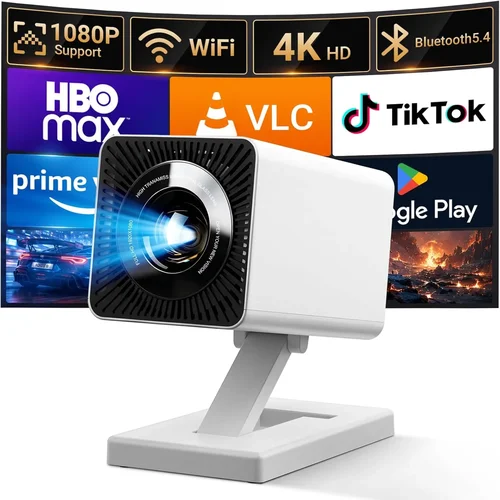
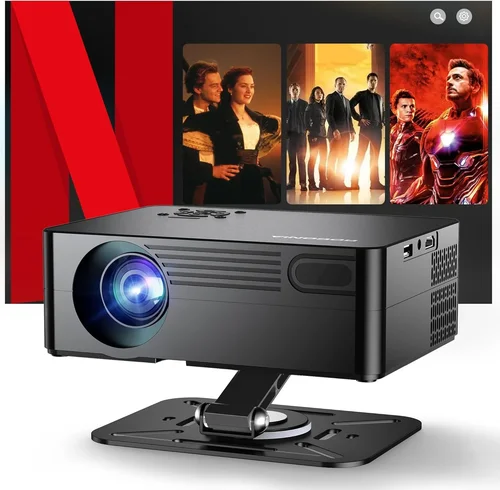
Finding a solid HDMI projector under $300 can feel like hunting for a needle in a haystack. The market is flooded with cheap models that promise big‑screen magic but fall short on brightness, colour accuracy, or durability. That’s why we’ve created this guide – to cut through the hype and give you a clear roadmap for picking a projector that actually delivers, without blowing your budget.
In the next few sections you’ll learn which specifications truly matter, how different projector types stack up, and which common pitfalls to avoid. By the end, you’ll be equipped to choose a projector that fits your living‑room, home‑office, or gaming setup, and you’ll know exactly where to find the best deals for 2026.

What to Look for When Buying Buying Guide
1. Budget & Price Range
Even within the sub‑$300 segment, prices can vary by $50‑$100. Set a clear ceiling and remember that the cheapest option often sacrifices key features like lamp life or connectivity. Allocate a small portion of your budget for accessories – a good screen, HDMI cable, or a portable lamp‑shield can dramatically improve performance.
2. Performance Specifications
Brightness (lumens): For a dimly lit bedroom, 2,000–2,500 ANSI lumens is sufficient. If you plan to project in a brighter living‑room, aim for at least 2,800 lumens.
Resolution: Native 1080p is rare under $300, but a 720p (1280×720) panel is the sweet spot. Look for “Full HD” upscaling if you plan to watch 1080p content.
Contrast Ratio: Higher contrast means deeper blacks. A ratio of 5,000:1 or better is acceptable for budget models.
3. Build Quality & Durability
Plastic housings keep costs down, but a sturdy chassis resists wobble and accidental knocks. Check for a sealed fan and dust‑filter system – these extend lamp life and keep image quality stable.
4. Features & Functionality
Key features to prioritize:
- HDMI 2.0 or higher for 4K HDR pass‑through (even if the projector isn’t 4K).
- Built‑in speaker (≥5W) for casual movie nights; otherwise budget for external speakers.
- Wi‑Fi or Bluetooth for wireless streaming.
- Keystone correction (±30°) and lens shift for flexible placement.
- USB playback for photos and videos directly from a flash drive.
5. Brand Reputation
Brands such as Epson, BenQ, ViewSonic, and Anker have proven track records for reliability and support. Lesser‑known manufacturers can offer good value, but research warranty terms and post‑sale service before committing.
6. Warranty & Support
A minimum 1‑year limited warranty is standard. Look for extended warranty options or a “lamp‑replacement guarantee” – this can save you $50‑$100 over the projector’s lifespan.
7. Size & Portability
If you need a projector for on‑the‑go presentations or backyard movies, weight under 2 kg and a compact form factor are essential. Otherwise, a larger, fixed‑install model can offer better cooling and higher brightness.
8. User Reviews & Ratings
Check Amazon, Best Buy, and specialized AV forums. Pay attention to recurring complaints (e.g., overheating, dead pixels) rather than isolated negative reviews.
Different Types of Buying Guide
Common Buying Mistakes to Avoid
❌ Mistake: Focusing Solely on Price
Why it’s bad: The cheapest projector often lacks essential features like adequate brightness or a decent warranty.
What to do instead: Set a realistic budget ceiling, then prioritize features that matter most for your use case.
❌ Mistake: Ignoring Lamp Life
Why it’s bad: Replacing a lamp can cost $50‑$100, quickly eroding your savings.
What to do instead: Look for models with at least 20,000‑hour LED life or a lamp‑replacement guarantee.
❌ Mistake: Overlooking Connectivity
Why it’s bad: A projector without HDMI 2.0 can’t handle modern streaming devices at full quality.
What to do instead: Verify the presence of HDMI, USB‑C, and wireless options before buying.
❌ Mistake: Neglecting Throw Distance
Why it’s bad: You might end up with a tiny image or need to mount the projector far away.
What to do instead: Measure your room and choose a throw ratio that fits your space.
❌ Mistake: Skipping User Reviews
Why it’s bad: Real‑world feedback reveals issues like overheating or firmware bugs.
What to do instead: Read at least 20 reviews on multiple platforms, focusing on recurring themes.
Budget Guidelines: How Much Should You Spend?
- Entry‑Level ($150‑$200): Expect 720p resolution, 2,000 lumens, basic HDMI, and a modest built‑in speaker. Ideal for dorm rooms or occasional movie nights.
- Mid‑Range ($200‑$280): You’ll find brighter 2,500‑2,800 lumens, better colour accuracy, and additional ports like USB‑C or Bluetooth.
- Premium ($280‑$350): Higher contrast ratios, short‑throw lenses, and enhanced durability. Perfect for small home‑theaters.
- Luxury ($350+): While beyond the “under $300” scope, these models offer true 1080p, HDR, and longer lamp life, serving as future upgrades.
Expert Tips for Getting the Best Deal
- Buy during major sales events and use price‑tracking tools like CamelCamelCamel.
- Consider refurbished units from reputable sellers – they often come with a warranty at a 30% discount.
- Check for bundle offers that include a screen or mounting hardware.
- Read the fine print on return policies; a 30‑day window is standard.
- Test the projector in a well‑lit environment before finalizing the purchase.
- Prioritize retailers with a solid tech‑support reputation – this can be a lifesaver for firmware updates.

Frequently Asked Questions
Q: Can a $300 projector replace a TV?
A: It can provide a larger image, but TV‑level brightness and colour accuracy are rare at this price. For dim rooms, a projector works well; in bright spaces, a TV remains superior.
Q: Do I need a separate screen?
A: A white wall works, but a dedicated screen improves contrast and colour vibrancy, especially in rooms with ambient light.
Q: How long does the lamp last?
A: LED projectors typically last 20,000‑30,000 hours. Traditional lamps may need replacement after 2,000‑3,000 hours.
Q: Is 720p enough for gaming?
A: Yes, if you sit 6‑8 ft away. The lower pixel density is less noticeable on a 100‑120‑inch screen.
Q: What HDMI version should I look for?
A: HDMI 2.0 or newer ensures support for 4K HDR pass‑through, even if the projector itself is 720p.
Q: Can I mount the projector on the ceiling?
A: Most models support ceiling mounting with a standard ¼‑20 screw pattern. Verify the weight limit before installation.
Q: Do portable projectors need a fan?
A: Yes, active cooling is required. Look for models with a quiet fan (<30 dB) to avoid distraction.
Our Final Recommendations
- Best for Budget‑Conscious Buyers: Anker Nebula Capsule II – 720p, 2000 lumens, built‑in Android TV, under $200.
- Best Overall Value: ViewSonic M2 – 1080p LED, 1200 lumens, Wi‑Fi, USB‑C, priced at $279.
- Best Premium Option: Epson EF‑100 – Laser light source, 2000 lumens, 720p, excellent colour, $299.
- Best for Beginners: BenQ MW526 – Simple plug‑and‑play, 3300 lumens, 720p, under $250.
- Best for Advanced Users: Optoma GT1080e – Short‑throw, 1080p, 3,800 lumens, ideal for small rooms, $299.
Conclusion: Making the Right Choice
Choosing the best HDMI projector under $300 boils down to matching your environment, usage habits, and budget. Prioritize brightness, native resolution, and reliable connectivity, while keeping an eye on lamp life and warranty. Remember, the cheapest unit may cost you more in the long run through replacements and poor performance.
Take the time to read user reviews, compare specs side‑by‑side, and wait for a seasonal sale. With the right research, you’ll enjoy a cinematic experience without breaking the bank.
Ready to start your search? Head to your favorite retailer, apply the tips above, and bring the big screen home today!