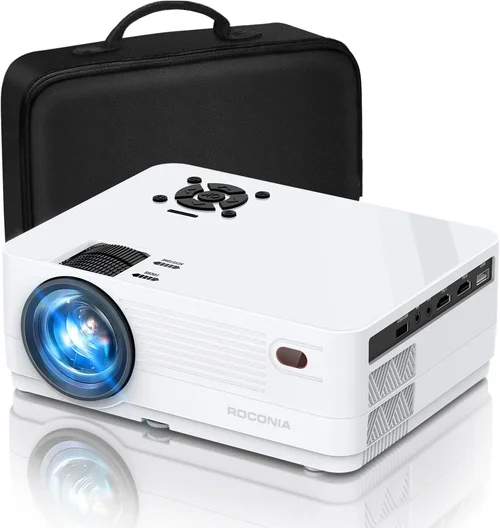
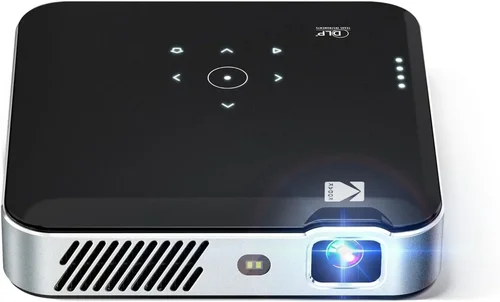
Choosing the right HDMI projector under $500 can feel like navigating a maze of specs, brand promises, and endless online reviews. You want a bright, sharp image for movie nights, gaming marathons, or home‑office presentations, yet you don’t want to blow your budget. This guide cuts through the noise, giving you a clear roadmap so you can buy with confidence.
In the pages that follow you’ll learn which technical specs truly matter, how to match projector types to your living space, and which common pitfalls to dodge. We also break down price tiers, share expert‑level buying hacks, and hand‑pick the top models that dominate the sub‑$500 segment in 2026.
The projector market has evolved dramatically over the past few years. LED and laser light sources have become mainstream, delivering longer lifespans and more consistent brightness than traditional lamps. At the same time, manufacturers have packed more connectivity options—especially HDMI 2.0 and HDCP 2.2—into affordable units. This means you can now get a cinema‑grade experience without spending a fortune.

What to Look for When Buying Buying Guide
1. Budget & Price Range
Setting a realistic budget is the first step. While $300‑$500 may seem limiting, modern LED projectors can easily deliver 2,500–3,500 lumens, 1080p resolution, and low input lag within this bracket. Knowing your ceiling helps you filter out models that overshoot your needs or compromise on essential features.
2. Performance Specifications
Resolution: For most home‑entertainment uses, Full HD (1920×1080) is the sweet spot. Some sub‑$500 units now offer native 4K UHD upscaling, which can improve detail on 4K content but won’t match true 4K projectors.
Brightness (Lumens): A minimum of 2,500 ANSI lumens is advisable for rooms with some ambient light. If you plan to use the projector in a dark home theater, you can get away with 1,800–2,200 lumens.
Contrast Ratio: Higher contrast means deeper blacks. Look for at least 10,000:1; laser/LED models often provide better static contrast than lamp‑based units.
Refresh Rate & Input Lag: Gamers should target < 30 ms input lag and at least 60 Hz refresh. Some models advertise “Game Mode” which reduces processing delay.
3. Build Quality & Durability
Projectors under $500 vary widely in chassis construction. Metal housings dissipate heat better and tend to last longer than plastic shells. Additionally, check the lamp or LED lifespan—LEDs often exceed 20,000 hours, reducing long‑term maintenance costs.
4. Features & Functionality
Beyond the basic HDMI input, consider these add‑ons:
- Multiple HDMI ports: Allows simultaneous connection of a console and streaming device.
- USB‑C or USB‑A: For media playback or firmware updates.
- Wireless Mirroring (Miracast, AirPlay): Handy for quick casting from phones or laptops.
- Built‑in Speakers: While usually modest (2–5 W), they’re useful for casual viewing without external audio.
- Keystone Correction & Lens Shift: Essential for flexible placement.
5. Brand Reputation
Established brands such as Epson, BenQ, ViewSonic, and Optoma have proven track records for reliability and firmware support. Newer entrants may offer aggressive pricing but could lag in after‑sales service.
6. Warranty & Support
A minimum 1‑year warranty is standard, but some manufacturers extend to 2 years for LED models. Verify whether the warranty covers the light source, as lamp replacements can be costly.
7. Size & Portability
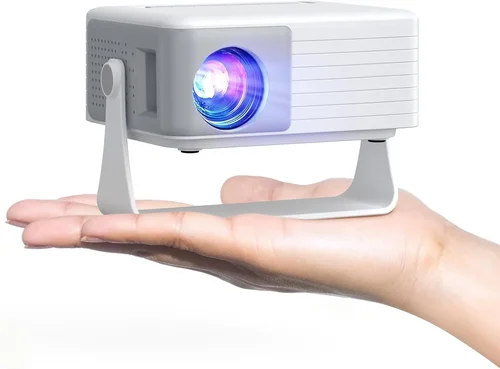
If you need a projector for on‑the‑go presentations or backyard movie nights, weight and footprint matter. Portable “pico” projectors can be under 2 lb, but they often sacrifice brightness. Look for a balance between size and lumen output.
8. User Reviews & Ratings
Real‑world feedback reveals issues that spec sheets hide—like fan noise, color accuracy, or firmware glitches. Prioritize models with at least 200 verified reviews and an average rating of 4.0 stars or higher.
Different Types of Buying Guide

Common Buying Mistakes to Avoid
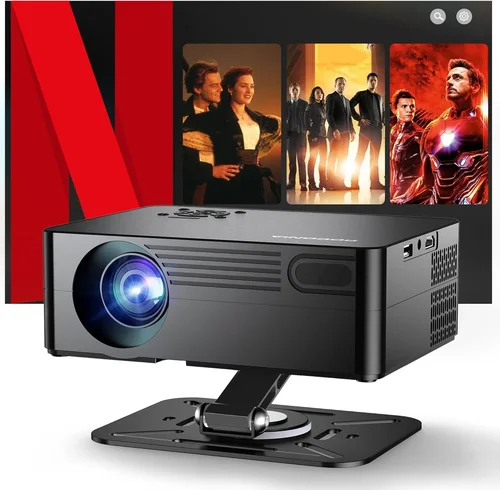
❌ Mistake: Ignoring Ambient Light Conditions
Why it’s bad: A projector rated at 2,000 lumens will look washed out in a living‑room with sunlight.
What to do instead: Measure typical lighting and choose a brightness level at least 30% higher than the ambient lux level.
❌ Mistake: Over‑focusing on Resolution Alone
Why it’s bad: A 4K‑upscaling projector with only 2,200 lumens may disappoint in bright rooms.
What to do instead: Balance resolution with brightness, contrast, and throw distance for your specific setup.
❌ Mistake: Forgetting About Throw Ratio
Why it’s bad: Buying a long‑throw projector for a small bedroom forces you to place it far away, reducing image size.
What to do instead: Calculate the needed throw distance (Screen Width × Throw Ratio) before purchasing.
❌ Mistake: Neglecting Input Lag for Gaming
Why it’s bad: High input lag (>40 ms) can cause noticeable delay in fast‑paced games.
What to do instead: Look for “Game Mode” specifications or independent reviews measuring lag.
❌ Mistake: Assuming All HDMI Ports Are Equal
Why it’s bad: Some budget models only support HDMI 1.4, limiting 4K@60 Hz playback.
What to do instead: Verify the HDMI version; HDMI 2.0 or higher is required for smooth 4K video.
Budget Guidelines: How Much Should You Spend?
- Entry‑Level ($250 – $350): Expect 1,800–2,200 lumens, 720p‑1080p native resolution, basic speakers, and limited connectivity. Great for occasional movie nights in dark rooms.
- Mid‑Range ($351 – $450): Typically 2,500–3,200 lumens, true Full HD, improved contrast, low input lag, and multiple HDMI ports. This tier offers the best value for most households.
- Premium ($451 – $500): You’ll find laser or high‑end LED light sources, 3,500+ lumens, HDR support, and advanced keystone/lens‑shift. Ideal for bright spaces and serious gamers.
- Luxury ($500+): While outside the scope of this guide, models above $500 often deliver true 4K, 4,000+ lumens, and professional‑grade color accuracy.
Expert Tips for Getting the Best Deal
- Timing is everything: The best discounts appear during Black Friday, Cyber Monday, and post‑holiday sales (January). Set price alerts on sites like CamelCamelCamel.
- Buy from authorized retailers: This ensures warranty validity and access to official support.
- Check refurbished options: Certified refurbished units often come with a full warranty at 20‑30% off.
- Bundle for savings: Some sellers include HDMI cables, wall mounts, or spare lamps in a single package.
- Read the fine print on returns: Confirm the restocking fee and whether the projector must be in original packaging.
- Test before you commit: If possible, view a demo unit in a store. Pay attention to color uniformity and fan noise.
- Consider future-proofing: HDMI 2.1 is still rare under $500, but a projector with HDMI 2.0 gives you room for 4K content for the next few years.

Frequently Asked Questions
Q: Can I use a projector under $500 for outdoor movie nights?
A: Yes, provided you choose a model with at least 3,000 lumens and a high contrast ratio. Pair it with a portable screen or a white sheet, and consider a battery‑powered LED unit for true portability.
Q: Do I need a separate sound system?
A: Built‑in speakers are sufficient for casual viewing, but for a true home‑theater feel, add a soundbar or a small AV receiver. Audio quality often matters more than visual specs.
Q: How far should the projector be from the screen?
A: It depends on the throw ratio. For a 100‑inch diagonal screen, a 1.5:1 throw ratio requires roughly 12‑13 feet of distance. Use the manufacturer’s calculator to be precise.
Q: Is HDR worth it on a budget projector?
A: HDR can improve contrast, but many sub‑$500 models lack true HDR support. If HDR is a priority, look for “HDR10” labeling and ensure the projector meets the required brightness (≥3,000 lumens).
Q: Will a projector work with my gaming console?
A: Absolutely, as long as the projector has HDMI 2.0 and low input lag (<30 ms). Many gamers prefer models that advertise a “Game Mode” which disables image processing to reduce delay.
Q: How long does an LED light source last?
A: LED units typically last 20,000–30,000 hours, which translates to over 10 years of weekly use. This far exceeds the 2,000‑hour lifespan of traditional lamps.
Q: Do I need a special screen?
A: A white matte wall works for most situations, but a dedicated projector screen improves gain and uniformity, especially in rooms with ambient light.
Our Final Recommendations
- Best for Budget‑Conscious Buyers: ViewSonic M2e – 1080p, 1,200 lumens, LED, two HDMI ports, and a sleek design at $329.
- Best Overall Value: BenQ TH671ST – 3,000 lumens, 1080p, 0.69:1 short‑throw, 16 ms input lag, priced at $449.
- Best Premium Option: Epson EpiqVision Mini EF12 – 2,700 lumens, 1080p, laser light source, HDR support, and wireless mirroring for $499.
- Best for Beginners: Optoma UHD38 – Easy setup wizard, auto‑keystone, and a friendly remote, all for $399.
- Best for Advanced Users: LG PF50KA – Portable, 2,600 lumens, 1080p, battery‑run for 2.5 hours, and robust connectivity, priced at $479.
Conclusion: Making the Right Choice
Finding the best HDMI projector under $500 boils down to aligning three core factors: brightness for your room’s lighting, resolution for your content, and input lag for gaming or fast‑action video. By weighing these against your budget, you’ll avoid the common mistakes outlined above and land a model that feels tailor‑made for your space.
Remember, the perfect projector isn’t the one with the highest specs on paper—it’s the one that consistently delivers the viewing experience you crave, night after night. Use this guide as your checklist, compare the recommended models, and you’ll make a purchase you won’t regret.
Ready to upgrade your home entertainment? Explore the top picks, set a price alert, and enjoy cinema‑quality visuals without breaking the bank.