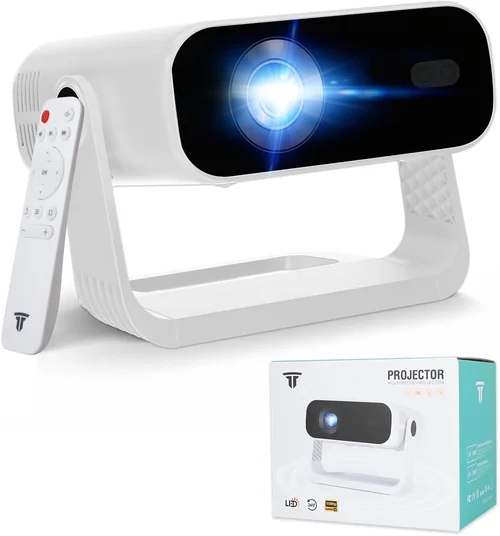
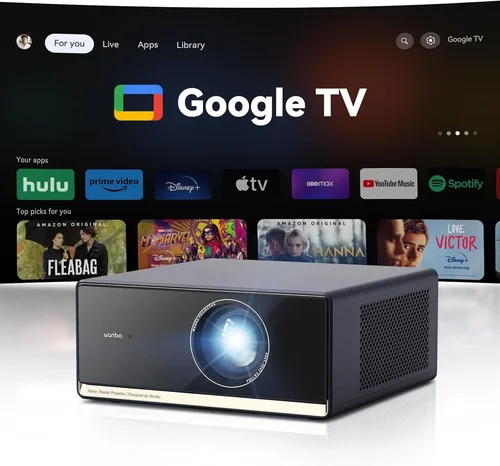
Choosing a high‑definition projector that costs less than $1,000 can feel like navigating a maze. The market is flooded with options that promise cinema‑like experiences, yet many of them fall short when it comes to brightness, colour accuracy, or longevity. This guide cuts through the hype and gives you a clear roadmap so you can pick a projector that truly matches your viewing habits, room conditions, and budget.
By the end of this article you will understand the most important specifications, know which projector type fits your lifestyle, avoid the common pitfalls that trip up most buyers, and walk away with a shortlist of the best HD projectors under $1,000 for 2026. Whether you’re setting up a home theater, a backyard movie night, or a portable office presentation tool, the principles here apply.
The projector landscape in 2026 has matured. LED and laser light sources have become affordable, offering longer lifespans and more consistent colour than traditional lamps. At the same time, manufacturers have squeezed higher native resolutions—1080p is now the baseline for most mid‑range models, while a few even push 2K or 4K‑enhanced chips without breaking the $1,000 barrier. Understanding how these advances translate into real‑world performance is the first step toward a satisfying purchase.

What to Look for When Buying Buying Guide
1. Budget & Price Range
Even within the sub‑$1,000 segment, prices can vary dramatically. A $300 unit might be adequate for occasional movie nights in a dark room, but it will likely lack the brightness and connectivity you need for daytime use or gaming. Conversely, a $950 model often includes premium features such as laser light engines, low‑input‑lag gaming modes, and robust keystone correction. Set a realistic ceiling based on how often you’ll use the projector and the environment in which you’ll use it. Remember to factor in accessories—screen, mounting hardware, and cables can add $100‑$200 to the total cost.
2. Performance Specifications
The heart of any projector is its performance spec sheet. Focus on these key numbers:
- Resolution: Native 1080p (1920×1080) is ideal. Some “4K‑enhanced” models use pixel‑shifting technology; they can look sharp but rarely match true 4K.
- Brightness (ANSI lumens): For a dimly lit living room, 1,500–2,000 lumens is sufficient. For rooms with ambient light or outdoor use, aim for 2,500+ lumens.
- Contrast Ratio: Higher contrast delivers deeper blacks. Look for a ratio of at least 10,000:1; laser models often exceed 30,000:1.
- Color Gamut: DCI‑P3 or Rec. 709 coverage indicates richer colours. A projector covering 90%+ of DCI‑P3 is excellent for movies.
- Input Lag: Gamers need <30 ms lag. Many budget models hover around 40‑50 ms, which is acceptable for casual play but not competitive esports.
3. Build Quality & Durability
Projectors that stay on a shelf for years need sturdy chassis, reliable cooling, and long‑life light sources. Metal housings resist warping better than plastic. Look for models that advertise a lamp life of 20,000‑30,000 hours for LED or laser units—this translates to a decade of occasional use without replacement.
4. Features & Functionality
Features that add convenience can be decisive:
- Lens Shift & Keystone Correction: Allows flexible placement without image distortion. Optical lens shift is superior to digital keystone.
- HDR Support: HDR10 or HLG enhances dynamic range. Not all sub‑$1,000 projectors support true HDR; many only claim “HDR‑enhanced.”
- Connectivity: HDMI 2.0 or 2.1, USB‑C, Wi‑Fi, and Bluetooth. Built‑in streaming apps (Netflix, YouTube) are a bonus.
- Speakers: Integrated speakers are handy for presentations but usually lack the power for home cinema; plan on an external sound system.
5. Brand Reputation
Established brands such as Epson, BenQ, ViewSonic, and Optoma have proven track records for firmware updates and service networks. Newer entrants like Xiaomi and Anker may offer attractive specs but could lack long‑term support. Research after‑sales forums and warranty claim experiences before committing.
6. Warranty & Support
A solid warranty protects you against early failures. Look for at least a 2‑year warranty covering the light source. Some manufacturers provide an extended warranty for a modest fee—often worth it if you plan heavy usage.
7. Size & Portability (if applicable)
If you need a projector for travel, camping, or classroom use, weight and footprint matter. Portable units often sacrifice brightness for size, but a good balance can be found in “pico” projectors that still deliver 1080p and 1,500 lumens.
8. User Reviews & Ratings
Real‑world feedback reveals issues that spec sheets hide—noise levels, heat, firmware bugs, or colour drift over time. Prioritize models with at least 200 verified user reviews and a rating above 4.0/5.
Different Types of Buying Guide

Common Buying Mistakes to Avoid
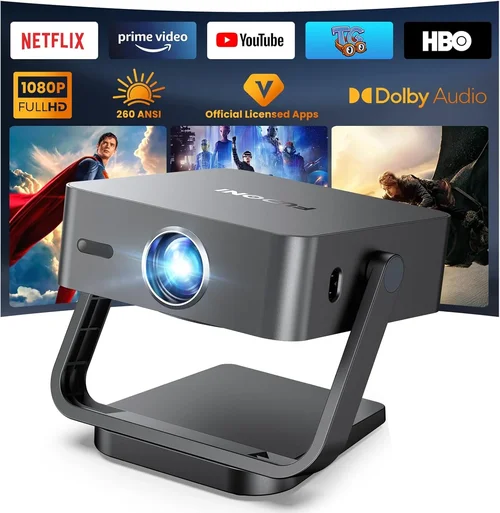
❌ Mistake: Ignoring Ambient Light Conditions
Why it’s bad: A projector rated at 1,800 lumens will look dull in a sun‑lit living room, leading to disappointment.
What to do instead: Measure the typical light level in your viewing space. If you cannot control ambient light, aim for 2,500+ lumens or consider a projector with a high contrast ratio and HDR support.
❌ Mistake: Chasing Resolution Over Brightness
Why it’s bad: A 4K‑enhanced projector with 1,200 lumens may look worse than a solid 1080p model with 2,500 lumens.
What to do instead: Prioritize brightness and contrast for most home‑theater setups. Choose true 1080p if you need a reliable image in varied lighting.
❌ Mistake: Overlooking Input Lag for Gaming
Why it’s bad: High input lag creates a noticeable delay between controller action and on‑screen response, ruining fast‑paced games.
What to do instead: Check the manufacturer’s input‑lag specification or look for “Game Mode.” Aim for ≤30 ms for competitive play.
❌ Mistake: Forgetting About Lamp or Light‑Source Life
Why it’s bad: Replacing a lamp can cost $150‑$300 and may require professional service.
What to do instead: Choose LED or laser models with 20,000‑30,000 hour lifespans. If you must buy a lamp‑based unit, verify the cost and availability of replacements.
❌ Mistake: Neglecting Connectivity Needs
Why it’s bad: A projector with only VGA and a single HDMI port forces you to use adapters or swap cables constantly.
What to do instead: List all devices you plan to connect (streaming stick, gaming console, sound system). Ensure the projector offers at least two HDMI ports, plus USB‑C or wireless casting options.
❌ Mistake: Assuming All Built‑In Speakers Are Sufficient
Why it’s bad: Built‑in speakers typically produce 10‑15 W of sound, which is inadequate for a true home‑cinema experience.
What to do instead: Budget for a separate sound system—soundbar or AV receiver—especially if you plan to watch movies with surround sound.
❌ Mistake: Buying Without Testing the Throw Distance
Why it’s bad: Some projectors need a long throw distance to fill a 100‑inch screen, leading to awkward room layouts.
What to do instead: Use an online throw‑distance calculator. Choose a short‑throw or ultra‑short‑throw model if space is limited.
Budget Guidelines: How Much Should You Spend?
- Entry‑Level ($300‑$500): Expect 1080p support with 1,200‑1,800 lumens, basic HDMI connectivity, and a plastic chassis. Suitable for occasional movie nights in a dark room.
- Mid‑Range ($501‑$800): This tier delivers 2,000‑2,800 lumens, better contrast, LED or laser light sources, and added features like lens shift and HDR10. Ideal for most households that watch both movies and games.
- Premium ($801‑$1,000): Look for laser light engines, 30,000+ hour lamp life, low‑input‑lag gaming modes, and advanced colour gamuts (90%+ DCI‑P3). Perfect for enthusiasts who want cinema‑grade performance without breaking the $1,000 ceiling.
- Luxury ($1,001+): While beyond the scope of this guide, luxury models often include 4K native resolution, ultra‑short‑throw optics, and integrated motorised lenses. Consider these only if your budget is flexible.
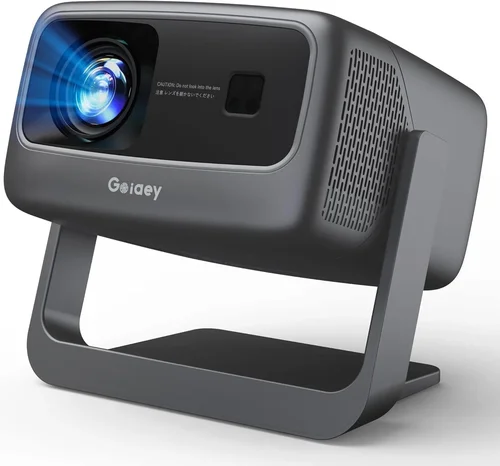
Expert Tips for Getting the Best Deal
- Timing is everything: Major sales events—Black Friday, Cyber Monday, and Amazon Prime Day—often feature 20‑30% discounts on projector bundles.
- Shop price‑match: Many retailers (Best Buy, B&H) will match a lower price from a competitor if you provide proof.
- Bundle wisely: Some sellers offer a screen, mounting bracket, or extra lamp at a reduced combined price. Evaluate whether the bundle truly saves you money.
- Check refurbished options: Certified refurbished units from the manufacturer can be up to 25% cheaper and come with a full warranty.
- Read the fine print on return policies: A 30‑day return window is standard, but some stores charge a restocking fee for opened electronics.
- Test in‑store if possible: Seeing the image quality, fan noise, and keystone correction in person helps avoid unpleasant surprises.
- Consider future firmware updates: Brands that regularly release firmware patches improve performance and fix bugs, extending the projector’s useful life.
- Don’t forget cables: High‑speed HDMI 2.0 cables are cheap but essential for 4K‑enhanced or HDR content.

Frequently Asked Questions
Q: Do I really need 1080p resolution for a home theater?
A: If you sit close to the screen (under 8 feet for a 100‑inch image), 1080p provides a crisp picture with no visible pixels. For larger screens or greater viewing distances, 1080p still looks great, especially when paired with a high‑quality lens and good contrast.
Q: How important is lamp life?
A: Very important. A lamp that lasts 5,000 hours will need replacement after roughly two years of weekly use. LED and laser light sources often exceed 20,000 hours, effectively eliminating future replacement costs.
Q: Can I use a projector for both movies and gaming?
A: Yes, but look for low input lag (<30 ms) and a high refresh rate (60 Hz or higher). Some projectors offer a dedicated “Game Mode” that reduces processing delay.
Q: What screen should I buy?
A: A white matte screen (gain 1.0) works well in dark rooms. For rooms with some ambient light, a gray screen (gain 0.8‑0.9) improves perceived contrast.
Q: Is a short‑throw projector worth the extra cost?
A: If you have limited throw distance (e.g., a small living room), short‑throw models prevent image washout and reduce shadow artifacts. They usually cost $100‑$200 more than standard throw units.
Q: Do I need a separate sound system?
A: Built‑in speakers are convenient but lack power and depth. Pairing the projector with a soundbar or a 2.1/5.1 speaker system dramatically improves immersion.
Q: How do I calibrate colours?
A: Use the projector’s built‑in picture settings or a calibration disc (e.g., Disney WOW). For precise colour, consider a handheld colourimeter and calibration software.
Q: Will a projector work with a ceiling mount?
A: Most mid‑range projectors have mounting holes that accept standard ¼‑inch screws. Ensure the mount can support the projector’s weight and provides adequate ventilation.
Q: Are there any hidden fees?
A: Some retailers charge shipping on bulky items; others offer free delivery. Check for “setup fee” if you request professional installation.
Q: How long does a projector last?
A: LED and laser models can last 10‑15 years with average use. Lamp‑based units depend on lamp life—usually 2,000‑5,000 hours.
Our Final Recommendations
- Best for Budget‑Conscious Buyers: ViewSonic PA503W – 3,600 lumens, 1080p support, and a price around $380. Great for bright rooms and occasional movie nights.
- Best Overall Value: BenQ TH671ST – 3,000 lumens, low‑input‑lag (16 ms), short‑throw lens, and a solid 1080p panel. Priced at $699, it balances brightness, gaming performance, and durability.
- Best Premium Option: Epson Home Cinema 2150 – 2,500 lumens, 1080p, 2,500‑hour lamp, and excellent colour accuracy (90% DCI‑P3). Slightly higher at $949 but offers laser‑like longevity.
- Best for Beginners: Optoma HD146X – User‑friendly menu, 3,600 lumens, and decent contrast. Costs $449 and is easy to set up right out of the box.
- Best for Advanced Users: LG HU80KA (used model under $1,000) – Portable ultra‑short‑throw, 2,500 lumens, and HDR10. Ideal for tech‑savvy buyers who want flexibility and premium features.
Conclusion: Making the Right Choice
Choosing the best HD projector under $1,000 boils down to matching the projector’s strengths with your viewing environment and usage habits. Prioritize brightness and contrast for lit rooms, low input lag for gaming, and a long‑life light source for hassle‑free ownership. Use the factor checklist, avoid the common mistakes, and leverage seasonal sales to stretch your budget.
Remember, the perfect projector is the one that fits your space, your content, and your pocket. Take the time to read user reviews, test the image if you can, and don’t forget a decent sound system to complete the experience. Happy viewing!