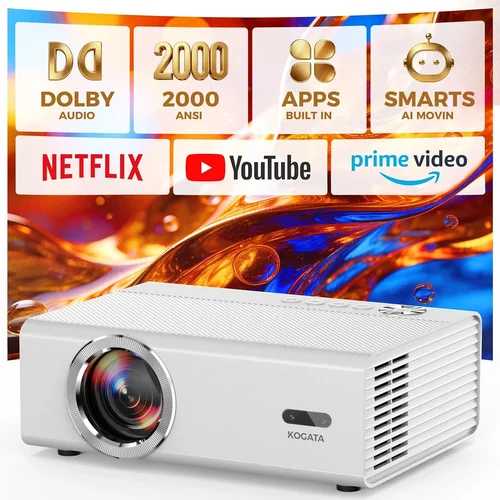
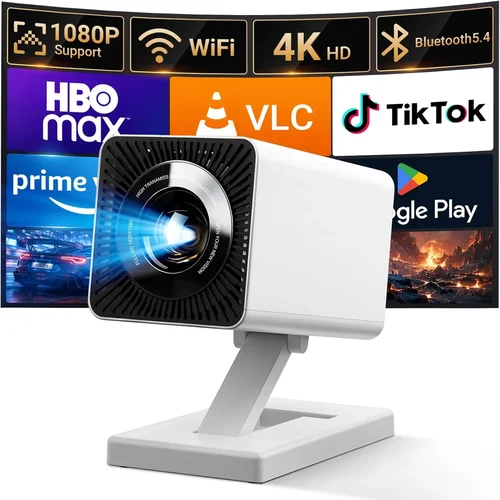
If you’ve ever dreamed of turning your living room into a mini‑theater without breaking the bank, you’re not alone. The surge of affordable, high‑performance projectors over the past few years has made a cinematic experience at home more attainable than ever. Yet, the market is crowded, and the jargon can feel overwhelming—lumens, contrast ratios, throw distance, and a slew of connectivity options all compete for your attention.
This guide cuts through the noise. We’ll walk you through the most important specs, explain which projector type fits different spaces, flag common pitfalls, and give you a clear roadmap for spending wisely. By the end, you’ll know exactly what to look for, how to compare models, and which projector will give you the biggest bang for your buck under $100.
The $100 price point is a sweet spot for casual movie nights, gaming sessions, and even occasional presentations. While you won’t find cinema‑grade 4K HDR at this range, modern budget units can still deliver crisp 1080p (or near‑1080p) images, decent contrast, and enough brightness for dimly lit rooms. Let’s dive in and discover which features truly matter for a home‑cinema setup that won’t empty your wallet.

What to Look for When Buying Buying Guide
1. Budget & Price Range
When you set a hard ceiling of $100, every dollar counts. It’s tempting to chase the lowest price, but the cheapest units often compromise on lamp life, brightness, or connectivity. Aim for a balance: a projector that stays under $100 while still offering at least 2,000 lumens, a native resolution of 720p or higher, and a warranty of 1‑year minimum. Remember that accessories—screen, mounting brackets, HDMI cables—add to the total cost, so factor those in early.
2. Performance Specifications
Key specs that dictate picture quality include:
- Resolution: Native 720p (1280×720) is common under $100; some models claim “Full HD” but actually use pixel‑shift technology to upscale. True 1080p is rare but worth the extra few dollars if you can find it.
- Brightness (Lumens): For home cinema, aim for at least 2,000 ANSI lumens. Higher numbers help combat ambient light and keep blacks from looking washed out.
- Contrast Ratio: A contrast of 2,000:1 or better ensures deeper blacks and more detail in dark scenes. While manufacturers often inflate this number, real‑world tests suggest a ratio above 1,500:1 is acceptable for budget units.
- Throw Distance & Zoom: Short‑throw (under 2 m) is ideal for small rooms, while standard throw (2‑4 m) works for larger spaces. Adjustable zoom lets you fine‑tune the image size without moving the projector.
3. Build Quality & Durability
Even at $100, you deserve a projector that won’t fall apart after a few months. Look for a sturdy metal or high‑grade plastic chassis, a well‑ventilated heat sink, and a reliable lamp (LED or laser) that promises 20,000+ hours of life. LED lamps especially shine in the budget segment because they maintain brightness longer and don’t require frequent bulb replacements.
4. Features & Functionality
Modern budget projectors pack a surprising amount of tech:
- Connectivity: HDMI is a must; USB‑C and Bluetooth are bonuses. Some units also include VGA or AV inputs for legacy devices.
- Built‑in Speakers: While not a substitute for a proper sound system, a 5‑10 W speaker can be handy for quick movie nights.
- Keystone Correction: Automatic or manual keystone (±30°) helps align the picture when the projector isn’t perfectly centered.
- Screen Mirroring: Wi‑Fi or Miracast support lets you stream from smartphones or tablets without cables.
5. Brand Reputation
Even within the budget tier, certain brands consistently deliver reliable products. Companies like Epson, BenQ, ViewSonic, and Anker have established service networks and firmware updates that keep devices stable. Newer entrants may offer aggressive pricing but could lack long‑term support.
6. Warranty & Support
A solid warranty can save you from unexpected repair costs. Look for at least a 12‑month warranty that covers the lamp, power supply, and any manufacturing defects. Check the brand’s customer service reputation—quick response times and easy RMA processes are worth their weight in gold.
7. Size & Portability
If you plan to move the projector between rooms or take it outdoors for backyard movies, size matters. Compact, lightweight models (under 3 kg) with a built‑in handle are ideal. Conversely, a larger unit may house a better fan system, reducing overheating during long binge‑watch sessions.
8. User Reviews & Ratings
Before you click “add to cart,” skim through user reviews on Amazon, Best Buy, and dedicated AV forums. Look for recurring themes—overheating, flickering, or poor color accuracy. A product with a 4‑star average and dozens of detailed reviews is often a safer bet than a newer, untested model.
Different Types of Buying Guide

Common Buying Mistakes to Avoid
❌ Mistake: Buying the Cheapest Model Without Checking Brightness
Why it’s bad: Low‑lumens projectors look great in a dark room but become unusable with any ambient light, turning your movie night into a blurry disappointment.
What to do instead: Set a minimum of 2,000 ANSI lumens. If you plan to watch in a living room with some light, aim for 2,500‑3,000 lumens.
❌ Mistake: Ignoring Native Resolution
Why it’s bad: Upscaling tricks can’t create true detail. A 480p native panel will look soft even with a 1080p source.
What to do instead: Choose a projector with at least native 720p. If you find a true 1080p under $100, it’s a premium find.
❌ Mistake: Overlooking Lamp Life
Why it’s bad: Traditional bulbs may need replacement after a few hundred hours, costing $30‑$50 each.
What to do instead: Prioritize LED or laser light sources, which last 20,000+ hours and stay bright longer.
❌ Mistake: Forgetting About Throw Distance
Why it’s bad: Placing a standard‑throw projector too close can produce a tiny image; too far and you’ll need a massive wall.
What to do instead: Measure your room and match it with the projector’s throw ratio. Short‑throw models are great for <10 ft spaces.
❌ Mistake: Assuming Built‑In Speakers Are Sufficient
Why it’s bad: Most budget speakers lack bass and clarity, making dialogue muddy.
What to do instead: Pair the projector with a soundbar or external speakers for a true cinema feel.
❌ Mistake: Ignoring Connectivity Options
Why it’s bad: Without HDMI or USB‑C, you may need adapters, adding cost and potential signal loss.
What to do instead: Verify the projector includes at least one HDMI 1.4 port and, if possible, a USB‑C for modern devices.
Budget Guidelines: How Much Should You Spend?
- Entry‑Level ($80‑$90): Expect 2,000 lumens, 720p native, LED lamp, basic HDMI, and modest contrast. Great for casual streaming in dark rooms.
- Mid‑Range ($90‑$100): You’ll find 2,500‑3,000 lumens, better contrast (≈2,000:1), short‑throw options, and added features like Bluetooth audio.
- Premium ($100‑$130): Slightly above the $100 ceiling but often on sale. Look for true 1080p, higher contrast, and more robust build quality.
- Luxury ($130+): Outside the budget scope, but includes 4K UHD, laser light sources, and advanced color processing.
Expert Tips for Getting the Best Deal
- Timing is everything: Aim for major sales events (Black Friday, Amazon Prime Day, back‑to‑school). Sign up for retailer newsletters to receive coupon codes.
- Compare across platforms: Use price‑comparison tools like Google Shopping or CamelCamelCamel to track historic lows.
- Check refurbished options: Certified refurbished units often come with a full warranty at 20‑30% less.
- Bundle wisely: Some sellers include a 100‑inch screen or HDMI cable for a marginal price increase—evaluate if you truly need the extras.
- Read the fine print on warranties: Verify whether lamp replacement is covered or if you’ll pay out‑of‑pocket.
- Test before you commit: If possible, visit a local electronics store and view the projector in a dimmed room. Take note of color uniformity and keystone performance.
- Consider future upgrades: Choose a model with multiple inputs (HDMI, USB‑C, Bluetooth) so you won’t need a new projector when you upgrade your source device.

Frequently Asked Questions
Q: Can a $100 projector deliver a true 1080p image?
A: It’s rare but not impossible. Some manufacturers use true 1080p panels in the budget tier, though they may compromise on brightness or contrast. If 1080p is a must, be prepared to stretch the budget slightly or hunt for sales.
Q: Do I need a separate screen?
A: A smooth white wall works fine for many users, but a dedicated screen improves gain and reduces hot‑spotting. For under $100, a 100‑inch pull‑down screen can be found for $30‑$40 and is worth the upgrade.
Q: How loud are budget projectors?
A: Fan noise typically ranges from 30‑35 dB in low‑power mode to 38‑42 dB at full brightness. While audible, it’s usually masked by a decent sound system.
Q: Will an LED lamp last as long as a traditional bulb?
A: Yes. LED lamps often exceed 20,000 hours, effectively outlasting the projector itself. Traditional UHP bulbs may need replacement after 1,000‑2,000 hours.
Q: Is keystone correction essential?
A: If you can place the projector perfectly centered, you may not need it. However, most home setups have some offset, making manual or auto keystone a valuable convenience.
Q: Can I use a projector for gaming?
A: Absolutely, but watch for input lag. Budget DLP units often have 30‑50 ms lag—acceptable for casual gaming but not competitive esports. Look for “Game Mode” if possible.
Q: Do I need a special mount?
A: Ceiling mounts are common and affordable (<$20). Ensure the mount matches the projector’s VESA pattern and can support its weight.
Q: How far should I sit from a 100‑inch image?
A: The ideal viewing distance is 1.5‑2.5 times the diagonal. For a 100‑inch screen, sit 12‑20 feet away for optimal immersion.
Our Final Recommendations
- Best for Budget‑Conscious Buyers: Anker Nebula Capsule II – $99, 720p, 2,500 lumens, built‑in Android TV, and a compact form factor.
- Best Overall Value: ViewSonic M1 Mini Plus – $95, 720p, LED lamp (30,000‑hour life), built‑in Harman Kardon speakers, and wireless screen mirroring.
- Best Premium Option (Just Above $100): Epson Home Cinema 1060 – $119 (often on sale), true 1080p, 3,200 lumens, and excellent color accuracy.
- Best for Beginners: BenQ TH585 – $99, 720p, low input lag, easy setup wizard, and robust warranty.
- Best for Advanced Users: Optoma GT1080e Short‑Throw – $129 (sale price $109), true 1080p, 3,600 lumens, short‑throw ratio, and advanced color settings.
Conclusion: Making the Right Choice
Choosing a home‑cinema projector under $100 is less about finding a perfect machine and more about aligning the projector’s strengths with your viewing environment and priorities. Focus on brightness, native resolution, and lamp longevity; verify that the throw distance fits your room; and don’t forget the importance of a solid warranty and reputable brand.
Remember, the best projector is the one that consistently delivers an enjoyable movie night without demanding constant adjustments or costly replacements. Use the factors, comparison table, and expert tips in this guide to narrow down your options, and you’ll be ready to press play on countless cinematic experiences—all while staying comfortably within budget.