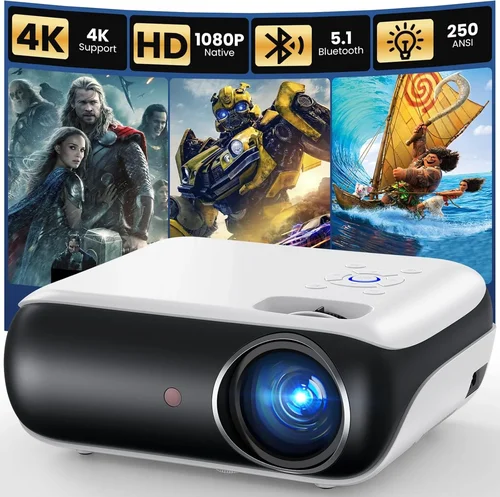
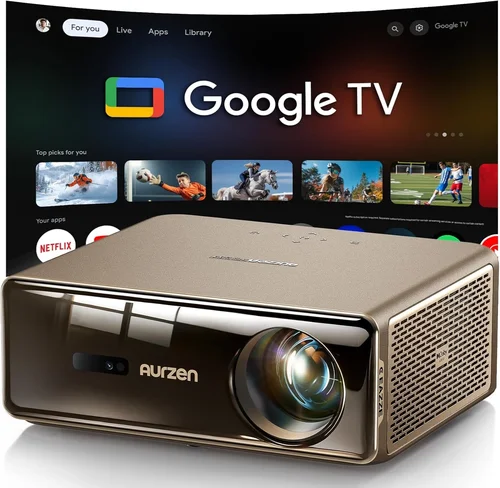
Choosing a home movie projector that delivers cinema‑like immersion without breaking the bank can feel like navigating a maze. The market is flooded with models that promise 4K resolution, HDR, and laser light sources, yet many of them exceed $1,000 or fall short in critical areas such as brightness or throw distance. This guide cuts through the noise, giving you a clear roadmap to find the best home movie projector under $1,000 for your living room, basement, or backyard setup.
By the end of this article you will understand the most important specifications, how different projector types compare, common pitfalls to avoid, and exactly how much you should budget for various performance levels. Whether you are a casual binge‑watcher, a dedicated home‑theater enthusiast, or someone who wants a portable “movie‑on‑the‑go” device, the insights below will help you make a confident, informed purchase.
The projector landscape in 2026 has matured considerably. LED and laser light engines have become more affordable, pushing prices down while maintaining longer lamp life and consistent color performance. At the same time, manufacturers have refined image processing chips, resulting in smoother motion handling and reduced input lag—features that matter for gamers and sports fans alike. All of this means that a high‑quality viewing experience is now possible well below the $1,000 mark, provided you know what to look for.

What to Look for When Buying Buying Guide
1. Budget & Price Range
Your budget sets the ceiling for the features you can expect. In the sub‑$1,000 segment, you’ll typically find DLP or LCD projectors with LED or short‑life lamps. Prices closer to $900 often unlock higher brightness (2,500–3,000 lumens) and better contrast ratios, while models under $500 may compromise on one or both. Establish a realistic ceiling and be prepared to prioritize the specs that matter most to you—whether that’s brightness for daylight rooms or low input lag for gaming.
2. Performance Specifications
Three core specs dominate projector performance: resolution, brightness, and contrast ratio.
- Resolution: 1080p (Full HD) is the baseline for crisp images. Some sub‑$1,000 models advertise “4K‑enhanced” via pixel‑shifting, but native 4K remains rare below $1,000.
- Brightness (lumens): For dark rooms, 1,500–2,000 lumens is sufficient. If you plan to watch with some ambient light, aim for 2,500 lumens or higher.
- Contrast Ratio: Higher contrast yields deeper blacks. Look for at least 10,000:1; DLP projectors often excel here.
Balancing these three will determine how vivid and detailed your movies appear.
3. Build Quality & Durability
Projectors are mechanical devices with moving parts (fans, lens assemblies). A solid metal chassis, reinforced plastic housing, and reliable cooling system extend lifespan. Check user reviews for reports of overheating or noisy fans. Models with sealed optics tend to maintain calibration longer, reducing the need for frequent adjustments.
4. Features & Functionality
Modern projectors bundle a suite of conveniences:
- Lens Shift & Keystone Correction: Essential for flexible placement. Lens shift offers optical adjustment without image distortion, while digital keystone can degrade sharpness.
- HDR Support: HDR10 is common; HDR10+ and Dolby Vision are rarer under $1,000.
- Built‑in Speakers: Useful for casual viewing, but most audiophiles will connect external sound systems.
- Wireless Connectivity: Wi‑Fi or Bluetooth for streaming from phones, tablets, or smart home hubs.
- Gaming Mode: Low input lag (≤16 ms) and high refresh rates (120 Hz) are a boon for gamers.
5. Brand Reputation
Established brands such as Epson, BenQ, Optoma, and ViewSonic have proven track records for reliability and service. Newer entrants like Xiaomi or Hisense may offer aggressive pricing, but warranty support and firmware updates can be less predictable. Research brand forums and after‑sales experiences before committing.
6. Warranty & Support
A solid warranty (minimum 2 years) protects against early failures. Look for coverage that includes the lamp or LED light source, as replacement parts can be costly. Some manufacturers also provide free remote troubleshooting or on‑site service for an additional fee.
7. Size & Portability
If you plan to move the projector between rooms or take it outdoors, weight and footprint matter. Mini‑projectors under 2 kg are easy to carry, but they may sacrifice brightness. Conversely, larger units often require a dedicated shelf or ceiling mount.
8. User Reviews & Ratings
Real‑world feedback uncovers issues that spec sheets hide. Pay attention to recurring themes—excessive fan noise, color accuracy problems, or firmware bugs. A product with a high average rating but many recent negative reviews may indicate a recent production change.
Different Types of Buying Guide

A few laser‑hybrid models dip just below $1,000 during sales; they are included for completeness.
Common Buying Mistakes to Avoid
❌ Mistake: Ignoring Ambient Light Conditions
Why it’s bad: Purchasing a 1,500‑lumens projector for a bright living room results in washed‑out images and constant frustration.
What to do instead: Measure typical room lighting and aim for a brightness level 30‑40% higher than the ambient lux level. If you cannot control light, choose a model with at least 2,500 lumens.
❌ Mistake: Over‑relying on Digital Keystone
Why it’s bad: Digital keystone correction stretches pixels, reducing sharpness and contrast.
What to do instead: Use optical lens shift or physically adjust the projector’s placement. Reserve digital keystone for occasional, minor tweaks.
❌ Mistake: Forgetting Throw Distance
Why it’s bad: A projector with a long throw ratio may require a wall far away, making a small apartment unusable.
What to do instead: Calculate the required throw distance (screen width × throw ratio) and verify that your space can accommodate it. Consider short‑throw models if space is limited.
❌ Mistake: Choosing the Cheapest Lamp
Why it’s bad: Low‑cost lamps may have shorter lifespans and inconsistent brightness, leading to premature replacement costs.
What to do instead: Opt for LED or laser light sources when possible, or verify the lamp’s rated hours (≥3,000 h is a good baseline).
❌ Mistake: Neglecting Input Lag for Gaming
Why it’s bad: High input lag (>30 ms) creates noticeable delay between controller actions and on‑screen response, ruining fast‑paced games.
What to do instead: Look for a “Game Mode” or check independent latency tests. Aim for ≤16 ms for a fluid experience.
❌ Mistake: Skipping Calibration
Why it’s bad: Out‑of‑the‑box settings are often tuned for bright showrooms, not home environments, resulting in inaccurate colors.
What to do instead: Use built‑in calibration tools or a free software suite like CalMAN Home to fine‑tune brightness, gamma, and color temperature.
Budget Guidelines: How Much Should You Spend?
Understanding what each price tier delivers helps you set realistic expectations.
- Entry‑Level ($300 – $500): Typically LCD or basic LED units with 1,200‑1,800 lumens, 720p‑1080p resolution, and limited lens shift. Good for casual movie nights in dark rooms.
- Mid‑Range ($501 – $800): Offers Full HD (1080p) resolution, 2,200‑2,800 lumens, better contrast ratios, and optional HDR support. Ideal for dedicated home theaters with some ambient light.
- Premium ($801 – $1,000): Higher brightness (up to 3,200 lumens), superior DLP chips, low input lag, and advanced features like laser‑enhanced color or dual‑laser hybrid sources. Targets enthusiasts who want near‑cinema performance without crossing the $1,000 barrier.
- Luxury ($1,001 +): True 4K native resolution, laser light engines, 4,000+ lumens, and premium optics. While out of scope for this guide, it’s worth noting for future upgrades.
Expert Tips for Getting the Best Deal
- Timing: Late summer (July‑August) and late fall (October‑November) are peak sale periods for home‑theater gear.
- Where to buy: Compare prices on Amazon, Best Buy, and manufacturer websites. Use price‑tracking tools like CamelCamelCamel to see historical lows.
- Bundle Savings: Look for packages that include a screen, mounting hardware, or HDMI cables. Bundles often provide a 10‑15% overall discount.
- Warranty Extensions: Some retailers offer free extended warranties for the first year; weigh the cost against the manufacturer’s standard coverage.
- Return Policies: Choose sellers with a 30‑day return window and free return shipping. This gives you time to test the projector in your own environment.
- Testing Before Buying: If possible, view a demo unit in a dark room. Pay attention to fan noise, uniformity, and color accuracy.
- Upgrade Paths: Some models allow firmware upgrades that add HDR support or improve motion handling. Verify that the brand provides regular updates.

Frequently Asked Questions
Q: Can I use a projector under $1,000 for daytime watching?
A: Yes, but you need a model with at least 2,500 lumens and good contrast. DLP projectors often handle daylight better than LCD because of higher contrast ratios. Pair the projector with a high‑gain screen to maximize brightness.
Q: How long does the lamp or light source last?
A: LED and laser light sources can last 20,000–30,000 hours, effectively outlasting the projector itself. Traditional lamps in budget models usually last 2,000–3,000 hours, after which replacement costs can be $80‑$150.
Q: Do I need a separate sound system?
A: Built‑in speakers are convenient but typically produce weak, tinny audio. For an immersive experience, connect a soundbar or AV receiver via HDMI ARC or optical audio.
Q: Is keystone correction necessary?
A: Only if you cannot place the projector directly centered on the screen. Optical lens shift is preferable; use keystone sparingly to avoid image distortion.
Q: What screen size can I achieve with a 1080p projector?
A: With a throw ratio of 1.5:1, a 100‑inch screen (16:9) requires a distance of roughly 12.5 ft from the lens to the screen. Adjust the throw ratio and screen size calculations based on your specific model.
Q: Are there any health concerns with long‑term projector use?
A: Projectors emit low‑level blue light similar to computer monitors. Maintaining a reasonable viewing distance (at least 1.5× screen diagonal) and taking regular breaks reduces eye strain.
Q: Can I connect my phone wirelessly?
A: Most modern projectors support Wi‑Fi or Bluetooth streaming via apps like Miracast, AirPlay, or Chromecast built‑in. Verify compatibility with your device’s OS before purchasing.
Q: How important is HDR for movies?
A: HDR expands contrast and color depth, making highlights brighter and shadows deeper. While HDR10 is common under $1,000, true HDR performance also depends on the projector’s peak brightness (≥600 nits) and color gamut.
Q: Should I buy a short‑throw projector?
A: Short‑throw models are ideal for small rooms or when you want the projector close to the screen (e.g., 2‑3 ft). They tend to be pricier but eliminate shadows from people walking in front of the image.
Q: What is the difference between DLP and LCD?
A: DLP uses tiny mirrors for each pixel, delivering sharp motion and high contrast. LCD uses three panels (red, green, blue) for richer colors but can suffer from “screen door” effect at lower resolutions. Your choice depends on whether you prioritize contrast (DLP) or color vibrancy (LCD).
Our Final Recommendations
- Best for Budget‑Conscious Buyers: BenQ TH585 – 3,500 lumens, 1080p, low input lag (≈16 ms), and a price around $580. Excellent for gaming and bright rooms.
- Best Overall Value: Optoma HD146X – 3,600 lumens, 1080p, 22,000:1 contrast, and a solid lamp life. Priced at $639, it balances brightness, contrast, and color accuracy.
- Best Premium Option (Just Under $1,000): Epson Home Cinema 3200 – 2,900 lumens, 4K‑enhanced pixel‑shifting, HDR10, and lens shift. At $979, it offers near‑4K performance without breaking the budget.
- Best for Beginners: ViewSonic M2 – Portable LED, 1,200 lumens, Full HD, built‑in Harman Kardon speakers, and wireless screen mirroring. Simple setup for under $550.
- Best for Advanced Users: LG HU80KA (used) – Laser‑hybrid, 2,500 lumens, true 4K, and a unique upright design. While new units exceed $1,000, well‑maintained used models can be found around $950.
Conclusion: Making the Right Choice
Finding the best home movie projector under $1,000 boils down to matching your viewing environment, usage habits, and budget to the right combination of brightness, resolution, and features. Remember to assess ambient light, calculate throw distance, and prioritize optical lens shift over digital keystone. By avoiding common pitfalls—such as under‑estimating lumens or ignoring input lag—you’ll secure a projector that delivers cinema‑quality entertainment without the premium price tag.
Take the time to compare specifications, read user reviews, and, if possible, test the unit in your own space. With the guidance provided here, you’re equipped to make a confident purchase that will transform movie nights, gaming sessions, and sports marathons for years to come.
Ready to start shopping? Use the recommendations above as a checklist, keep an eye on seasonal sales, and enjoy the immersive world of home projection!