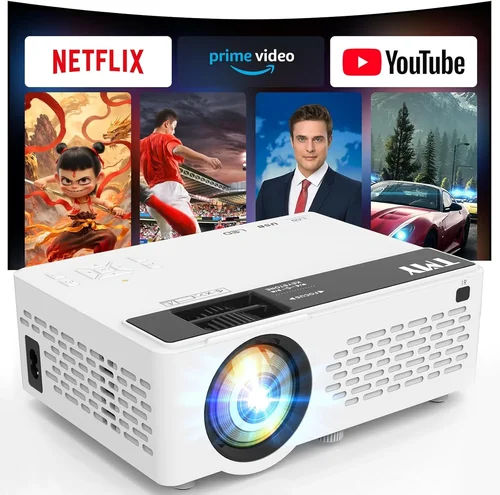
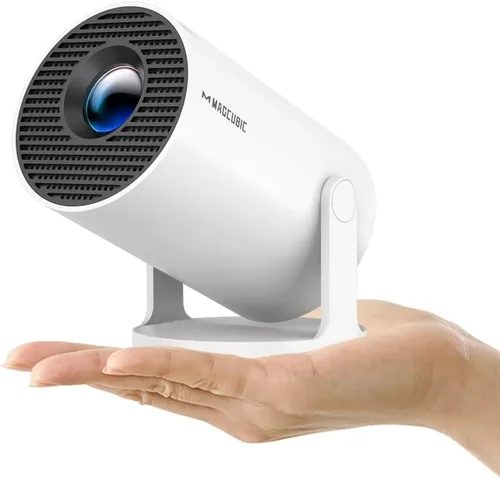
Welcome to the most thorough guide you’ll find on buying a home projector in 2026. Whether you’re setting up a family movie night, a gaming arena, or a home‑office presentation space, the right projector can transform any room into a cinematic experience. The market has exploded with options, from ultra‑compact pico projectors to high‑end 4K laser models, making the decision both exciting and overwhelming.
In this guide we’ll walk you through everything you need to know before you click “add to cart.” You’ll learn how to match your budget with performance, understand the technical specs that truly matter, avoid common pitfalls, and discover the best picks for every price tier. By the end, you’ll feel confident selecting a projector that fits your room, lifestyle, and expectations.
The home projector landscape in 2026 is defined by three major trends: brighter LED and laser light sources, smarter connectivity (built‑in Wi‑Fi, AirPlay, and Android TV), and a push toward ultra‑short‑throw (UST) designs that sit just inches from the wall. These innovations have broadened the appeal of projectors beyond dedicated home‑theater rooms, bringing cinema‑grade visuals to living rooms, bedrooms, and even kitchens.

What to Look for When Buying Buying Guide
1. Budget & Price Range
Setting a realistic budget is the first step. Projectors can cost anywhere from under $150 for basic models to over $5,000 for premium laser systems. Your budget determines the trade‑offs you’ll make in brightness, resolution, and feature set. Remember to factor in ancillary costs such as a suitable screen, mounting hardware, and possibly a sound system.
2. Performance Specifications
The three core specs that define visual performance are brightness (measured in lumens), resolution, and contrast ratio. Brightness determines how well the image holds up in ambient light; 2,500–3,000 lumens is a safe sweet spot for most living rooms with some light control. Resolution options include 1080p (Full HD), 4K (UHD), and even 8K in niche models—choose the highest resolution your viewing distance and screen size can resolve. Contrast ratio affects the depth of blacks; a ratio of 10,000:1 or higher is desirable for true‑home‑theater feel.
3. Build Quality & Durability
A projector is an investment that should last 3,000 to 5,000 hours of use. Look for robust housings, quality fans, and reputable lamp or laser modules. Laser light sources typically outlast traditional lamps by a factor of three, offering up to 20,000 hours of operation with consistent brightness.
4. Features & Functionality
Modern projectors are packed with smart features. Built‑in streaming apps, Bluetooth audio, HDMI 2.1 ports, and low‑latency gaming modes can eliminate the need for external boxes. If you plan to stream Netflix or Disney+, verify that the projector’s operating system supports those apps natively or via a connected device.
5. Brand Reputation
Brands like Epson, BenQ, Optoma, and LG have built strong reputations for reliability and service. Newer entrants such as Xiaomi and Hisense are pushing price points lower but may have limited after‑sales support in certain regions. Research warranty terms and read community forums to gauge long‑term satisfaction.
6. Warranty & Support
Look for at least a two‑year warranty covering the light source and core components. Extended warranties can be worthwhile for high‑end models, especially if you plan heavy usage. Good customer support, easy parts availability, and clear firmware update policies are also critical.
7. Size & Portability
If you need a projector that moves between rooms or travels, weight and dimensions matter. Pico projectors can fit in a pocket, while UST units are bulkier but stay permanently mounted. Consider whether you need a ceiling‑mount, table‑top, or portable solution.
8. User Reviews & Ratings
Real‑world feedback often reveals issues not listed in specifications, such as fan noise, heat buildup, or firmware quirks. Prioritize models with a substantial number of verified purchases and look for consistent praise or criticism across multiple retailers.
Different Types of Buying Guide

Common Buying Mistakes to Avoid
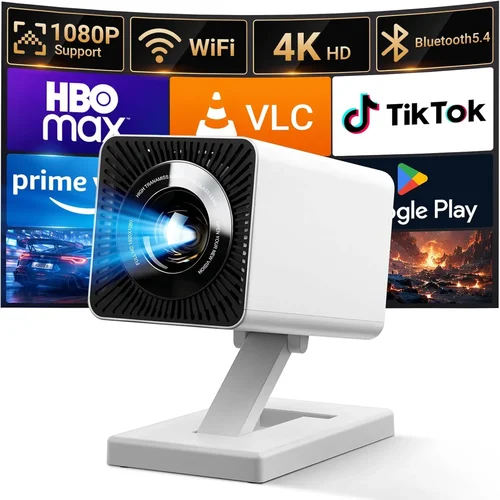
❌ Mistake: Ignoring Ambient Light Conditions
Why it’s bad: Choosing a low‑lumens projector for a bright living room leads to washed‑out images and frustration.
What to do instead: Measure the typical light level in your room and aim for at least 2,500 lumens for moderate ambient light, or 3,500+ lumens for very bright spaces.
❌ Mistake: Over‑Focusing on Resolution Alone
Why it’s bad: A 4K projector with only 1,500 lumens may look spectacular in a dark room but will underperform in everyday use.
What to do instead: Balance resolution with brightness and contrast. For most home settings, 1080p with high lumens can be more enjoyable than low‑lumens 4K.
❌ Mistake: Forgetting Throw Distance
Why it’s bad: Purchasing a standard‑throw unit for a small apartment can force you to place the projector too far away, requiring a massive screen.
What to do instead: Calculate the required throw distance using the projector’s throw ratio and your intended screen size. Consider UST models if space is limited.
❌ Mistake: Neglecting Connectivity Needs
Why it’s bad: A projector without HDMI 2.1 or Wi‑Fi may require extra adapters, adding cost and clutter.
What to do instead: List all devices you plan to connect (gaming console, streaming stick, sound system) and ensure the projector offers the necessary ports and wireless protocols.
❌ Mistake: Overlooking Fan Noise
Why it’s bad: A loud cooling fan can distract during movies or gaming sessions.
What to do instead: Check decibel (dB) ratings in reviews; aim for 30 dB or lower for a quiet viewing experience.
❌ Mistake: Skipping Warranty & Service Research
Why it’s bad: A cheap projector may have a short warranty, leaving you with costly repairs.
What to do instead: Prioritize manufacturers that provide at least a two‑year warranty on the light source and offer easy local service centers.
Budget Guidelines: How Much Should You Spend?
Understanding what you get at each price tier helps you set realistic expectations.
- Entry-Level ($150‑$500): Ideal for casual movie nights or presentations. Expect 720p–1080p resolution, 1,500–2,500 lumens, and basic HDMI connectivity. Build quality is adequate but may lack long‑lasting light sources.
- Mid‑Range ($500‑$1,500): The sweet spot for most families. Look for Full HD or entry‑level 4K, 2,500–3,500 lumens, decent contrast, and smart OS features. Laser or long‑life LED light sources become common.
- Premium ($1,500‑$3,500): Targeted at home‑theater enthusiasts. Expect true 4K UHD, HDR10+, 3,500+ lumens, high contrast ratios, and advanced motion handling for gaming.
- Luxury ($3,500+): Top‑tier laser or hybrid TV projectors with 4K/8K resolution, 5,000+ lumens, ultra‑low latency, and integrated soundbars. These models often include auto‑keystone, AI‑enhanced picture processing, and premium warranties.
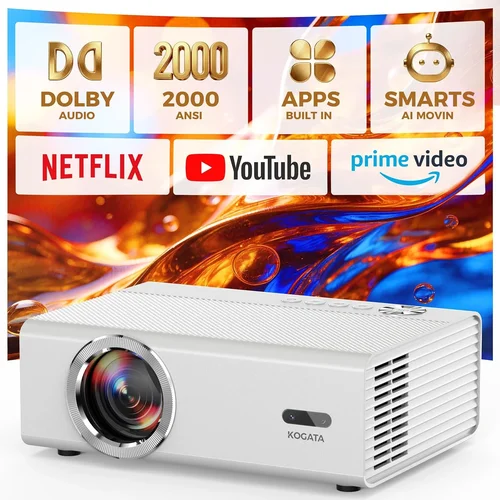
Expert Tips for Getting the Best Deal
- Timing: Late summer (July‑August) is when manufacturers clear inventory before new models launch, often resulting in 20‑30% off.
- Where to Buy: Authorized retailers like Best Buy, B&H, and manufacturer‑direct websites provide reliable warranties. Online marketplaces can be cheaper but verify the seller’s credibility.
- Bundling: Look for bundles that include a screen, ceiling mount, or HDMI cable—these can save up to $150 compared to buying accessories separately.
- Refurbished Units: Certified refurbished models from the manufacturer can offer near‑new performance at 15‑25% off, with a full warranty.
- Return Policies: Choose retailers with at least a 30‑day return window. Test the projector in your home environment; if it doesn’t meet expectations, you can return it hassle‑free.
- Warranty Extensions: For premium laser models, an extended warranty covering the light engine is a wise investment, especially if you plan >2,000 hours of use per year.
- Firmware Updates: Regular updates improve compatibility with streaming services and fix bugs. Choose a brand with a track record of frequent OTA (over‑the‑air) updates.

Frequently Asked Questions
Q: How far should a projector be from the screen?
A: The required distance depends on the projector’s throw ratio. For a 100‑inch screen, a standard‑throw projector with a 1.5:1 ratio needs about 12.5 feet of space, while a UST unit can sit just 4‑6 inches away.
Q: Do I need a separate sound system?
A: Most projectors have modest built‑in speakers (10‑15 W). For a true home‑theater experience, pair the projector with a soundbar or a 5.1 surround system via HDMI ARC or optical out.
Q: What is the difference between LED and laser light sources?
A: LED lamps last 20,000‑30,000 hours and offer instant on/off, but may be slightly dimmer. Laser light sources provide higher brightness, better color accuracy, and up to 20,000 hours of consistent output.
Q: Can I use a projector as a primary TV?
A: Yes, especially UST or laser‑TV models that support 1080p/4K input, have low lag, and include TV tuners. Ensure the room can be dimmed for optimal picture quality.
Q: Is 4K really worth it for a home projector?
A: If you sit close to a large screen (80‑120 inches) and watch high‑resolution content, 4K provides noticeable detail. For smaller screens or bright rooms, a high‑lumens 1080p projector may deliver a more satisfying image.
Q: How often do I need to replace the lamp?
A: Traditional lamps typically last 2,000‑3,000 hours. Laser and LED modules rarely need replacement within the product’s warranty period.
Q: What screen material should I choose?
A: For dark rooms, a high‑gain white or gray screen enhances contrast. In bright spaces, a matte white screen with a gain of 1.0‑1.2 is ideal to minimize hotspots.
Q: Do I need a ceiling mount?
A: Ceiling mounts provide a clean look and reduce keystone correction needs. Table‑top setups are fine for portable use, but ensure the projector is stable and well‑ventilated.
Our Final Recommendations
- Best for Budget‑Conscious Buyers: BenQ TH585 – 3,500 lumens, 1080p, low input lag, priced around $550. Great for gamers and family movies.
- Best Overall Value: Epson Home Cinema 3800 – 4,000 lumens, 4K‑enhanced (pixel‑shift), HDR10, versatile lens shift, typically $1,300.
- Best Premium Option: LG CineBeam HU85LA – 2,700 lumens laser, 4K UHD, UST design, AI‑enhanced picture, $3,200.
- Best for Beginners: ViewSonic M2 – 1,200 lumens LED, 1080p, built‑in Harman Kardon speakers, portable, $600.
- Best for Advanced Users: Sony VPL‑VW5000ES – 5,000 lumens, true 4K laser, HDR10+, ultra‑low latency, $7,500 (luxury tier).
Conclusion: Making the Right Choice
Choosing the best home projector under your budget is a balance of brightness, resolution, features, and room conditions. Start by assessing your viewing environment, then match those needs to the specifications outlined in this guide. Remember that a higher price does not automatically guarantee a better experience if the projector’s brightness or throw distance doesn’t suit your space.
Take advantage of seasonal sales, verify warranties, and read real user reviews before finalizing your purchase. With the right research, you’ll enjoy cinematic quality right in your living room, bedroom, or backyard for years to come.
Ready to bring the big screen home? Browse our top picks, compare specs, and make an informed decision that fits both your budget and your cinematic dreams.