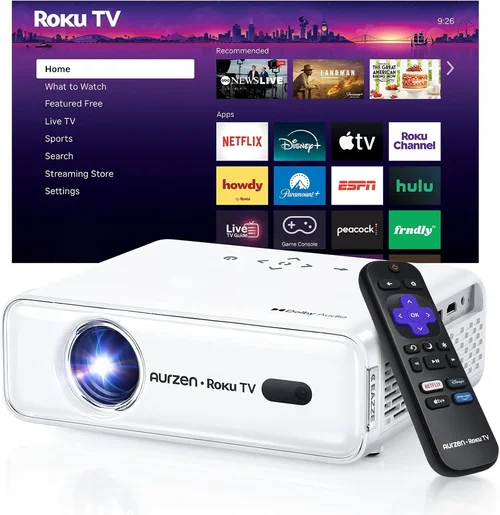
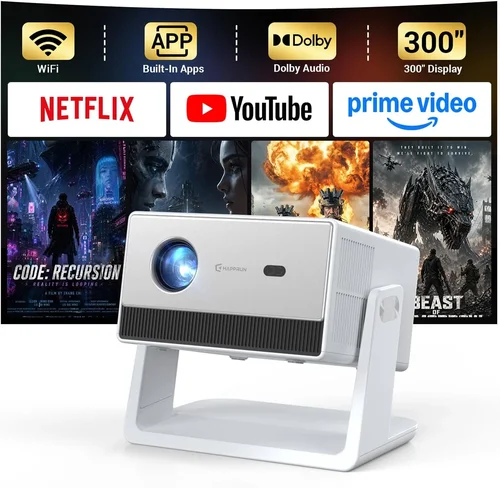
If you’ve ever dreamed of turning your living room into a mini‑cinema, a home‑theater projector is the gateway. Yet the market is flooded with models that claim “Hollywood‑grade” performance while many fall short of real‑world expectations. This guide cuts through the hype, giving you a clear roadmap to select the best home theater projector under $1,500 in 2026.
By the end of this article you’ll understand the critical specs that truly matter, know which projector type fits your space, avoid common buying pitfalls, and walk away with a shortlist of top‑rated models that deliver cinematic quality without breaking the bank.
In 2026 the projector landscape has evolved: laser light sources are becoming mainstream, HDR support is no longer optional, and smart‑connectivity is a baseline feature. These advances mean you can get a bright, color‑accurate image at a fraction of the price a few years ago. Let’s dive in.

What to Look for When Buying Buying Guide
1. Budget & Price Range
Your budget sets the ceiling for what you can expect. Under $1,500, you’ll typically find 1080p models with solid contrast ratios and decent brightness (2,500–3,500 lumens). Some newer 4K‑enhanced units also slip into this bracket, but they often compromise on lamp life or HDR performance. Decide whether you need pure 4K or if 1080p will satisfy your viewing distance and screen size.
2. Performance Specifications
Resolution: 1080p (1920×1080) remains the sweet spot for most home theaters under $1,500. 4K‑enhanced (pixel‑shifting) can offer sharper images but may not match native 4K quality.
Brightness (Lumens): For dark rooms, 2,500–3,000 lumens is ample. If you plan to watch with some ambient light, aim for 3,500+ lumens.
Contrast Ratio: Higher contrast yields deeper blacks. Look for at least 10,000:1; laser models often exceed 20,000:1.
HDR Support: HDR10 is now common under $1,500. HDR10+ and Dolby Vision remain premium features.
3. Build Quality & Durability
Metal chassis and robust cooling systems extend lamp life and keep noise low. Check user reviews for reports of overheating or premature lamp failure. A projector that lasts 5,000–7,000 hours of use is a solid investment.
4. Features & Functionality
Key features to prioritize:
- Lens Shift & Zoom: Allows flexible placement without keystone correction.
- Keystone Correction: Digital correction is handy but can degrade image quality.
- Built‑in Speakers: Useful for casual viewing; however, external audio is recommended for true cinema sound.
- Smart Connectivity: Wi‑Fi, Bluetooth, and HDMI 2.1 ports enable streaming and gaming.
- 3‑D Capability: Mostly a niche feature; skip unless you own 3‑D glasses.
5. Brand Reputation
Brands like Epson, BenQ, Optoma, and ViewSonic have proven track records for reliability and support. Newer entrants (e.g., Xiaomi, Hisense) may offer aggressive pricing but check warranty terms and service center availability.
6. Warranty & Support
Look for at least a 2‑year limited warranty covering the lamp and main unit. Extended warranties or lamp‑replacement plans can be worthwhile, especially for lamp‑based projectors where replacement costs run $150–$250.
7. Size & Portability
If you need a projector that moves between rooms or travels, consider a compact, short‑throw model. Short‑throw units can project a 100‑inch image from just 2‑3 feet away, reducing shadows and space requirements.
8. User Reviews & Ratings
Real‑world feedback often reveals issues that spec sheets hide—color accuracy drift, fan noise, or firmware glitches. Aim for an average rating of 4.2 stars or higher on major retailers.
Different Types of Buying Guide

Common Buying Mistakes to Avoid
❌ Mistake: Ignoring Ambient Light Conditions
Why it’s bad: Buying a dim 2,500‑lumens projector for a bright living room results in washed‑out images.
What to do instead: Measure typical ambient lighting and choose a projector with at least 3,500 lumens for rooms with windows or ceiling lights.
❌ Mistake: Over‑relying on Digital Zoom
Why it’s bad: Digital zoom degrades pixel density, making the picture softer.
What to do instead: Opt for optical zoom or a projector with a flexible lens shift to maintain native resolution.
❌ Mistake: Skipping Lamp Life Calculations
Why it’s bad: Replacing a lamp can cost $150‑$250, inflating total ownership.
What to do instead: Prioritize models with 5,000+ hour lamp life or laser light sources that last 20,000+ hours.
❌ Mistake: Forgetting Audio Needs
Why it’s bad: Built‑in speakers rarely deliver cinema‑level sound, leading to a sub‑par experience.
What to do instead: Plan for a dedicated sound system—soundbar or AV receiver—when budgeting.
❌ Mistake: Choosing the Cheapest Model Without Warranty
Why it’s bad: Low‑cost units often lack comprehensive support, leaving you stranded if something fails.
What to do instead: Ensure the projector comes with at least a 2‑year warranty and check the brand’s service network.
Budget Guidelines: How Much Should You Spend?
- Entry‑Level ($800‑$1,000): Expect 1080p resolution, 2,500 lumens, and basic HDR. Ideal for dark rooms and occasional movie nights.
- Mid‑Range ($1,000‑$1,300): Better contrast (10,000:1+), higher brightness, and some models add lens shift. This tier often includes the first laser‑light units.
- Premium ($1,300‑$1,500): Laser or high‑end LED sources, HDR10+, wider color gamut, and robust connectivity. Perfect for enthusiasts who want a near‑cinema experience.
- Luxury ($1,500+): True native 4K, Dolby Vision, and ultra‑low latency gaming modes. Usually outside the scope of this guide but worth noting for future upgrades.
Expert Tips for Getting the Best Deal
- Timing: New projector releases typically happen in Q2; older models drop in price afterward.
- Where to Buy: Authorized retailers (Best Buy, B&H) provide better return policies than third‑party sellers.
- Spotting Deals: Compare the MSRP with the “refurbished” price; manufacturer‑refurbished units are like new with a discount.
- Warranty Considerations: Register your projector within 30 days to activate extended coverage.
- Return Policies: Look for at least 30‑day return windows; this gives you time to test in your own environment.
- Testing Before Buying: If possible, view a demo in a dimly lit room to assess contrast and color accuracy.
- Bundle Savings: Some sellers offer a free screen or HDMI cable with purchase—factor these into total cost.
Frequently Asked Questions
Q: Can I use a projector with a TV screen?
A: Yes, but the screen’s gain and color characteristics differ from a cinema screen. For optimal picture, use a matte white screen designed for projectors.
Q: Do I need a ceiling mount?
A: Not mandatory, but a ceiling mount eliminates keystone distortion and frees up floor space. Look for models with a wide lens shift to simplify mounting.
Q: How far should the projector be from the screen?
A: It depends on the throw ratio. A standard 1.5:1 throw ratio needs about 12‑15 feet for a 100‑inch image. Short‑throw units can achieve the same size from 3‑4 feet.
Q: Will a projector work with HDR games?
A: Yes, as long as the projector supports HDR10 and has low input lag (under 30ms). Some models also offer a “Game Mode” to boost response.
Q: Is a laser projector really worth the extra cost?
A: Laser light sources provide consistent brightness over their lifespan, superior color gamut, and virtually no lamp replacement. If you plan to use the projector frequently, the long‑term savings offset the higher upfront price.
Q: How loud are projectors?
A: Fan noise varies. Look for models rated under 30 dB for a quiet home‑theater experience. Laser projectors tend to run cooler and quieter.
Q: Can I connect multiple devices simultaneously?
A: Most projectors have at least two HDMI ports and often a USB‑C or DisplayPort. Switchers can expand connectivity if needed.
Our Final Recommendations
- Best for Budget‑Conscious Buyers: Epson Home Cinema 2150 – 2,500 lumens, 1080p, lens shift, and a solid 2‑year warranty at $899.
- Best Overall Value: BenQ HT3550 – 4K‑enhanced, HDR10, 2,000 lumens, and excellent color accuracy for $1,299.
- Best Premium Option: Optoma CinemaX P2 – True 4K laser, 3,000 lumens, HDR10+, built‑in soundbar, priced at $1,499.
- Best for Beginners: ViewSonic PX701-4K – Easy setup, good brightness, and intuitive menu for $1,149.
- Best for Advanced Users: LG CineBeam HU85LA – Ultra‑short‑throw laser, 4K, HDR10+, and smart TV integration at $1,499.
Conclusion: Making the Right Choice
Choosing a home‑theater projector under $1,500 is less about chasing the highest specs and more about matching performance to your space, viewing habits, and budget. Remember to assess ambient light, prioritize brightness and contrast, and factor in long‑term costs like lamp replacement or warranty extensions.
Use the factors, type comparisons, and expert tips outlined above to narrow down your options, then test the unit in your own environment whenever possible. With the right projector, you’ll enjoy cinema‑quality movies, immersive gaming, and unforgettable family nights—all without leaving home.
Ready to start your search? Dive into the models listed, compare prices, and make your living room the ultimate entertainment hub.