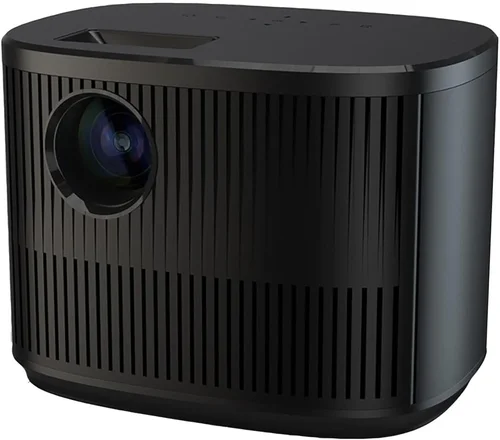
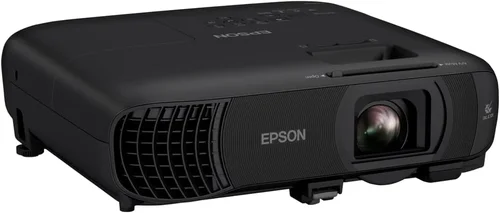
If you’ve ever dreamed of turning your living room into a private cinema, the right projector can make that vision a reality without breaking the bank. The market for home‑theater projectors under $4,000 has exploded in the past few years, offering 4K‑capable, HDR‑enhanced, and ultra‑short‑throw models that were once reserved for commercial installations. This guide cuts through the noise, helping you understand which specifications truly matter, where you can save, and how to avoid common pitfalls.
By the end of this article you’ll know exactly what to look for, which projector type fits your space, how much you should budget, and which models currently deliver the best value for money. Whether you’re a movie‑buff, a gamer, or a sports fan, the right projector will transform every viewing experience.

What to Look for When Buying Buying Guide
1. Budget & Price Range
Even within the “under $4,000” bracket, prices can vary dramatically—from $1,200 entry‑level units to $3,900 premium models. Your budget determines which features are realistic. A tighter budget may mean compromising on native 4K resolution or opting for a slightly higher input lag, while a larger budget opens the door to true 4K, laser light sources, and advanced lens shift. Start by setting a firm maximum spend, then allocate portions of that budget to the most critical specs for your use case.
2. Performance Specifications
Three technical specs dominate projector performance:
- Resolution: Native 4K (3840 × 2160) delivers the sharpest image, but many sub‑$4,000 models use “4K‑enhanced” or “4K‑upscaled” chips that approximate the detail. If you watch a lot of 4K content, prioritize native 4K.
- Brightness (ANSI lumens): For a dark home theater, 1,500–2,500 lumens is ample. Rooms with ambient light may need 2,500–3,500 lumens to keep blacks deep and colors vivid.
- Contrast Ratio: A high dynamic contrast (e.g., 30,000:1 or more) ensures deep blacks and bright whites, crucial for HDR content.
Balancing these three will give you a picture quality that feels cinematic without over‑paying for unnecessary specs.
3. Build Quality & Durability
Projectors are mechanical devices with moving parts (fans, lamp housings, lens assemblies). Look for metal chassis, a solid cooling system, and a reputable brand that uses high‑grade components. A well‑built projector not only lasts longer but also maintains image consistency over time.
4. Features & Functionality
Modern projectors pack a lot of “nice‑to‑have” tech:
- HDR Support: HDR10 and Dolby Vision compatibility boost color depth.
- Lens Shift & Zoom: Allows fine‑tuning of image placement without moving the projector.
- Keystone Correction: Digital correction is convenient but can degrade image quality; optical keystone (lens shift) is preferable.
- Built‑in Speakers: Useful for casual viewing, though most enthusiasts pair a soundbar or AV receiver.
- Smart OS: Some models run Android TV, Roku, or proprietary OS, eliminating the need for an external streaming box.
5. Brand Reputation
Brands like Epson, BenQ, LG, Optoma, and Sony dominate the sub‑$4,000 segment. Research each brand’s track record for firmware updates, customer service, and long‑term reliability. Online forums and professional reviews often highlight which manufacturers consistently deliver quality.
6. Warranty & Support
A solid warranty protects your investment. Look for at least a 2‑year parts‑and‑labor warranty, with the option to extend. Check if the manufacturer offers on‑site service, a responsive helpline, and easy access to replacement lamps or laser modules.
7. Size & Portability (if applicable)
If you plan to move the projector between rooms or use it for outdoor movie nights, weight and footprint matter. Ultra‑short‑throw (UST) models sit inches from the screen and are ideal for limited space, while standard throw units require more distance but often provide higher brightness.
8. User Reviews & Ratings
Real‑world feedback uncovers issues that spec sheets hide—like fan noise, heat buildup, or firmware bugs. Prioritize products with a minimum of 200 verified user reviews and an average rating of 4 stars or higher.
Different Types of Buying Guide

Common Buying Mistakes to Avoid
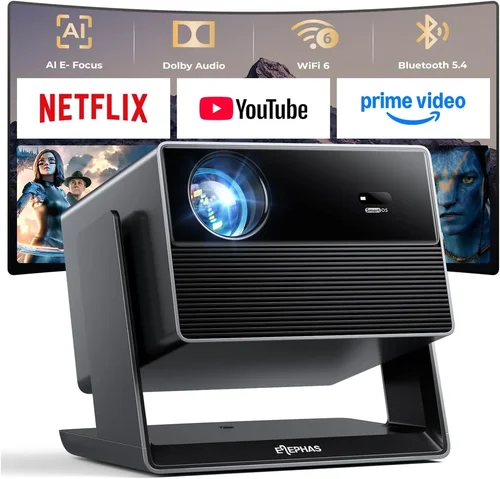
❌ Mistake: Ignoring Ambient Light Conditions
Why it’s bad: Selecting a low‑lumens projector for a bright living room will result in washed‑out colors and poor contrast.
What to do instead: Measure the typical light level in your viewing area. If you can’t achieve near‑darkness, aim for at least 2,500–3,000 ANSI lumens.
❌ Mistake: Over‑focusing on Resolution Alone
Why it’s bad: A native 4K projector with low contrast and poor color accuracy can look worse than a high‑quality 1080p unit.
What to do instead: Balance resolution with contrast ratio, brightness, and HDR support.
❌ Mistake: Forgetting About Throw Distance
Why it’s bad: Buying a long‑throw projector for a small room may force you to place it far away, creating a tiny screen.
What to do instead: Use an online throw‑distance calculator or check the manufacturer’s chart to ensure the projector fits your space.
❌ Mistake: Neglecting Lens Shift & Zoom
Why it’s bad: Without optical lens shift, you might need to physically move the projector, which can be impossible in tight setups.
What to do instead: Prioritize models with at least ±10% vertical lens shift and a decent zoom range.
❌ Mistake: Assuming All Lamps Are Equal
Why it’s bad: Traditional UHP lamps degrade over time, reducing brightness and requiring costly replacements.
What to do instead: Consider laser or laser‑phosphor light sources for longer life and stable performance.
❌ Mistake: Skipping Firmware Updates
Why it’s bad: Out‑of‑date firmware can cause compatibility issues with new streaming apps or cause performance bugs.
What to do instead: Choose a brand with a track record of regular updates and check community forums for known issues.
Budget Guidelines: How Much Should You Spend?
- Entry‑Level ($1,200 – $1,800): Expect 1080p or 4K‑enhanced resolution, 1,500–2,000 lumens, and basic HDR. Great for secondary rooms or occasional movie nights.
- Mid‑Range ($1,800 – $2,800): Native 1080p or entry‑level 4K, 2,500+ lumens, better contrast, and improved color accuracy. Ideal for dedicated home theaters with controlled lighting.
- Premium ($2,800 – $3,800): True 4K, laser or laser‑phosphor light source, 3,000+ lumens, high dynamic contrast, and advanced lens shift. Suits cinephiles who want cinema‑grade performance.
- Luxury ($3,800+): Flagship models with ultra‑low input lag, Dolby Vision, premium optics, and built‑in AI upscaling. Overkill for most households but perfect for home‑theater enthusiasts.
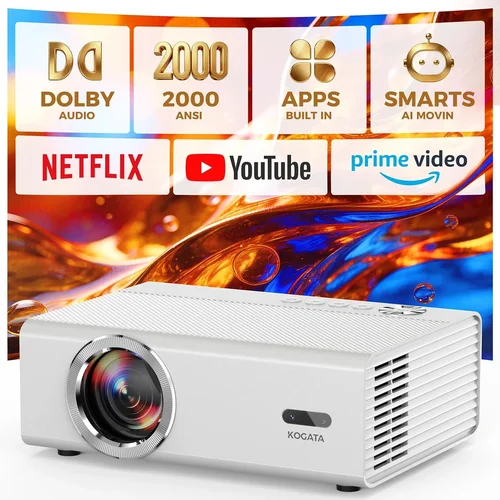
Expert Tips for Getting the Best Deal
- Timing: The best buying windows are late November (Black Friday), mid‑December (post‑holiday sales), and early spring when new models arrive.
- Retailers: Compare prices at authorized dealers like B&H, Adorama, and Amazon. Check for price‑match guarantees.
- Bundles: Look for bundles that include a high‑gain screen, mounting hardware, or a spare lamp—often cheaper than buying items separately.
- Extended Warranty: If you plan to keep the projector for 5+ years, an extended warranty can be a smart investment, especially for laser models.
- Return Policy: Choose sellers with at least a 30‑day return window. This lets you test the projector in your own lighting conditions.
- Testing: Bring a laptop or streaming stick to the store and project a 4K HDR sample. Check for uniform brightness, color accuracy, and fan noise.
- Negotiation: In brick‑and‑mortar stores, ask for a “price‑adjustment” if the same model drops within 30 days of purchase.

Frequently Asked Questions
Q: Do I need a screen, or can I project onto a wall?
A: While a smooth, white wall works, a dedicated projector screen (gain 1.0–1.2) dramatically improves color uniformity, contrast, and perceived brightness. For premium HDR content, a high‑gain screen is recommended.
Q: How long do laser projectors really last?
A: Most laser‑phosphor units are rated for 20,000–30,000 hours—equivalent to 5–8 years of daily 4‑hour use before noticeable dimming.
Q: Can I use a projector for gaming?
A: Yes, but prioritize low input lag (<20 ms) and a high refresh rate (120 Hz). Many 4K DLP models under $4,000 meet these criteria.
Q: Is HDR worth it on a budget projector?
A: HDR adds depth to bright scenes, but you need sufficient brightness (≥2,500 lumens) and a good contrast ratio to see the benefit. Mid‑range models often provide a satisfactory HDR experience.
Q: What lamp life should I expect from a traditional UHP lamp?
A: Typically 2,000–3,000 hours before brightness drops 20%. Replacement lamps cost $150–$250.
Q: Do I need a special screen for ultra‑short‑throw projectors?
A: A dedicated UST screen with an acoustically transparent surface is ideal, but a high‑gain matte white screen also works well.
Q: How far should my projector be from the screen?
A: It depends on the throw ratio. A 1.5:1 throw ratio needs 1.5 × screen width distance. Use the manufacturer’s calculator for precise placement.
Q: Are built‑in speakers sufficient?
A: Built‑in speakers are convenient but limited in power and fidelity. Pair the projector with a soundbar or AV receiver for true cinema sound.
Our Final Recommendations
- Best for Budget‑Conscious Buyers: BenQ HT3550 – 1080p, 2,200 lumens, HDR10, excellent color accuracy, under $1,500.
- Best Overall Value: Epson Home Cinema 5050UB – 4K‑enhanced, 2,600 lumens, 1,000,000:1 contrast, lens shift, around $2,900.
- Best Premium Option: LG CineBeam HU85LA – Laser‑phosphor, 4K, 2,700 lumens, UST design, 20,000‑hour lamp life, $3,800.
- Best for Beginners: Optoma UHD38 – True 4K, 4,000 lumens, 4.2 ms input lag, easy setup, $2,200.
- Best for Advanced Users: Sony VPL‑VW915ES – Native 4K, laser light source, 2,500 lumens, superb motion handling, $3,950.
Conclusion: Making the Right Choice
Choosing the best home theater projector under $4,000 boils down to matching your viewing environment, content preferences, and budget. Start by assessing ambient light, screen size, and desired resolution. Then weigh brightness, contrast, and HDR support against price. Remember that a higher‑priced model isn’t automatically better if it offers features you’ll never use.
Take advantage of seasonal sales, test the projector in your own space, and read user reviews before committing. With the right research, you’ll enjoy cinematic evenings at home without overspending.
Ready to upgrade your movie nights? Browse the models above, compare specs, and pick the projector that fits your lifestyle. Happy viewing!