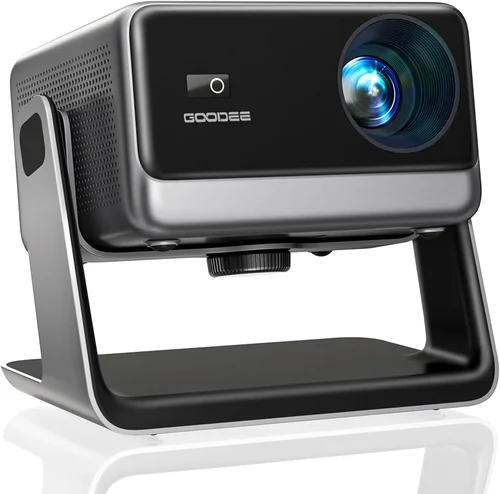
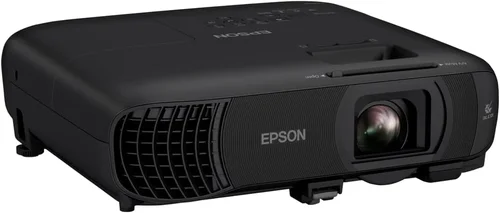
Finding the perfect home theatre projector under $1,500 can feel like navigating a maze of specs, brands, and price tags. You want cinematic quality without breaking the bank, yet the market is flooded with options that promise “the best picture ever.” This guide cuts through the noise, giving you a clear roadmap so you can pick a projector that fits your room, your budget, and your viewing habits.
In the next few sections you’ll learn which technical specs truly matter, how different projector types stack up, and which common pitfalls to avoid. By the end, you’ll be equipped to make an informed decision and enjoy movie‑night like never before.

What to Look for When Buying Buying Guide
1. Budget & Price Range
Even within the “under $1,500” bracket, prices can vary wildly. A $400 entry‑level model may lack features you’ll quickly miss, while a $1,400 unit could offer premium performance that rivals higher‑priced competitors. Set a realistic ceiling based on how often you’ll use the projector and what you expect from it. Remember to factor in accessories—screen, mounting kit, cables—which can add $200‑$400 to the total cost.
2. Performance Specifications
Brightness (lumens) – Measured in ANSI lumens, this tells you how well the image will hold up in ambient light. For dedicated dark rooms, 1,500‑2,000 lumens is ample; for living rooms with some light, aim for 2,500+ lumens.
Resolution – 1080p (Full HD) remains the sweet spot under $1,500, delivering crisp detail for movies and games. Some newer 4K‑enhanced models use pixel‑shifting to simulate 4K, but true 4K remains rare in this price range.
Contrast Ratio – Higher contrast means deeper blacks and more vibrant colors. Look for at least 10,000:1; premium LCD panels can push 30,000:1 or more.
Throw Distance & Zoom – Determines how far the projector must sit from the screen. A short‑throw (ST) unit can sit close to the wall, ideal for small rooms, while a standard throw needs more space.
3. Build Quality & Durability
A solid chassis, reliable cooling, and a long‑life lamp (or laser) are essential for longevity. Laser light sources are becoming common under $1,500 and often boast 20,000‑30,000 hour lifespans with consistent brightness.
4. Features & Functionality
Smart OS integration (Android TV, Roku, or proprietary), HDMI 2.0/2.1 ports, HDR support, and built‑in speakers can simplify setup. If you plan to game, look for low input lag (<30 ms) and a 60 Hz or higher refresh rate.
5. Brand Reputation
Manufacturers like Epson, BenQ, Optoma, and ViewSonic have established track records for quality and service. Check forums, Reddit threads, and YouTube reviews to gauge real‑world reliability.
6. Warranty & Support
Standard warranties range from 1‑3 years. Some brands include extended coverage for the light source. Consider the ease of contacting support and the availability of local service centers.
7. Size & Portability (if applicable)
For renters or frequent movers, a lightweight pico or portable projector (under 5 lb) may be preferable. Otherwise, a heavier home‑theatre model can stay permanently mounted.
8. User Reviews & Ratings
Beyond professional reviews, scan user feedback for recurring issues—e.g., “fan noise,” “color shifting,” or “remote lag.” Real‑world experiences often highlight strengths and weaknesses that specifications alone can’t reveal.
Different Types of Buying Guide

Common Buying Mistakes to Avoid
❌ Mistake: Ignoring Ambient Light Conditions
Why it’s bad: Selecting a dim projector for a bright living room results in washed‑out images.
What to do instead: Measure typical room lighting and choose a model with at least 2,500 lumens for mixed‑light environments.
❌ Mistake: Over‑focusing on Resolution Alone
Why it’s bad: A 4K‑enhanced projector with low brightness and poor contrast can look worse than a true 1080p unit.
What to do instead: Balance resolution with brightness, contrast, and color performance.
❌ Mistake: Forgetting Throw Distance
Why it’s bad: Buying a standard‑throw projector for a 6‑ft room forces you to place it too far away, limiting screen size.
What to do instead: Use a throw‑ratio calculator or opt for a short‑throw model if space is limited.
❌ Mistake: Disregarding Lamp/Laser Life
Why it’s bad: Replacing a lamp can cost $150‑$250 and involve downtime.
What to do instead: Choose a laser or LED light source for longer life and lower total‑cost‑of‑ownership.
❌ Mistake: Skipping Firmware Updates
Why it’s bad: Out‑of‑date firmware can cause compatibility issues with new streaming devices.
What to do instead: Verify the manufacturer provides regular updates and that the UI is easy to update.
❌ Mistake: Underestimating Audio Needs
Why it’s bad: Built‑in speakers are often tinny; without an external sound system, the cinematic experience suffers.
What to do instead: Budget for a soundbar or a small AV receiver and speakers.
Budget Guidelines: How Much Should You Spend?
- Entry‑Level ($300‑$600): Typically pico or basic DLP units. Good for occasional use, but limited brightness and no HDR.
- Mid‑Range ($600‑$1,000): Most 1080p LCD/DLP models fall here. You’ll get 2,500‑3,000 lumens, decent contrast, and basic smart features.
- Premium ($1,000‑$1,500): Laser‑based or high‑end DLP with enhanced color gamuts, HDR10, and low input lag—ideal for enthusiasts.
- Luxury ($1,500+): True 4K, ultra‑short‑throw, or cinema‑grade optics. While outside the core brief, these models set the benchmark for future upgrades.
Expert Tips for Getting the Best Deal
- Timing: Late‑year holidays (Black Friday, Cyber Monday) and early spring often bring the deepest discounts.
- Retailers: Compare Amazon, Best Buy, and direct‑to‑consumer sites. Amazon may have more user reviews, while manufacturer sites sometimes include bundle offers.
- Bundle Savings: Look for packages that include a screen, mounting hardware, or a soundbar—often cheaper than buying separately.
- Check Refurbished: Certified refurbished units can be 15‑25% cheaper and come with a full warranty.
- Warranty Extensions: If you plan heavy use, consider an extended warranty for the lamp or laser source; calculate the cost versus expected replacement price.
- Return Policies: Ensure a 30‑day return window; this gives you time to test in your actual room.
- Testing: If possible, view a demo in a store with a similar screen size and ambient lighting to your home.

Frequently Asked Questions
Q: Do I need a special screen for a projector under $1,500?
A: While a white wall works, a dedicated projector screen improves gain and uniformity. For budget builds, a 120‑inch 16:9 fixed‑frame screen (around $150) offers noticeable improvement without a huge expense.
Q: Can I use a home theatre projector for gaming?
A: Absolutely, but prioritize low input lag (<30 ms) and a refresh rate of 60 Hz or higher. Many mid‑range models now include a “Game Mode” that disables image processing to reduce lag.
Q: What’s the difference between LCD and DLP?
A: LCD panels generally deliver better color accuracy and higher brightness, while DLP units excel in contrast and have smoother motion handling. Choose based on your priority—vivid colors (LCD) vs deeper blacks (DLP).
Q: How far should the projector be from the screen?
A: Use the manufacturer’s throw‑ratio chart. For a 100‑inch 16:9 image, a 1.5:1 throw ratio requires about 12.5 ft of distance, whereas a 0.5:1 short‑throw needs only 4 ft.
Q: Is HDR worth it at this price point?
A: HDR can boost contrast and color depth, but the effect is limited by the projector’s native contrast ratio. If HDR is a priority, aim for a model with at least 10,000:1 contrast and HDR10 support.
Q: Should I buy a projector with built‑in speakers?
A: Built‑in speakers are convenient for casual viewing, but they rarely deliver cinema‑level audio. Pairing the projector with a soundbar or AV receiver is recommended for an immersive experience.
Q: How often do I need to replace the lamp?
A: Traditional lamps last 2,000‑3,000 hours. Laser sources last 20,000+ hours and rarely need replacement. If you watch 3 hours nightly, a lamp will last roughly 2‑3 years, while a laser unit could last a decade.
Our Final Recommendations
Best for Budget‑Conscious Buyers: BenQ TH585 – 3,500 lumens, 1080p, low input lag, and a price around $650. Ideal for gamers and movie fans who need brightness without breaking the bank.
Best Overall Value: Epson Home Cinema 2150 – 2,500 lumens, 1080p, 3LCD technology, lens shift, and wireless mirroring for $900. Offers a balanced mix of image quality, features, and durability.
Best Premium Option: Optoma CinemaX P2 (laser, ultra‑short‑throw) – Though slightly above $1,500, it often drops into the range during sales. Delivers 4K‑enhanced image, 3,000 lumens, and built‑in Harman Kardon sound.
Best for Beginners: ViewSonic PA503S – Simple setup, 3,600 lumens, SVGA resolution, and a price under $400. Great for first‑time users who want a large image without complex calibration.
Best for Advanced Users: BenQ HT3550 – True 4K DLP, HDR10, 2,000 lumens, and cinematic color accuracy. At $1,450 it pushes the upper limit but rewards enthusiasts with cinema‑grade performance.
Conclusion: Making the Right Choice
Choosing the best home theatre projector under $1,500 boils down to matching your room’s lighting, your viewing habits, and your willingness to invest in accessories. Prioritize brightness and contrast first, then consider resolution, throw distance, and smart features. Avoid common mistakes like ignoring ambient light or underestimating lamp life, and use the budget breakdown to set realistic expectations.
Remember, the perfect projector isn’t the one with the highest specs on paper; it’s the one that delivers a stunning, immersive experience in your own space. Use this guide as your checklist, compare a few shortlisted models in person if possible, and you’ll be ready to transform movie night into a true home‑cinema event.