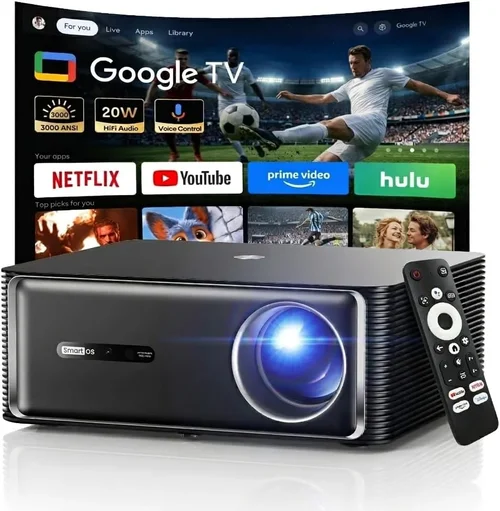
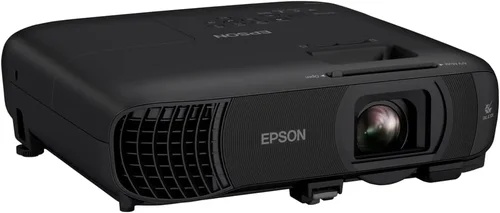
Finding a projector that delivers a bright, clear image without breaking the bank can feel like hunting for a needle in a haystack. The market is flooded with models that promise cinema‑grade performance, yet many of them cost several hundred dollars more than you’d like to spend. That’s why this guide exists – to cut through the hype, explain exactly what matters for indoor use, and point you to the best indoor projector under $100.
In the pages that follow, you’ll learn how to evaluate brightness, resolution, connectivity, and durability, all while staying within a tight budget. We’ll compare the most common projector types, flag the pitfalls that trip up first‑time buyers, and give you a clear roadmap for spending smartly. By the end, you’ll know which model fits your room, your content, and your wallet.
The indoor projector market has evolved dramatically over the past few years. LED light sources, improved chipsets, and aggressive pricing have pushed entry‑level units into the sub‑$100 bracket. While you won’t get a 4K home‑theater experience at this price point, modern budget projectors can still stream Netflix, display PowerPoint decks, and turn a bedroom wall into a gaming canvas. Let’s dive into the factors that separate a decent $90 unit from a disappointing $70 one.

What to Look for When Buying Buying Guide
1. Budget & Price Range
Price is the obvious starting line, but it also sets realistic expectations. Projectors under $100 typically use LED or laser diodes, which means lower lumen output and simpler optics. Knowing your budget helps you prioritize: do you need higher brightness for a well‑lit room, or can you dim the lights and accept a slightly dimmer image? Remember that accessories—HDMI cables, mounting brackets, or a portable screen—can add $10‑$30 to the total cost.
2. Brightness (Lumens)
Brightness is measured in ANSI lumens, but most budget models only list “LED lumens,” which can be misleading. For indoor use in a dark or semi‑dark environment, aim for at least 300–500 LED lumens. Anything lower will look washed out, especially when displaying colorful video content. If you plan to watch movies with the lights on, you may need to accept a smaller image size or invest in a slightly brighter unit, even if it pushes the price just above $100.
3. Resolution
Resolution determines how sharp your image appears. Most sub‑$100 projectors are limited to 720p (1280×720) or native 480p (854×480). While 720p is adequate for casual gaming and streaming, 480p may look pixelated on larger screens. Look for a model that advertises a native 720p panel; many “1080p” budget projectors actually upscale from a lower native resolution, which can blur fine details.
4. Connectivity & Compatibility
Modern content sources—streaming sticks, smartphones, laptops—rely on HDMI, USB‑C, or wireless casting. Ensure the projector has at least one HDMI 1.4 or higher port; some models also include a USB‑A port for media playback. If you want to go wireless, look for built‑in Wi‑Fi or Bluetooth, but be aware that sub‑$100 units often require a separate dongle for reliable mirroring.
5. Throw Distance & Image Size
Throw distance is the gap between the projector lens and the screen. A short‑throw projector can create a 100‑inch image from just a few feet away, which is ideal for small rooms. Most budget projectors have a “standard throw” ratio of 1.2–1.5, meaning you’ll need roughly 6‑8 feet of space for a 100‑inch image. Check the specifications chart to ensure the projector fits your room dimensions.
6. Build Quality & Portability
Even cheap devices benefit from a sturdy chassis and good heat dissipation. Metal or high‑grade ABS housings resist wobble and last longer. If you plan to move the projector between rooms or use it for outdoor movie nights, look for a lightweight (under 2 kg) design with a built‑in handle.
7. Features & Functionality
Additional features can add real value at a low cost. Look for:
- Built‑in speakers: While not audiophile‑grade, they save you from buying external speakers for casual use.
- Keystone correction: Allows you to fix a trapezoidal image without moving the projector.
- Auto focus: Helpful when you frequently change throw distance.
- Screen mirroring apps: Some units support AirPlay, Miracast, or Chromecast built‑in.
8. Warranty & Support
Even the best budget projector can develop dead pixels or lamp issues. A minimum 1‑year warranty is standard; some brands extend to 2 years. Check the manufacturer’s support channels—online chat, phone, or community forums—so you can get help quickly if something goes wrong.
Different Types of Buying Guide

Common Buying Mistakes to Avoid
❌ Mistake: Ignoring Room Lighting
Why it’s bad: A projector that looks great in a dark room may appear dull or washed out under typical household lighting.
What to do instead: Measure the ambient light level and choose a unit with at least 300 LED lumens for dim rooms, or consider a short‑throw model with higher brightness if you can’t control lighting.
❌ Mistake: Focusing Only on Price
Why it’s bad: The cheapest option often sacrifices resolution, connectivity, or durability, leading to a frustrating experience.
What to do instead: Prioritize the features that matter most to you—resolution, HDMI port, or built‑in speakers—and allocate your budget accordingly.
❌ Mistake: Overlooking Throw Ratio
Why it’s bad: Buying a standard‑throw projector for a 6‑foot room may force you to sit far back, reducing image size.
What to do instead: Check the throw ratio chart and match it to your room’s dimensions. Short‑throw models are worth a few extra dollars if space is limited.
❌ Mistake: Forgetting About Heat Management
Why it’s bad: Poor ventilation can cause the projector to overheat, leading to shortened lifespan or sudden shutdowns.
What to do instead: Look for a design with built‑in fans or passive cooling fins, and keep the rear vents clear.
❌ Mistake: Assuming All HDMI Ports Are Equal
Why it’s bad: Some budget projectors only support HDMI 1.3, which may limit 4K passthrough or audio‑return channel (ARC) capabilities.
What to do instead: Verify that the HDMI version meets your source device’s output—most 1080p content works fine with HDMI 1.4.
❌ Mistake: Neglecting Warranty Details
Why it’s bad: A short or non‑transferable warranty can leave you stuck with a defective unit.
What to do instead: Choose brands that offer at least a one‑year warranty and clearly state the return policy.
Budget Guidelines: How Much Should You Spend?
Even within the sub‑$100 segment, there are noticeable tiers. Here’s a quick breakdown:
- Entry‑Level ($50‑$70): Expect 480p resolution, 200–300 LED lumens, and basic HDMI. Ideal for occasional slide shows or casual video.
- Mid‑Range ($71‑$100): Most models deliver native 720p, 300–500 LED lumens, and added features like keystone correction and built‑in speakers. This is the sweet spot for most indoor users.
- Premium ($101‑$150): Slightly brighter LEDs, better color accuracy, and sometimes short‑throw optics. Worth considering if you can stretch a little beyond the strict $100 limit.
- Luxury ($151+): Laser light sources, true 1080p panels, and advanced wireless casting. Not necessary for a budget‑focused indoor setup.
Expert Tips for Getting the Best Deal
- Timing is everything: Black Friday, Cyber Monday, and post‑holiday sales often feature deep markdowns on electronics.
- Shop refurbished: Certified refurbished units from reputable sellers can be 20‑30% cheaper and still carry a warranty.
- Bundle savings: Look for bundles that include HDMI cables, a portable screen, or a mounting bracket; the total cost is usually lower than buying each item separately.
- Check international versions: Some Asian market models ship with the same hardware but a lower price tag; just ensure the power plug and voltage are compatible.
- Read the fine print on return policies: A 30‑day return window gives you time to test the projector in your own environment.
- Test before you commit: If possible, visit a local electronics store and view a demo unit on a dark wall. Even a quick glance can reveal contrast and color performance.
- Consider future upgrades: Buying a projector with an extra HDMI port or USB‑C can save you money when you later add a streaming stick or external speaker.

Frequently Asked Questions
Q: Can a sub‑$100 projector display 4K content?
A: Most budget projectors can accept a 4K signal via HDMI but will downscale it to their native resolution (usually 720p or 480p). You won’t get true 4K detail, but the image will still look acceptable for casual viewing.
Q: Do I need a separate screen?
A: Not necessarily. A smooth, white wall works fine for most indoor setups. For the best contrast, consider a matte white projector screen; they can be found for under $30.
Q: How long do LED lamps last?
A: LED light sources typically last 20,000‑30,000 hours, far longer than traditional lamps. At 3 hours of use per day, that’s over 18 years of operation.
Q: Is a built‑in speaker enough?
A: Built‑in speakers are usually 2‑5 watts and suitable for small rooms or personal use. For a home‑theater feel, pair the projector with a Bluetooth soundbar or external speakers.
Q: Can I use a projector for gaming?
A: Yes, as long as the projector supports at least 60 Hz refresh rate and low input lag (under 30 ms). Many budget models meet these criteria, but test with your console before buying.
Q: What is keystone correction?
Keystone correction digitally reshapes a trapezoidal image into a rectangle when the projector isn’t perfectly centered. It’s handy, but excessive correction can slightly reduce image sharpness.
Q: Do I need a remote control?
Most budget projectors include a basic remote for power, volume, and menu navigation. Some also support smartphone control via a companion app.
Q: How far away should I place the projector?
Check the throw ratio chart. For a 100‑inch image, a standard‑throw projector typically needs 8‑10 feet of distance; a short‑throw might need only 4‑5 feet.
Q: Are there any safety concerns?
Projectors generate heat, so keep vents clear and avoid placing them near flammable materials. Also, never look directly into the lens while it’s on.
Our Final Recommendations
- Best for Budget‑Conscious Buyers: Vankyo Leisure 3 Mini Projector – $69. Offers 720p support, 300 LED lumens, and built‑in speakers. Ideal for dorm rooms and casual movie nights.
- Best Overall Value: Anker Nebula Capsule II – $99. Slightly above the $100 mark but provides Android TV, 720p native resolution, 200 lumens, and a compact soda‑can design.
- Best Premium Option: ViewSonic M1 Mini Plus – $119 (often on sale for $100). Features a 1080p‑compatible panel, 250 lumens, JBL speakers, and Wi‑Fi casting.
- Best for Beginners: ELEPHAS Mini Projector – $79. Simple plug‑and‑play, HDMI, USB‑C, and a decent keystone correction.
- Best for Advanced Users: Optoma GT5600 – $149 (occasionally drops below $100). Short‑throw, 400 lumens, 720p, and robust connectivity options.
Conclusion: Making the Right Choice
Choosing the best indoor projector under $100 boils down to balancing brightness, resolution, and connectivity with the size of your room and your viewing habits. Start by measuring your space, decide how much ambient light you can control, and then match those needs to the factors we outlined above. Remember, the cheapest unit isn’t always the worst—sometimes a well‑reviewed $70 model will outshine a $120 competitor if it fits your specific scenario.
Take advantage of seasonal sales, read user reviews, and don’t be afraid to test a unit in person if you can. With the right information, you’ll enjoy big‑screen entertainment without draining your wallet.
Ready to bring the cinema home? Browse the models we highlighted, compare specs, and click “Add to Cart” while the price is right. Happy viewing!