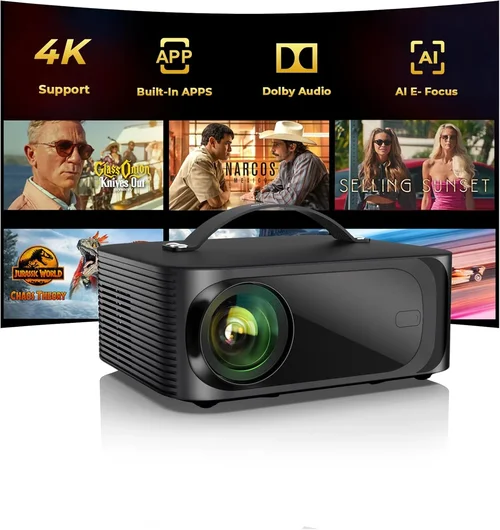
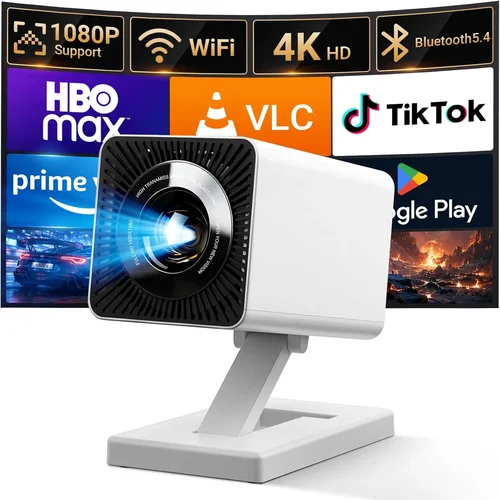
Welcome to the ultimate guide for anyone looking to bring the cinema experience home without breaking the bank. In 2026, the market for intro‑level home projectors under $500 is booming, and the choices can feel overwhelming. Whether you’re setting up a weekend movie night, a casual gaming spot, or a versatile presentation hub for a home office, the right projector can transform a bland wall into a vibrant screen.
This guide is designed to cut through the noise. We’ll walk you through the most important buying factors, compare the main projector categories, flag common pitfalls, and give you a clear budget roadmap. By the time you finish reading, you’ll know exactly which models fit your lifestyle, how to spot a genuine bargain, and what to ask before you click “add to cart.”
First, let’s take a quick snapshot of the market. Advances in LED and laser technology have pushed brightness and color performance to levels that were once reserved for professional‑grade gear, while manufacturers have streamlined designs for portability and ease of use. At the same time, smart‑TV integration, wireless casting, and built‑in speakers are becoming standard even on sub‑$500 units. This means you no longer have to sacrifice convenience for cost.

What to Look for When Buying Buying Guide
1. Budget & Price Range
Even within the “under $500” segment, there’s a wide price spread—from $150 entry‑level models to premium $499 units packed with extra features. Your budget determines not only the raw specifications but also the longevity and upgrade path of the projector. Set a realistic ceiling based on how often you’ll use it and what you expect in terms of image quality. Remember, a cheap projector may save you money upfront but could cost more in replacement bulbs or repairs down the line.
2. Performance Specifications
The three pillars of performance are brightness (measured in lumens), resolution, and contrast ratio. For a living‑room setup with ambient light, aim for at least 2,500–3,000 lumens. In a dark bedroom or dedicated home‑theater room, you can get away with 1,500–2,000 lumens. Resolution is another make‑or‑break factor: native 1080p (Full HD) is now common under $500, while true 4K is still rare at this price point. Contrast ratio affects how deep blacks appear; a ratio of 10,000:1 or higher is desirable for richer images.
3. Build Quality & Durability
Projectors are often moved from room to room, especially the portable models. Look for sturdy chassis, preferably metal or high‑grade ABS plastic, and a robust lens cover. Check user reviews for reports of overheating or loose internal components. A well‑designed cooling system not only prolongs lamp life but also maintains consistent image quality during long viewing sessions.
4. Features & Functionality
Modern projectors pack a suite of smart features. Consider built‑in Wi‑Fi or Bluetooth for wireless screen mirroring, Android TV or Roku integration for streaming apps, and USB‑C or HDMI‑2.1 ports for future‑proof connectivity. Some units also include integrated speakers—useful if you lack a separate audio system, though external speakers will always deliver better sound.
5. Brand Reputation
Established brands like Epson, BenQ, ViewSonic, and Optoma have a track record of reliable after‑sales service and firmware updates. Newer entrants such as XGIMI or Anker Nebula often innovate quickly but may have limited service centers. Research the brand’s presence in your region, the availability of spare parts, and the responsiveness of their support teams.
6. Warranty & Support
A solid warranty can save you headaches. Look for at least a 2‑year warranty that covers the lamp/LED module, and verify whether it includes on‑site service or requires you to ship the unit. Some manufacturers offer extended warranties or accidental damage coverage for an extra fee—worth considering if you plan to move the projector frequently.
7. Size & Portability
If you plan to travel with your projector (e.g., for backyard movie nights or presentations), weight and footprint matter. Ultra‑short‑throw (UST) models require less distance from the screen but are bulkier, while pico projectors are lightweight but often sacrifice brightness. Decide whether a compact “plug‑and‑play” unit or a larger, more powerful model fits your lifestyle.
8. User Reviews & Ratings
Numbers on a spec sheet tell only part of the story. Scan Amazon, Best Buy, and dedicated AV forums for real‑world feedback. Pay attention to recurring themes—such as “fan noise” or “keystone correction issues”—as they often indicate systemic strengths or weaknesses.
Different Types of Buying Guide

Common Buying Mistakes to Avoid
❌ Mistake: Focusing Solely on Price
Why it’s bad: The cheapest unit often skimp on brightness, color accuracy, and build quality, leading to disappointment after a few weeks.
What to do instead: Define your must‑have features first (e.g., 1080p, 2,500 lumens) and then search for the best price within that filtered set.
❌ Mistake: Ignoring Ambient Light Conditions
Why it’s bad: A projector that looks great in a dark room will appear washed out in a lit living area.
What to do instead: Measure the typical lighting in your viewing space and choose a lumen rating that exceeds it by at least 30%.
❌ Mistake: Overlooking Throw Distance
Why it’s bad: Buying a long‑throw projector for a small apartment may force you to place it too far away, resulting in a tiny image.
What to do instead: Use the manufacturer’s throw‑ratio chart to calculate the ideal distance for your desired screen size.
❌ Mistake: Forgetting About Audio
Why it’s bad: Built‑in speakers on budget models are often tinny, and many buyers end up with a sub‑par sound experience.
What to do instead: Budget for a separate sound system or choose a projector with a decent 10‑W speaker if you’ll rely on it alone.
❌ Mistake: Neglecting Connectivity Options
Why it’s bad: A projector with only one HDMI port can become a bottleneck if you need to connect a console, streaming stick, and laptop simultaneously.
What to do instead: Look for multiple HDMI ports, USB‑C, and wireless casting capabilities to future‑proof your setup.
❌ Mistake: Skipping Firmware Updates
Why it’s bad: Manufacturers regularly release updates that fix bugs, improve color mapping, and add new apps.
What to do instead: Choose a brand with a straightforward update process and check online forums for recent update experiences.
Budget Guidelines: How Much Should You Spend?
Understanding the price tiers helps set realistic expectations.
- Entry-Level ($150‑$250): Expect 720p or basic 1080p, 1,500 lumens, limited smart features, and modest build quality. Ideal for occasional movie nights in a dark room.
- Mid-Range ($251‑$400): Full HD 1080p, 2,500‑3,000 lumens, better contrast, Wi‑Fi or Bluetooth, and often built‑in Android TV. This is the sweet spot for most families.
- Premium ($401‑$500): High‑end LED or laser light sources, 3,000+ lumens, enhanced color gamuts (Rec. 709 or DCI‑P3), ultra‑short‑throw options, and robust smart ecosystems.
- Luxury ($500+): While beyond the scope of this guide, luxury models push into true 4K, laser phosphor tech, and premium audio integration.
Expert Tips for Getting the Best Deal
- Timing: New projector releases typically arrive in Q2. Purchasing in Q3‑Q4 can net you older yet still excellent models at clearance prices.
- Retailers: Compare prices across Amazon, Best Buy, B&H Photo, and direct manufacturer sites. Some manufacturers offer exclusive bundles (e.g., free screen or mounting kit).
- Deal Spotting: Look for “refurbished” or “open‑box” listings with full warranties—they’re often indistinguishable from new units.
- Warranty Hacks: Register your projector within 30 days to unlock extended warranty extensions offered by many brands.
- Return Policies: Choose sellers with at least a 30‑day return window. Test the projector in your own lighting conditions before committing.
- Testing Before Buying: If possible, visit a local electronics store and view a demo on a 100‑inch screen. Bring a laptop to test HDMI latency if you plan to game.
- Bundling: Some retailers offer a discounted screen or ceiling mount when you purchase a projector above $350—great value add.

Frequently Asked Questions
Q: Do I need a separate screen, or can I project onto a wall?
A: You can project onto a plain, matte white wall, but a dedicated projector screen improves brightness gain and color accuracy. For budget setups, a DIY screen made from blackout cloth works well.
Q: How long do LED lamps last?
A: LED light sources typically last 20,000‑30,000 hours, which translates to 5‑10 years of average use. This far exceeds traditional lamp life and reduces long‑term costs.
Q: Is keystone correction important?
A: Yes, especially if you cannot place the projector perfectly perpendicular to the screen. Look for models with automatic digital keystone correction (±30°) to avoid distorted images.
Q: Can I use my projector for gaming?
A: Absolutely, but prioritize low input lag (under 30 ms) and a refresh rate of 60 Hz or higher. Some mid‑range models now advertise “Game Mode” that reduces processing delay.
Q: What screen size can I get with a $400 projector?
A: With 2,500‑3,000 lumens, you can comfortably project a 100‑120‑inch image from 8‑12 feet away in a dimly lit room. Ultra‑short‑throw units can achieve the same size from just a few inches away.
Q: Do I need a ceiling mount?
A: A ceiling mount provides a stable, permanent setup and frees up floor space. However, many users start with a tabletop tripod for flexibility.
Q: How do I calibrate colors?
A: Use built‑in picture modes (Cinema, Sports, Game) as a starting point. For fine‑tuning, a free calibration app like “CalMAN” paired with a colorimeter can help achieve accurate hues.
Q: Are there any health concerns with prolonged projector use?
A: Projectors emit low levels of blue light compared to LED TVs, making them easier on the eyes for long sessions. Still, maintain a reasonable viewing distance (at least 1.5× the screen diagonal) to avoid eye strain.
Our Final Recommendations
- Best for Budget‑Conscious Buyers: BenQ TH585 – 3,500 lumens, 1080p, low input lag, priced around $280. Offers solid performance for both movies and casual gaming.
- Best Overall Value: ViewSonic M2 – Full‑HD laser, 1,200 lumens, Android TV 9.0, built‑in Harman Kardon speakers, $449. The laser source ensures long life and vibrant colors.
- Best Premium Option: XGIMI Horizon Pro – 2,200 lumens, 1080p, UST design, Android TV, auto‑focus, $499. Ideal for small apartments where space is limited.
- Best for Beginners: Anker Nebula Capsule II – 720p, 200 lumens, Android TV, battery‑powered, $329. Extremely portable and easy to set up.
- Best for Advanced Users: Epson Home Cinema 2150 – 2,500 lumens, 1080p, lens shift, 3‑point keystone, $479. Offers professional‑grade adjustments for fine‑tuning.
Conclusion: Making the Right Choice
Choosing a home projector under $500 boils down to matching your viewing environment, usage patterns, and feature desires with the specifications that matter most. Start by assessing room lighting, desired screen size, and whether you need smart streaming built‑in. Then, use the factor checklist, avoid the common mistakes we highlighted, and apply the budget guidelines to narrow your shortlist.
Remember, the cheapest option may cost you more in the long run, while a slightly higher‑priced model can deliver years of reliable performance. Take advantage of seasonal sales, test the unit if possible, and protect your purchase with a solid warranty.
Now that you’re armed with expert knowledge, go ahead and pick the projector that will turn your living space into a personal theater. Happy viewing!