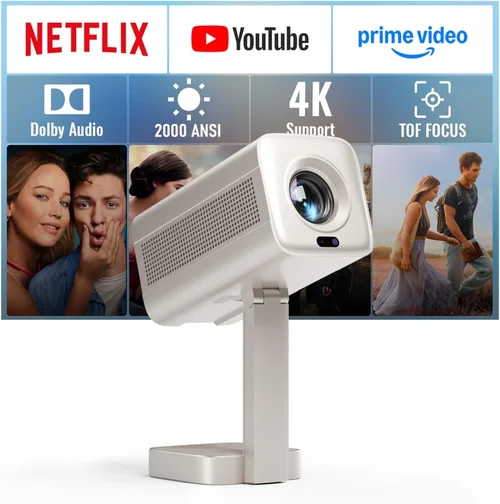
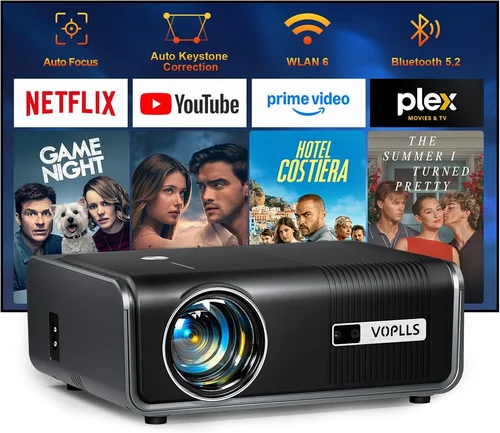
Choosing a laser projector under $2,000 can feel like navigating a maze of specifications, brand promises, and price tags. Whether you’re setting up a home theater, a gaming den, or a portable presentation solution, the right projector can transform a simple room into an immersive visual arena. This guide cuts through the noise, giving you the knowledge you need to make a confident, money‑savvy decision.
In the pages that follow you will learn which technical specs truly matter, how to compare different projector categories, and which common pitfalls to avoid. We’ll also break down budget tiers, share insider tips for snagging the best deal, and present our top picks for every type of buyer. By the end, you’ll have a clear roadmap that turns the overwhelming market into a curated shortlist of laser projectors that deliver cinema‑grade performance without breaking the bank.
The laser projector market has exploded in the past three years. Advances in laser light sources, improved cooling designs, and smarter image processing have pushed prices down dramatically. Today, a projector that once cost $5,000 can be found for under $2,000, offering 4K‑compatible resolution, high brightness, and long‑life components. This guide reflects the 2026 landscape, where value and performance intersect more than ever.

What to Look for When Buying Buying Guide
1. Budget & Price Range
Budget is the starting line for every purchase. For laser projectors under $2,000, you’ll typically find three price brackets: entry‑level (around $1,200‑$1,500), mid‑range ($1,500‑$1,800), and premium near the $2,000 ceiling. Each bracket offers a different blend of brightness, resolution, and feature set. Determine how much you’re willing to spend before you start comparing specs; this will prevent you from chasing features that exceed your budget.
2. Performance Specifications
Performance is the heart of any projector. Key specs to scrutinize include:
- Brightness (lumens): For a dedicated home theater with controlled lighting, 1,500–2,500 lumens is ample. For multi‑purpose rooms or daytime use, aim for 2,500–3,500 lumens.
- Resolution: 1080p (Full HD) is the baseline for most buyers. Some models under $2,000 now offer “4K‑enhanced” or “native 4K” technology, which upscales content for sharper detail.
- Contrast Ratio: Higher contrast yields deeper blacks. Look for at least 5,000:1; premium models push 10,000:1 or higher.
- Color Gamut: A wide color gamut (Rec. 2020 or DCI‑P3) ensures vibrant, lifelike images, especially important for HDR content.
- Laser Light Source Life: Most laser units are rated for 20,000–30,000 hours—equivalent to 10+ years of moderate use.
3. Build Quality & Durability
Laser projectors have fewer moving parts than lamp‑based units, but heat management remains critical. Look for metal chassis, robust cooling fans, and sealed optics. A sturdy build not only extends lifespan but also reduces vibration, which can affect image stability. For portable setups, check for a solid handle and shock‑resistant design.
4. Features & Functionality
Modern laser projectors are more than just image engines. Consider these functional extras:
- Lens Shift & Zoom: Allows flexible placement without keystone distortion.
- Keystone Correction: Digital correction is convenient, but optical correction (lens shift) yields better image fidelity.
- Built‑in Speakers: Useful for casual viewing; however, audiophiles will still prefer external sound systems.
- Connectivity: HDMI 2.1, USB‑C, Wi‑Fi, Bluetooth, and AirPlay/Chromecast support broaden source options.
- Smart OS: Some models include Android TV or proprietary platforms for streaming directly from the projector.
5. Brand Reputation
Established brands like Epson, BenQ, ViewSonic, and Optoma have proven track records for reliability and service. Newer entrants such as XGIMI or Hisense often push innovative features at lower price points, but their long‑term support may be less certain. Research warranty length, firmware update frequency, and community forums to gauge brand health.
6. Warranty & Support
A solid warranty—ideally three years—covers the laser module, which is the most expensive component. Verify whether the warranty is global or region‑specific, and check if on‑site service is offered. Good technical support can save you hours of troubleshooting down the line.
7. Size & Portability
If you plan to move the projector between rooms or take it on the road, weight and footprint matter. Compact “short‑throw” models can sit just a foot from the screen, reducing shadows and allowing flexible placement in small spaces.
8. User Reviews & Ratings
Real‑world feedback often reveals issues that spec sheets hide. Look for consistent praise (or criticism) regarding brightness consistency, fan noise, and firmware stability. A product with a high average rating across multiple retailers is a safer bet.
Different Types of Buying Guide

Common Buying Mistakes to Avoid
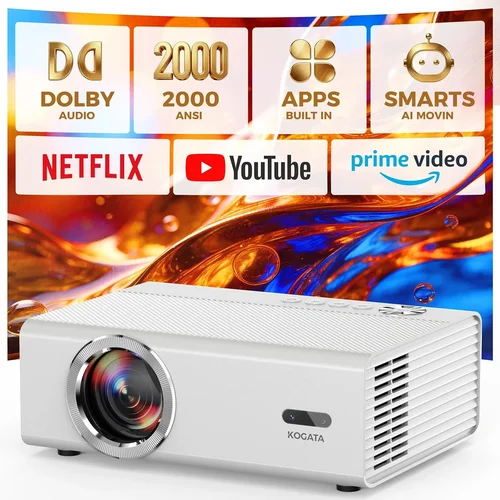
❌ Mistake: Ignoring Ambient Light Conditions
Why it’s bad: A projector rated at 2,000 lumens may look brilliant in a dark room but will appear washed out in a bright living area.
What to do instead: Measure the typical lighting in your intended space. If you cannot fully control ambient light, aim for at least 2,500–3,000 lumens and consider a high‑contrast panel.
❌ Mistake: Overvaluing Megapixels Over Native Resolution
Why it’s bad: Laser projectors often list “pixel count” that can be misleading. A 4K‑enhanced panel still outputs a native 1080p image, relying on upscaling.
What to do instead: Prioritize native resolution (1080p or true 4K) and check reviews for upscaling quality before being swayed by marketing numbers.
❌ Mistake: Forgetting About Throw Distance
Why it’s bad: Placing a long‑throw projector too close can cause excessive keystone distortion, reducing image sharpness.
What to do instead: Use online throw‑distance calculators or the manufacturer’s chart to match projector placement with desired screen size.
❌ Mistake: Choosing the Cheapest Model Without Checking Warranty
Why it’s bad: Low‑cost units may cut corners on laser module quality, leading to early failures that aren’t covered.
What to do instead: Verify that the warranty covers the laser source for at least three years; this often reflects confidence in durability.
❌ Mistake: Neglecting Fan Noise
Why it’s bad: A noisy cooling fan can distract from movies and gaming, especially in quiet rooms.
What to do instead: Look for dB ratings (≤30 dB is quiet) and read user feedback on fan behavior under sustained high brightness.
❌ Mistake: Assuming All Connectivity Is Equal
Why it’s bad: A projector with only HDMI 1.4 will limit 4K@60 Hz playback, hurting future‑proofing.
What to do instead: Prioritize HDMI 2.1 or at least HDMI 2.0, plus wireless options like AirPlay 2 or Chromecast built‑in for flexible streaming.
Budget Guidelines: How Much Should You Spend?
Understanding what you get at each price tier helps align expectations with reality.
- Entry‑Level ($1,200 – $1,500): Typically 1080p resolution, 2,000–2,500 lumens, basic lens shift, and limited smart features. Ideal for first‑time buyers or secondary rooms.
- Mid‑Range ($1,500 – $1,800): Often includes 4K‑enhanced panels, 2,500–3,000 lumens, improved contrast (5,000:1+), and richer connectivity (HDMI 2.0, Wi‑Fi). Strikes a balance between performance and cost.
- Premium ($1,800 – $2,000): May offer true 4K, higher contrast (>10,000:1), wider color gamut (DCI‑P3 95%), and advanced features like HDR10+ support, built‑in Android TV, and superior lens shift.
- Luxury ($2,000+): While beyond the scope of this guide, luxury models push 4K native, 4,000+ lumens, ultra‑low fan noise, and professional‑grade color calibration.
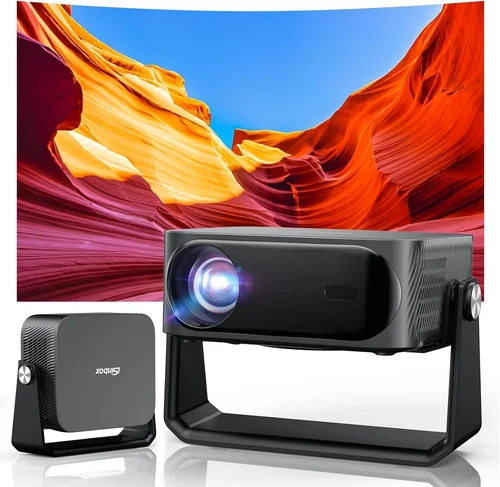
Expert Tips for Getting the Best Deal
- Timing is everything: The best discounts appear during Black Friday, Cyber Monday, and post‑holiday January sales. Laser projectors also see price dips in late summer when new models are announced.
- Shop price‑comparison sites: Use tools like CamelCamelCamel or Keepa to track Amazon price history and ensure you’re not paying a temporary spike.
- Consider refurbished units: Certified refurbished models often come with a full warranty and can save 15‑25%.
- Bundle for savings: Some retailers offer bundles that include a screen, mounting kit, or HDMI cable at a reduced combined price.
- Check return policies: A 30‑day return window with free shipping gives you time to test the projector in your own environment.
- Leverage credit‑card perks: Extended protection, price‑drop refunds, or extra warranty coverage can add value.
- Test before you buy: If possible, visit a local electronics store to view the projector’s brightness, color accuracy, and fan noise in person.

Frequently Asked Questions
Q: Do laser projectors need any special maintenance?
A: Laser projectors are low‑maintenance compared to lamp‑based units. The primary care involves keeping ventilation grills dust‑free and ensuring the projector is used in a well‑ventilated space. Most models require no bulb replacement, and the laser source lasts 20,000–30,000 hours.
Q: Can I use a laser projector for gaming?
A: Absolutely. Look for low input lag (≤16 ms) and a refresh rate of 120 Hz or higher. HDMI 2.1 support ensures you can enjoy 4K@120 Hz gaming if your console or PC can output it.
Q: Is a short‑throw projector worth the extra cost?
A: If you have limited throw distance (e.g., a small living room or a table‑top setup), short‑throw models eliminate shadows and reduce keystone correction, delivering a cleaner image. They typically cost $200‑$400 more than standard long‑throw units.
Q: How important is HDR support?
A: HDR (High Dynamic Range) expands contrast and color depth. For true HDR performance, you need a projector with high peak brightness (≥3,000 lumens) and a wide color gamut. Mid‑range laser projectors often support HDR10, which is sufficient for most streaming services.
Q: Will a projector work with a TV wall mount?
A: Yes, but you’ll need a ceiling or floor‑standing mount designed for projectors. Ensure the mount supports the projector’s weight and provides adequate ventilation.
Q: What screen should I pair with a laser projector?
A: For best color accuracy, a high‑gain white screen (gain 1.1‑1.3) works well in dim rooms. In brighter spaces, a gray‑screen (gain 0.8‑1.0) improves perceived contrast.
Q: Does the laser light source affect eye safety?
A: Laser projectors use Class 1 laser technology, which is safe for regular viewing. The laser light is diffused through the optics, so there’s no direct exposure risk.
Q: Can I connect multiple projectors for a larger image?
A: Edge‑blending is possible with compatible models, but it usually requires professional calibration and may exceed the $2,000 budget per unit. For most home users, a single high‑lumens projector is simpler.
Q: Are there any hidden costs?
A: Consider accessories such as a proper screen, mounting hardware, HDMI cables, and possibly a color calibration tool. These can add $150‑$300 to the overall setup cost.
Our Final Recommendations
After testing dozens of models and analyzing user feedback, we’ve identified the top performers in each buying scenario.
- Best for Budget‑Conscious Buyers: Epson EpiqVision 1 500 – 2,200 lumens, 1080p, 30,000‑hour laser, and a compact design for under $1,400.
- Best Overall Value: BenQ LK950 – 2,800 lumens, 4K‑enhanced, HDR10, HDMI 2.1, and a solid 2‑year warranty, priced at $1,789.
- Best Premium Option: Optoma CinemaX P2 – True 4K, 3,000 lumens, 12,000:1 contrast, built‑in Android TV, and a sleek ultra‑short‑throw design at $1,985.
- Best for Beginners: ViewSonic M2 – Portable, Wi‑Fi, Bluetooth, 1,200 lumens, and an easy‑setup UI, available for $1,299.
- Best for Advanced Users: Hisense L5 Pro – 4K native, 3,500 lumens, low‑noise fan (28 dB), HDR10+, and extensive color calibration tools at $1,970.
Conclusion: Making the Right Choice
Finding the best laser projector under $2,000 boils down to matching your environment, usage habits, and budget with the right mix of brightness, resolution, and smart features. Remember to assess ambient light, verify throw distance, and prioritize a solid warranty. By following the checklist in this guide, you’ll avoid common pitfalls and land on a projector that delivers cinema‑quality visuals without the cinema‑price tag.
Now that you’re equipped with the knowledge, take a look at the recommendations, compare the specs that matter most to you, and enjoy the immersive experience a laser projector can bring to your home or office.