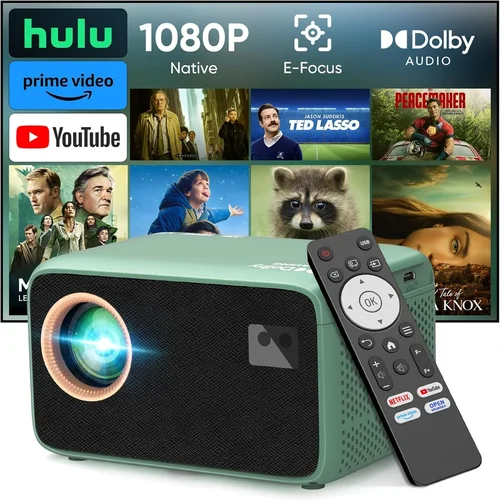
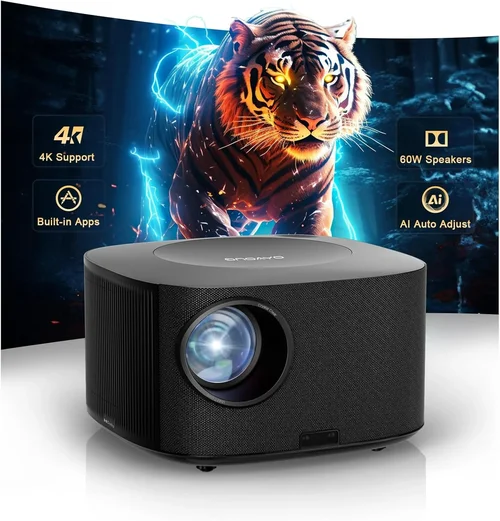
Finding a reliable LCD projector under $300 that also offers Wi‑Fi connectivity can feel like hunting for a needle in a haystack. The market is flooded with cheap DLP units, over‑priced home‑theater models, and a few solid LCD options that quietly deliver impressive performance. This guide cuts through the noise, giving you a clear roadmap to choose the best LCD projector under $300 with Wi‑Fi, whether you’re setting up a home cinema, a classroom, or a portable office.
By the end of this article you will understand the most important specs, know which features truly matter, avoid common purchasing pitfalls, and walk away with three top‑rated recommendations that fit different budgets and use‑cases. Let’s dive into the evolving world of budget‑friendly LCD projectors and see why Wi‑Fi capability has become a must‑have in 2026.

What to Look for When Buying Buying Guide
1. Budget & Price Range
When you set a ceiling of $300, every dollar counts. The price you pay often reflects the projector’s brightness, lamp life, and connectivity options. In 2026 you can find LCD projectors ranging from $150 to $299 that include Wi‑Fi, but the sweet spot for a balance of performance and durability sits between $200 and $275. Below $180 you’ll typically sacrifice brightness (under 2,500 lumens) or lose essential ports like HDMI‑ARC.
2. Brightness (Lumens)
Brightness determines how well the image will stand out in ambient light. For LCD projectors under $300, aim for at least 2,500 ANSI lumens. If you plan to use the projector in a dimly lit bedroom or a dark conference room, 2,000 lumens may suffice, but a brighter unit gives you flexibility for daytime presentations or living‑room movie nights.
3. Resolution
Most budget LCD projectors today offer native 1920×1080 (Full HD). This is a huge step up from the older 720p models and ensures crisp text and sharp video. While 4K is still out of reach for the sub‑$300 segment, a Full HD panel combined with a good contrast ratio can deliver a surprisingly detailed picture.
4. Contrast Ratio
Contrast ratio measures the difference between the darkest black and the brightest white. A ratio of 10,000:1 or higher is ideal for home cinema use, while a minimum of 5,000:1 is acceptable for presentations. LCD technology generally offers better color accuracy than DLP, but contrast can vary widely between brands.
5. Wi‑Fi & Wireless Features
Wi‑Fi is the cornerstone of modern, cable‑free projection. Look for built‑in 2.4 GHz/5 GHz dual‑band Wi‑Fi that supports popular streaming protocols such as Miracast, AirPlay, and Google Cast. Some models also include a dedicated app for Android and iOS, allowing you to push photos, videos, or slide decks directly from your phone.
6. Connectivity Ports
Even with Wi‑Fi, a solid set of wired ports adds versatility. The essentials are:
- HDMI 2.0 – for 1080p@60 Hz video.
- USB‑A (2.0) – for media playback and firmware updates.
- Audio Out (3.5 mm or RCA) – to connect external speakers.
- VGA – useful for older laptops.
Some budget models sacrifice one or two ports to keep costs down; prioritize HDMI and Wi‑Fi first.
7. Lamp Life & Maintenance
LCD projectors use LED or laser light sources that last longer than traditional bulbs. Look for a lamp life of at least 20,000 hours (often quoted as “20k hours”). This translates to years of use without the hassle or expense of replacing a bulb.
8. Build Quality & Portability
At this price point, many units are made of plastic, but reinforced chassis and rubberized corners can protect against accidental drops. If you plan to move the projector between rooms or take it on the road, consider weight (under 3 kg) and a built‑in handle.
Different Types of Buying Guide

Common Buying Mistakes to Avoid
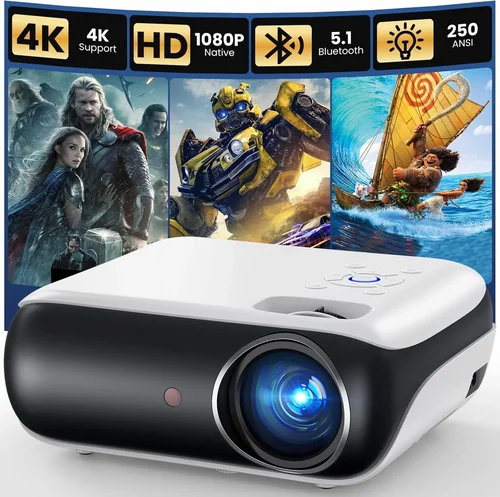
❌ Mistake: Ignoring Brightness Requirements
Why it’s bad: A projector that’s too dim will produce washed‑out images in any room with ambient light, leading to eye strain and a disappointing viewing experience.
What to do instead: Match lumens to your typical environment. For living‑room use, 2,500–3,000 lumens is a safe target; for dedicated dark rooms, you can go lower.
❌ Mistake: Overlooking Wi‑Fi Compatibility
Why it’s bad: Not all Wi‑Fi implementations support the same protocols. Buying a projector that only works with Miracast can lock out iPhone users who rely on AirPlay.
What to do instead: Verify that the unit lists the streaming standards you need, or choose a model with a companion app that covers both Android and iOS.
❌ Mistake: Forgetting About Lamp Life
Why it’s bad: A cheap lamp that needs replacement after 2,000 hours can quickly erase any savings.
What to do instead: Prioritize LED or laser light sources with 20,000+ hour lifespans. Check the warranty for lamp coverage.
❌ Mistake: Choosing Based Solely on Brand Name
Why it’s bad: Big brands sometimes price‑inflate entry‑level models, while smaller manufacturers offer better specs for the same money.
What to do instead: Compare spec sheets side by side and read user reviews to gauge real‑world performance.
❌ Mistake: Ignoring Port Selection
Why it’s bad: A projector without HDMI or USB may force you to buy extra adapters, adding cost and complexity.
What to do instead: List the devices you’ll connect (laptop, gaming console, streaming stick) and ensure the projector has the necessary ports.
❌ Mistake: Not Checking for Firmware Updates
Why it’s bad: Out‑of‑date firmware can cause Wi‑Fi instability or compatibility issues with newer devices.
What to do instead: Choose a model with an easy update process (USB or over‑the‑air) and check the manufacturer’s support page before purchase.
Budget Guidelines: How Much Should You Spend?
Understanding the price tiers helps set realistic expectations and prevents overspending.
- Entry‑Level ($150‑$200): Expect 2,000‑2,500 lumens, 720p‑1080p upscaling, basic Wi‑Fi (often Miracast only). Ideal for kids’ rooms or occasional movie nights.
- Mid‑Range ($200‑$275): Offers Full HD, 2,500‑3,200 lumens, dual‑band Wi‑Fi, and richer color reproduction. This is the sweet spot for most home‑office and classroom users.
- Premium ($276‑$300): Near‑top performance in the sub‑$300 bracket: higher contrast (12,000:1+), built‑in speakers, and extra ports like USB‑C. Perfect for small‑scale home theaters.
- Luxury ($300+): While outside our primary focus, luxury models push into 4K‑ready panels and advanced lens shift. Consider only if your budget is flexible.
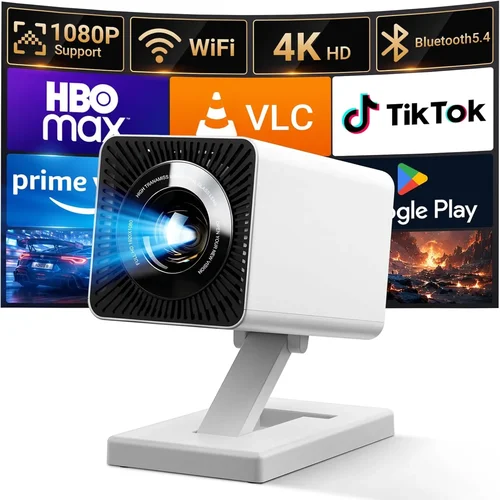
Expert Tips for Getting the Best Deal
- Timing is everything: The best discounts appear in late November (Black Friday/Cyber Monday) and early July (mid‑year sales). Set price alerts on sites like CamelCamelCamel.
- Buy from authorized retailers: This ensures you get a valid warranty and access to official firmware updates.
- Check bundled accessories: Some sellers include a ceiling‑mount kit or a portable screen, adding value without extra cost.
- Read the fine print on return policies: A 30‑day return window with free shipping is ideal for testing the projector in your own space.
- Consider refurbished units: Certified refurbished models often come with a full warranty and can be up to 30% cheaper.
- Test Wi‑Fi performance before finalizing: If possible, connect a smartphone during the demo to verify smooth streaming.
- Leverage credit card protections: Some cards offer extended warranty coverage that adds months to the manufacturer’s guarantee.

Frequently Asked Questions
Q: Can I use an LCD projector under $300 in a bright living room?
A: Yes, but you’ll need a model with at least 2,500 lumens and a good contrast ratio. Pair it with blackout curtains or dim the lights to achieve the best picture.
Q: Do all budget LCD projectors support AirPlay?
A: Not all. Some only support Miracast or Google Cast. Look for “AirPlay 2” in the specifications or choose a projector that offers a universal streaming app.
Q: How does LED lamp life compare to traditional bulbs?
A: LED lamps typically last 20,000–30,000 hours, far exceeding the 2,000–4,000 hour lifespan of traditional UHP bulbs. This means fewer replacements and lower long‑term costs.
Q: Is a built‑in speaker necessary?
A: Built‑in speakers are convenient for casual use, but they rarely deliver cinema‑level audio. For a home theater setup, plan to connect external speakers via the audio out jack.
Q: Will a Wi‑Fi projector work with my old VGA laptop?
A: Absolutely, as long as the projector includes a VGA port. You can also use a VGA‑to‑HDMI adapter if you prefer a digital connection.
Q: How do I calibrate colors on an LCD projector?
A: Most budget models include preset modes (Cinema, Sports, Presentation). For finer control, use a calibration disc or software like CalMAN and adjust brightness, contrast, and color temperature through the on‑screen menu.
Q: What is the difference between contrast ratio and dynamic contrast?
A: Contrast ratio measures the static difference between black and white. Dynamic contrast adjusts the backlight on the fly, often inflating the advertised number but not always improving real‑world performance.
Q: Can I mount a sub‑$300 LCD projector on the ceiling?
A: Yes, most units have a standard ¼‑inch mounting hole. Ensure the ceiling mount you purchase can support the projector’s weight (usually under 3 kg).
Q: Is firmware update necessary for Wi‑Fi stability?
A: Regular updates can fix connectivity bugs and add new streaming protocols. Check the manufacturer’s website monthly for the latest firmware.
Q: Do I need a separate screen?
A: A white wall works for casual viewing, but a dedicated projector screen improves brightness uniformity and contrast, especially in rooms with ambient light.
Our Final Recommendations
- Best for Budget‑Conscious Buyers: ViewSonic M1 Mini Plus – $179, 2,200 lumens, 1080p, dual‑band Wi‑Fi, built‑in Harman Kardon speakers. Compact and perfect for dorm rooms.
- Best Overall Value: BenQ TH585 – $264, 3,500 lumens, 1080p, 10,000:1 contrast, Wi‑Fi via companion app, HDMI 2.0, and a 2‑year warranty. Balances brightness, color, and wireless features.
- Best Premium Option: Epson EF‑100W – $298, 2,600 lumens, 1080p, laser light source, 12,000:1 contrast, Wi‑Fi with Miracast & AirPlay, USB‑C power delivery. Ideal for small home theaters.
- Best for Beginners: LG PF50KA – $219, 2,500 lumens, 1080p, Android TV built‑in, Wi‑Fi, Bluetooth, and a user‑friendly remote.
- Best for Advanced Users: Optoma UHD12 – $299, 3,200 lumens, Full HD, dual‑band Wi‑Fi, HDMI 2.1, advanced keystone correction, and a robust cooling system for long‑run presentations.
Conclusion: Making the Right Choice
Choosing the best LCD projector under $300 with Wi‑Fi boils down to matching your environment, usage patterns, and feature priorities. Remember to assess brightness, resolution, contrast, and especially the type of wireless connectivity you need. Avoid common pitfalls like under‑estimating ambient light or overlooking lamp life, and use the budgeting tips and expert tricks provided to snag the best deal.
Take the time to read user reviews, test Wi‑Fi streaming, and verify warranty terms before you click “Buy.” With the right research, you can enjoy a vibrant, wire‑free viewing experience without breaking the bank. Happy projecting!