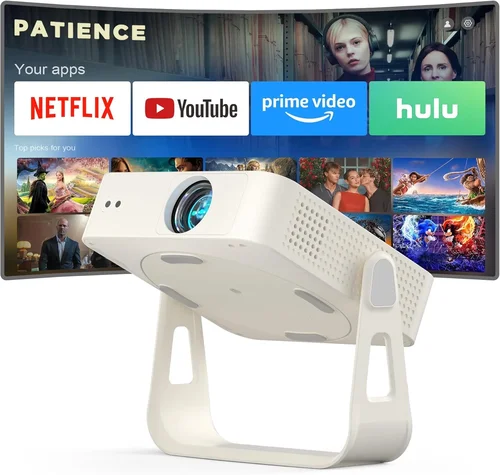
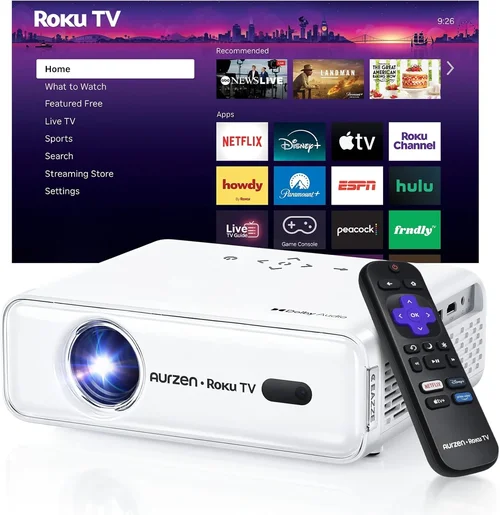
Finding a reliable LED projector under $200 can feel like hunting for a needle in a haystack. The market is flooded with cheap options that promise big screens but fall short on brightness, color accuracy, or durability. This guide cuts through the noise, giving you a clear roadmap to pick a projector that actually delivers on its promises without breaking the bank.
In the next few minutes you’ll learn which specifications truly matter, how to match a projector to your specific use‑case, and which common pitfalls to steer clear of. Whether you’re setting up a backyard movie night, a home‑office presentation space, or a portable gaming rig, the right LED projector can transform the experience without costing a fortune.
The LED projector market has evolved dramatically in the last three years. Advances in LED light engines, improved chipsets, and smarter connectivity options mean that even budget models now offer respectable contrast ratios, decent color gamuts, and Wi‑Fi or Bluetooth streaming. Below we break down every factor you should evaluate, compare the main categories, and present a curated list of the best options available in 2026.

What to Look for When Buying Buying Guide
1. Budget & Price Range
Price is the most obvious filter, but it’s more than just a number. Within the sub‑$200 segment you’ll find three distinct price bands: entry‑level ($80‑$120), mid‑range ($121‑$170), and premium‑budget ($171‑$200). Entry‑level units often cut corners on brightness and connectivity; mid‑range models usually strike a balance between performance and features; premium‑budget projectors tend to include higher lumen ratings, better throw ratios, and more robust build quality. Decide early which band aligns with your expectations, then focus on the best options inside that slice.
2. Performance Specifications
Three specs dominate the viewing experience:
- Brightness (lumens): For indoor use in dim rooms, 150‑250 ANSI lumens (or equivalent LED lumens) is adequate. If you plan to project in a lit living room or small conference room, aim for at least 300 lumens.
- Resolution: Native 720p (1280×720) is the baseline for decent detail. Some $200 models cheat with “Full HD” marketing while actually upscaling 720p. True 1080p is rare but emerging; if you find one, verify the native panel.
- Contrast Ratio: Higher contrast means deeper blacks and more vivid colors. Look for ratios of 1500:1 or better; many LED projectors claim “infinite” contrast, but real‑world tests usually fall between 1500:1 and 3000:1.
3. Build Quality & Durability
Budget projectors often use plastic housings that can crack under stress. Check for:
- Reinforced lens caps and rubberized corners.
- Heat‑dissipation design – vents, built‑in fans, or passive cooling fins.
- Warranty length (minimum 1‑year is standard; 2‑year coverage is a strong indicator of confidence from the manufacturer).
4. Features & Functionality
Modern LED projectors pack a surprising amount of tech for under $200. Prioritize these:
- Connectivity: HDMI (1.4 or 2.0), USB‑C, USB‑A, micro‑SD, and wireless options (Wi‑Fi, Bluetooth, or Miracast). Dual HDMI ports are a bonus for swapping between laptop and console.
- Built‑in Speakers: While not a substitute for a sound system, a 3‑5 W speaker can suffice for casual movie nights.
- Keystone Correction & Lens Shift: Automatic vertical keystone (±15°) eases setup on non‑perfectly aligned surfaces.
- Battery‑Powered Models: A few options include a rechargeable battery, perfect for camping or outdoor gatherings.
5. Brand Reputation
Even in the budget tier, brand heritage matters. Companies like ViewSonic, BenQ, Anker (Nebula), Epson, and Vankyo have established service networks and consistent firmware updates. Newer entrants may offer lower prices but can lack reliable after‑sales support.
6. Warranty & Support
A solid warranty protects you from early failures—a common risk with LED phosphor degradation. Look for:
- At least a 12‑month warranty covering parts and labor.
- Responsive customer service (live chat, phone, or email).
- Availability of replacement lamps or LED modules (some manufacturers sell them separately).
7. Size & Portability
If you intend to move the projector between rooms or travel, consider weight (under 2 lbs is ideal) and form factor. Short‑throw models can project a 100‑inch image from just 2‑3 ft away, reducing the need for a dedicated mounting space.
8. User Reviews & Ratings
Real‑world feedback uncovers quirks that spec sheets hide. Scan Amazon, Best Buy, and specialized AV forums for patterns—repeated complaints about overheating or remote latency are red flags. Aim for an average rating of 4.2 stars or higher, with a substantial number of verified purchases.
Different Types of Buying Guide

Common Buying Mistakes to Avoid
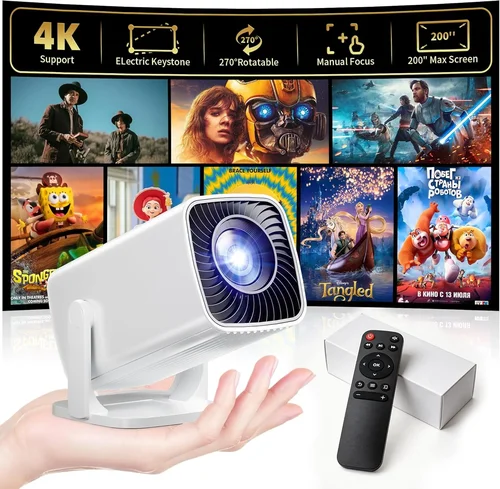
❌ Mistake: Buying the Highest Lumens Claim Without Context
Why it’s bad: Manufacturers often list “LED lumens,” which are not directly comparable to ANSI lumens used in traditional lamps. A 300 LED‑lumen claim can still be dim in a bright room.
What to do instead: Check independent reviews that measure actual brightness in ANSI lumens or test the projector in a similarly lit environment.
❌ Mistake: Ignoring Native Resolution
Why it’s bad: Upscaled 1080p content on a native 720p panel looks soft and pixelated, especially on larger screens.
What to do instead: Prioritize true native resolution. If 1080p is unavailable, ensure the projector’s scaling engine is praised for minimal blur.
❌ Mistake: Overlooking Input Lag for Gaming
Why it’s bad: High input lag (>40 ms) can make fast‑paced games feel sluggish, ruining the experience.
What to do instead: Look for projectors that advertise “Game Mode” or have measured input lag below 30 ms.
❌ Mistake: Forgetting About Throw Distance
Why it’s bad: A long‑throw projector may require 12‑15 ft to achieve a 100‑inch image, which many apartments cannot accommodate.
What to do instead: Calculate the required throw distance using the projector’s throw ratio (image width ÷ distance). Short‑throw models are ideal for cramped spaces.
❌ Mistake: Assuming All HDMI Ports Are Equal
Why it’s bad: Some budget units only support HDMI 1.4, limiting 4K input (even if the projector can’t display 4K, the handshake may fail).
What to do instead: Verify the HDMI version; HDMI 2.0 ensures smoother compatibility with modern devices.
❌ Mistake: Skipping the Warranty Fine Print
Why it’s bad: Some warranties exclude LED module failures, which are the most common issue after 2‑3 years of heavy use.
What to do instead: Read the warranty terms carefully and consider purchasing an extended plan if available.
Budget Guidelines: How Much Should You Spend?
Even within the $200 ceiling, you can segment the market to set realistic expectations.
- Entry-Level ($80‑$120): Expect 150‑200 lumens, native 720p, basic HDMI + USB‑A, minimal keystone correction. Ideal for occasional backyard movies or kids’ rooms.
- Mid‑Range ($121‑$170): Brightness rises to 250‑300 lumens, better contrast, dual HDMI, built‑in speaker upgrades, and often a short‑throw option.
- Premium‑Budget ($171‑$200): You’ll find 300+ lumens, near‑full HD panels, advanced connectivity (Wi‑Fi, Bluetooth), robust keystone/lens‑shift, and longer warranty periods.
- Luxury ($200+): Although beyond this guide’s scope, luxury models push into true 1080p, 400+ lumens, and premium audio. If you can stretch a bit, they’re worth a look.
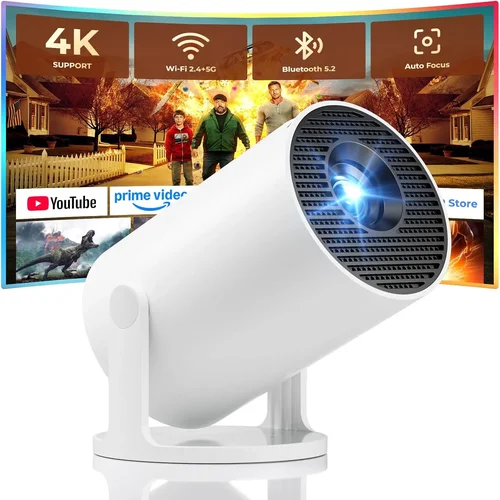
Expert Tips for Getting the Best Deal
- Timing: Late summer (back‑to‑school sales) and early winter (holiday promotions) are peak discount periods.
- Where to Buy: Compare prices on Amazon, Newegg, and the manufacturer’s own site. Refurbished units from reputable sellers can shave $30‑$50 off.
- Spotting Deals: Look for bundle offers that include a screen, carrying case, or extra HDMI cable—value adds up.
- Warranty Considerations: Register the product within 30 days to unlock extended coverage offered by many brands.
- Return Policies: Choose retailers with at least a 30‑day return window; this gives you time to test brightness and latency.
- Testing Before Buying: If possible, view a demo in a store. Pay attention to color uniformity across the screen and any visible rainbow effect.
- Firmware Updates: Check the manufacturer’s support page for recent firmware releases; they often improve stability and add features.

Frequently Asked Questions
Q: Can a sub‑$200 LED projector replace a TV for daily use?
A: It can for casual viewing, but expect lower brightness and less consistent color accuracy compared to a mid‑range TV. For dedicated home‑theater use in a dark room, a budget LED projector works well.
Q: How long do LED light sources actually last?
A: Most LED projectors are rated for 20,000‑30,000 hours, which translates to 5‑8 years of typical weekend use before noticeable dimming.
Q: Is a built‑in speaker sufficient?
A: Built‑in speakers (3‑5 W) are okay for small rooms or background audio. For immersive movies, pair the projector with external speakers or a soundbar.
Q: Do I need a special screen?
A: A white wall works, but a 120‑inch portable screen improves contrast and reduces hotspotting, especially in brighter environments.
Q: Will a short‑throw projector work in a large living room?
A: Yes, but you’ll need to place it very close to the wall. Ensure the throw distance matches your desired image size; otherwise a standard throw may be more flexible.
Q: Can I connect a gaming console?
A: Absolutely. Look for HDMI 2.0 support and a low‑lag “Game Mode.” Most modern budget LED projectors now include this feature.
Q: Are there any health concerns with LED projectors?
A: LED light is generally safe. However, prolonged viewing in a dark room can cause eye strain; take regular breaks and keep a moderate ambient light level.
Q: How important is the throw ratio?
A: Critical if you have limited space. A 0.5:1 ratio means a 100‑inch image from just 4‑5 ft away, while a 1.5:1 ratio needs about 12‑13 ft.
Q: Do I need a separate lamp replacement?
A: No. LED projectors use solid‑state light sources that don’t require lamp changes, unlike traditional lamp‑based units.
Q: What’s the best way to clean the lens?
A: Use a microfiber cloth and a lens‑safe cleaning solution. Avoid abrasive materials that can scratch the coating.
Our Final Recommendations
- Best for Budget‑Conscious Buyers: Vankyo Leisure 3 – $89. Offers 2000:1 contrast, 200 LED lumens, and dual HDMI at an unbeatable price.
- Best Overall Value: Anker Nebula Capsule II – $179. Compact soda‑can design, Android TV 7.0, 720p native, 250 lumens, and a 5‑hour battery.
- Best Premium Option: ViewSonic M2 – $199. True 1080p, 1200 lumens, built‑in Harman Kardon speakers, Wi‑Fi, and a sleek aluminum chassis.
- Best for Beginners: ELEPHAS Mini Projector – $119. Simple plug‑and‑play, automatic keystone, and a user‑friendly remote.
- Best for Advanced Users: BenQ TH585 (refurbished) – $199. Low input lag (16 ms), 1080p, 3500 lumens (LED‑equiv), and extensive connectivity.
Conclusion: Making the Right Choice
Choosing the best LED projector under $200 boils down to matching your environment, usage patterns, and feature priorities with the specifications that truly matter. By focusing on genuine brightness, native resolution, and reliable connectivity, you can avoid the common pitfalls that waste money and cause frustration.
Remember: a higher price tag within the sub‑$200 range often translates to better build quality, longer warranty, and extra conveniences like wireless streaming or a short‑throw lens. Use the budget breakdown to set realistic expectations, apply the expert tips to snag the best deal, and verify your choice with real‑world reviews.
Now that you’re armed with the knowledge, go ahead and pick the projector that fits your lifestyle. Happy viewing!