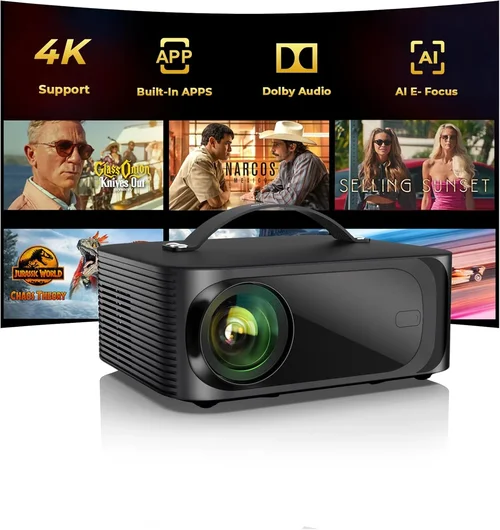
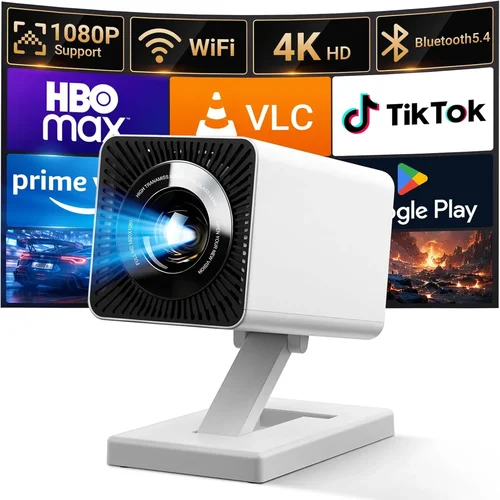
Finding a mini projector that delivers a cinema‑like experience without breaking the bank can feel like hunting for a needle in a haystack. The market is flooded with models that promise big screens, brilliant colors, and pocket‑size portability—all for under $300. Yet not every projector lives up to the hype, and the differences between a decent family movie night device and a true portable powerhouse are often hidden in the fine print.
This guide is designed to cut through the noise. We’ll walk you through the most important specs, explain how different projector categories stack up, and highlight the common pitfalls that trip up even seasoned buyers. By the end, you’ll know exactly which mini projector under $300 matches your lifestyle, whether you need a backyard binge‑watch companion, a travel‑friendly presentation tool, or a flexible gaming screen.
The mini projector landscape has evolved dramatically over the past three years. Advances in LED and laser light sources, improved chip efficiency, and smarter connectivity options mean today’s sub‑$300 units can rival higher‑priced competitors in brightness and image quality. With that progress, however, comes a wider variety of features to evaluate—resolution, throw distance, built‑in speakers, and even battery life. Let’s dive in.

What to Look for When Buying Buying Guide
1. Budget & Price Range
While $300 is our ceiling, the price you actually spend should reflect the features you truly need. Entry‑level models often sacrifice native resolution or brightness to stay affordable. Mid‑range options typically strike a balance, offering 1080p support, decent lumens, and solid connectivity. If you’re willing to stretch a bit past $300, you’ll encounter laser‑based units with longer lamp life and superior color accuracy. Define your must‑haves first, then match them to a price tier.
2. Performance Specifications
Three metrics dominate projector performance: brightness (measured in ANSI lumens), resolution, and contrast ratio.
- Brightness: For indoor use in a dim room, 200–300 lumens is adequate. If you plan to project in a lit living room or outdoors at dusk, aim for 400 lumens or more.
- Resolution: Native 720p (1280×720) is common under $300, but many models upscale 1080p content. True 1080p native panels provide sharper text and finer detail, especially for presentations.
- Contrast Ratio: Higher contrast yields deeper blacks. Look for a ratio of at least 2,000:1; anything lower may result in washed‑out images in darker scenes.
3. Build Quality & Durability
Mini projectors travel frequently, so a sturdy chassis is essential. Aluminum housings dissipate heat better than plastic, extending lamp life. Check for reinforced hinges, rubberized feet, and a reliable cooling fan that runs quietly. A well‑built projector will survive the occasional bump in a backpack.
4. Features & Functionality
Modern mini projectors are more than just picture machines. Key features to weigh include:
- Connectivity: HDMI, USB‑C, micro‑SD, and wireless (Wi‑Fi or Bluetooth) options. HDMI is a must for gaming consoles; USB‑C enables fast charging and video input from smartphones.
- Built‑in Speakers: While most mini projectors have modest 2‑3 W speakers, a quality speaker system can be a game‑changer for casual movie nights.
- Battery Life: Look for at least 2–3 hours of playback on a single charge if you intend to use the projector unplugged.
- Keystone Correction & Lens Shift: Automatic or manual keystone correction helps eliminate trapezoidal distortion when the projector isn’t perfectly centered.
- Smart OS: Some units run Android TV or Roku, turning the projector into a standalone streaming hub.
5. Brand Reputation
Brands like Anker, ViewSonic, BenQ, and Xiaomi have earned trust through consistent quality and responsive support. Lesser‑known manufacturers can offer great specs at lower prices, but research warranty policies and user forums before committing.
6. Warranty & Support
A solid warranty (minimum 1 year) protects you against early failures. Look for easy RMA processes and accessible customer service. Some brands also provide online firmware updates that improve performance over time.
7. Size & Portability
True mini projectors weigh under 1 lb and measure less than 6 inches in any dimension. If you need a device that fits in a coat pocket for spontaneous trips, prioritize compact dimensions over extra ports.
8. User Reviews & Ratings
Real‑world feedback reveals issues that spec sheets hide—excessive fan noise, overheating, or unreliable Bluetooth pairing. Scan reviews on Amazon, Best Buy, and dedicated AV forums. Aim for an average rating of 4 stars or higher and pay attention to recurring complaints.
Different Types of Buying Guide

Common Buying Mistakes to Avoid
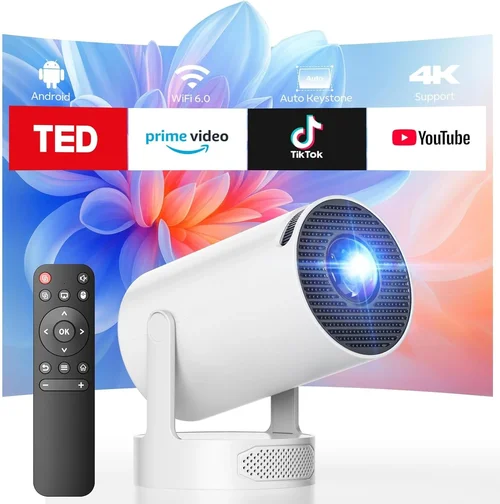
❌ Mistake: Ignoring Brightness Requirements
Why it’s bad: A projector that looks great in a dark room can become unusable in a typical living room with ambient light.
What to do instead: Measure the lighting conditions where you’ll use the device and aim for at least 300 lumens for semi‑bright rooms, or choose a laser model with 400 lumens+
❌ Mistake: Overlooking Native Resolution
Why it’s bad: Upscaling tricks can’t replace true pixel density, leading to blurry text and pixelated images, especially for presentations.
What to do instead: Prioritize native 1080p if you’ll view HD content or need crisp on‑screen text. If you’re okay with 720p, ensure the projector’s scaling engine is reputable.
❌ Mistake: Forgetting About Audio
Why it’s bad: Built‑in speakers are often underpowered; relying on them for a movie night leads to constant volume adjustments and external speaker purchases.
What to do instead: Check speaker wattage and frequency response. If the spec is low, plan for a Bluetooth or 3.5 mm external speaker.
❌ Mistake: Disregarding Connectivity Options
Why it’s bad: A projector without HDMI can’t connect to game consoles or streaming sticks, limiting its versatility.
What to do instead: Verify at least one HDMI port, plus USB‑C or Wi‑Fi if you want wireless casting.
❌ Mistake: Buying Without Testing Battery Life
Why it’s bad: Manufacturers often quote ideal conditions; real‑world usage may drain the battery faster, leaving you unplugged mid‑movie.
What to do instead: Look for independent battery tests or user reports that confirm at least 2 hours of continuous playback.
❌ Mistake: Assuming All Mini Projectors Are the Same Size
Why it’s bad: Some “mini” models are bulkier than advertised, affecting portability.
What to do instead: Check dimensions and weight in the spec sheet; compare against a common object like a water bottle for perspective.
❌ Mistake: Neglecting Warranty Details
Why it’s bad: A short or limited warranty can leave you stuck with a defective unit and costly repairs.
What to do instead: Choose brands offering at least a one‑year warranty and clear RMA instructions.
Budget Guidelines: How Much Should You Spend?
- Entry-Level ($150‑$200): Expect 200–250 lumens, native 720p, basic HDMI, and plastic housing. Ideal for occasional backyard movies.
- Mid‑Range ($201‑$260): Gains include 300–350 lumens, optional 1080p support, better contrast, and improved speakers. Suitable for regular indoor use.
- Premium ($261‑$300): Laser light source, 400+ lumens, true 1080p, advanced keystone, and smart OS. Best for gamers and home‑theater enthusiasts.
- Luxury ($301+): While beyond our focus, these units often feature 4K UHD, HDR, and extended lamp life, aimed at professional installers.
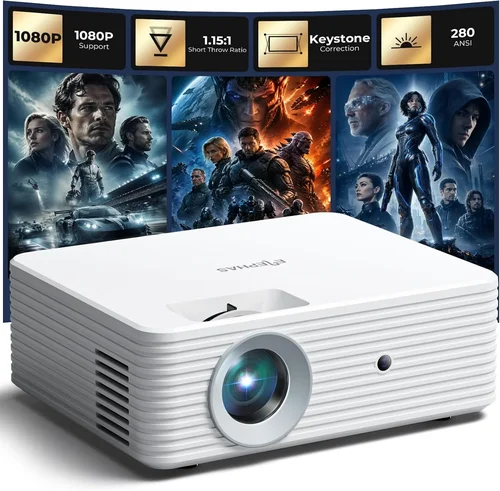
Expert Tips for Getting the Best Deal
- Timing: Major discounts appear during Black Friday, Cyber Monday, and back‑to‑school periods. Plan your purchase around these windows.
- Retailers: Compare prices on Amazon, Best Buy, and direct manufacturer sites. Some retailers offer bundle packages with extra cables or a portable screen.
- Price Tracking Tools: Use CamelCamelCamel or Keepa to monitor price history and receive alerts when a model drops below your target price.
- Warranty Extensions: If you find a reputable third‑party warranty at a reasonable price, it can add peace of mind for high‑use scenarios.
- Return Policies: Choose sellers that provide a 30‑day return window. Test the projector in your intended environment before committing.
- Testing Before Buying: If possible, visit a local electronics store to view the projector’s brightness and color accuracy in person.
- Bundle Savings: Occasionally, buying a projector with a portable screen or external speaker together yields a lower combined cost.
- Firmware Updates: After purchase, check the manufacturer’s website for firmware upgrades that can improve performance or add features.

Frequently Asked Questions
Q: Can a mini projector replace a TV for daily TV watching?
A: It can, but only in a controlled lighting environment. A 300‑lumens projector works well in a dark bedroom or home theater setup. In bright rooms, picture quality will suffer compared to a LED TV.
Q: How long does the LED lamp last?
A: Most LED lamps are rated for 20,000–30,000 hours of use, which translates to several years of typical weekly viewing.
Q: Do I need a separate screen?
A: Not necessarily. A smooth white wall works, but a dedicated projector screen improves contrast and reduces hot‑spotting, especially in rooms with ambient light.
Q: Is Bluetooth audio reliable on mini projectors?
A: Bluetooth works for most casual listening, but there can be latency with video. For gaming, a wired 3.5 mm or HDMI ARC connection is preferable.
Q: What is the best throw distance for a 100‑inch image?
A: Most mini projectors have a throw ratio of 1.2–1.5. To achieve a 100‑inch diagonal, you’ll need roughly 2.5‑3 feet of distance from the screen.
Q: Can I use a mini projector outdoors?
A: Yes, provided you have a dark environment and a stable surface. Some models include a weather‑proof case, but avoid direct sunlight.
Q: Are there any health concerns with LED projectors?
A: LED light sources emit low heat and are generally safe. However, avoid staring directly at the lens for extended periods, as with any bright display.
Q: Do I need a special wall preparation?
A: A matte white paint finish works well. Avoid glossy surfaces that can cause glare.
Q: How do I clean the projector lens?
A: Use a soft microfiber cloth and a lens‑safe cleaning solution. Never spray liquid directly onto the lens.
Q: Is a remote control essential?
A: It adds convenience, especially for adjusting settings from a distance, but many models also support smartphone control apps.
Our Final Recommendations
Conclusion: Making the Right Choice
Choosing the best mini projector under $300 boils down to matching your primary use case with the right balance of brightness, resolution, and features. Remember to assess the lighting conditions of your typical viewing space, decide whether built‑in audio suffices, and verify that the connectivity options cover all your devices.
By avoiding common mistakes—like overlooking native resolution or ignoring battery life—and by leveraging our budget tiers and expert tips, you can confidently select a projector that delivers big‑screen enjoyment without overspending. Ready to bring cinema‑quality visuals to your bedroom, backyard, or next business pitch? Start comparing the models highlighted above, read a few user reviews, and make your purchase during the next sale window for the best possible deal.