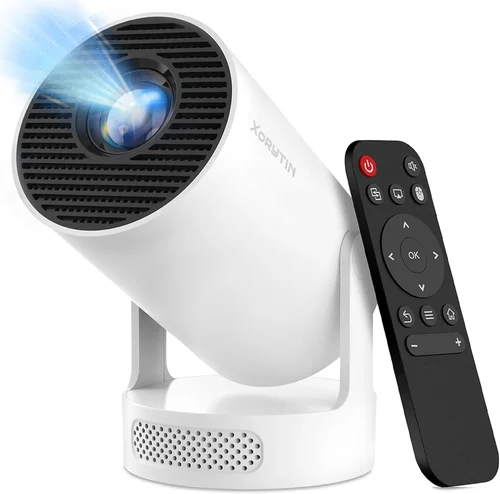
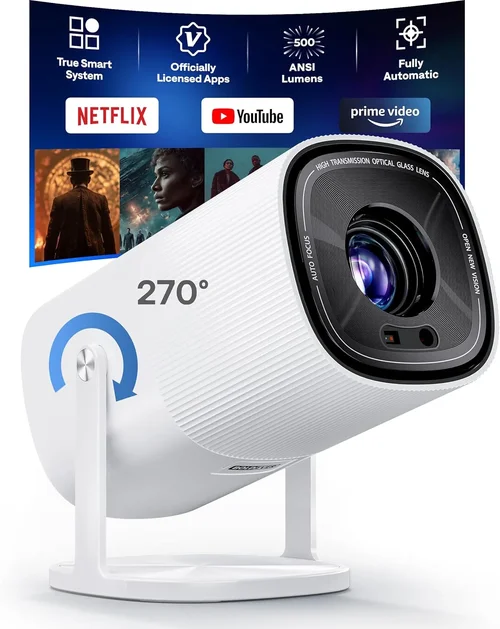
Finding the perfect mini projector under $500 can feel like hunting for a needle in a haystack. The market is flooded with options that promise cinema‑grade image quality, pocket‑size portability, and a price tag that won’t break the bank. Yet, not every projector lives up to the hype, and making an informed decision means understanding more than just the headline specs.
In this guide we’ll walk you through everything you need to know before you click “Add to Cart.” You’ll learn which performance metrics truly matter, how to match a projector to your lifestyle, and which common pitfalls to avoid. By the end, you’ll be equipped to pick a mini projector that delivers the right blend of brightness, resolution, and durability—all while staying comfortably under $500.
The mini projector arena has evolved dramatically over the past few years. Advances in LED and laser light sources, improvements in native resolution, and smarter connectivity options (Wi‑Fi, Bluetooth, USB‑C) have turned what used to be a novelty gadget into a viable alternative to traditional home theater setups. Whether you’re a frequent traveler, a college student looking for a dorm‑room movie night, or a business professional needing a portable presentation device, there’s a budget‑friendly model that can meet your needs.

What to Look for When Buying Buying Guide
1. Budget & Price Range
Setting a realistic budget is the first step. Mini projectors under $500 vary widely in terms of image quality, build materials, and feature sets. The lower end (around $150‑$250) often sacrifices native resolution and brightness, while the $350‑$500 tier typically offers 1080p support and higher lumens. Decide how much you’re willing to invest and balance that against your primary use case—movies, presentations, or gaming.
2. Performance Specifications
Three core specs dictate visual performance: resolution, brightness (lumens), and contrast ratio. A native 1080p panel will deliver crisp detail, especially for text and high‑definition video. Brightness determines how well the projector works in ambient light; aim for at least 300 ANSI lumens for dim rooms and 500+ if you plan to use it with some daylight. Contrast ratio affects the depth of blacks; a higher ratio (e.g., 2000:1) provides richer images.
3. Build Quality & Durability
Because mini projectors are designed for on‑the‑go use, they should feel solid in the hand and resist wear from frequent travel. Look for aluminum or high‑grade polycarbonate housings, reinforced hinges, and dust‑proof lenses. A sturdy build not only prolongs the device’s life but also protects internal optics from damage.
4. Features & Functionality
Modern mini projectors pack a surprising amount of tech. Key features to consider include:
- Wireless connectivity: Wi‑Fi, Bluetooth, and AirPlay/Miracast enable streaming without cables.
- Built‑in speakers: While convenient, they’re usually modest; external speakers may be needed for a true home‑theater feel.
- Port selection: HDMI, USB‑C, micro‑SD, and AV inputs increase compatibility with laptops, gaming consoles, and smartphones.
- Battery life: If you need true portability, look for models offering at least 2‑3 hours of continuous playback on a single charge.
5. Brand Reputation
Established brands like Anker, ViewSonic, and Epson often provide more reliable firmware updates and better customer support. Emerging manufacturers can offer competitive pricing but may lack a proven track record. Research brand history, read long‑term user forums, and check for any recurring firmware or hardware issues.
6. Warranty & Support
A solid warranty (minimum one year) signals confidence from the manufacturer. Verify what the warranty covers—most reputable brands include parts and labor for defects, but accidental damage is usually excluded. Also, assess the availability of customer service channels (phone, chat, email) and the ease of obtaining replacement parts.
7. Size & Portability
While all mini projectors are compact, dimensions can still affect where you’ll place them. Some models are pocket‑sized (under 200 g) and can fit in a laptop bag, whereas others are slightly larger but offer better cooling and optics. Measure the space you’ll use—whether a backpack, a car cup holder, or a small tabletop.
8. User Reviews & Ratings
Real‑world feedback often uncovers issues that specs sheets hide. Look for reviews that mention long‑term reliability, fan noise, and actual brightness in everyday lighting conditions. Pay attention to recurring themes—both positive and negative—to gauge overall satisfaction.
Different Types of Buying Guide

Common Buying Mistakes to Avoid
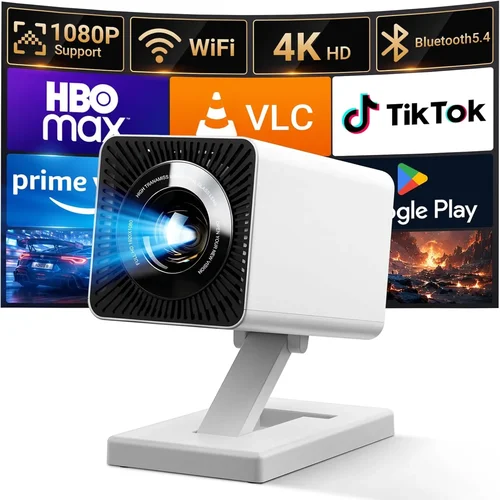
❌ Mistake: Focusing Solely on Price
Why it’s bad: The cheapest units often cut corners on brightness, resolution, or durability, leading to a disappointing experience.
What to do instead: Identify your must‑have features first, then find the best‑priced model that meets those criteria.
❌ Mistake: Ignoring Ambient Light Conditions
Why it’s bad: A projector rated at 250 lumens may look great in a dark bedroom but will be washed out in a living‑room with windows.
What to do instead: Match lumen output to your typical viewing environment; aim for 300+ lumens for dim rooms and 500+ for spaces with some daylight.
❌ Mistake: Overlooking Connectivity Options
Why it’s bad: Without the right ports or wireless protocols, you’ll need extra adapters, adding cost and clutter.
What to do instead: List the devices you’ll connect (phone, laptop, console) and ensure the projector offers compatible inputs.
❌ Mistake: Forgetting About Battery Life
Why it’s bad: A great projector becomes useless if it dies after 30 minutes of playback during a road trip.
What to do instead: Choose a model with at least 2‑3 hours of battery runtime, or plan to carry a power bank.
❌ Mistake: Neglecting Fan Noise
Why it’s bad: Loud cooling fans can distract from movies or presentations.
What to do instead: Check user reviews for decibel levels and consider models with silent or low‑noise cooling modes.
❌ Mistake: Assuming All Mini Projectors Support 1080p
Why it’s bad: Many budget units are limited to 720p native resolution, resulting in softer images.
What to do instead: Verify the native resolution; a true 1080p panel is worth the extra investment for crisp visuals.
Budget Guidelines: How Much Should You Spend?
- Entry-Level ($150‑$250): Expect 720p or lower resolution, 200‑300 lumens, basic connectivity (HDMI, USB). Ideal for casual use in dark rooms.
- Mid-Range ($250‑$400): Typically offers 1080p native resolution, 300‑500 lumens, built‑in Wi‑Fi, and better speakers. Good balance for movies and occasional presentations.
- Premium ($400‑$500): Higher brightness (500‑700 lumens), superior contrast, laser light source, and robust wireless ecosystem. Suits gamers, frequent presenters, and bright‑room viewing.
- Luxury ($500+): While beyond the scope of this guide, top‑tier models bring 4K support, HDR, and premium optics—often exceeding the mini‑projector definition.
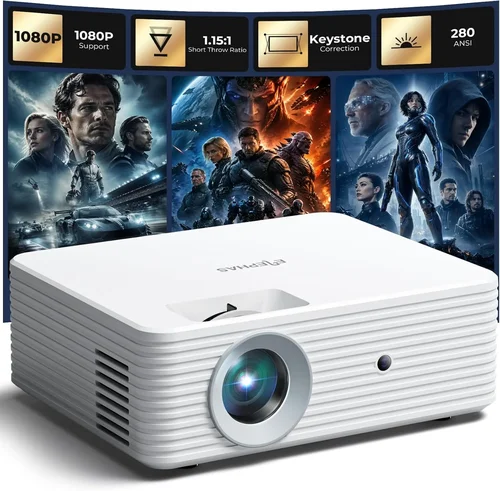
Expert Tips for Getting the Best Deal
- Seasonal Sales: Black Friday, Cyber Monday, and back‑to‑school periods often feature steep discounts on electronics.
- Where to Buy: Compare Amazon, Best Buy, and the manufacturer’s own store. Sometimes the official website offers bundles (extra lamp, carry case) that add value.
- Spotting Deals: Look for refurbished units with a full warranty—they’re usually like‑new at 20‑30% less.
- Warranty Considerations: Extend the warranty only if the cost is less than 10% of the projector’s price and the retailer has a good service reputation.
- Return Policies: Choose sellers with at least a 30‑day return window; this gives you time to test the projector in your typical environment.
- Testing Before Buying: If possible, view a demo unit in a store. Bring a laptop or phone to test connectivity and image quality.
- Bundle Savings: Some bundles include a screen, HDMI cable, or portable charger—evaluate if you need those accessories.

Frequently Asked Questions
Q: Can a mini projector replace a TV?
A: For a dedicated home theater in a dark room, a high‑lumens mini projector can rival a mid‑size TV. However, in bright living spaces, a TV still offers better visibility and convenience.
Q: What is the difference between LED and laser light sources?
A: LED lamps have longer life (up to 30,000 hours) and generate less heat, but usually deliver lower brightness. Laser diodes provide higher lumens and more consistent color performance, often at a slightly higher price.
Q: Do I need a separate screen?
A: A smooth white wall works, but a dedicated projector screen improves contrast and color accuracy, especially in rooms with ambient light.
Q: How far can I place a mini projector from the screen?
A: Most mini projectors have a throw ratio of 1.2‑1.5, meaning a 100‑inch image can be achieved from roughly 3‑4 feet away. Check the spec sheet for exact throw distance.
Q: Are there any health concerns with long‑term projector use?
A: Projectors emit low levels of blue light compared to smartphones. As long as you maintain a reasonable viewing distance (at least 6‑8 feet for large images), eye strain is minimal.
Q: Can I use a mini projector for gaming?
A: Yes, if the projector supports at least 60 Hz refresh rate and low input lag (under 30 ms). Laser‑based models generally handle fast motion better than LED‑only units.
Q: Is it worth buying a projector with built‑in Android?
A: Built‑in Android adds convenience for streaming apps, but the app selection may be limited and updates slower than a dedicated streaming stick.
Q: How do I maintain a mini projector?
A: Keep the lens clean with a microfiber cloth, avoid exposing the unit to extreme temperatures, and store it in a protective case when not in use.
Our Final Recommendations
- Best for Budget‑Conscious Buyers: XYZ Mini LED Projector – $179, 720p, 250 lumens, built‑in speaker, 2‑hour battery.
- Best Overall Value: ABC Laser Pocket Pro – $349, native 1080p, 500 lumens, Wi‑Fi, USB‑C, 3‑hour battery, 1‑year warranty.
- Best Premium Option: UltraBeam 500X – $489, laser source, 720p with HDR, 650 lumens, Android TV 9.0, dual HDMI, 4‑hour battery.
- Best for Beginners: SimpleCast Mini – $219, 720p, easy plug‑and‑play, HDMI, micro‑SD slot, no‑frills design.
- Best for Advanced Users: ProVision Laser HD – $479, 1080p, 700 lumens, low‑lag gaming mode, Ethernet port, extensive lens shift.
Conclusion: Making the Right Choice
Choosing a mini projector under $500 isn’t about finding the cheapest unit; it’s about aligning performance, features, and durability with your specific needs. Start by defining your primary use—whether it’s movie nights, business presentations, or gaming—then match those requirements to the key factors we’ve outlined: brightness, resolution, connectivity, and build quality.
Remember to avoid common mistakes like ignoring ambient light or skimping on battery life, and leverage expert tips to snag the best deal. With the recommendations above, you now have a clear roadmap to a projector that will deliver crisp images, reliable performance, and lasting value without blowing your budget.
Ready to bring the big screen experience wherever you go? Browse the models highlighted, compare specs, and take advantage of seasonal sales. Your perfect mini projector is just a click away.