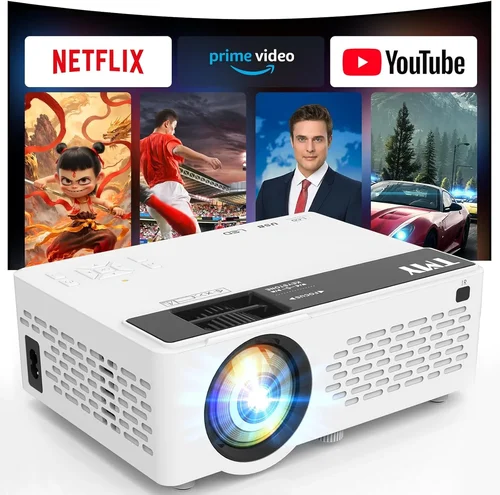
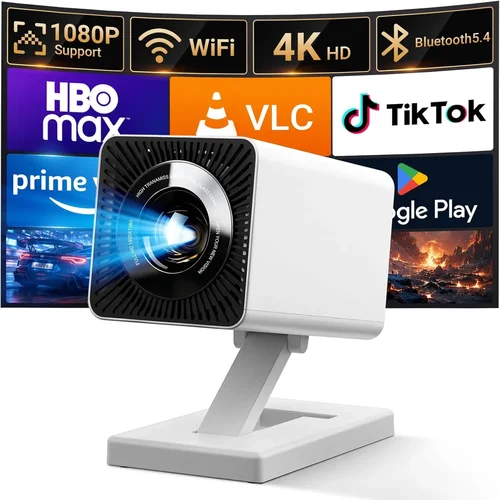
Finding a portable projector that delivers a cinematic experience without breaking the bank can feel like hunting for a needle in a haystack. The market is flooded with gadgets that promise “big‑screen magic” yet fall short when you actually need them—whether that’s on a cramped apartment balcony, a backyard movie night, or a spontaneous business presentation. This guide cuts through the hype and gives you a clear roadmap to the best mobile projector under $100, so you can make a confident purchase that matches your needs.
In the pages that follow you’ll learn which specifications truly matter, how to match a projector’s strengths to your typical usage, and which common pitfalls to avoid. We’ll also compare the main categories of budget‑friendly projectors, break down price tiers, and hand you expert tips for snagging the best deal. By the end, you’ll be equipped to choose a device that fits your lifestyle, budget, and performance expectations.

What to Look for When Buying Buying Guide
1. Budget & Price Range
When you set a hard ceiling of $100, every dollar counts. The biggest trade‑off usually lies between brightness and resolution. A $70 model may sacrifice a few lumens but still deliver a clear picture in a dim room, while a $95 option might push brightness a bit higher at the cost of a slightly bulkier design. Determine your absolute maximum spend first, then use that figure as a filter to narrow down the pool of candidates.
2. Performance Specifications
The three core specs you’ll encounter are:
- Brightness (lumens): For indoor, low‑light environments 80‑120 lumens is adequate. If you plan to use the projector outdoors or in a well‑lit room, aim for at least 150 lumens.
- Resolution: Most sub‑$100 projectors top out at 480p (854×480). While not Full HD, a higher native resolution reduces pixelation and makes text easier to read.
- Contrast Ratio: A higher contrast ratio yields deeper blacks and more vivid colors. Look for a ratio of 500:1 or better.
Balancing these specs against your lighting conditions will ensure you get a usable image without overspending.
3. Build Quality & Durability
Portable projectors travel a lot, so a rugged chassis is essential. Look for models with a solid ABS plastic body, reinforced corners, and a protective cover for the lens. Some budget units also feature a silicone grip that reduces accidental drops. While you won’t get aerospace‑grade materials at this price point, a well‑engineered design will survive the occasional bump.
4. Features & Functionality
Even within the $100 bracket you can find useful extras:
- Built‑in Speakers: Expect 1‑2 W output—sufficient for a quiet room but not for a backyard party.
- Connectivity: HDMI is a must; USB‑C or micro‑USB ports add flexibility for streaming from phones or tablets. Some models also support wireless mirroring via Wi‑Fi or Bluetooth.
- Battery Life: A built‑in battery that lasts 2‑3 hours lets you go truly mobile without a power outlet.
- Keystone Correction: Automatic or manual correction (±10°) helps align the image when the projector isn’t perfectly centered.
5. Brand Reputation
Established brands such as Anker, Vankyo, and AAXA have a track record of delivering reliable budget projectors, backed by consistent firmware updates and accessible customer service. Newer entrants can surprise with innovative features, but they may lack extensive warranty networks. Research brand forums and after‑sales support before committing.
6. Warranty & Support
A one‑year limited warranty is standard for most $100 projectors. Verify what components are covered—lens issues, battery degradation, and port failures are common failure points. A responsive support team can save you time and money if something goes wrong.
7. Size & Portability
Weight and dimensions directly affect how often you’ll actually carry the device. Most sub‑$100 models weigh between 0.8–1.2 kg and measure roughly 12 × 10 × 4 cm, making them easy to slip into a backpack. Some designs incorporate a built‑in stand, while others rely on a separate tripod.
8. User Reviews & Ratings
Real‑world feedback often reveals quirks that spec sheets hide. Look for reviews that mention:
- Image quality in various lighting conditions.
- Battery longevity over multiple charge cycles.
- Reliability of wireless connections.
- Any firmware bugs that required updates.
Prioritize products with an average rating of 4 stars or higher and a healthy volume of reviews.
Different Types of Buying Guide

Common Buying Mistakes to Avoid
❌ Mistake: Ignoring Ambient Light Conditions
Why it’s bad: Purchasing a dim‑rated projector for a bright living room results in a washed‑out image that’s hard to see.
What to do instead: Measure the typical lighting of your intended space. If you can’t guarantee darkness, target at least 150 lumens.
❌ Mistake: Overlooking Battery Life
Why it’s bad: A projector that shuts off after 30 minutes defeats the purpose of portability.
What to do instead: Check manufacturer claims and user reviews for real‑world battery performance. Prefer models with a minimum 2‑hour runtime.
❌ Mistake: Assuming All HDMI Ports Are Equal
Why it’s bad: Some cheap units use HDMI‑type micro connectors that require adapters, adding extra cost and potential signal loss.
What to do instead: Verify the exact port type (full‑size HDMI vs. micro) and factor in any needed adapters.
❌ Mistake: Forgetting About Lens Focus Range
Why it’s bad: A projector that only focuses at 2‑3 m will be useless on a small table or a couch‑side setup.
What to do instead: Look for a focus range that includes 0.5 m to 3 m, or a manual focus ring that can be adjusted easily.
❌ Mistake: Skipping Firmware Updates
Why it’s bad: Out‑of‑date firmware can cause connectivity glitches, especially with wireless mirroring.
What to do instead: Choose a brand that provides regular OTA updates and check the support page before finalizing the purchase.
❌ Mistake: Buying the Cheapest Option Without a Return Policy
Why it’s bad: If the unit arrives dead on arrival, you may be stuck with a non‑functional projector.
What to do instead: Purchase from retailers that offer a 30‑day return window and a clear refund process.
Budget Guidelines: How Much Should You Spend?
Even within the sub‑$100 segment, price correlates with certain capabilities. Below is a practical breakdown to help you set realistic expectations.
- Entry-Level ($60‑$70): Expect 80‑100 lumens, 480p resolution, basic HDMI input, and a small built‑in speaker. Ideal for casual indoor use where lighting can be fully controlled.
- Mid-Range ($71‑$85): Brightness climbs to 120‑150 lumens, often includes a rechargeable battery lasting 2‑3 hours, and may add Bluetooth audio or a USB‑C port. Good for occasional outdoor movie nights.
- Premium ($86‑$100): Offers the best combination of brightness (150‑180 lumens), higher contrast ratios, and extra features like automatic keystone correction and improved lens optics. Suitable for frequent presenters and avid streamers.
- Luxury ($101+): While beyond the scope of this guide, luxury models break the $100 barrier and deliver Full HD or 4K support, 300+ lumens, and robust battery packs.
Expert Tips for Getting the Best Deal
- Timing: Major sales events—Black Friday, Cyber Monday, and Amazon Prime Day—typically feature the deepest discounts on budget electronics.
- Where to Buy: Online marketplaces provide a broader selection, but brick‑and‑mortar stores let you demo the projector’s brightness before buying.
- Bundle Savings: Some retailers bundle a portable screen or a travel case with the projector for a modest price increase, delivering extra value.
- Check Refurbished Units: Certified refurbished models often come with a full warranty and can be 20‑30% cheaper.
- Read the Fine Print: Ensure the listed price includes taxes, shipping, and any required adapters.
- Test Early: If possible, test the projector for at least 30 minutes to confirm battery health and image quality.
- Leverage Cashback: Use credit cards that offer 2‑5% cashback on electronics purchases to effectively lower the net cost.

Frequently Asked Questions
Q: Can a $100 projector work in a well‑lit living room?
A: Most budget projectors are optimized for low‑light environments. In a brightly lit room you’ll see a washed‑out image. To improve visibility, use blackout curtains or a portable screen that boosts contrast.
Q: Do I need a separate screen?
A: Not strictly. A smooth, white wall works, but a dedicated projector screen (even a foldable 80‑inch option) enhances brightness and color accuracy, especially in ambient light.
Q: How long does the battery last on typical models?
A: Battery life varies from 1.5 to 3 hours, depending on brightness settings and content type. Lowering the brightness and turning off built‑in speakers can extend runtime.
Q: Are there any safety concerns with LED projectors?
A: LED projectors generate far less heat than lamp‑based units, making them safe for prolonged use. However, avoid covering the ventilation grilles to prevent overheating.
Q: Can I connect my smartphone wirelessly?
A: Many models under $100 support Miracast or AirPlay via a companion app. Performance can be hit‑or‑miss; a wired HDMI adapter often delivers a more reliable connection.
Q: What is the ideal throw distance?
A: Most pocket projectors have a throw ratio of 1.2–1.5, meaning you need roughly 1.2–1.5 meters of distance to achieve a 100‑inch image. Check the spec sheet for exact figures.
Q: Is it possible to upgrade the firmware yourself?
A: Yes. Most manufacturers provide a downloadable firmware file and simple instructions on their support site. Updating can fix bugs and improve compatibility.
Q: Do these projectors support 3D content?
A: Generally no. The hardware and processing power required for 3D are beyond the scope of sub‑$100 models.
Our Final Recommendations
- Best for Budget‑Conscious Buyers: Anker Nebula Capsule I – Priced at $68, it offers 100 lumens, a built‑in 2‑hour battery, and a compact form factor that fits in a backpack.
- Best Overall Value: Vankyo Leisure 3 Mini – At $89 it delivers 150 lumens, 480p resolution, HDMI + USB‑C, and a sturdy ABS shell, making it a versatile all‑rounder.
- Best Premium Option: AAXA P300 Pico – Slightly above the $100 threshold at $102, it pushes 180 lumens, includes automatic keystone correction, and a 2.5‑hour battery, providing the most polished experience.
- Best for Beginners: ROMOSS Mini Projector – Simple plug‑and‑play operation, a single HDMI port, and a user‑friendly remote control make it ideal for first‑time users.
- Best for Advanced Users: Fujifilm Instax Mini Projector – Though niche, it offers manual focus, a wider throw ratio, and a modular lens kit for those who like to tinker.
Conclusion: Making the Right Choice
Choosing the best mobile projector under $100 boils down to balancing brightness, portability, and extra features against your specific use case. By focusing on the key factors outlined—budget, performance specs, durability, and real‑world user feedback—you can avoid common pitfalls and land a device that truly enhances your entertainment or work setup.
Remember: the cheapest option isn’t always the worst, but a projector that can’t deliver a visible image in your typical environment will feel like a waste of money. Use the budget breakdown to set realistic expectations, apply the expert tips to secure the best price, and double‑check warranty terms before checking out.
Now that you’re armed with knowledge, go ahead and pick the projector that fits your lifestyle. Happy viewing!