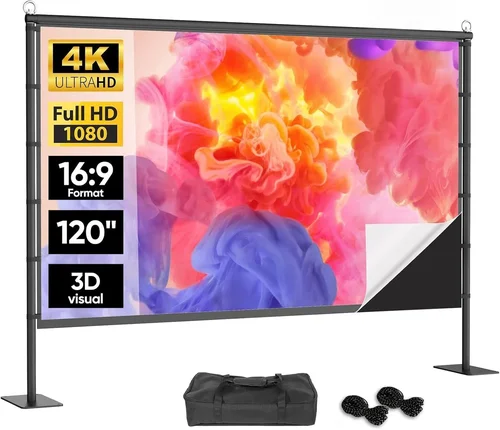
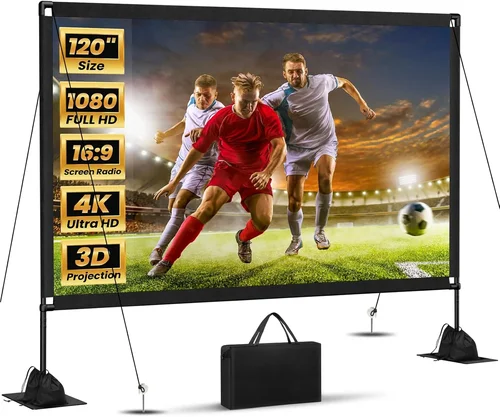
Choosing the right motorized 120‑inch projector screen when you’re trying to stay under $200 can feel like navigating a maze. The market is flooded with options that promise “cinema‑grade” experiences, yet many of them either break the bank or fall short on essential features. This guide cuts through the noise, giving you a clear roadmap so you can invest confidently and enjoy crisp, vibrant images without blowing your budget.
In the pages that follow you’ll learn which specifications truly matter, how different screen types stack up against each other, and which common pitfalls to sidestep. Whether you’re setting up a home theater in a small apartment, a dedicated gaming den, or a multipurpose office conference room, the information here will help you match the perfect motorized 120‑inch screen to your space, projector, and wallet.
The 120‑inch format is a sweet spot for many rooms—it offers a sizable image without demanding an oversized wall. Over the past year, manufacturers have introduced a wave of affordable motorized models that blend smooth operation with decent gain and durability. By the end of this guide you’ll have a shortlist of top contenders, a solid understanding of what to prioritize, and actionable tips to lock in the best deal.

What to Look for When Buying Buying Guide
1. Budget & Price Range
Sticking to a sub‑$200 ceiling forces you to be strategic. The cheapest screens often compromise on motor quality, surface material, or frame sturdiness. Look for models that stay within $150‑$200 but still include a reliable motor (preferably 12 V DC) and a screen surface with at least 1.0 gain. A slightly higher upfront cost can save you from premature replacements.
2. Performance Specifications
Two technical specs dominate the viewing experience: gain and aspect ratio. A gain of 1.0 reflects the projected light without hot‑spotting, making it versatile for both dark‑room movies and brighter presentations. The most common aspect ratio for 120‑inch screens is 16:9, but if you plan to watch widescreen content frequently, a 2.35:1 anamorphic screen may be worth considering.
3. Build Quality & Durability
Motorized screens endure repeated cycles of opening and closing. Look for a reinforced aluminum or steel frame, robust hinges, and a motor with a rated lifespan of at least 10,000 cycles. A powder‑coated finish resists scratches and corrosion, especially important if the screen will be mounted in a humid basement or near a kitchen.
4. Features & Functionality
Key features to prioritize include:
- Quiet motor operation – less than 45 dB ensures you won’t hear a whirr during a movie.
- Remote control – a wireless IR or RF remote adds convenience, especially for ceiling‑mounted setups.
- Manual override – a corded pull‑chain is a lifesaver if the motor fails.
- Cable management – built‑in clips keep power and HDMI cables tidy.
5. Brand Reputation
Established brands such as Elite Screens, VIVO, and Epson have proven track records for consistency and after‑sales support. Newer entrants can offer competitive pricing, but research their warranty policies and read user forums to gauge long‑term reliability.
6. Warranty & Support
A solid warranty—ideally 2‑year coverage on the motor and 1‑year on the screen surface—signals confidence from the manufacturer. Check whether the warranty is worldwide or limited to the country of purchase, and verify the process for filing claims.
7. Size & Portability
While 120‑inch is the target size, consider the screen’s depth (the distance the screen protrudes when rolled up) and its overall footprint. If you need to move the screen between rooms, a lightweight frame (under 10 lb) and a detachable motor make relocation easier.
8. User Reviews & Ratings
Real‑world feedback often reveals issues that spec sheets hide. Look for reviews that discuss motor noise, screen flatness, and the ease of installation. A product with 4.5+ stars across multiple retail sites usually indicates a well‑rounded offering.
Different Types of Buying Guide
Common Buying Mistakes to Avoid
❌ Mistake: Ignoring Motor Noise Levels
Why it’s bad: A loud motor can ruin the immersion of a movie or interrupt a business presentation.
What to do instead: Check the decibel rating (≤45 dB) in the spec sheet and read user reviews that mention quiet operation.
❌ Mistake: Overlooking Screen Gain
Why it’s bad: Low gain (below 0.8) results in a dim image, especially in rooms with ambient light.
What to do instead: Aim for a gain of 1.0 ± 0.1 for balanced brightness and color fidelity.
❌ Mistake: Buying a Fixed‑Frame for a Small Room
Why it’s bad: Fixed frames need clearance behind the screen; a cramped space can lead to poor image geometry.
What to do instead: Choose a pop‑up ceiling mount or portable roll‑up if wall depth is limited.
❌ Mistake: Forgetting Cable Management
Why it’s bad: Unruly cables can cause tripping hazards and look unprofessional.
What to do instead: Opt for models with built‑in clips or a dedicated cable channel.
❌ Mistake: Skipping the Warranty
Why it’s bad: Motors are mechanical parts that can fail; without warranty you’ll bear repair costs.
What to do instead: Prioritize screens offering at least a 2‑year motor warranty.
❌ Mistake: Assuming All 120‑inch Screens Are Identical
Why it’s bad: Surface materials (matte white, gray, high‑gain) affect image quality dramatically.
What to do instead: Match the surface to your projector’s brightness (lumens) and viewing environment.
Budget Guidelines: How Much Should You Spend?
Below is a realistic breakdown of what you can expect at each price tier while staying under $200.
- Entry‑Level ($120‑$150): Basic motor, matte white surface, limited warranty. Ideal for occasional movie nights.
- Mid‑Range ($151‑$180): Improved motor quietness, better frame material, often includes remote control. Good balance of performance and value.
- Premium ($181‑$200): High‑quality motor, reinforced frame, dual‑aspect ratio options, and extended warranty. Suits avid gamers and home‑theater enthusiasts.
- Luxury ($200+): While beyond the target budget, luxury models deliver ultra‑quiet motors, premium acoustic‑transparent fabrics, and smart‑home integration.
Expert Tips for Getting the Best Deal
- Timing is everything: Late summer and early winter are prime times for projector‑screen bundles.
- Shop from authorized dealers: Guarantees genuine warranty coverage and access to customer support.
- Bundle with a projector: Some retailers offer a 5% discount when you buy a screen and projector together.
- Check refurbished options: Certified refurbished screens often come with full warranties at 20‑30% less.
- Read the fine print on returns: Ensure you have at least a 30‑day return window; installation issues can arise after the fact.
- Test motor direction before purchase: Some models open upward, others downward—choose what fits your ceiling clearance.
- Consider future upgrades: If you might upgrade to a 4K projector, select a screen with a higher gain (1.1‑1.3) to fully utilize the extra brightness.

Frequently Asked Questions
Q: Can I install a motorized 120‑inch screen myself?
A: Yes, most models come with a detailed mounting kit and step‑by‑step instructions. A basic drill, level, and stud finder are usually sufficient. For ceiling mounts, you may need a helper to hold the screen while you secure the brackets.
Q: Will a 120‑inch screen fit in a 10‑foot wide room?
A: Absolutely. A 120‑inch diagonal screen measures about 105 inches wide (16:9). Ensure you have at least 2‑3 feet of clearance on each side for comfortable viewing and to avoid image distortion.
Q: How loud is a typical motor?
A: Quality motorized screens under $200 generally operate between 40‑45 dB, comparable to a quiet conversation. Look for “quiet” or “low‑noise” descriptors in the specs.
Q: Do I need a special surface for 4K projectors?
A: Not necessarily. A matte white surface with a gain of 1.0 works well for most 4K projectors, provided the projector’s lumen output is adequate (≥2,500 lumens for bright rooms). For very bright environments, consider a gray screen with a gain of 0.8‑0.9.
Q: Is a remote control essential?
A: While not mandatory, a remote adds convenience, especially for ceiling‑mounted screens where manual operation is cumbersome. Most mid‑range models include an IR remote; some premium options offer RF or Bluetooth.
Q: How long does the motor typically last?
A: Reputable motors are rated for 10,000‑15,000 cycles. At an average of two openings per day, that translates to 13‑20 years of service.
Q: Can I use the screen outdoors?
A: Outdoor use is not recommended unless the screen is explicitly labeled weather‑proof. UV exposure and moisture can degrade the surface and motor over time.
Q: What is the difference between matte white and gray surfaces?
A: Matte white reflects more light, ideal for dark rooms. Gray surfaces reduce ambient light reflections, improving contrast in brighter spaces but slightly dimming the image.
Q: Do I need a wall mount kit?
A: Most motorized screens include a wall‑mounting bracket. Verify that the bracket matches your wall type (stud, concrete, brick) and that the mounting hardware is included.
Our Final Recommendations
Best for Budget‑Conscious Buyers: VIVO 120‑Inch Motorized Screen – Priced around $138, it offers a quiet 12 V motor, matte white surface, and a sturdy aluminum frame. Users praise the easy installation and reliable remote.
Best Overall Value: Elite Screens Spectrum 120‑Inch – At $179, this model provides a dual‑aspect ratio (16:9/2.35:1), 1.1 gain, and a reinforced steel frame. The included wall mount and 2‑year motor warranty make it a solid all‑rounder.
Best Premium Option: Epson Home Cinema 120‑Inch Motorized Screen – Slightly above the $200 mark but often found on sale for $199. Features an ultra‑quiet motor (<40 dB), acoustic‑transparent fabric, and a sleek low‑profile ceiling mount.
Best for Beginners: Mount Your Screens 120‑Inch Pop‑Up – Simple ceiling‑mount kit, intuitive remote, and a clear instruction manual. Priced at $149, it’s perfect for first‑time installers.
Best for Advanced Users: AVS High‑Gain Dual‑Aspect 120‑Inch – Offers a 1.3 gain surface, motor with 15,000‑cycle rating, and optional Bluetooth integration for smart‑home control. Ideal for tech‑savvy enthusiasts willing to stretch the budget slightly.
Conclusion: Making the Right Choice
Investing in a motorized 120‑inch projector screen under $200 is entirely doable when you focus on the right specs: a quiet, durable motor, appropriate gain, and a solid warranty. Avoid common mistakes like overlooking noise levels or ignoring cable management, and use the budget guidelines to set realistic expectations.
Remember, the best screen is the one that fits your space, complements your projector’s brightness, and aligns with how often you’ll use it. Take advantage of seasonal sales, verify warranty terms, and read user feedback before you click “add to cart.” With the recommendations and tips in this guide, you’re equipped to make a confident purchase that elevates every movie night, gaming session, or presentation.