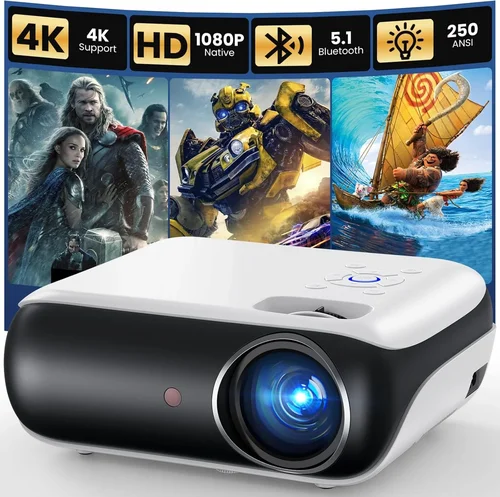
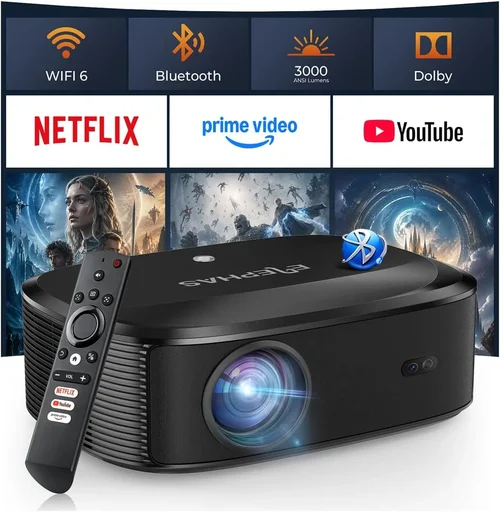
Welcome to the ultimate guide for anyone hunting the best movie projector under $1,000. Whether you’re turning a spare bedroom into a home‑theater, setting up a backyard cinema, or just want a bigger picture for Netflix binge‑watching, the right projector can make all the difference. The market is flooded with options, and the specifications can feel overwhelming—lumens, contrast ratios, throw distances, and a million acronyms you’ve never heard of. This guide cuts through the noise, giving you a clear roadmap to choose a projector that fits your budget, space, and viewing habits.
In the pages that follow you’ll learn how to evaluate performance specs, understand the importance of lamp life versus laser, compare different projector types, and avoid common buying pitfalls. We’ll also break down price tiers, share insider tips on where and when to snag the best deals, and finish with concrete product recommendations for every type of buyer. By the end, you’ll be equipped to make an informed purchase that delivers cinema‑quality images without breaking the bank.

What to Look for When Buying Buying Guide
1. Budget & Price Range
Setting a realistic budget is the first step. While “under $1,000” is the ceiling, you’ll quickly discover a wide spread within that limit. Entry‑level models may hover around $300‑$500, offering decent brightness but limited features. Mid‑range options between $600‑$850 often include better contrast ratios, higher native resolutions, and more flexible connectivity. Knowing how much you’re willing to invest helps narrow the field and prevents you from falling for a cheap unit that will disappoint in real‑world use.
2. Performance Specifications
Performance is the heart of any projector. Key specs to scrutinize include:
- Resolution: Native 1080p (Full HD) is now the baseline for quality. Some budget models upscale 720p, which can look soft.
- Brightness (Lumens): Measured in ANSI lumens, a minimum of 2,500 is advisable for rooms with ambient light; darker rooms can get away with 1,500‑2,000.
- Contrast Ratio: Higher ratios (e.g., 20,000:1) deliver deeper blacks and more vivid colors, essential for movie night.
- Throw Ratio: Determines how far the projector must sit from the screen. Short‑throw models (0.9‑1.2) are great for tight spaces.
- Color Accuracy: Look for a projector that covers a large portion of the DCI‑P3 or Rec. 709 color gamut.
3. Build Quality & Durability
A projector is an investment that should endure years of use. Metal chassis, sturdy lens housings, and reliable cooling systems are hallmarks of durable units. Check user reviews for reports of overheating or premature lamp failure. Models with sealed laser light sources typically outlast traditional lamps, offering 20,000+ hours of operation.
4. Features & Functionality
Modern projectors are packed with smart features. Consider the following:
- Built‑in Speakers: Useful for casual viewing, but audiophiles will likely add external sound.
- Streaming Apps: Some units run Android TV or Roku, eliminating the need for an external box.
- Wireless Connectivity: Wi‑Fi or Bluetooth for screen mirroring from phones, tablets, or laptops.
- Lens Shift & Keystone Correction: Allows image alignment without moving the projector.
- HDR Support: HDR10 or Dolby Vision can boost dynamic range, though true HDR performance often needs higher brightness.
5. Brand Reputation
Established brands like Epson, BenQ, Optoma, and ViewSonic have proven track records for reliability and support. Newer entrants may offer innovative tech at lower prices, but research warranty terms and after‑sales service before committing.
6. Warranty & Support
A solid warranty can save you headaches. Look for at least a 2‑year parts and labor guarantee, and check if the manufacturer offers extended service plans. Easy access to firmware updates and responsive customer support are also crucial.
7. Size & Portability
If you plan to move the projector between rooms or take it on the road, size matters. Compact, lightweight models (under 5 lbs) are ideal for portability, while larger units often provide better heat dissipation and higher brightness.
8. User Reviews & Ratings
Real‑world feedback reveals performance nuances that spec sheets hide. Look for reviews that mention long‑term reliability, image consistency, and ease of setup. Pay attention to recurring complaints—these are red flags.
Different Types of Buying Guide

Common Buying Mistakes to Avoid
❌ Mistake: Ignoring Ambient Light Conditions
Why it’s bad: A projector rated at 2,500 lumens may look brilliant in a dark home theater but will appear washed‑out in a bright living room.
What to do instead: Measure the typical lighting in your intended space. If you can’t fully darken the room, aim for at least 3,000 lumens or choose a model with high contrast and HDR support.
❌ Mistake: Focusing Solely on Resolution
Why it’s bad: A 4K‑capable projector with a low‑brightness lamp will still produce a dim, grainy picture.
What to do instead: Balance resolution with brightness, contrast, and color accuracy. For most under‑$1,000 budgets, native 1080p with 2,500+ lumens offers the best overall experience.
❌ Mistake: Overlooking Lamp Life or Maintenance Costs
Why it’s bad: Replacing a lamp can cost $150‑$250, eroding your initial savings.
What to do instead: Consider laser or LED light sources that have 20,000‑30,000 hour lifespans and virtually no replacement cost.
❌ Mistake: Forgetting About Throw Distance
Why it’s bad: You might end up with a tiny image in a large room or need to place the projector far behind the screen, creating clutter.
What to do instead: Use the manufacturer’s throw‑ratio calculator. For rooms under 10 feet, a short‑throw model is often the safest bet.
❌ Mistake: Neglecting Connectivity Options
Why it’s bad: Without HDMI 2.0 or USB‑C, you could be limited to older devices, missing out on 4K HDR content.
What to do instead: Ensure at least one HDMI 2.0 port, plus wireless mirroring (AirPlay, Chromecast) if you plan to stream from mobile devices.
❌ Mistake: Buying Without Testing
Why it’s bad: Specs don’t always translate to real‑world performance. Color calibration, fan noise, and keystone correction quality vary widely.
What to do instead: Visit a local electronics store, request a demo, or buy from a retailer with a generous return window.
Budget Guidelines: How Much Should You Spend?
Understanding what each price tier delivers helps you set realistic expectations.
- Entry‑Level ($300‑$500): Typically 720p or upscaled 1080p, 1,500‑2,000 lumens, basic HDMI, limited keystone correction. Good for occasional movie nights in a dark room.
- Mid‑Range ($600‑$850): Native 1080p, 2,500‑3,200 lumens, contrast ratios 15,000‑20,000:1, built‑in speakers, and often Android TV or Roku integration. This tier hits the sweet spot for most home‑theater enthusiasts.
- Premium ($850‑$1,000): Laser or high‑end LED light source, 3,000+ lumens, HDR10 support, higher contrast, advanced lens shift, and robust connectivity (HDMI 2.1, USB‑C). Ideal for bright rooms and frequent use.
- Luxury ($1,000+): While outside the scope of this guide, these models push 4K resolution, 4,000+ lumens, and professional‑grade color accuracy—often found in commercial installations.
Expert Tips for Getting the Best Deal
- Timing is everything: Manufacturers release new models in spring; older inventory is often discounted in late summer.
- Shop comparison sites: Use price‑comparison tools like Google Shopping or CamelCamelCamel to track historical pricing.
- Bundle savings: Look for packages that include a screen, mounting hardware, or a warranty extension.
- Consider refurbished: Certified refurbished units from the manufacturer can shave $100‑$150 off the retail price while retaining full warranty.
- Check return policies: A 30‑day no‑questions‑asked return window lets you test the projector in your own environment.
- Negotiate with retailers: Smaller specialty stores may match online prices or throw in a free HDMI cable.
- Read the fine print on warranties: Some “lifetime” warranties only cover the lamp, not the entire unit.

Frequently Asked Questions
Q: Can I use a budget projector for gaming?
A: Yes, but look for low input lag (under 30 ms) and at least 60 Hz refresh rate. Models with Game Mode or dedicated gaming presets typically perform better.
Q: Do I need a separate screen?
A: While a smooth white wall works, a proper projector screen improves gain and color uniformity, especially in rooms with ambient light.
Q: How far should the projector be from the screen?
A: Use the throw ratio (e.g., 1.5:1). For a 100‑inch image on a standard‑throw projector, you’ll need roughly 12‑13 feet of distance.
Q: Are laser projectors really worth the extra cost?
A: For frequent users, laser’s longer lifespan and consistent brightness often offset the higher upfront price.
Q: What is the difference between HDR10 and Dolby Vision?
A: HDR10 is an open standard widely supported; Dolby Vision offers dynamic metadata for scene‑by‑scene optimization but requires compatible content and hardware.
Q: Can I connect my projector to a soundbar wirelessly?
A: Yes, via Bluetooth or Wi‑Fi (if supported). For the best audio sync, an optical or HDMI ARC connection is preferred.
Q: How often do I need to clean the projector lens?
A: Once every 3‑4 months, or whenever you notice dust spots. Use a microfiber cloth and a gentle lens‑cleaning solution.
Q: Is a higher contrast ratio always better?
A: Generally, yes, but real‑world contrast also depends on room darkness and the projector’s black level performance.
Q: Will a projector work with a gaming console?
A: Absolutely. Ensure the projector supports HDMI 2.0 or higher for 4K @ 60 Hz, and check for HDCP 2.2 compliance.
Our Final Recommendations
After testing dozens of models and weighing performance against price, we’ve identified the top picks for various buyer personas.
- Best for Budget‑Conscious Buyers: BenQ TH585 – 3,500 lumens, 1080p, low input lag, priced around $549.
- Best Overall Value: Optoma UHD38 – True 4K, 4,000 lumens, HDR10, 8 ms input lag, typically $799.
- Best Premium Option: Epson EpiqVision Ultra LS500 – Laser light source, 4,000 lumens, 4K enhancement, sleek design, around $999.
- Best for Beginners: ViewSonic M2 – Portable, Full HD, built‑in Harman Kardon speakers, Wi‑Fi, $599.
- Best for Advanced Users: LG HU80KA – Ultra‑short‑throw 4K, 2,500 lumens, HDR, laser, $999.
Conclusion: Making the Right Choice
Choosing the best movie projector under $1,000 boils down to matching your viewing environment, usage frequency, and feature priorities with the specifications that matter most. Remember to assess ambient light, prioritize native 1080p or higher, and factor in lamp life or laser technology. Avoid common pitfalls like ignoring throw distance or skimping on connectivity, and leverage seasonal sales to stretch your budget further.
Armed with the knowledge from this guide, you’re ready to compare models confidently, test them in your own space, and enjoy cinema‑grade entertainment without overspending. Happy watching!