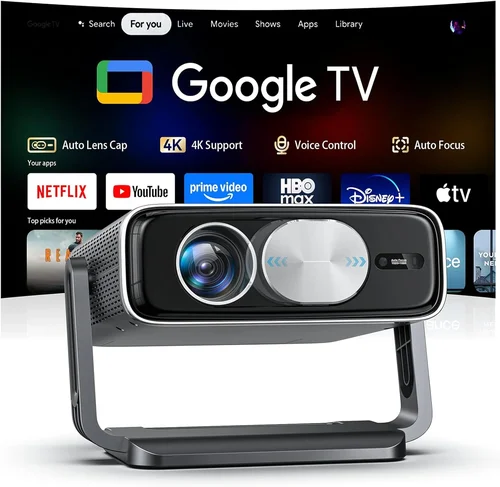
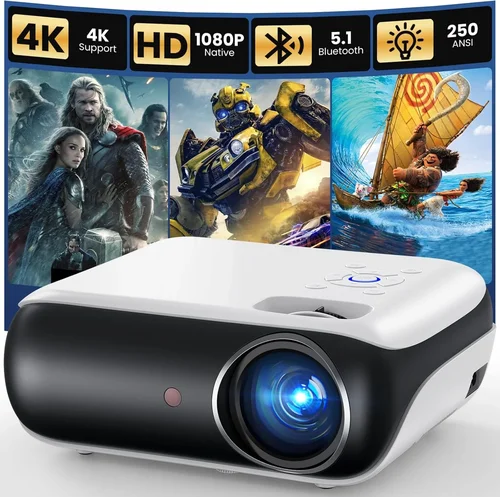
Finding a home cinema experience that doesn’t break the bank can feel like hunting for a needle in a haystack. The market is flooded with flashy specs, confusing terminologies, and price tags that range from “budget-friendly” to “luxury‑only.” This guide cuts through the noise, giving you a clear roadmap to pick the best movie projector under $600 in 2026. Whether you’re setting up a weekend movie night in the living room, a backyard screening for friends, or a portable solution for travel, we’ll walk you through every decision point so you can buy with confidence.
By the end of this article you’ll understand the most important specifications, know which projector type fits your space, avoid the common pitfalls that lead to disappointment, and have a shortlist of top‑rated models that deliver cinema‑quality images without exceeding your budget. Let’s dive in and make your home theater dreams a reality.

What to Look for When Buying Buying Guide
1. Budget & Price Range
Even within the sub‑$600 segment, prices can vary dramatically based on brand, features, and performance. Set a clear ceiling—$600 is your maximum, but consider a realistic floor (often around $200) to ensure you’re not compromising on core quality. Remember that the cheapest models may lack essential features like adequate brightness or reliable lamp life, which can cost you more in the long run.
2. Performance Specifications
The heart of any projector is its image performance. Focus on three key specs:
- Brightness (lumens): For a dark home theater, 1,500–2,000 ANSI lumens is sufficient. If you plan to use the projector in a lit room or outdoors, aim for 2,500 lumens or higher.
- Resolution: Native 1080p (Full HD) is now common under $600 and provides sharp, detailed pictures. Some budget models only offer 720p or rely on upscaling, which can look soft on larger screens.
- Contrast Ratio: A higher contrast ratio (e.g., 10,000:1) delivers deeper blacks and more vibrant colors. Look for manufacturers that publish real‑world contrast numbers rather than marketing hype.
3. Build Quality & Durability
Projectors are often moved, stored, and handled frequently. A solid chassis, sturdy lens housing, and quality cooling fans are essential for longevity. Metal or high‑grade plastic bodies resist warping and reduce vibration, which can otherwise affect image stability.
4. Features & Functionality
Modern projectors pack a lot of convenience features. Prioritize those that matter to you:
- Connectivity: HDMI is a must; USB, Bluetooth, and Wi‑Fi add flexibility for streaming directly from phones or tablets.
- Keystone Correction & Lens Shift: These let you adjust the image without moving the projector, crucial for uneven mounting situations.
- Built‑in Speakers: While most home‑theater setups use external audio, a decent 5‑10 W speaker can be handy for quick movie nights.
- Gaming Mode: Low input lag (under 30 ms) is essential for console gamers.
5. Brand Reputation
Established brands like Epson, BenQ, ViewSonic, and Optoma have proven track records for reliability and support. Newer entrants may offer aggressive pricing, but research their warranty policies and after‑sales service before committing.
6. Warranty & Support
A solid warranty (at least 2 years) protects you from early failures. Look for brands that cover the lamp/LED module and offer easy access to replacement parts. Online support forums and responsive customer service can also save you headaches down the line.
7. Size & Portability
If you need a projector that travels—say, for camping or impromptu backyard parties—weight and form factor become critical. Compact, “pico” projectors can fit in a backpack, but they often sacrifice brightness. Balance portability with performance based on your primary use case.
8. User Reviews & Ratings
Real‑world feedback uncovers issues that spec sheets hide. Look for consistent themes in reviews—such as overheating, fan noise, or lamp degradation. A product with a high average rating but many recent negative comments may indicate a recent batch problem.
Different Types of Buying Guide

Common Buying Mistakes to Avoid
❌ Mistake: Buying Only on Lumens
Why it’s bad: Brightness is important, but a high lumen rating on a low‑contrast panel can still produce washed‑out images.
What to do instead: Balance lumens with contrast ratio and native resolution. For a dark room, 1,800 lumens plus a 10,000:1 contrast may outperform a 2,500‑lumen unit with poor contrast.
❌ Mistake: Ignoring Lamp or LED Life
Why it’s bad: Replacing a lamp can cost $80‑$150, and some cheap models have a lifespan under 2,000 hours.
What to do instead: Choose LED or laser‑phosphor models for long life, or verify the lamp warranty and cost before purchasing.
❌ Mistake: Overlooking Throw Distance
Why it’s bad: A projector designed for short‑throw may produce a blurry image if placed too far away, and vice versa.
What to do instead: Measure your room, calculate the required throw ratio, and pick a projector that matches your screen size and mounting distance.
❌ Mistake: Forgetting About Audio Needs
Why it’s bad: Relying on built‑in speakers often leads to disappointing sound, especially for movies.
What to do instead: Plan for an external sound system or soundbar, and ensure the projector has audio output options (3.5 mm jack, HDMI ARC, or Bluetooth).
❌ Mistake: Skipping Firmware Updates
Why it’s bad: Out‑of‑date firmware can cause compatibility issues with streaming apps and may miss performance tweaks.
What to do instead: Choose a brand that provides regular OTA updates, and check the support page before finalizing your purchase.
Budget Guidelines: How Much Should You Spend?
- Entry‑Level ($200‑$300): Expect 720p resolution, 1,500 lumens, and basic connectivity. Good for occasional use in dark rooms.
- Mid‑Range ($300‑$450): Most models here deliver native 1080p, 2,000‑2,500 lumens, and better contrast. Ideal for dedicated home theaters and semi‑bright environments.
- Premium ($450‑$600): Look for DLP or LCD with high contrast, low input lag, and added features like lens shift, robust keystone, and longer lamp life.
- Luxury ($600+): While outside the scope of this guide, these units often include 4K resolution, laser light sources, and professional‑grade color accuracy.
Expert Tips for Getting the Best Deal
- Timing: Major sales events—Black Friday, Cyber Monday, and post‑holiday clearance—offer up to 30% off.
- Where to buy: Compare Amazon, Best Buy, and manufacturer websites. Retailers sometimes bundle free HDMI cables or screen kits.
- Spotting deals: Look for “refurbished certified” units; they come with full warranties at 20‑30% lower prices.
- Warranty considerations: Extend the warranty only if the cost is less than 15% of the projector price.
- Return policies: Choose sellers with at least a 30‑day return window. Test the projector in your intended environment before committing.
- Testing before buying: If possible, view a demo in a store with a similar screen size and ambient light as your home setup.
- Bundling accessories: A good screen can dramatically improve perceived contrast. Look for discounted screen bundles during sales.

Frequently Asked Questions
Q: Can I use a projector under $600 for outdoor movie nights?
A: Yes, but you’ll need a model with at least 2,500 lumens and good weather‑proofing. Consider a DLP unit with a high contrast ratio, and pair it with a portable screen that has a matte white surface to reduce glare.
Q: Do I need a separate sound system?
A: For true cinematic immersion, an external audio solution is recommended. Built‑in speakers are fine for casual viewing, but a soundbar or small AV receiver will deliver richer bass and clearer dialogue.
Q: What is the difference between ANSI lumens and LED lumens?
A: ANSI lumens are measured using a standardized method for traditional lamps. LED lumens can appear brighter due to higher color saturation, but they are not directly comparable. Always check the specification notes for the measurement method.
Q: How far should I place my projector from the screen?
A: This depends on the throw ratio, which is listed in the product specs. For a 100‑inch screen, a typical 1.5:1 throw ratio requires about 12.5 feet of distance.
Q: Is 1080p still worth it when 4K is available?
A: Absolutely. At sub‑$600, 1080p provides a clear image with minimal pixelation on screens up to 120 inches. 4K projectors under $600 are rare and often compromise on brightness or color accuracy.
Q: Will a projector work with my gaming console?
A: Look for a projector with low input lag (under 30 ms) and HDMI 2.0 or higher. DLP models often excel in this area, making them great for console gaming.
Q: How long does a projector lamp usually last?
A: Traditional UHP lamps last 2,000‑3,000 hours, while LED and laser modules can exceed 30,000 hours. Factor lamp replacement cost into your total ownership budget.
Q: Can I mount the projector on the ceiling?
A: Most mid‑range and premium models support ceiling mounting with optional brackets. Ensure the projector has keystone correction or lens shift to fine‑tune the image.
Q: Is a short‑throw projector necessary for small rooms?
A: Short‑throw models are convenient for tight spaces but often cost more. If you can position the projector 6‑8 feet away, a standard throw unit will save money while delivering comparable image quality.
Our Final Recommendations
- Best for Budget‑Conscious Buyers: BenQ TH585 – 3,500 lumens, 1080p, 16 ms input lag, and a price around $449. It balances brightness and gaming performance without breaking the bank.
- Best Overall Value: Epson Home Cinema 2150 – 2,500 lumens, 1080p, lens shift, and wireless mirroring. Priced at $529, it offers features usually found in higher‑priced models.
- Best Premium Option: Optoma UHD38 – Although marketed as a 4K unit, it runs in “enhanced” 1080p mode under $600, delivering 4,000 lumens, 8 ms input lag, and HDR support.
- Best for Beginners: ViewSonic M2 – Compact LED projector with 1,200 lumens, built‑in Harman Kardon speakers, and Android TV integration. Ideal for users who want a plug‑and‑play experience.
- Best for Advanced Users: LG PF50KA – Portable LED projector with 2,600 lumens, battery operation, and webOS smart platform. Perfect for tech‑savvy users who need flexibility.
Conclusion: Making the Right Choice
Choosing the best movie projector under $600 boils down to matching your viewing environment, usage habits, and budget. Prioritize brightness, contrast, and native resolution, but don’t ignore practical aspects like lamp life, connectivity, and warranty. By avoiding common mistakes and leveraging seasonal deals, you can secure a projector that brings cinematic magic to your home without overspending.
Take the time to measure your room, list your must‑have features, and compare the models highlighted above. When you align the projector’s strengths with your specific needs, you’ll enjoy countless movie nights, gaming sessions, and family gatherings—all projected in stunning clarity.