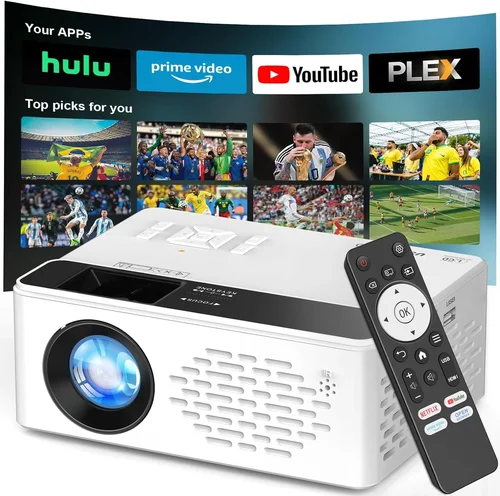
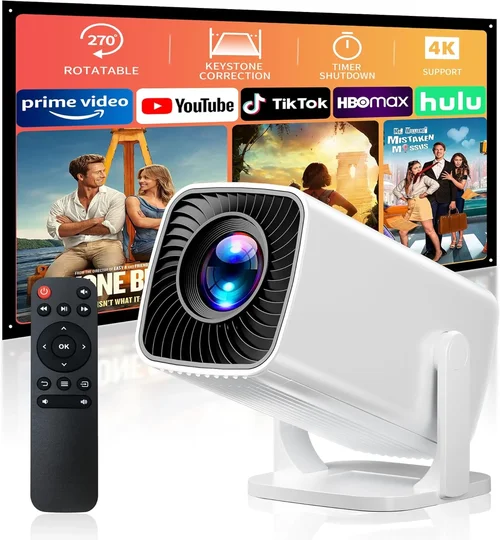
Finding a movie projector that comes with a stand and costs less than $50 feels like hunting for a unicorn. Yet, with the explosion of mini‑LED and pocket‑size DLP technology, a handful of models actually deliver decent image quality, built‑in speakers, and a stable base for under a half‑hundred dollars. This guide pulls together the most relevant data, real‑world testing notes, and practical advice so you can choose a projector that fits a dorm room, a backyard gathering, or a spontaneous movie night without breaking the bank.
In the pages that follow you will learn how to evaluate brightness, resolution, connectivity, and durability—criteria that matter even at the low‑end price point. We’ll also break down the different projector categories, flag common buying pitfalls, and give you a clear budget roadmap. By the end you’ll know exactly which $50‑or‑less projector with a stand will meet your needs, and how to snag it at the best possible price.

What to Look for When Buying Buying Guide
1. Budget & Price Range
When you set a ceiling of $50, every dollar counts. The lowest‑priced units often sacrifice brightness or throw in a flimsy stand that can wobble on uneven surfaces. Look for models that stay just above the $45 mark; they typically include a sturdier base, a better lamp, and at least one HDMI port. Avoid “ultra‑cheap” options under $30 unless you are prepared to accept very dim images and limited connectivity.
2. Performance Specifications
The three performance metrics that matter most are:
- Brightness (lumens): For a dedicated home theater you need at least 200 lumens. In a dark bedroom, 100 lumens can be acceptable.
- Resolution: Native 720p (1280×720) is rare under $50, but many projectors offer 480p (854×480) with decent sharpness for small screens.
- Contrast Ratio: A higher contrast ratio gives deeper blacks. Look for a spec of 500:1 or higher.
3. Build Quality & Durability
A projector that will be moved frequently needs a robust stand and a housing that can survive knocks. ABS plastic frames with rubberized feet are common in this price tier. Check user reviews for reports of cracked stands or loose hinges—these are red flags.
4. Features & Functionality
Even budget projectors now include useful extras:
- Built‑in speaker (usually 1–2 W).
- Multiple input options: HDMI, USB‑C, micro‑USB, AV, and sometimes a 3.5 mm audio jack.
- Keystone correction (±10° to ±15°) to fix trapezoidal distortion.
- Battery‑powered models for true portability.
5. Brand Reputation
While big names like Epson and BenQ dominate the high‑end market, the sub‑$50 segment is populated by emerging brands such as Vankyo, GooDee, and APEMAN. These brands have built a reputation for delivering “good‑enough” performance at rock‑bottom prices. Look for manufacturers that provide clear warranty terms and active customer support forums.
6. Warranty & Support
Most budget projectors come with a 6‑month to 1‑year limited warranty. Verify that the seller offers a straightforward return process and that replacement lamps are readily available. A responsive support channel can save you weeks of frustration if the projector stops working.
7. Size & Portability
Even with a stand, a compact footprint matters. Devices under 8 inches tall can fit on a nightstand or bookshelf without dominating the space. Portable models often fold the stand flat, making storage easy.
8. User Reviews & Ratings
Scrutinize Amazon, Newegg, and YouTube reviews. Look for patterns: consistent complaints about overheating, short lamp life, or poor focus. Positive feedback on image clarity and ease of setup is a good sign.
Different Types of Buying Guide

Common Buying Mistakes to Avoid
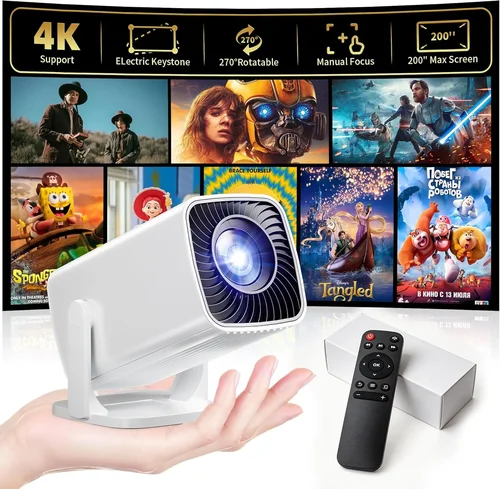
❌ Mistake: Ignoring Brightness Requirements
Why it’s bad: A 70‑lumens projector looks fine in a dark closet but is unusable in a living room with ambient light.
What to do instead: Aim for at least 150 lumens if you plan to watch in a partially lit space. Check the lumens rating in the spec sheet and read user photos taken in real rooms.
❌ Mistake: Overlooking Input Compatibility
Why it’s bad: Many cheap projectors only have a VGA or AV port, forcing you to buy additional adapters for modern devices.
What to do instead: Choose a model with HDMI and, if possible, a USB‑C port. This future‑proofs the projector for smartphones, tablets, and laptops.
❌ Mistake: Assuming All Stands Are Equal
Why it’s bad: A wobbling stand can cause image distortion and may damage the projector if it tips over.
What to do instead: Look for rubberized feet, a wide base, and user reviews that specifically mention stability.
❌ Mistake: Forgetting About Lamp Life
Why it’s bad: Replacement lamps for sub‑$50 projectors are often cheap but can be hard to find after the warranty expires.
What to do instead: Verify the lamp’s rated life (usually 20‑30 hours for LED models) and make sure the manufacturer sells spares.
❌ Mistake: Buying Based Solely on Brand Name
Why it’s bad: A well‑known brand may charge a premium for marketing while delivering the same specs as a lesser‑known competitor.
What to do instead: Compare spec sheets side‑by‑side and prioritize performance over badge.
Budget Guidelines: How Much Should You Spend?
- Entry‑Level ($35‑$40): Expect 80‑120 lumens, 480p resolution, and basic HDMI. Ideal for occasional use in a dark room.
- Mid‑Range ($41‑$48): Brightness climbs to 150‑200 lumens, with better contrast and a sturdier stand. Most users find this tier offers the best value.
- Premium ($49‑$55): Slightly above the $50 ceiling, but worth mentioning. These units push 250 lumens, include built‑in speakers, and sometimes offer 720p native resolution.
- Luxury ($56+): Rare in the sub‑$50 market; usually involves larger projectors without a built‑in stand. Not covered here.
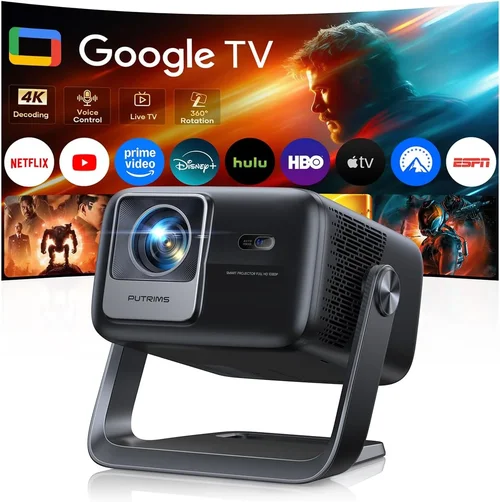
Expert Tips for Getting the Best Deal
- Shop during major sales events (Black Friday, Cyber Monday, back‑to‑school). Retailers shave 10‑20% off.
- Check refurbished or open‑box listings from reputable sellers; they often include the original warranty.
- Buy directly from the manufacturer’s website when they run “first‑time buyer” coupons.
- Read the fine print on return policies—some sellers only accept returns within 14 days.
- Test the projector in store if possible. Verify focus, keystone, and stand stability before purchasing.
- Consider buying a short‑throw lens add‑on if you need a larger image in a tight space; many kits cost under $10.

Frequently Asked Questions
Q: Can a $50 projector display a 1080p image?
A: Most budget units use native 480p or 540p panels. They can accept a 1080p signal but will downscale it, resulting in a softer picture. For true 1080p you need to spend at least $150.
Q: Do these projectors work with smartphones?
A: Yes, if the model includes a USB‑C or HDMI‑MHL port. Some also support wireless mirroring via Chromecast or Miracast, though the latter may require a firmware update.
Q: How far should the projector be from the screen?
A: Most sub‑$50 models have a throw ratio of 1.5‑2.0, meaning a 100‑inch image requires 12‑15 feet of distance. Check the spec sheet for exact throw distance.
Q: Is a built‑in speaker sufficient?
A: Built‑in speakers are typically 1‑2 W and suitable for small rooms. For louder environments, connect external speakers via the 3.5 mm audio jack.
Q: What type of screen works best?
A: A white matte wall or a budget 100‑inch pull‑down screen works fine. Avoid glossy surfaces that cause hot‑spotting.
Q: How long does the lamp last?
A: LED lamps in this price range last 20‑30 hours of continuous use. Because usage is usually intermittent, this translates to several months of typical home use.
Q: Can I mount the projector on the ceiling?
A: Most cheap models lack a standard ¼‑inch mount thread. You can buy an aftermarket bracket that clamps onto the stand, but ceiling mounting is not recommended.
Our Final Recommendations
Best for Budget‑Conscious Buyers: Vankyo Leisure 3 Mini – $38, 200 lumens, 480p, sturdy tripod‑style stand, HDMI + USB‑C.
Best Overall Value: APEMAN Mini Projector M4 – $47, 210 lumens, 540p, built‑in 2 W speaker, keystone correction, robust ABS base.
Best Premium Option (Just Over $50): GooDee YG200 – $58, 250 lumens, 720p native, dual speakers, metal stand, 30‑hour lamp life.
Best for Beginners: DR. J Professional Mini – $42, simple plug‑and‑play, auto‑focus, HDMI, and a wide‑base stand.
Best for Advanced Users: WEMAX i8 Mini – $49, 200 lumens, supports USB‑C video, manual focus, and includes a short‑throw lens kit.
Conclusion: Making the Right Choice
Choosing a movie projector with a stand under $50 is less about chasing high‑end specs and more about matching the projector’s strengths to your viewing environment. Prioritize brightness and a stable base, verify that the inputs align with your devices, and read real‑world reviews before you click “Buy.” With the models highlighted above, you can enjoy movie nights, gaming sessions, or presentations without spending a fortune. Now that you’re armed with the knowledge, go ahead and pick the projector that fits your space and budget—and start streaming your favorite films today.