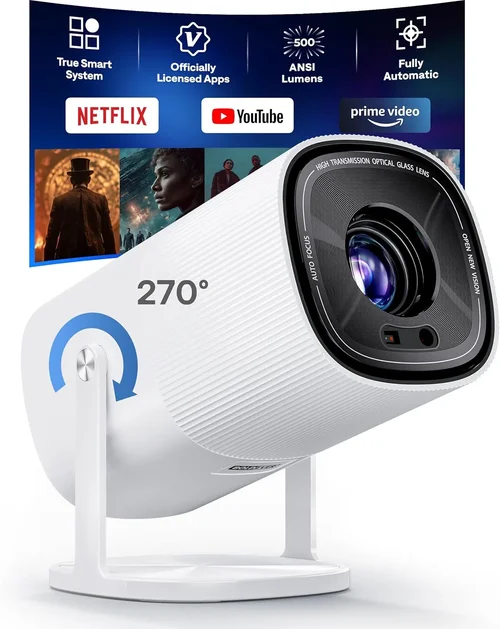
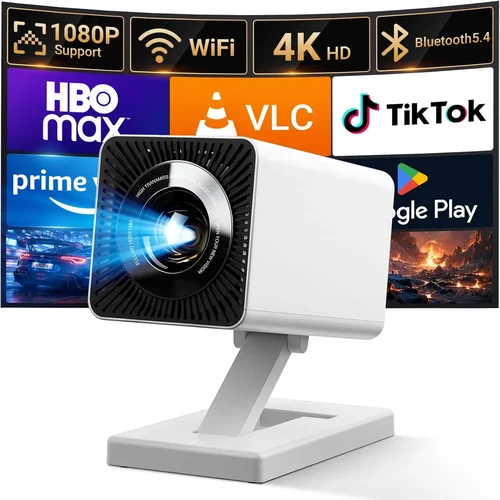
If you’ve ever dreamed of turning your living room into a mini‑theater without breaking the bank, you’re in the right place. The market for home cinema projectors has exploded, and today you can snag a solid multimedia movie projector for under $500 that delivers crisp images, decent brightness, and enough smart features to make streaming a breeze. This guide walks you through everything you need to know before you click “add to cart,” so you can avoid costly mistakes and end up with a projector that truly fits your lifestyle.
In the next few minutes you’ll learn how to evaluate key specs, compare the main projector families, spot hidden pitfalls, and stretch every dollar for maximum bang‑for‑buck. Whether you’re a college student setting up a dorm lounge, a family looking for weekend movie nights, or a gamer who wants a large‑format display, the principles below will help you make a confident, informed purchase.

What to Look for When Buying Buying Guide
1. Budget & Price Range
Sticking to a $500 ceiling forces you to prioritize certain features over others. In this segment, you’ll typically find projectors with brightness between 2,500 and 3,500 lumens, native resolutions of 720p or 1080p, and a blend of basic and smart connectivity options. Decide early whether you’re willing to sacrifice a little resolution for higher brightness or vice‑versa. Remember, a lower‑priced model can still deliver a great experience if you match it with a dark room and a good screen.
2. Performance Specifications
The three pillars of performance are resolution, brightness, and contrast ratio. For movies, aim for at least 1080p (Full HD) if you can find it under $500; otherwise, 720p is acceptable when paired with a high‑quality screen. Brightness measured in ANSI lumens tells you how well the image will stand up to ambient light—2,500 lumens is a safe minimum for most living rooms with some light control. Contrast ratio determines how deep the blacks appear; a ratio of 2,000:1 or higher is desirable for a more cinematic feel.
3. Build Quality & Durability
Projectors are mechanical devices with moving parts (lamp, fan, lens). Look for metal housings or reinforced plastic frames that can survive occasional bumps. Check the lamp life—LED or laser light sources often exceed 20,000 hours, while traditional lamps may need replacement after 3,000‑5,000 hours, adding to long‑term cost.
4. Features & Functionality
Modern budget projectors are no longer “just a bulb and a lens.” Key features to hunt for include:
- Built‑in speakers: Useful for casual viewing, though external audio will still deliver superior sound.
- Wireless streaming (Wi‑Fi, Bluetooth, or Chromecast built‑in) for Netflix, YouTube, and gaming consoles.
- Multiple input ports (HDMI, USB‑C, VGA, AV) to accommodate laptops, gaming consoles, and media players.
- Keystone correction and lens shift for flexible placement.
5. Brand Reputation
Established brands like Epson, BenQ, ViewSonic, and Optoma have a track record of reliable firmware updates and accessible customer service. Newer entrants may offer tempting specs at lower prices but could lack long‑term support. Research online forums and look for consistent positive feedback over several product generations.
6. Warranty & Support
A solid warranty (minimum 1‑year) protects you against early failures. Pay attention to what’s covered: lamp replacement, accidental damage, and parts. Some manufacturers offer extended warranties for a modest fee—worth considering if you plan heavy use.
7. Size & Portability
If you need a projector that can move from room to room or be taken on trips, weight and dimensions matter. Portable models often use LED or laser light sources, which are lighter and cooler but may have lower brightness. Fixed‑installation units are bulkier but can deliver higher lumen output.
8. User Reviews & Ratings
Real‑world experiences reveal hidden strengths and weaknesses. Look for reviews that mention long‑term reliability, fan noise, and firmware stability. A product with 4.5 stars from 500+ verified buyers is generally a safe bet.
Different Types of Buying Guide

Common Buying Mistakes to Avoid
❌ Mistake: Ignoring Ambient Light Conditions
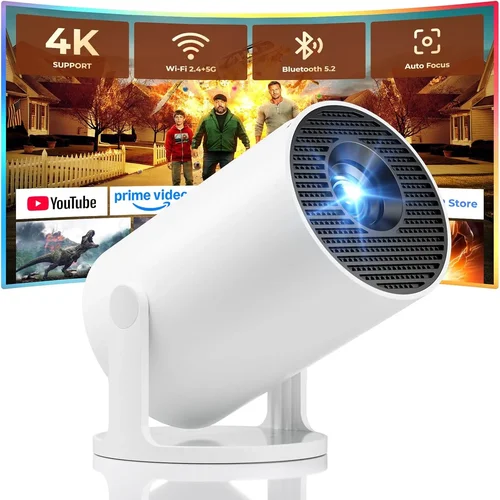
Why it’s bad: A projector rated at 2,500 lumens will look washed‑out in a bright living room, ruining the viewing experience.
What to do instead: Measure the typical light level in your space. If you can’t fully black out the room, aim for 3,000+ lumens or add blackout curtains.
❌ Mistake: Overlooking Lamp Type
Why it’s bad: Traditional UHP lamps require costly replacements and emit more heat, increasing maintenance.
What to do instead: Prefer LED or laser light sources for longer life, lower heat, and consistent brightness over time.
❌ Mistake: Forgetting Throw Distance
Why it’s bad: Buying a projector with a short‑throw lens but placing it too far away forces you to enlarge the image beyond its optimal resolution.
What to do instead: Check the throw ratio chart; calculate the distance you’ll need for a 100‑inch screen and match it to the projector’s specifications.
❌ Mistake: Assuming Built‑In Speakers Are Sufficient
Why it’s bad: Most budget projectors have low‑power mono speakers that can’t reproduce deep bass or surround effects.
What to do instead: Budget for an external sound solution—soundbar, bookshelf speakers, or a cheap AV receiver.
❌ Mistake: Not Verifying Compatibility with Streaming Apps
Why it’s bad: Some cheap models lack official Netflix or Disney+ certification, resulting in a “black screen” when you try to stream.
What to do instead: Look for “HDCP 2.2” support or built‑in apps; otherwise, plan to use an external streaming stick.
❌ Mistake: Skipping Firmware Updates
Why it’s bad: Out‑of‑date firmware can cause connectivity glitches, lag, or even security vulnerabilities.
What to do instead: Choose a brand with a simple update process, and check the support page regularly.
Budget Guidelines: How Much Should You Spend?
- Entry‑Level ($300‑$350): Expect 720p resolution, 2,500 lumens, basic HDMI and USB ports, and minimal smart features. Great for casual viewing in dark rooms.
- Mid‑Range ($350‑$450): Usually offers Full HD (1080p), 3,000+ lumens, better contrast, and added Wi‑Fi or Bluetooth. This tier balances image quality and connectivity.
- Premium ($450‑$500): You’ll find models with laser light sources, 1080p or even “pseudo‑4K” upscaling, higher contrast ratios, and richer built‑in speakers. Ideal for enthusiasts who want a more polished experience without crossing the $500 line.
- Luxury ($500+): While beyond the scope of this guide, luxury units often provide true 4K resolution, HDR support, and advanced lens shift. Consider only if your budget can stretch.
Expert Tips for Getting the Best Deal
- Timing is everything: Major sales happen around Black Friday, Cyber Monday, and back‑to‑school periods. Mark your calendar.
- Buy from authorized retailers: This guarantees a valid warranty and access to official firmware updates.
- Check bundle offers: Some sellers include a screen, HDMI cable, or mounting bracket for the price of the projector alone.
- Read the fine print on return policies: A 30‑day return window lets you test the projector in your actual environment.
- Consider refurbished units: Manufacturer‑refurbished models can be up to 20% cheaper and still carry a full warranty.
- Test before you buy: If possible, view a demo in a store with dim lighting to gauge contrast and color accuracy.
- Negotiate shipping: Free shipping can save $15‑$20, especially on heavier models.

Frequently Asked Questions
Q: Can a sub‑$500 projector display HDR content?
A: True HDR (HDR10 or Dolby Vision) requires high peak brightness and wide color gamut, which most budget projectors lack. Some models claim “HDR support,” but the effect is modest. For genuine HDR, you’ll need to look above $500.
Q: How far away should I place my projector for a 100‑inch screen?
A: Throw distance depends on the projector’s throw ratio. A typical 1.5:1 ratio needs about 12.5 feet for a 100‑inch image. Short‑throw models (0.5:1) can achieve the same size from just 4 feet away.
Q: Do I need a special screen?
A: While a white wall works, a dedicated projector screen with a gain of 1.0‑1.2 improves brightness and contrast, especially in rooms with some ambient light.
Q: Is a fan noisy on budget projectors?
A: Most budget units have fans that run between 25‑35 dB, which is audible but not distracting in a typical movie‑night setting. Look for “quiet mode” options if you’re sensitive to sound.
Q: Can I connect a gaming console?
A: Absolutely. Ensure the projector has HDMI 1.4 or higher for 1080p at 60 Hz. For low‑input‑lag gaming, choose a DLP model with a “Game Mode” setting.
Q: How long will the lamp last?
A: LED and laser sources often exceed 20,000 hours, effectively lasting the life of the projector. Traditional lamps may need replacement after 3,000‑5,000 hours, adding $80‑$120 to ownership cost.
Q: Is it safe to mount a projector on the ceiling?
A: Yes, as long as the mount’s weight rating exceeds the projector’s weight and you follow the manufacturer’s ventilation guidelines.
Our Final Recommendations
- Best for Budget‑Conscious Buyers: ViewSonic M1 Mini Plus – LED, 250 lumens, built‑in Harman Kardon speakers, and a compact design at $299.
- Best Overall Value: Epson Home Cinema 1060 – 3,600 lumens, 1080p, low‑lag gaming mode, and a reputable warranty for $449.
- Best Premium Option (under $500): BenQ TH585 – 3,500 lumens, 1080p, 10‑point color accuracy, and a dedicated game mode for $489.
- Best for Beginners: Optoma HD146X – Easy‑setup, 3,600 lumens, decent contrast, and a user‑friendly menu for $399.
- Best for Advanced Users: LG PF50KA – Laser light source, 2,600 lumens, wireless screen‑share, and smart TV apps for $499.
Conclusion: Making the Right Choice
Choosing a multimedia movie projector under $500 isn’t about compromising—it’s about aligning the projector’s strengths with your viewing environment and usage habits. Focus on the factors that matter most to you—brightness, resolution, portability, or smart features—and use the budget tiers as a roadmap. Remember to verify lamp type, check throw distance, and read real‑world reviews before finalizing your purchase.
Armed with the knowledge from this guide, you’re ready to shop confidently, snag a great deal, and enjoy cinematic evenings without blowing your budget. Happy viewing!