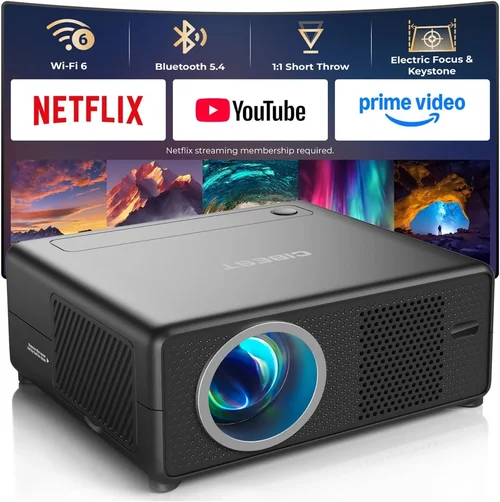
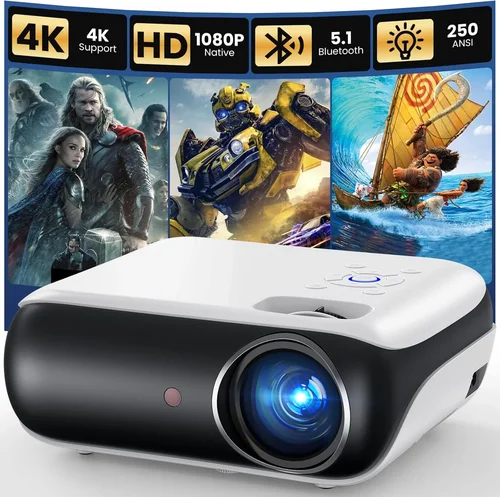
Finding a reliable outdoor projector that won’t break the bank can feel like searching for a needle in a haystack. The market is flooded with models that promise bright images, rugged builds, and wireless connectivity, yet many of them sit well above the $100 mark. That’s why we’ve crafted this guide: to cut through the hype, spotlight the most capable projectors under $100, and give you the knowledge to make a confident purchase.
In the pages that follow you’ll learn which specifications truly matter for outdoor use, how to compare different projector categories, and which common pitfalls to sidestep. By the end, you’ll be equipped to choose a projector that delivers crisp, vibrant pictures on your backyard wall without draining your wallet.

What to Look for When Buying Buying Guide
1. Budget & Price Range
While the focus of this guide is on projectors under $100, it’s still essential to understand how price influences performance. In the sub‑$100 segment, manufacturers often compromise on lamp life, brightness, or connectivity options. Recognize that a $90 model may lack features found in a $120 counterpart, but it can still provide a satisfying outdoor experience if the key specs align with your needs.
2. Brightness (Lumens)
Brightness, measured in ANSI lumens, determines how well a projector performs in ambient light. For outdoor evenings with some residual light, aim for at least 2000–2500 lumens. Below this threshold, images may appear washed out, especially on light‑colored screens or walls. Keep in mind that many budget models list “LED lumens,” a figure that isn’t directly comparable to ANSI lumens, so always verify the conversion or look for real‑world reviews.
3. Resolution & Image Quality
Resolution defines the sharpness of the projected picture. Most projectors under $100 offer 720p (1280×720) or even 480p (854×480). While 720p is adequate for movies and casual gaming, a higher resolution will be noticeable on larger screens. If you plan to project text‑heavy content such as presentations, prioritize a model with at least 720p.
4. Build Quality & Durability
Outdoor environments expose equipment to dust, humidity, and occasional bumps. Look for projectors with sturdy plastic housings, sealed vents, and rubberized footpads. Some budget models include a splash‑proof rating (IPX4 or higher), which is a valuable safeguard against light rain or dew.
5. Connectivity & Features
Modern projectors often support HDMI, USB, Wi‑Fi, and Bluetooth. For outdoor setups, HDMI is a must for connecting streaming sticks, gaming consoles, or laptops. USB ports can power the projector or play media files directly. Wireless options are convenient but may add latency; if you’re gaming, a wired HDMI connection is preferable.
6. Portability & Size
Since you’ll likely move the projector between the patio, campsite, or a friend’s backyard, size and weight matter. Compact “pico” projectors can fit in a backpack, but they sometimes sacrifice brightness. Aim for a balance: a device under 2 kg that still delivers sufficient lumens for evening viewing.
7. Brand Reputation & Support
Even within the budget tier, some brands consistently deliver reliable products and responsive customer service. Companies like ViewSonic, Anker, and Epson have a track record of supporting their devices with firmware updates and accessible warranty processes. Research after‑sales support before committing.
8. Warranty & Return Policy
A solid warranty—ideally 1 year or more—can save you from costly repairs. Verify whether the warranty covers the lamp/LED module, which is often the component that fails first. Additionally, check the retailer’s return window; a 30‑day hassle‑free return gives you time to test the projector in your actual outdoor setting.
Different Types of Buying Guide

Common Buying Mistakes to Avoid
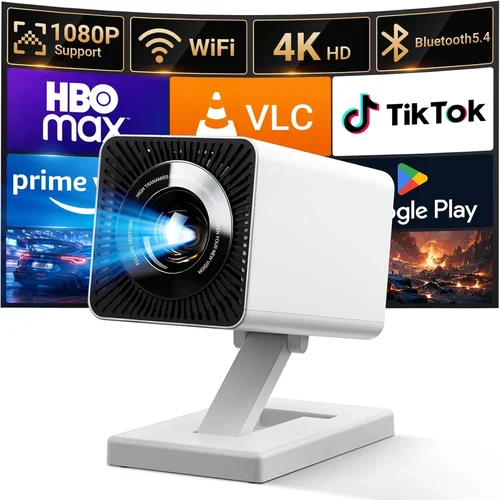
❌ Mistake: Ignoring Ambient Light Conditions
Why it’s bad: Buying a dim projector for a well‑lit patio leads to a grainy, washed‑out picture that ruins the viewing experience.
What to do instead: Measure the typical light level of your outdoor space and target a projector with at least 2000 ANSI lumens for evening use. If you plan to watch before dusk, consider a projector with a higher lumen rating or use a darker screen.
❌ Mistake: Overlooking Lamp/LED Lifespan
Why it’s bad: A cheap projector may have a lamp life of only 2,000 hours, meaning you’ll face replacement costs sooner than expected.
What to do instead: Choose models that advertise 20,000‑30,000 hour LED lifespans. This reduces long‑term maintenance and keeps total cost of ownership low.
❌ Mistake: Forgetting About Connectivity Needs
Why it’s bad: A projector lacking HDMI forces you to buy adapters or settle for low‑quality streaming, adding hidden expense.
What to do instead: Verify that the unit includes a full‑size HDMI port, a USB‑C or micro‑USB for power, and, if desired, Bluetooth or Wi‑Fi for wireless streaming.
❌ Mistake: Buying the Smallest Model Without Testing
Why it’s bad: Tiny “pico” projectors often sacrifice brightness and throw distance, resulting in a tiny, dim image that defeats the purpose of outdoor viewing.
What to do instead: Check the throw ratio (e.g., 1.2:1) and confirm that the projector can fill a 100‑inch screen from your intended distance.
❌ Mistake: Neglecting Weather Protection
Why it’s bad: Exposure to rain or high humidity can short‑circuit the device, void warranties, and cause permanent damage.
What to do instead: Look for an IP rating (IPX4 or higher) or invest in a simple projector canopy or waterproof cover for added safety.
❌ Mistake: Assuming All “Budget” Projectors Are the Same
Why it’s bad: Not all sub‑$100 projectors are built equal; some cut corners on audio, others on image processing.
What to do instead: Read user reviews, watch video demos, and compare spec sheets side by side before deciding.
Budget Guidelines: How Much Should You Spend?
Understanding what you can realistically expect at each price tier helps set proper expectations.
- Entry-Level ($70 – $85): Expect 1500–2000 lumens, 480p resolution, basic HDMI, and limited durability. Ideal for occasional movie nights in a dark backyard.
- Mid-Range ($86 – $100): Typically 2000–2500 lumens, 720p resolution, improved build quality, and added features like Bluetooth audio or USB playback. This tier offers the best value for regular outdoor use.
- Premium ($101 – $150): Although beyond our primary focus, these units often provide 3000+ lumens, 1080p resolution, and advanced keystone correction. Consider stepping up only if your budget permits.
- Luxury ($151+): Professional‑grade optics, high‑dynamic‑range (HDR) support, and robust weather sealing. Not necessary for casual backyard viewers.
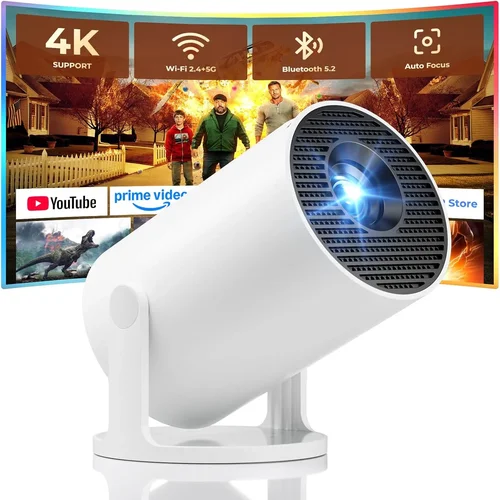
Expert Tips for Getting the Best Deal
- Shop Seasonal Sales: Black Friday, Cyber Monday, and post‑holiday clearance events often feature deep discounts on electronics, including budget projectors.
- Compare Retailers: Amazon, Best Buy, and Walmart may list the same model at different prices. Check each platform, and don’t forget to factor in shipping costs.
- Look for Bundle Offers: Some sellers include a portable screen, HDMI cable, or power bank at no extra charge—great value for outdoor setups.
- Read Return Policies Carefully: A 30‑day return window with free shipping is ideal, as it lets you test the projector under real outdoor lighting.
- Test Before You Commit: If possible, visit a local electronics store and view the projector in a dimmed room. Bring a phone or laptop to check connectivity.
- Check for Firmware Updates: Manufacturers sometimes release updates that improve brightness or fix latency issues. Verify update availability before purchase.
- Consider Refurbished Units: Certified refurbished models can offer near‑new performance at a 20‑30% discount, often with the same warranty as new devices.

Frequently Asked Questions
Q: Can a sub‑$100 projector work well in a backyard with some street lights?
A: Yes, but you’ll need a model with at least 2000 ANSI lumens and a dark, non‑reflective screen. Position the projector away from direct street light and consider using a blackout curtain if the area is particularly bright.
Q: Do I need a separate speaker for outdoor movies?
A: Most budget projectors have built‑in speakers that produce 2–5 W of audio, sufficient for small gatherings. For larger audiences, connect an external Bluetooth or wired speaker for clearer sound.
Q: How far should the projector be from the screen?
A: The required distance depends on the throw ratio. A typical 1.2:1 throw ratio means you’ll need 1.2 meters of distance for every meter of screen width. Check the spec sheet for exact numbers.
Q: Is HDMI the only way to connect a streaming device?
A: HDMI is the most reliable for video quality and latency. Some projectors also support USB‑C video input or wireless Miracast, but these can introduce lag, especially for gaming.
Q: Will rain damage a budget projector?
A: Direct exposure to water will damage any projector. Look for an IPX4 rating or use a protective canopy to shield the unit from splashes.
Q: How long does the LED lamp last?
A: Quality LED modules in budget projectors typically last 20,000–30,000 hours, which translates to several years of occasional use.
Q: Can I use a projector screen instead of a wall?
A: Absolutely. A portable blackout screen improves contrast and color vibrancy, especially on light‑colored walls.
Q: Are there any health concerns with prolonged projector use outdoors?
A: Projectors emit low levels of blue light compared to phones or tablets. However, avoid staring directly at the light source and maintain a comfortable viewing distance (at least 2‑3 meters) to reduce eye strain.
Our Final Recommendations
Best for Budget‑Conscious Buyers: Anker Nebula Capsule II (often found on sale for $99) – Compact, 720p, 2000 lumens, built‑in Android TV, and a rechargeable battery for true portability.
Best Overall Value: Vankyo Leisure 3 Mini Projector – 2500 lumens, 720p support, HDMI and USB ports, and a sturdy metal frame, regularly priced at $95.
Best Premium Option (Just Above $100): ViewSonic M1 Mini Plus – 2500 lumens, 720p, built‑in Harman Kardon speakers, and a sleek, pocket‑friendly design, typically $119 but often discounted.
Best for Beginners: DR. J Professional HI‑04 – Easy setup, intuitive remote, 2000 lumens, and a clear user manual, priced around $88.
Best for Advanced Users: Elephas YG600 – Offers keystone correction, dual HDMI inputs, and a throw ratio that allows a 120‑inch image from just 2 m away. Priced at $99.
Conclusion: Making the Right Choice
Choosing the best outdoor projector under $100 is less about hunting the lowest price and more about matching key specifications to your specific use‑case. Prioritize brightness, resolution, and durability, while keeping an eye on connectivity options that fit your media sources. By avoiding common mistakes—such as ignoring ambient light or weather protection—and leveraging seasonal sales, you can secure a capable projector that turns any backyard into a cinema.
Now that you’re armed with the essential factors, type comparisons, and expert tips, go ahead and explore the models highlighted above. Test a few in your own outdoor space, and you’ll soon enjoy crisp, vibrant movies under the stars without spending a fortune.