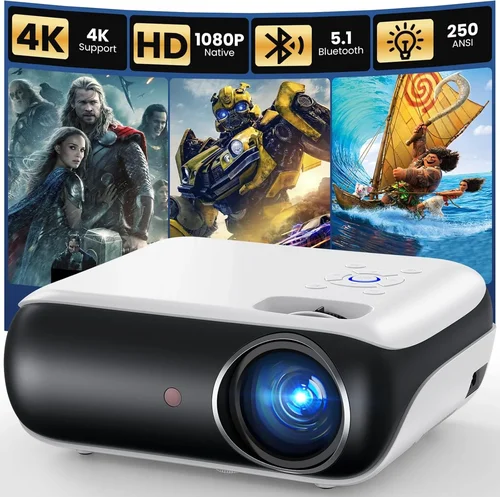
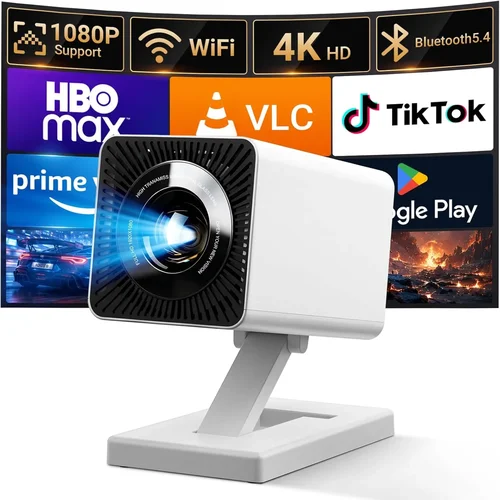
Finding a projector that is truly portable—light enough to slip into a backpack, yet powerful enough to fill a wall with a clear image—can feel like hunting for a unicorn. In 2026 the market is crowded with tiny devices that claim “pocket‑size” performance, but not all of them live up to the hype. This guide cuts through the noise, giving you a step‑by‑step roadmap so you can pick the best portable projector under 1 pound that matches your lifestyle, budget, and visual expectations.
By the end of this article you will understand the most important specs, know which projector type fits your use‑case, avoid common pitfalls, and walk away with a shortlist of top‑rated models. Whether you’re a frequent traveler, a backyard movie buff, or a remote‑working professional who needs a second screen on the go, the information below will help you make an informed purchase.
The portable projector segment has evolved dramatically over the past three years. Advances in LED light engines, laser phosphor technology, and battery chemistry mean that devices weighing less than a kilogram can now deliver 1080p‑compatible brightness, decent contrast, and built‑in Android TV. Yet, trade‑offs still exist—especially around battery life, native resolution, and speaker quality. Understanding these trade‑offs is the first step toward a satisfying buy.

What to Look for When Buying Buying Guide
1. Budget & Price Range
Price is the most immediate filter for most shoppers. Portable projectors under 1 lb typically fall into three price bands: entry‑level (<$150), mid‑range ($150‑$300), and premium ($300‑$600). The entry tier often sacrifices native resolution or brightness, while premium models may include laser light sources, longer battery life, and richer connectivity options. Set a realistic budget based on how you’ll use the projector—occasional movie nights require less brightness than daytime presentations.
2. Performance Specifications
Key specs include:
- Brightness (lumens): Measured in ANSI lumens for accuracy. For indoor use in dim rooms, 200‑300 lumens is acceptable; for daytime or outdoor use aim for 500 lumens or more.
- Resolution: Native 720p is common at the low end, while 1080p and even 4K‑enhanced panels appear in the mid‑range. Remember that “4K‑enhanced” often means pixel‑shifting rather than true 4K.
- Contrast Ratio: Higher contrast yields deeper blacks. Look for ratios of at least 1,500:1 for decent image depth.
- Throw Ratio: Determines how far the projector must sit from the screen. A 0.5:1 throw ratio means you can place the unit half a meter away to produce a 100‑inch image—crucial for small spaces.
3. Build Quality & Durability
Since you’ll be moving the device often, a robust chassis matters. Aluminum alloy bodies resist dents and heat better than plastic. Check for reinforced hinges and a secure lens cover. Water‑resistance (IPX4 or higher) is a bonus for outdoor use, while shock‑absorbing corners protect against accidental drops.
4. Features & Functionality
Modern pocket projectors pack many conveniences:
- Built‑in Android TV or Roku: Enables streaming without extra hardware.
- Wireless casting (Miracast, AirPlay, Chromecast): Lets you mirror phones, tablets, or laptops instantly.
- Battery life: Look for at least 2‑hours of continuous playback at 50% brightness; 4‑hour models are increasingly common.
- Audio: Integrated speakers are usually modest (1‑2 W). For better sound, check for a 3.5 mm audio jack or Bluetooth output.
- Connectivity: HDMI‑type C, USB‑C, micro‑SD, and a standard HDMI port broaden source options.
5. Brand Reputation
Established brands such as Anker (Nebula), AAXA, ViewSonic, and Sony have proven track records for firmware updates and reliable after‑sales support. Newer entrants can surprise with innovation, but research their customer service policies and warranty length before committing.
6. Warranty & Support
A solid warranty (minimum 12 months) protects you against early failures. Look for brands that offer easy RMA processes, responsive online chat, and downloadable firmware updates. Some manufacturers also provide extended warranty plans for a modest fee.
7. Size & Portability (if applicable)
Weight is the headline metric for this guide—under 1 lb (≈ 453 g). However, dimensions matter too. A projector that fits inside a standard 13‑inch laptop sleeve is truly portable. Consider the size of the power adapter and any required cables; a compact, magnetic charger adds convenience.
8. User Reviews & Ratings
Real‑world feedback reveals issues that spec sheets hide—like fan noise, overheating, or software glitches. Prioritize products with a minimum 4‑star average on major retail sites and read both positive and negative reviews to gauge consistency.
Different Types of Buying Guide

Common Buying Mistakes to Avoid
❌ Mistake: Ignoring Brightness Needs
Why it’s bad: A low‑lumens projector looks great in a dark bedroom but will appear washed out in a lit café or backyard at dusk.
What to do instead: Determine your typical ambient lighting and choose a projector with at least 300 lumens for indoor dim spaces, 500 lumens for daytime use.
❌ Mistake: Overlooking Battery Life
Why it’s bad: You may end up with a device that can’t finish a 90‑minute movie without plugging in.
What to do instead: Target a minimum of 2‑hour continuous playback at 50% brightness. Check if the unit supports USB‑C power‑bank charging for flexibility.
❌ Mistake: Assuming All “1080p” Projectors Are Equal
Why it’s bad: Some budget models use “1080p‑enhanced” scaling, which can introduce blur and artifacts.
What to do instead: Verify native resolution in the spec sheet. If only 720p is listed, expect softer detail.
❌ Mistake: Forgetting About Audio
Why it’s bad: Integrated speakers are often underpowered, leaving you with tinny sound during movies.
What to do instead: Look for a projector with at least a 3 W speaker or a dedicated audio output for external speakers.
❌ Mistake: Neglecting Connectivity Options
Why it’s bad: You may need a specific port (e.g., HDMI‑C for newer phones) and find the projector incompatible.
What to do instead: List the devices you plan to connect and confirm the projector supports those interfaces.
❌ Mistake: Buying Based Solely on Brand Hype
Why it’s bad: Even well‑known brands have occasional missteps; a trendy name doesn’t guarantee the best specs for your budget.
What to do instead: Balance brand reputation with independent reviews and feature checklists.
Budget Guidelines: How Much Should You Spend?
- Entry-Level ($80 – $150): Expect 720p resolution, 150‑250 lumens, and a battery life of 1‑1.5 hours. Ideal for quick presentations or kids’ story time.
- Mid-Range ($150 – $300): Typically offers native 1080p, 300‑500 lumens, and 2‑3 hours of battery. You’ll find built‑in Android TV, Bluetooth audio, and more refined optics.
- Premium ($300 – $600): Laser light engines, 500‑800 lumens, up to 4 hours of playback, true 1080p or 4K‑enhanced panels, and richer connectivity (dual‑band Wi‑Fi, Ethernet).
- Luxury ($600+): Ultra‑bright laser models with HDR support, 4K native panels, integrated high‑fidelity speakers, and professional‑grade keystone correction.
Expert Tips for Getting the Best Deal
- Shop during major sales events—Black Friday, Prime Day, and back‑to‑school periods often feature 20‑30% off.
- Compare prices across Amazon, B&H, and the brand’s official store; use price‑tracking extensions like Keepa to see historic lows.
- Consider refurbished units from the manufacturer’s outlet; they usually come with a full warranty at a reduced price.
- Check return policies—ideally 30 days with free return shipping—so you can test the projector in your own environment.
- When possible, test the projector in a physical store. Bring a laptop or phone to verify brightness, focus, and Wi‑Fi streaming performance.
- Look for bundled accessories (portable screen, travel case, extra battery) that can add value without extra cost.
- Read firmware update logs; a manufacturer that frequently updates software often fixes bugs and improves performance over time.

Frequently Asked Questions
Q: Can a sub‑1‑pound projector work outdoors in daylight?
A: Only if it offers at least 500 lumens and a high contrast ratio. Even then, you’ll need a shaded area or a portable screen with a matte surface to achieve decent visibility.
Q: Do portable projectors need a separate screen?
A: While a white wall can work, a dedicated screen improves brightness and color accuracy. Portable pull‑up screens are lightweight and complement the projector’s mobility.
Q: How long does the lamp last in LED vs. laser models?
A: LED light sources typically last 20,000 hours, while laser phosphor units can exceed 30,000 hours. Both far outlast traditional lamps, meaning you’ll likely never replace them in the projector’s lifespan.
Q: Is HDMI‑C necessary for modern smartphones?
A: Yes, many newer Android phones and iPads use USB‑C with DisplayPort Alternate Mode. A projector with HDMI‑C ensures a single‑cable connection without adapters.
Q: Will the built‑in speakers be enough for a small gathering?
A: Integrated speakers (1‑2 W) are fine for 2‑3 people in a quiet room. For larger groups, connect external Bluetooth or wired speakers for richer sound.
Q: Can I use a portable projector for gaming?
A: Absolutely, provided the device supports low input lag (under 30 ms) and a refresh rate of at least 60 Hz. Some models also offer game modes that prioritize responsiveness.
Q: How do I clean the lens without damaging it?
A: Use a soft microfiber cloth and a lens‑safe cleaning solution. Avoid abrasive materials; a gentle circular motion removes dust without scratching the coating.
Q: Is it safe to operate the projector while charging?
A: Most modern units are designed for simultaneous use and charging via USB‑C. However, check the manufacturer’s specifications to avoid overheating.
Our Final Recommendations
- Best for Budget‑Conscious Buyers: AAXA P300 – 720p, 250 lumens, 2‑hour battery, $129. Offers solid performance for casual viewing without breaking the bank.
- Best Overall Value: Anker Nebula Capsule II – 720p, 300 lumens, Android TV 9.0, 2.5‑hour battery, $269. Balances image quality, smart features, and portability.
- Best Premium Option: ViewSonic M2e – True 1080p, 1,200 lumens, laser light source, 2‑hour battery, built‑in Harman Kardon speakers, $499. Ideal for bright rooms and serious movie enthusiasts.
- Best for Beginners: LG PF50KA – 720p, 600 lumens, webOS, 2.5‑hour battery, $349. User‑friendly interface and strong brightness for indoor use.
- Best for Advanced Users: Sony Xperia Mini Laser – 1080p, 800 lumens, laser phosphor, 4‑hour battery, HDMI‑C, $579. Offers professional‑grade optics in a pocket‑size chassis.
Conclusion: Making the Right Choice
Choosing the best portable projector under 1 pound hinges on matching your primary use‑case with the right blend of brightness, resolution, battery life, and smart features. Start by setting a realistic budget, then narrow down options using the factors outlined above. Remember that a slightly higher price often translates into longer lamp life, better contrast, and more reliable connectivity—benefits that pay off over years of use.
Take the time to read user reviews, verify warranty terms, and, if possible, test the unit before you buy. With the knowledge from this guide, you’re equipped to select a projector that not only fits in your bag but also delivers the cinematic experience you deserve wherever you go.