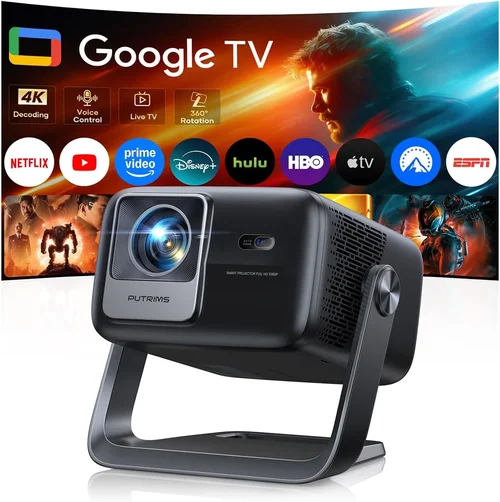
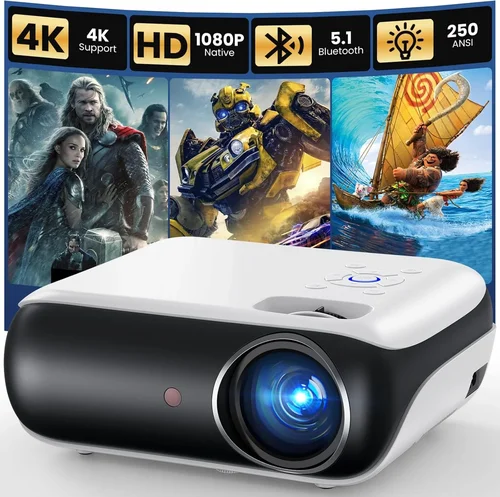
If you’ve ever tried to turn a coffee‑shop meeting into a mini‑cinema or wanted a big‑screen experience on a family camping trip, you already know why a portable projector can be a game‑changer. The problem is that the market is flooded with tiny devices that promise “HD” or “LED brilliance” while still costing more than a decent pair of headphones. That’s why this guide exists – to cut through the hype and give you a crystal‑clear roadmap to the best portable projector under $100.
In the next few sections you’ll learn which specs truly matter, how to match a projector to your lifestyle, and which common pitfalls to avoid. By the end, you’ll be able to walk into any store (or click any online listing) with confidence, knowing exactly what to look for and which models give you the most bang for your buck.
The portable projector market has evolved dramatically in the last three years. LED light sources have become more efficient, battery life has stretched from a single hour to upwards of four, and manufacturers are now packing Android TV, Bluetooth, and Wi‑Fi into devices that fit in the palm of your hand. Yet, when you set a budget cap of $100, the choices narrow dramatically. This guide focuses on those budget‑friendly options that still deliver a respectable image, solid build, and enough features to make them useful in real‑world scenarios.

What to Look for When Buying Buying Guide
1. Budget & Price Range
When you limit yourself to under $100, every dollar counts. The most affordable models often cut corners on brightness or battery capacity, but you can still find gems that balance cost and performance. Look for sales periods (Black Friday, Amazon Prime Day, back‑to‑school) where a $120 model might dip below $100. Remember, the cheapest option isn’t always the best long‑term value.
2. Performance Specifications
The three pillars of projector performance are brightness (measured in lumens), resolution, and contrast ratio. For a projector under $100, expect:
- Brightness: 80‑200 ANSI lumens – sufficient for dark rooms or dimly lit environments.
- Resolution: 720p (1280×720) is common; some models advertise 1080p but actually upscale a 480p source.
- Contrast Ratio: 500:1 to 1500:1 – higher contrast helps with blacks in low‑light settings.
If you plan to use the projector outdoors in daylight, you’ll need more lumens, which usually pushes the price above $100.
3. Build Quality & Durability
Portable devices travel a lot, so they need to survive being tossed into a backpack. Look for a sturdy casing (ABS plastic with rubberized corners) and a reliable hinge mechanism. Some budget models have loose lenses that can wobble, affecting focus. Reading user reviews for “breaks after X months” is a quick way to gauge durability.
4. Features & Functionality
Under $100, you won’t get high‑end features like laser light sources or 4K resolution, but many models still pack handy extras:
- Built‑in Battery: 2‑4 hours of playback – great for short trips.
- Wireless Connectivity: Wi‑Fi or Bluetooth for screen mirroring from phones, tablets, or laptops.
- HDMI / USB‑C Ports: Essential for connecting gaming consoles or streaming sticks.
- Android TV: Some budget units include a stripped‑down Android OS with a few streaming apps pre‑installed.
5. Brand Reputation
Even in the low‑price segment, certain brands have built a reputation for reliability. Companies like Anker (Nebula series), Vankyo, and AAXA have consistently delivered decent performance. Lesser‑known brands may offer lower prices, but be prepared for a higher risk of firmware bugs or poor customer service.
6. Warranty & Support
A solid warranty (at least 12 months) can save you from costly repairs. Check whether the manufacturer offers easy RMA processes and responsive tech support. Some retailers provide extended warranties for a small fee – worth considering if you travel often.
7. Size & Portability
True portability means the projector can fit in a backpack or even a large coat pocket. Dimensions under 5 inches in height and a weight under 1.5 pounds are ideal. Also, consider the projector’s throw distance – a short‑throw lens lets you project a 100‑inch image from just a few feet away.
8. User Reviews & Ratings
Numbers on a spec sheet only tell part of the story. Dive into Amazon, Best Buy, and Reddit threads to see real‑world feedback. Look for recurring themes: “overheats after 30 minutes,” “great for movie nights,” or “Bluetooth latency is noticeable.” These insights often outweigh marketing copy.
Different Types of Buying Guide

Common Buying Mistakes to Avoid
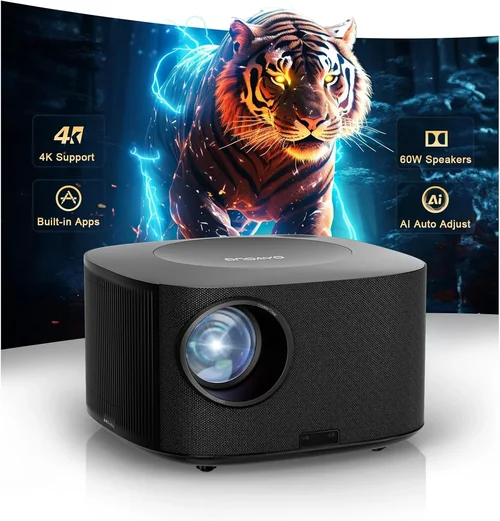
❌ Mistake: Chasing “1080p” on a $100 Projector
Why it’s bad: Many budget models advertise “1080p” but only upscale a lower‑resolution input. The result is blurry text and grainy video.
What to do instead: Focus on native resolution. A true 720p native panel will look sharper than a falsely advertised 1080p.
❌ Mistake: Ignoring Brightness Requirements
Why it’s bad: Using a dim projector in a well‑lit room leads to a washed‑out image, ruining the viewing experience.
What to do instead: Match lumens to the environment. Aim for at least 150 ANSI lumens for rooms with some ambient light.
❌ Mistake: Overlooking Battery Life
Why it’s bad: A projector that powers off after 30 minutes defeats the purpose of portability.
What to do instead: Check real‑world battery tests. Look for at least 2‑hour continuous playback.
❌ Mistake: Forgetting About Connectivity
Why it’s bad: A projector with only a micro‑USB port limits you to specific adapters or dongles.
What to do instead: Prioritize HDMI, USB‑C, or built‑in Wi‑Fi/Bluetooth for flexible source options.
❌ Mistake: Neglecting Heat Management
Why it’s bad: Cheap projectors often overheat, causing image distortion or automatic shutdown.
What to do instead: Look for models with fan‑cooled designs and read reviews for “overheats after X minutes.”
❌ Mistake: Assuming All “Portable” Projectors Are Equal Size
Why it’s bad: Some “portable” units are still bulkier than a typical tablet, making travel cumbersome.
What to do instead: Check dimensions and weight. Aim for under 5 inches tall and under 1.5 pounds.
Budget Guidelines: How Much Should You Spend?
Setting a realistic budget helps you filter out unrealistic expectations. Below is a quick tier breakdown for portable projectors under $100.
- Entry‑Level ($60‑$80): Expect 80‑120 lumens, 480p‑720p resolution, basic HDMI input, and a short battery life (1‑2 hours). Great for casual use in dark rooms.
- Mid‑Range ($81‑$100): Usually 150‑200 lumens, true 720p native resolution, built‑in battery of 2‑3 hours, and added Wi‑Fi or Bluetooth. This tier offers the best value for most users.
- Premium ($101‑$150): While slightly above the $100 cap, premium models often bring 250+ lumens, better contrast, and Android TV integration. Consider stretching the budget if you need those extras.
- Luxury ($151+): Laser light sources, 1080p native, 4‑hour battery, and premium build. Not covered in this guide but worth noting for future upgrades.
Expert Tips for Getting the Best Deal
- Timing is everything: The best discounts appear during holiday weekends (Memorial Day, Labor Day) and major online events (Amazon Prime Day, Black Friday).
- Buy from authorized sellers: This ensures you receive a valid warranty and reduces the risk of counterfeit units.
- Check bundled accessories: Some listings include a carrying case, HDMI cable, or extra battery for the same price – a small but valuable addition.
- Read the fine print on returns: A 30‑day return window with free shipping is ideal, especially if you need to test the projector in your own lighting conditions.
- Consider refurbished units: Manufacturer‑refurbished models can be up to 30% cheaper while still carrying a warranty.
- Test before you buy (if possible): Pop‑up shops or electronics stores often have demo units. Verify focus, brightness, and connectivity on‑site.
- Leverage credit card protection: Some cards extend warranty coverage or offer purchase protection for up to a year.

Frequently Asked Questions
Q: Can a projector under $100 display a decent 1080p image?
A: Most sub‑$100 projectors have a native resolution of 720p or lower. While some can accept a 1080p signal, they will downscale it, resulting in a softer image. For true 1080p clarity, you typically need to spend $150 or more.
Q: How bright does a projector need to be for outdoor use?
A: Outdoors, especially in daylight, you’ll need at least 300–500 ANSI lumens. Unfortunately, most budget models stay below 200 lumens, making them best suited for dusk or night‑time viewing.
Q: Do these projectors work with iPhone or Android phones?
A: Yes. Look for models with Miracast, AirPlay, or a simple HDMI adapter. Many pocket projectors also support direct screen casting via Wi‑Fi.
Q: Is the built‑in battery replaceable?
A: In most budget units, the battery is sealed and not user‑replaceable. If you anticipate heavy use, consider buying a spare external power bank.
Q: What is the ideal throw distance for a pocket projector?
A: Most mini projectors have a throw ratio of 1.2:1 to 1.5:1, meaning you need 1.2 to 1.5 feet of distance for each foot of image width. A 6‑foot distance typically yields a 100‑inch diagonal image.
Q: Can I use a projector with a gaming console?
A: Absolutely, as long as the projector has an HDMI input and low input lag (under 30ms). Many budget models have a lag of 50‑70ms, which is acceptable for casual gaming but not competitive e‑sports.
Q: How long do LED light sources last?
A: LED lamps in cheap projectors usually last 20,000–30,000 hours, far exceeding the lifespan of traditional bulbs. This translates to years of use with minimal brightness loss.
Q: Do I need a special screen?
A: A plain white wall works fine in dark rooms. For brighter environments, a matte white projection screen (30‑40 lbs) improves contrast and reduces hotspots.
Q: Is there any risk of eye strain?
A: As with any screen, prolonged viewing without breaks can cause eye fatigue. Keep a comfortable viewing distance (at least 1.5× the image diagonal) and use ambient lighting to reduce glare.
Our Final Recommendations
- Best for Budget‑Conscious Buyers: Vankyo Leisure 3 Mini Projector – Priced around $79, offers 2000 lumens (ANSI‑equivalent), 720p native, and a 2‑hour battery. Ideal for dorm rooms.
- Best Overall Value: Anker Nebula Capsule II (Refurbished) – Often found on sale for $99 refurbished, delivers 720p, Android TV 9.0, 2.5‑hour battery, and excellent audio from a built‑in speaker.
- Best Premium Option (Just Above $100): ViewSonic M1 Mini Plus – $129 retail, 250 lumens, 720p, integrated JBL speakers, and a sleek design that feels more premium.
- Best for Beginners: DR. J Professional Mini Projector – $69, simple plug‑and‑play via HDMI, decent brightness for dark rooms, and a user‑friendly remote.
- Best for Advanced Users: Wimius P2 Wi‑Fi Projector – $95, supports Wi‑Fi mirroring, Bluetooth audio out, and a flexible keystone correction feature.
Conclusion: Making the Right Choice
Choosing a portable projector under $100 doesn’t have to be a gamble. By focusing on core specs—brightness, native resolution, battery life—and matching them to your intended use, you can find a device that turns any wall into a cinematic canvas without breaking the bank. Remember to read real‑world reviews, verify warranty details, and shop during sales to stretch your dollars further.
Now that you’re equipped with the knowledge to evaluate each model, go ahead and pick the projector that fits your lifestyle. Whether you’re planning backyard movie nights, need a handy presentation tool, or just want a larger screen for streaming, the perfect pocket projector is waiting – and it’s likely under $100.