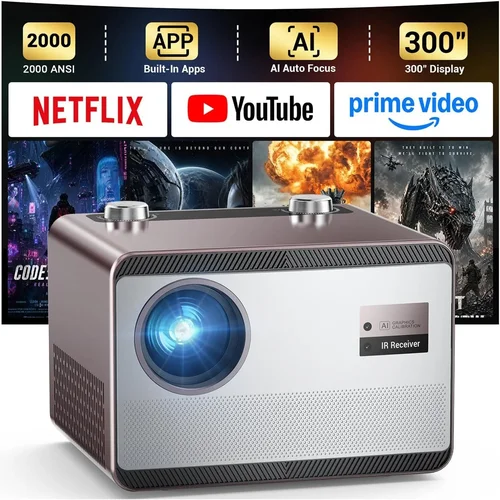
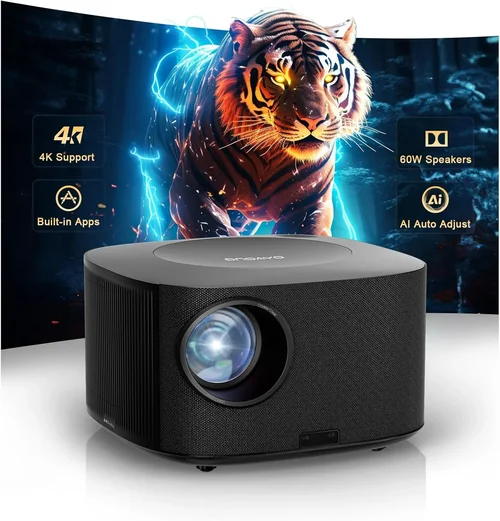
Welcome to the ultimate guide for anyone hunting the best portable projector under $1,000. Whether you’re a movie‑lover who wants a backyard cinema, a remote worker needing a second screen, or a gamer craving a bigger battlefield, a compact projector can transform any space into a personal theater. The market is flooded with options, and the specifications can feel overwhelming. That’s why this guide exists – to cut through the noise, explain what truly matters, and help you pick a device that fits your lifestyle without breaking the bank.
In the pages that follow you will discover the key specs that differentiate a decent projector from a great one, learn how to match those specs to your real‑world needs, avoid common buying pitfalls, and walk away with a clear shortlist of top picks. By the end, you’ll know exactly which portable projector under $1,000 will give you the brightest image, longest battery life, and most reliable performance for your particular use case.
The portable projector market has evolved dramatically over the past few years. Advances in LED and laser light sources, improvements in battery technology, and the rise of Android‑based smart projectors mean you can now find a device that delivers 1080p‑class visuals, built‑in streaming apps, and wireless screen mirroring—all in a unit that fits in a backpack. This guide reflects the 2026 landscape, focusing on models that balance price, performance, and portability.

What to Look for When Buying Buying Guide
1. Budget & Price Range
Even within the sub‑$1,000 segment, prices can vary by $200 or more. A tighter budget often means you’ll compromise on brightness or battery capacity, while stretching a little further can unlock laser light sources and higher native resolutions. Define your absolute maximum first, then allocate portions of that budget to the features you care about most. Remember that accessories—extra batteries, portable screens, or mounting kits—also add to the total cost.
2. Performance Specifications
Three specs dominate the performance conversation: brightness (measured in lumens), resolution, and contrast ratio. For indoor use in a dim room, 200–300 ANSI lumens may be sufficient, but outdoor or well‑lit environments demand 400+ lumens. Native resolution determines true image detail; 1080p (1920×1080) is now common, while 720p remains acceptable for casual viewing. Contrast ratio influences how deep blacks appear; a ratio of 1,500:1 is a practical baseline for portable units.
3. Build Quality & Durability
Portability means the projector will travel in bags, endure temperature swings, and possibly encounter accidental bumps. Look for robust housings made from aluminum or high‑grade polycarbonate, reinforced lens caps, and sealed ports that keep dust out. Many premium models also carry IP ratings for splash resistance—useful for camping or pool‑side movie nights.
4. Features & Functionality
Modern portable projectors are mini‑entertainment hubs. Key features to evaluate include:
- Wireless connectivity: Wi‑Fi, Bluetooth, and Miracast for screen casting from phones, tablets, or laptops.
- Built‑in Android/Smart OS: Direct access to Netflix, YouTube, and other streaming apps without a separate device.
- Audio: Integrated speakers (typically 2–5 W) are convenient, but for serious sound you’ll want a headphone jack or Bluetooth audio out.
- Port selection: HDMI, USB‑C, micro‑SD, and sometimes VGA for legacy devices.
- Battery life: Measured in hours of video playback; 2–4 hours is common, while some laser models push 6 hours.
5. Brand Reputation
Established brands such as Anker, Epson, LG, and ViewSonic tend to offer more reliable firmware updates and broader service networks. Newer entrants like XGIMI or AAXA can surprise with innovative features, but research post‑purchase support, firmware update frequency, and community forums before committing.
6. Warranty & Support
A solid warranty can save you from costly repairs. Look for at least a 12‑month coverage period, with options to extend through the retailer or manufacturer. Verify whether the warranty covers battery degradation—a common failure point in portable units. Also, check the availability of local service centers or mail‑in repair programs.
7. Size & Portability
Weight and dimensions directly affect how easy the projector is to carry. Most “portable” models weigh between 1.5 and 3 pounds and measure roughly 5×4×2 inches. If you plan to travel light, prioritize a compact form factor and consider a model with a built‑in handle or a detachable case.
8. User Reviews & Ratings
Technical specs tell only part of the story. Dive into verified buyer reviews on Amazon, Best Buy, and dedicated AV forums. Pay attention to recurring themes—e.g., overheating after 30 minutes, unreliable Wi‑Fi, or exceptional battery life. Real‑world feedback often uncovers software quirks or firmware bugs that manufacturers may not highlight.
Different Types of Buying Guide

Common Buying Mistakes to Avoid
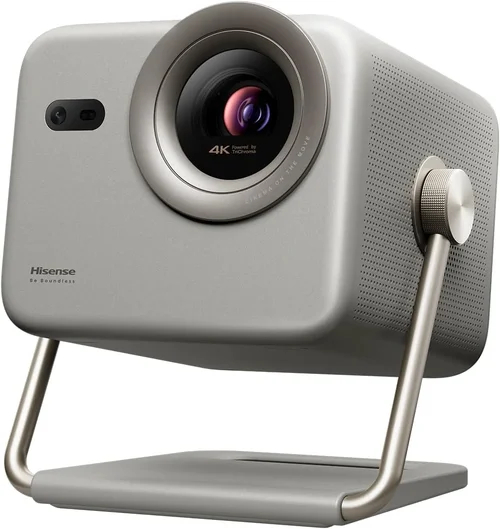
❌ Mistake: Ignoring Brightness Requirements
Why it’s bad: A projector that looks sharp in a dark bedroom can appear washed out in a living room with ambient light.
What to do instead: Assess where you’ll use the device most often and choose a model with at least 300 ANSI lumens for indoor use, or 400+ lumens for daytime or outdoor settings.
❌ Mistake: Overlooking Battery Degradation
Why it’s bad: Batteries lose capacity over time; buying a cheap unit with a non‑replaceable battery can limit lifespan to a few years.
What to do instead: Prefer models with replaceable batteries or those that support external power banks. Check warranty terms for battery coverage.
❌ Mistake: Assuming All “1080p” Projectors Are Equal
Why it’s bad: Some devices claim 1080p but actually use pixel‑shifting to simulate the resolution, resulting in softer images.
What to do instead: Verify the native resolution in the spec sheet. If the manufacturer lists “Full HD” without “native,” dig deeper or read expert reviews.
❌ Mistake: Forgetting About Throw Distance
Why it’s bad: A short‑throw projector placed too far away will produce a tiny image, while a long‑throw unit may need a large room.
What to do instead: Measure your typical projection distance and match it to the projector’s throw ratio (e.g., 0.5–1.0 for short‑throw).
❌ Mistake: Disregarding Connectivity Options
Why it’s bad: A projector lacking the right ports forces you to buy adapters, adding cost and inconvenience.
What to do instead: List the devices you plan to connect (phone, laptop, gaming console) and ensure the projector offers compatible ports—HDMI, USB‑C, or wireless casting.
❌ Mistake: Buying Based Solely on Brand Reputation
Why it’s bad: Even big brands can release entry‑level models that underperform in key areas.
What to do instead: Compare individual model specs and real‑world reviews, not just the brand name.
Budget Guidelines: How Much Should You Spend?
- Entry-Level ($300‑$500): Expect 200‑300 lumens, 720p native resolution, basic Android OS, and a battery life of around 2 hours. Ideal for casual travelers who prioritize size over image quality.
- Mid-Range ($501‑$750): You’ll find true 1080p panels, 350‑450 lumens, longer battery (3‑4 hours), and richer connectivity (HDMI, USB‑C, Bluetooth). This tier balances performance and price for most home‑theater enthusiasts.
- Premium ($751‑$1,000): Laser light sources, 500+ lumens, high contrast ratios, built‑in Harman‑Kardon speakers, and advanced features like auto‑focus and keystone correction. Targeted at gamers and small‑group cinema setups.
- Luxury (>$1,000): While beyond the scope of this guide, these units often include 4K resolution, 1,000+ lumens, and professional‑grade optics—best for dedicated AV installations.
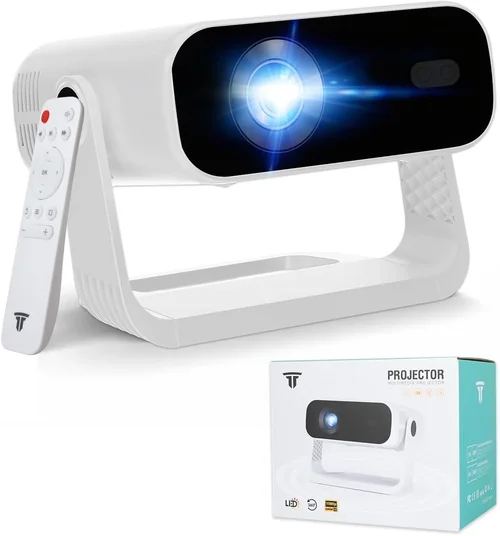
Expert Tips for Getting the Best Deal
- Timing is everything: New projector models typically launch in Q2. Shopping in late Q3 or Q4 can yield deep clearance discounts on the previous generation.
- Buy from authorized retailers: They provide legitimate warranties and easier return processes. Marketplace sellers may offer lower prices but can complicate support.
- Bundle wisely: Some retailers include a portable screen, extra battery, or HDMI cable as part of a bundle, saving you up to $100 compared to buying accessories separately.
- Check for open‑box or refurbished units: Certified refurbished units often come with a full warranty and are inspected for defects, offering near‑new performance at 20‑30% less.
- Read the fine print on return policies: A 30‑day return window with free shipping is ideal. Avoid “final sale” listings unless you’re absolutely certain.
- Test before you buy (if possible): Visit a local electronics store and view the projector’s image on a white wall. Pay attention to color accuracy, focus stability, and fan noise.
- Consider future firmware updates: Manufacturers that promise regular OS updates keep streaming apps functional and improve performance over time.

Frequently Asked Questions
Q: Can I use a portable projector outdoors in daylight?
A: While some high‑lumens models (500+ ANSI) can produce a visible image in shaded outdoor areas, true daylight use is challenging. For the best outdoor experience, choose a projector with at least 400 lumens, use a high‑gain screen, and position the unit away from direct sunlight.
Q: Do I need a separate screen?
A: Not strictly. A smooth, white wall works for casual viewing, but a dedicated portable screen improves brightness and contrast, especially in ambient light. Many users opt for a collapsible 80‑inch screen that folds into a carry case.
Q: How long does the battery really last?
A: Battery life varies by content type and brightness setting. Most manufacturers quote 2–4 hours of video at 50% brightness. Reducing brightness or playing lower‑resolution video can extend runtime.
Q: Is there a noticeable lag when gaming?
A: Input lag on portable projectors ranges from 30 ms (good) to over 100 ms (noticeable). Look for models that specifically advertise “low lag” or “gaming mode.” Laser projectors often have lower latency than LED units.
Q: Can I connect a Bluetooth speaker?
A: Yes, most modern portable projectors support Bluetooth audio output. Pairing is usually a one‑tap process via the settings menu. For the best sound, consider a compact Bluetooth soundbar.
Q: What is the difference between ANSI lumens and LED lumens?
A: ANSI lumens are measured using a standardized method and apply to all light sources. “LED lumens” is a marketing term that can be misleading. Always compare ANSI lumen ratings for an apples‑to‑apples comparison.
Q: Are firmware updates necessary?
A: Firmware updates can fix bugs, improve Wi‑Fi stability, and add new streaming apps. Brands that provide regular updates (e.g., XGIMI, Anker) tend to keep their devices relevant longer.
Q: How far can I project a 100‑inch image?
A: Throw distance depends on the projector’s throw ratio. A typical 1.2:1 ratio requires 10 feet for a 100‑inch diagonal. Short‑throw models (0.5:1) can achieve the same size from 5 feet.
Q: Is a replaceable lamp necessary?
A: Most portable projectors use LED or laser light sources with lifespans of 20,000‑30,000 hours, effectively “replace‑free” for most users. Traditional lamp‑based units are rare in the sub‑$1,000 segment.
Our Final Recommendations
- Best for Budget‑Conscious Buyers: Anker Nebula Capsule II – 720p, 200 ANSI lumens, 2.5‑hour battery, Android TV 9.0, and a price around $429.
- Best Overall Value: XGIMI MoGo Pro – True 1080p, 300 ANSI lumens, 2‑hour battery, built‑in Harman‑Kardon speakers, and a price near $749.
- Best Premium Option: LG PH550 – Laser light source, 550 lumens, 2.5‑hour battery, wireless screen share, and a solid $999 price tag.
- Best for Beginners: ViewSonic M1+ – 720p, 250 lumens, 2‑hour battery, built‑in JBL speakers, intuitive UI, priced at $449.
- Best for Advanced Users: BenQ GS2 – 720p, 200 lumens, IPX2 splash‑proof, 3‑hour battery, Android TV, and a rugged design for $599.
Conclusion: Making the Right Choice
Choosing the best portable projector under $1,000 comes down to balancing three core elements: brightness for your environment, native resolution for image clarity, and portability features that match your lifestyle. Use the factors outlined in this guide to prioritize what matters most—whether it’s a longer battery for weekend camping trips or low input lag for immersive gaming.
Remember, the most expensive model isn’t automatically the best for you. Align your purchase with the scenarios you’ll encounter most often, read real‑world reviews, and take advantage of seasonal sales to stretch your budget further. With the right research, you’ll soon be projecting movies, presentations, and games wherever you go.
Ready to make your pick? Browse the recommended models, compare specs, and enjoy the freedom of a cinema‑size experience in the palm of your hand.